L
dsh-idea
lidaiyue/dsh-idea
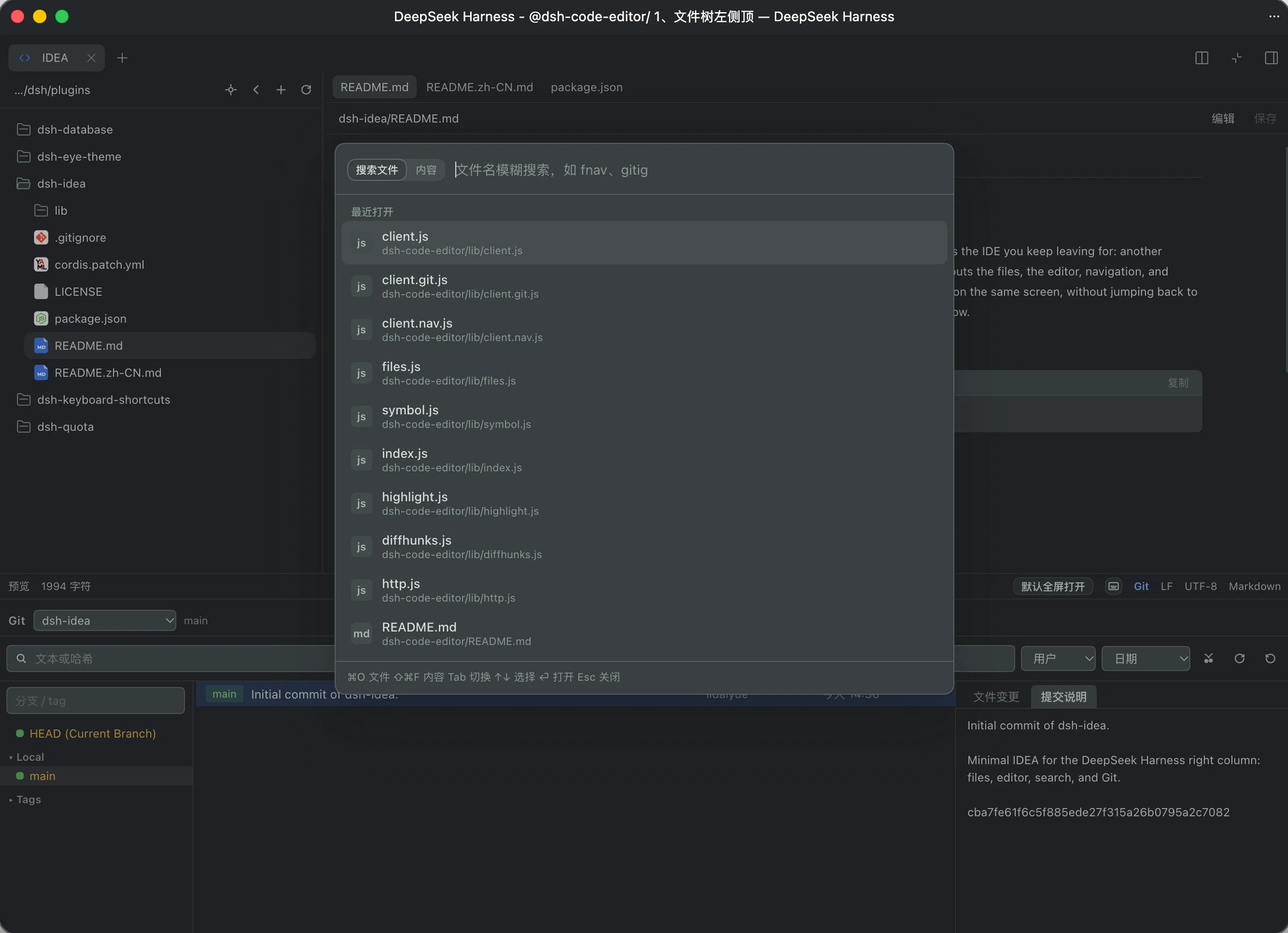
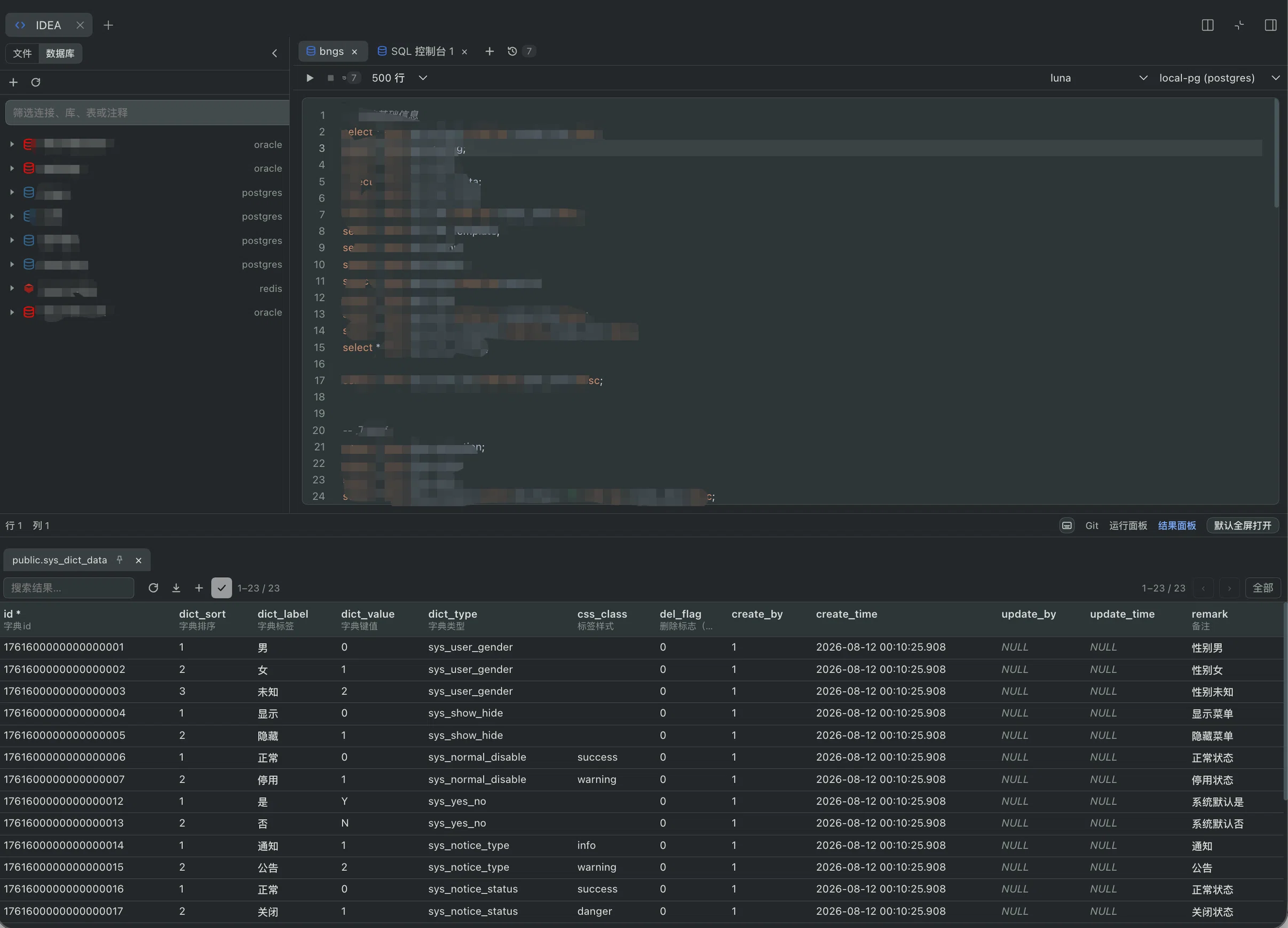
A minimal IDE in the DSH right column: workspace file tree, a text editor with find and save, Markdown preview, file-name and file-content search, language-server navigation, Git, a Run panel for discovered apps and .dsh/run.json entries, and a database explorer for PostgreSQL, MySQL, Oracle, and Redis.
Installation
dsh plugin --profile web add github:lidaiyue/dsh-ideaREADME
dsh-idea
English | 中文
A minimal IDEA in the DeepSeek Harness right column.
Install
dsh plugin --profile web add /absolute/path/to/dsh-idea
Restart dsh web, then refresh the page.
Features
- Workspace file tree: browse by folder, and create, rename, or delete files and folders
- Text editor: syntax color, find, and save
- Markdown preview, with a switch between preview and source
- Search file names, and search inside file contents
- Language servers: go to definition, go to implementation, and find references. A binary on
PATHis used; otherwise the status bar says none is available- JavaScript / TypeScript:
npm install -g typescript-language-server typescript - Python:
npm install -g pyright - Rust:
rustup component add rust-analyzer - Go:
go install golang.org/x/tools/gopls@latest - C / C++: install
clangd(usually with LLVM) - Java: install
jindex(java-index) - Lua: install
lua-language-server
- JavaScript / TypeScript:
- Git: branches and history, diff, commit, pull, and push. The workspace root is included when it is a repository. Immediate child directories with their own
.gitare listed too, and the panel switches between them - Run panel: start and stop discovered applications (Maven/Gradle Spring Boot, concrete JS monorepo dev servers, sibling frontends) and entries in
.dsh/run.json. Option+F12 / Alt+F12 toggles it - Database explorer: connect to PostgreSQL, MySQL, Oracle, or Redis. Browse schemas, tables, and columns; preview data in the grid and edit it in place, cell by cell or by inserting a row; export a table, a schema, or a whole database as SQL (Redis as JSON), or run a script to import it back. Each connection opens a SQL console, and Redis gets key browsing and a command console. Passwords live in the DSH credential store
- Select text in a file and mention that range in chat with a shortcut (default
⌥⌘I/Ctrl+Alt+I). With no selection, the shortcut mentions the current file
License
Ähnliche Plugins
D
deepseek-harness
deepseek-ai/deepseek-harness
201.9kvor 3 MonatenEntwicklung & Plugin-ToolsMIT
D
dsh-market
dsh-market/dsh-market
13.6kvor 7 StundenEntwicklung & Plugin-ToolsMIT
Z
dsh-web (dsh-plugin-manager)
zhu1090093659/dsh-web
10.7kvor 7 StundenEntwicklung & Plugin-ToolsApache-2.0
Z
dsh-web
zhu1090093659/dsh-web
6.5kvor 3 MonatenEntwicklung & Plugin-ToolsApache-2.0