dsh-mermaid
mrmolabs/dsh-mermaid
Rendert Mermaid-Code-Fences als SVG-Diagramme mit Streaming-Unterstützung, Umschalten zwischen Diagramm und Code, Vollbild-Zoom und -Pan, SVG-Export und einer gebündelten Same-Origin-Runtime.
Installation
dsh plugin --profile web add github:mrmolabs/dsh-mermaidREADME
dsh-mermaid
简体中文 | English
Render Mermaid code blocks as interactive SVG diagrams in DeepSeek Harness Web and Desktop. Switch between source and diagram, explore large diagrams in fullscreen, and export SVG files without leaving the conversation.

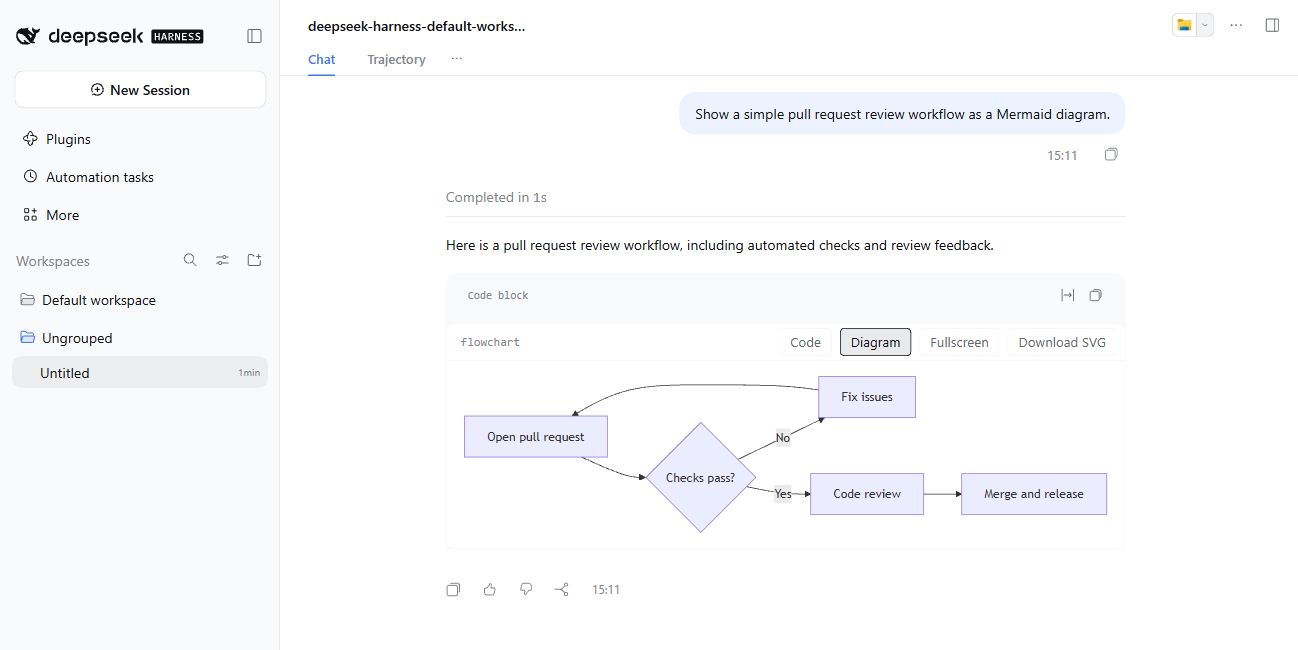
An English pull request workflow rendered in a DSH conversation. View the Mermaid source.
Quick start
Requires DeepSeek Harness (DSH) and Node.js 22.19 or later. Commands below use Windows PowerShell; on macOS or Linux, use npx and npm in place of npx.cmd and npm.cmd.
1. Install
With a global dsh command, install the npm release into your Web profile:
dsh plugin --profile web add -w dsh-mermaid
If dsh is not on your PATH, invoke it through npx:
npx.cmd --yes @deepseek-ai/dsh plugin --profile web add -w dsh-mermaid
For DSH Desktop, replace --profile web with --profile desktop. DSH installs the package through pnpm and automatically registers its dsh.bundle declaration in the selected profile. Restart DSH Web or DSH Desktop after installation; for an already running Web session, refresh the browser page as well.
2. Render a diagram
Ask a model to output a Mermaid fenced code block, for example:
```mermaid
flowchart LR
  A[Idea] --> B[Mermaid code]
  B --> C[Diagram]
  C --> D[SVG export]
```
The block opens in Diagram view by default. Use Code / Diagram to switch views. The plugin also recognizes mermaidjs and mmd fences; inline code is left unchanged.
3. Explore and export
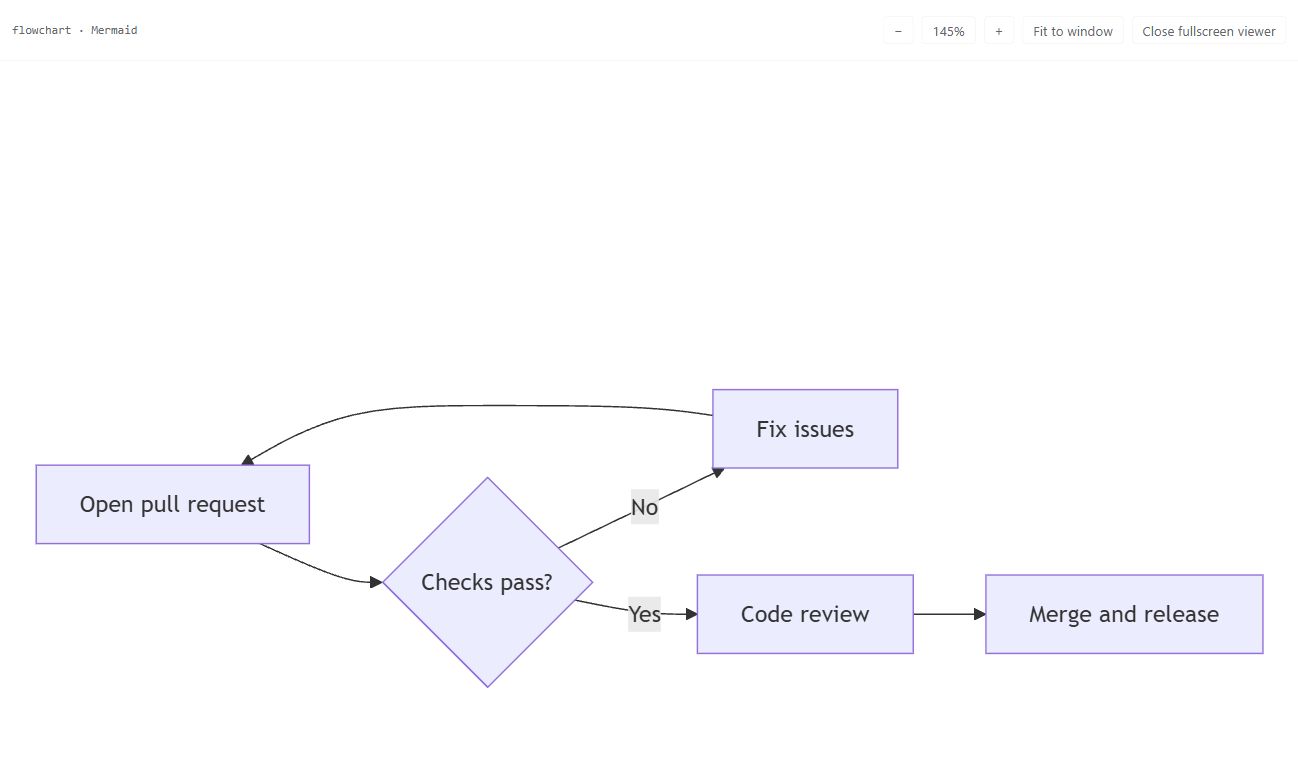
- Fullscreen opens a viewer with mouse-wheel zoom, dragging, 100% reset, and fit-to-window controls. Press
Escto close it. - Download SVG saves the rendered diagram as a standalone file.
- Both actions remain available in Code view once a diagram has rendered successfully.
Features
- Streaming support — discovers new blocks as responses arrive and prevents older renders from replacing newer content.
- Theme and language — follows DSH's light/dark theme and uses English or Simplified Chinese based on the page and browser language.
- Large-diagram viewing — fullscreen zoom and pan, with a stable toolbar position when switching views.
- Accessible controls — keyboard focus management, render/download announcements, and accessible SVG names.
- Bundled runtime — pins Mermaid
11.17.0, loads it on demand from DSH's own origin, and requires no runtime CDN. Multiple diagrams render through a serial queue. - Source fallback — uses Mermaid's
securityLevel: strictand returns to source on rendering errors. Diagrams exceeding 50,000 characters or 2,000 lines are rejected before rendering.
Update and uninstall
Run the command for your installed profile; replace web with desktop for DSH Desktop.
# Update the npm release
dsh plugin --profile web update -w dsh-mermaid

# Uninstall
dsh plugin --profile web remove -w dsh-mermaid
If needed, replace the leading dsh with npx.cmd --yes @deepseek-ai/dsh. Restart the corresponding DSH application afterward and refresh any open Web page. See the changelog for release details.
Troubleshooting
| Symptom | What to check |
|---|---|
| No Code / Diagram controls | Confirm that the plugin is installed in the profile you are using, restart DSH, and refresh the page. Use an explicit mermaid fenced block. |
| Source appears with an error | Check the Mermaid syntax and the displayed error. Split diagrams that exceed 50,000 characters or 2,000 lines. |
| Fullscreen or download is unavailable | These actions require a successfully rendered SVG. Resolve any rendering error first. |
| GitHub installation reports a blocked build script | Follow the build-script guidance under Install from GitHub below. |
Compatibility
The most recent UI check was on 2026-10-28, using Windows / Chrome, @deepseek-ai/dsh 0.2.1-rc.3 (Web profile), and dsh-mermaid 0.4.4. The DSH host ran on Node.js 24.21.0 bundled with DSH Desktop.
An isolated environment with a local example conversation confirmed English flowchart rendering, toolbar display, opening and closing fullscreen, and fullscreen panning. The screenshots above come from that environment. This was a UI smoke check; it did not cover a full feature regression or the native Desktop window.
DSH is a developer preview; newer versions may change its plugin loader or Markdown DOM. When reporting an issue, include your DSH, plugin, and Node.js versions, Web/Desktop profile, and a minimal Mermaid example. Remove private conversation content before sharing.
Advanced usage
Install from GitHub
For normal use, prefer the npm release. To install the latest repository source, ensure a global dsh command is on your PATH, then run:
npx.cmd -y github:MrmoLabs/dsh-mermaid install
For DSH Desktop:
npx.cmd -y github:MrmoLabs/dsh-mermaid install --profile desktop
The repository installer asks DSH to install the GitHub source into the selected profile and builds the package during installation. If pnpm blocks a build script, add the exact package key shown by pnpm to allowBuilds in that profile's pnpm-workspace.yaml, then run the command again. Restart the corresponding DSH application afterward.
The installer supports English and Simplified Chinese. It checks DSH_MERMAID_LANG, DSH_LANG, LC_ALL, LC_MESSAGES, LANG, and LANGUAGE in that order, then uses the system language; neutral C/POSIX values are skipped. Set DSH_MERMAID_LANG=en or DSH_MERMAID_LANG=zh-CN to override the choice. This affects the installer’s own messages, independently of the browser interface, DSH, and pnpm.
Runtime and integration boundary
The Mermaid runtime runs in the DSH Web browser or Desktop renderer, where window and document are available. The Node.js host serves the bundled file over HTTP. The Node.js version requirement covers installation, builds, and the plugin host; this package does not currently provide a supported Node.js validation API.
lib/mermaid-runtime.js is an internal browser bundle. It is shipped for the plugin's same-origin runtime route and is not a public package export. Resolving dsh-mermaid/package.json and constructing a path to this file depends on internal packaging details that may change.
Integrators experimenting with server-side parsing must account for these requirements:
- Some diagram parsers sanitize labels through DOMPurify during
parse(). Without a DOM, valid labeled flowcharts and state diagrams can throwaddHook is not a functionorsanitize is not a function. Successful parsing of one sequence diagram does not establish compatibility for other inputs. - Provide a compatible DOM before the first runtime import, preferably in a dedicated worker or process. DOMPurify captures its environment during initialization; adding a DOM after import does not repair the cached module. Temporarily assigning globals around an asynchronous import can also expose them to other host code. Follow DOMPurify's server-side guidance when choosing a DOM implementation.
- On Windows, convert an absolute filesystem path with
pathToFileURL(runtimePath).hrefbefore passing it to dynamicimport(). - Distinguish invalid input from unavailable dependencies, environment failures, and timeouts. Mermaid's
.hasherror field is not a universal classifier: invalid pie syntax and unknown diagram types can also fail without it. An incomplete validation must not be reported as successful. - Use the same Mermaid version and relevant configuration as the renderer. A successful
parse()checks syntax; it does not guarantee successful layout or SVG rendering. Keep the renderer's error handling and source fallback.
Development
From a local checkout, with Node.js 22.19 or later:
npm.cmd install
npm.cmd run check
npm.cmd run build
dsh plugin --profile web add -w .
Build output is written to lib/. The lightweight client.js bootstrap is registered with the DSH client module loader as dsh-mermaid; the bundled Mermaid runtime is served through the plugin's same-origin host route and loaded on demand. DSH resolves the relative installation path against the current plugin checkout.
npm.cmd run check runs syntax and client tests, builds the runtime, and tests its real parser in separate processes with and without a DOM. The DOM-backed parser tests use happy-dom as a test fixture; they do not verify browser layout or SVG rendering, or recommend a production server-side DOM implementation.
Manual installation for local development
The built package can also be copied to:
C:\Users\<username>\.dsh\profiles\web\node_modules\dsh-mermaid
Never commit the complete .dsh directory; it may contain conversations and credentials.
Release checks
npm.cmd run check
npm.cmd run build
npm.cmd pack --dry-run
git status --short
git diff --cached
License
Ähnliche Plugins
archify (deepseek-harness)
tt-a1i/archify
next-ai-draw-io (dsh-plugin)
dayuanjiang/next-ai-draw-io
WeKnora (dsh-weknora)
tencent/weknora
weknora
tencent/weknora