dsh-task-notifier
polunzh/dsh-task-notifier
任务通知台:任务完成或中断时响提示音并弹系统/浏览器通知,侧边栏「任务」面板可筛选待回复、进行中与未读结果(含退出、欠费中断)。Task-completion chime + system/browser notifications, plus a Tasks sidebar panel that surfaces sessions waiting on your input, running, and unread results, including interruptions.
Installation
dsh plugin --profile web add github:polunzh/dsh-task-notifierREADME
Task Notifier
中文 | English




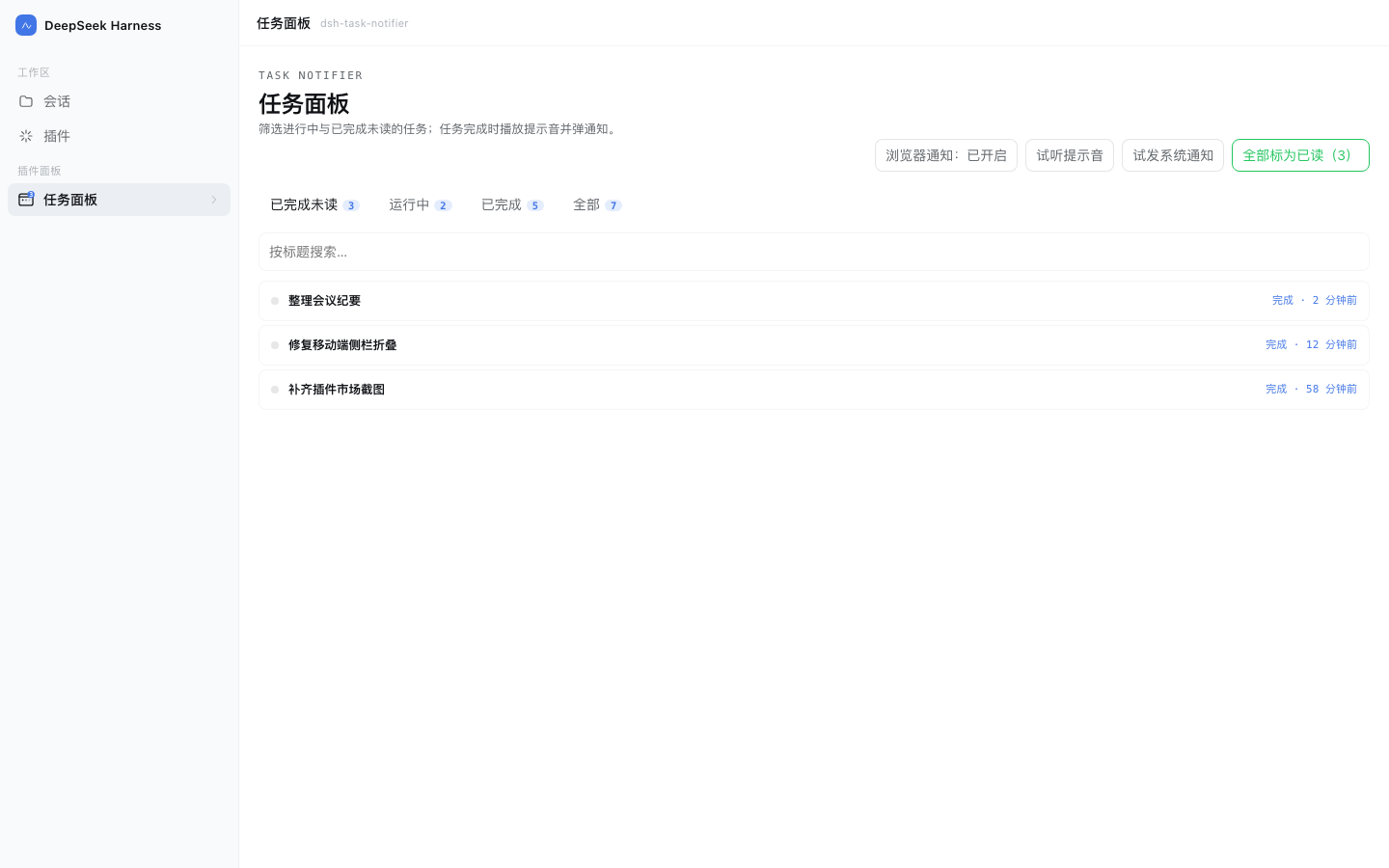
A DeepSeek Harness (DSH) web plugin that notifies you when a task finishes or is interrupted and gives you a 3-lane kanban Tasks panel displaying sessions waiting on your input, running, and unread results.
What it solves
Long-running DSH sessions finish while you are looking somewhere else. This plugin pushes "done" to where you can see it:
- Chime — when any session's turn ends, the browser synthesizes a short ascending chime (G5→C6); no audio assets needed.
- Two notification channels:
- Page open and permission granted → browser
Notification; clicking it jumps back to that session. - Page closed or permission not granted → the host raises a macOS system notification (
osascript). A heartbeat keeps the two channels from double-firing.
- Page open and permission granted → browser
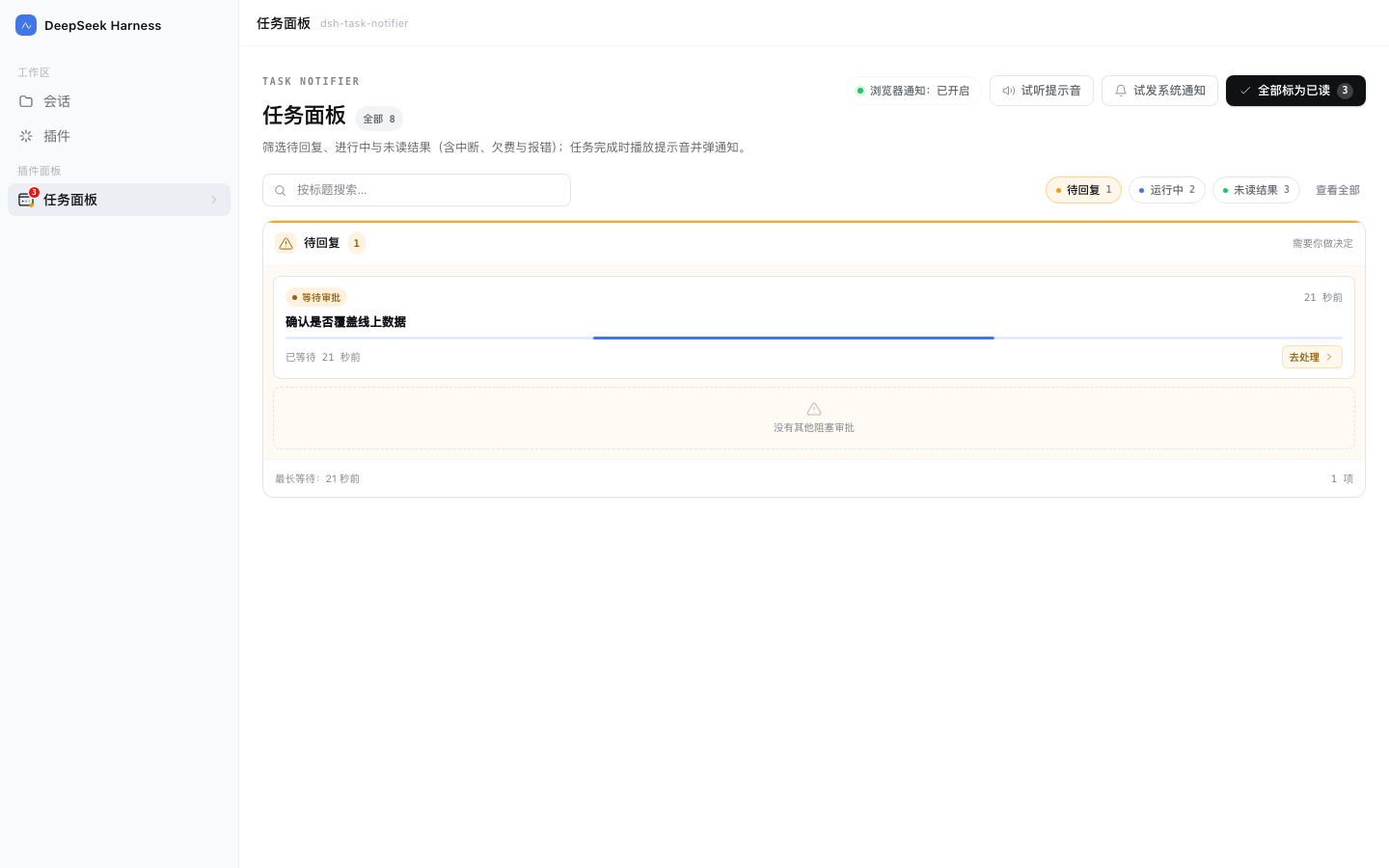
- Needs-input state — when an agent asks you a question, waits for a plan review, or waits on an approval, the sidebar icon shows an amber pulsing dot and the panel's Needs input lane highlights the session, so you can jump straight to the session blocked on you.
- Interruptions stay visible — a turn cut short by quitting or crashing DSH, by an exhausted quota or balance, or by an execution error keeps an "Interrupted · Exited / Quota / Error" warning card in Unread, and the system notification states the reason; sending a new message clears the mark.
- Three-lane kanban panel — a sidebar icon with an unread badge and three simultaneous lanes: needs input / running / unread, plus top chip filters for focusing on a single lane, collapsible history for earlier tasks, title search, mark-all-read, chime preview, and test notification.
- Read state follows you — opening a session from the sidebar marks its completed task read automatically.
- Unread survives restarts — state lives in
$DSH_HOME/storages/dsh-task-notifier/state.json. - Bilingual UI — interface and system-notification text follow the host language (zh / en).
Install
Option 1 — via the Open Plugin Market (recommended; supports likes)
Listed on the community market (category "workflow", source-verified ✅). In DSH: Plugins → Experimental plugins → enable Custom plugin markets → Discover → Add index source, then paste:
https://dshopen.org/index.json
Search for "任务通知台 / Task Notifier" and install. Market page: dshopen plugin page.
Option 2 — via the self-hosted index (tracks updates)
In DSH: Plugins → Experimental plugins → enable Custom plugin markets → Discover → Add index source, then paste:
https://dsh.127.dev/index.json
Search for "任务通知台 / Task Notifier" and install. New versions show as update-available; uninstall from Installed. The index refreshes from npm every 6 hours — source at dsh-plugins-index.
Option 3 — npm
dsh plugin --profile desktop add @polunzh/dsh-task-notifier
Option 4 — from a local checkout (development)
Use plugin_manager with install_bundle and point target at this repository's absolute path.
Configuration
Everything is optional. Put it in your profile's cordis.patch.yml:
- insert:
    - id: polunzh-task-notifier
      name: '@polunzh/dsh-task-notifier'
      config:
        osNotify: auto            # auto | always | off
        sound: true               # browser chime on/off
        osSound: Glass            # macOS system sound name
        osTitle: DeepSeek Harness # system notification title
| Field | Default | Meaning |
|---|---|---|
osNotify | auto | auto = browser notification while the page is live, system notification otherwise; always = always system notification; off = none |
sound | true | Browser-synthesized chime |
osSound | Glass | A built-in macOS sound name (Glass / Ping / Pop …) |
osTitle | DeepSeek Harness | System notification title |
Privacy and security
- No network: no outbound requests, telemetry or remote assets.
- No uploads: session titles are written only to the local
state.json(directory0700, file0600). - No credential reads: never touches
~/.dsh/.credentials.yaml,.env, keychain or SSH keys. - Fail-closed routing: if the host connection guard is unavailable, requests are rejected instead of allowed.
- No install-time scripts: no
preinstall/postinstall/prepareinpackage.json.
Threat model, limits and rate limits are documented in SECURITY.md.
Upgrading from 1.1.0 / coexistence
Since 1.1.1 the browser module id is the package name (@polunzh/dsh-task-notifier) and the patch row id is
polunzh-task-notifier, so a different plugin that happens to share the old ids can no longer break DSH's boot.
If you previously installed a link: copy or an older version, keep only one: uninstall the old entry from
Plugins → Installed first, then install 1.1.1.
Compatibility
| Item | Requirement |
|---|---|
| DSH | >=0.2.0-rc.2 (declared in engines.dsh) |
| Node | >=20 |
| Platform | Any platform for the web UI; system notifications are macOS-only, other platforms get browser notifications |
| Browser notifications | Require an explicit user gesture (the plugin never prompts in the background) |
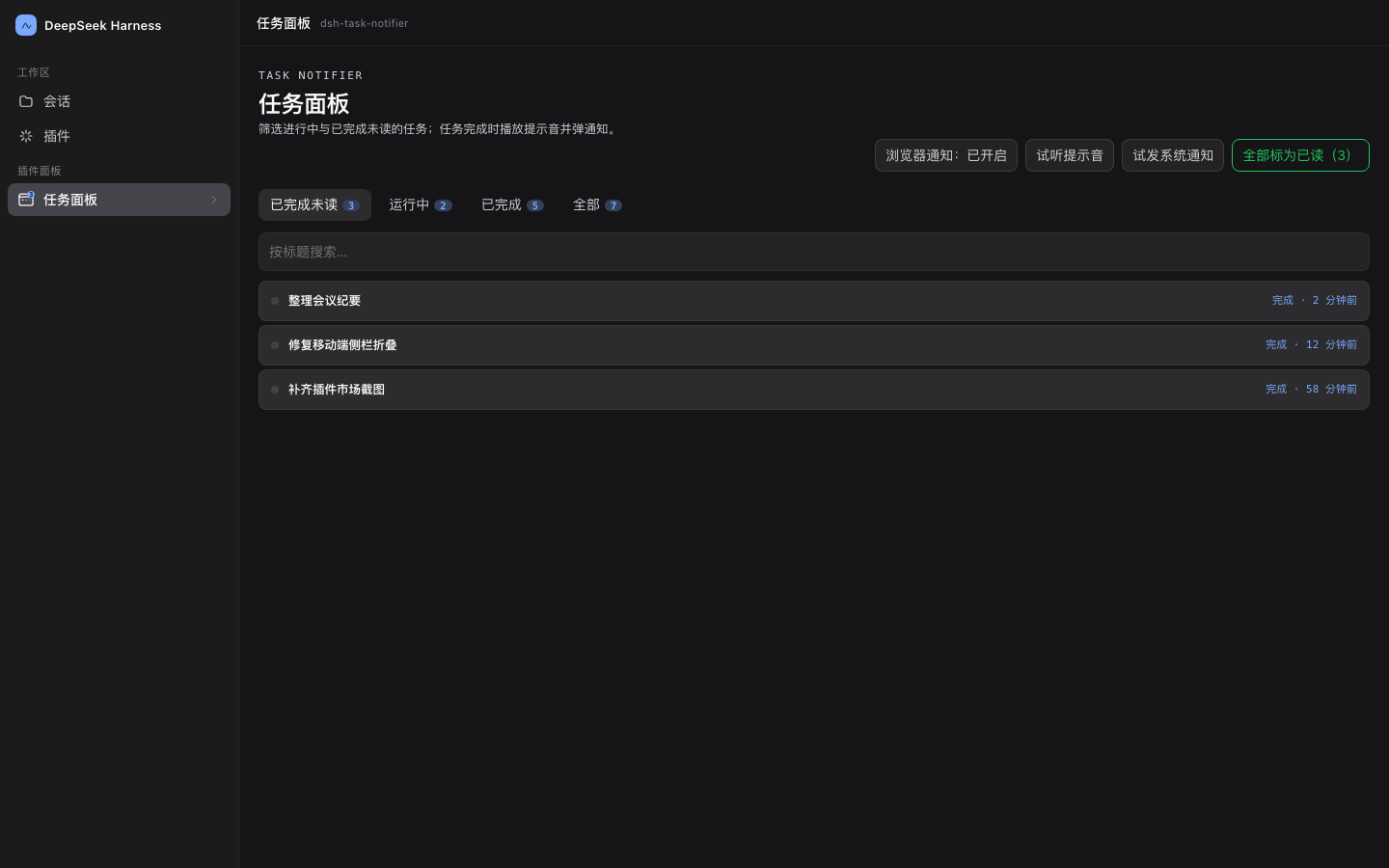
Screenshots
| Light | Dark |
|---|---|
|  |
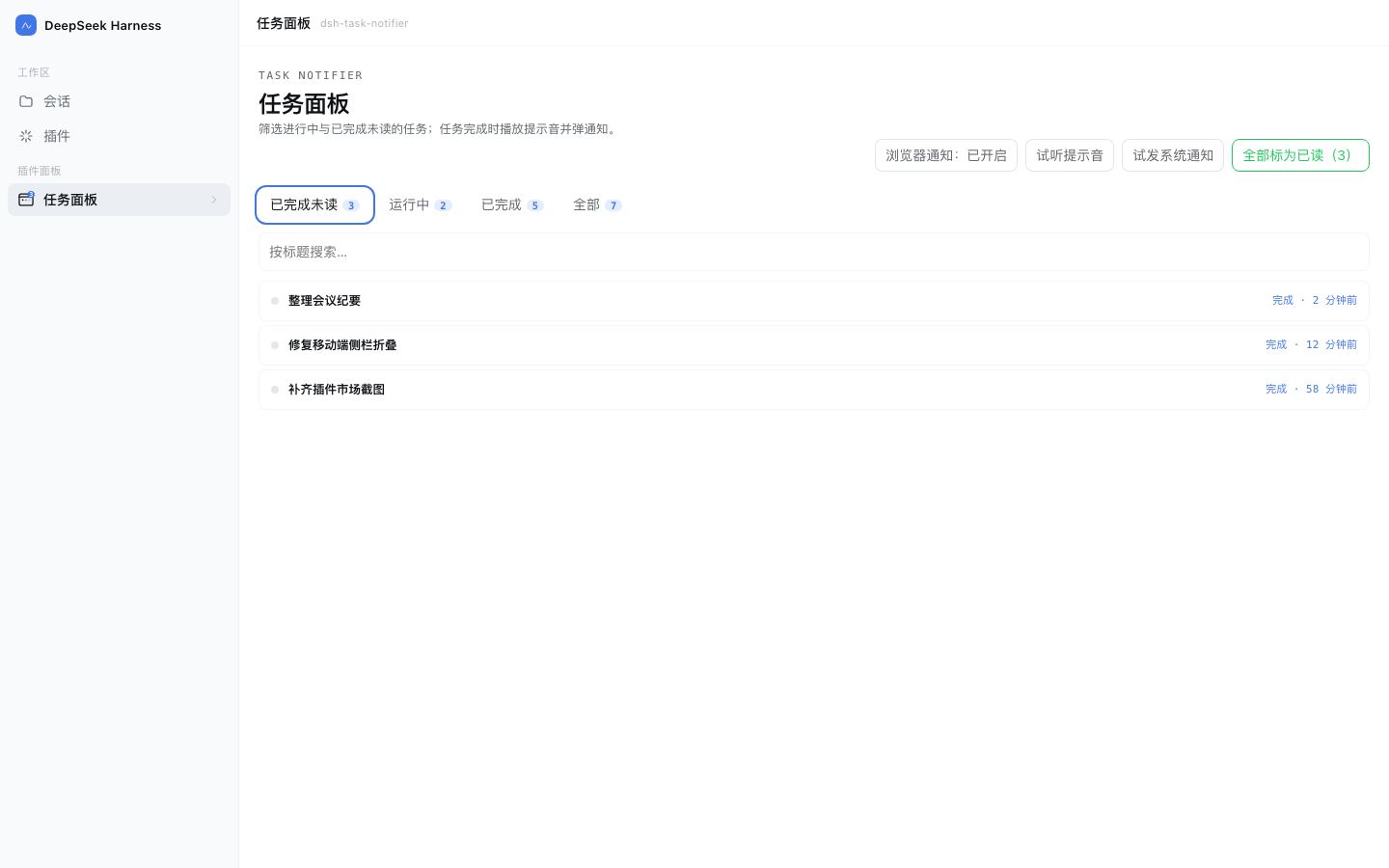
| Unread (single lane filter, interrupted cards included) | Needs input (single lane filter) |
|---|---|
 |  |
| Wide screen (1920×1080 max-width) | Mobile responsive (390×844) |
|---|---|
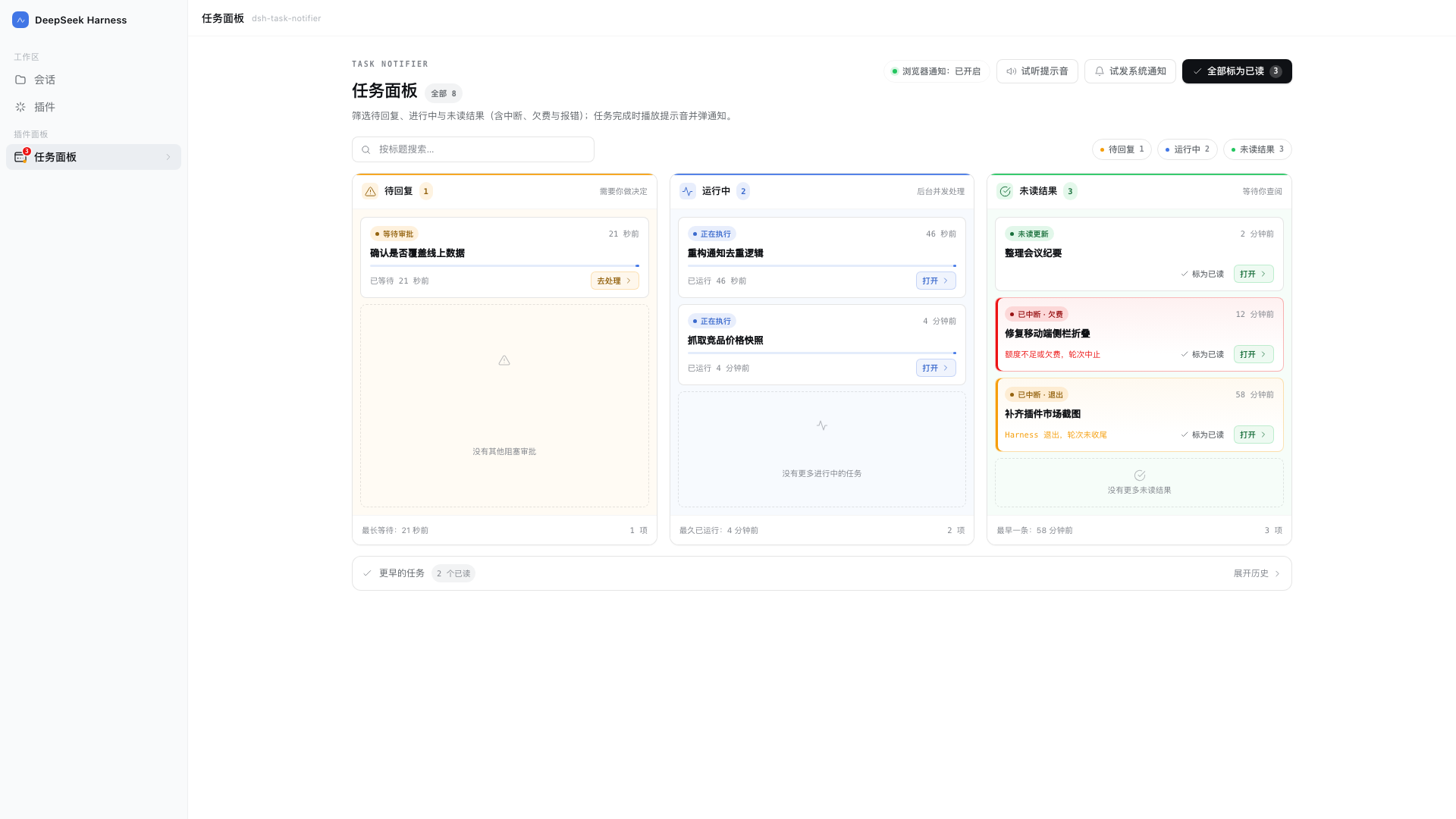 | 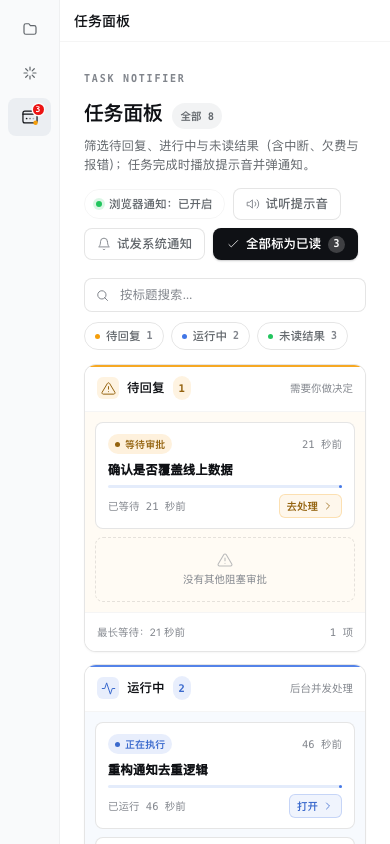 |
Stress test layout (long title truncation and multi-card flow):
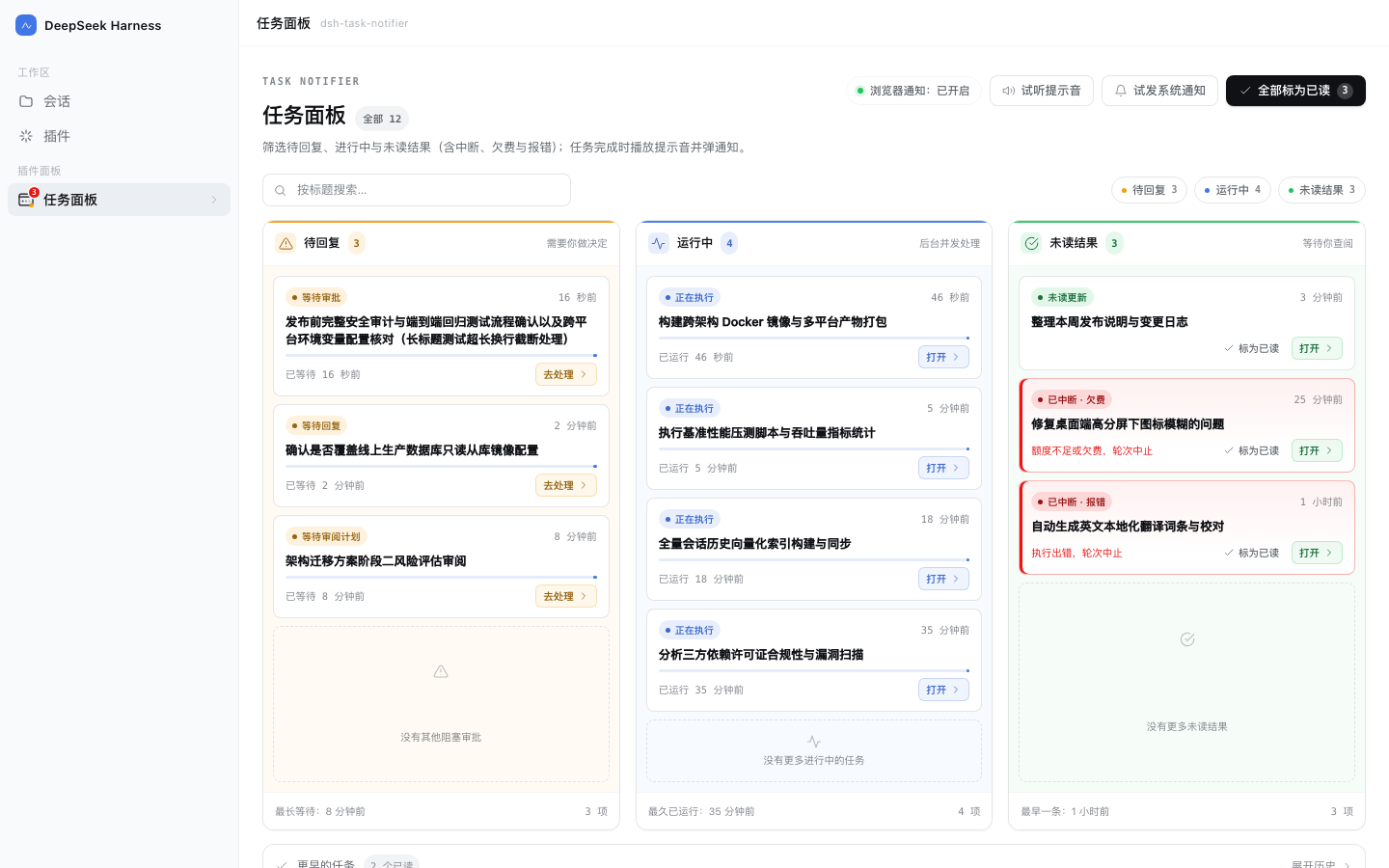
Empty state:
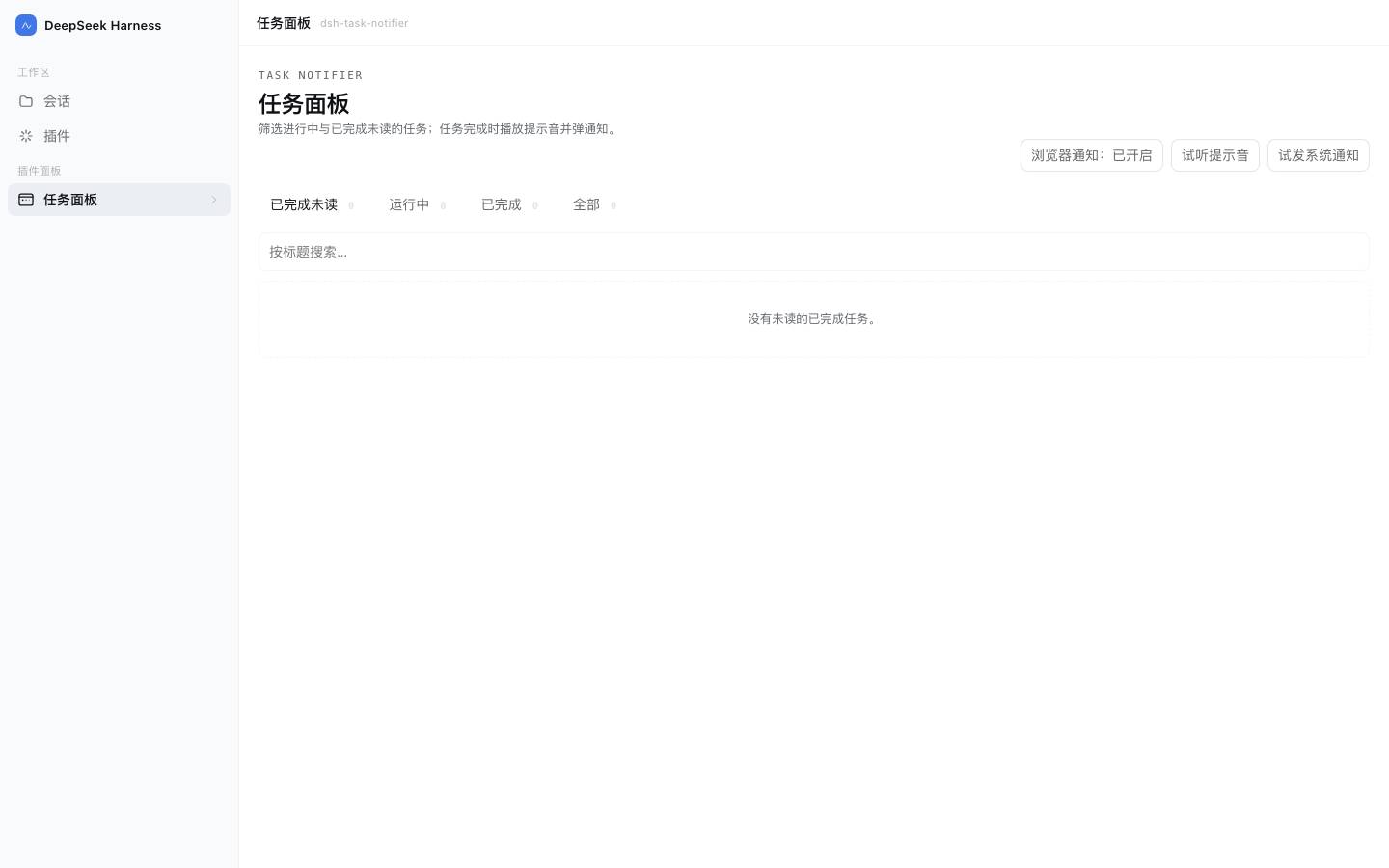
English UI (follows the host language):
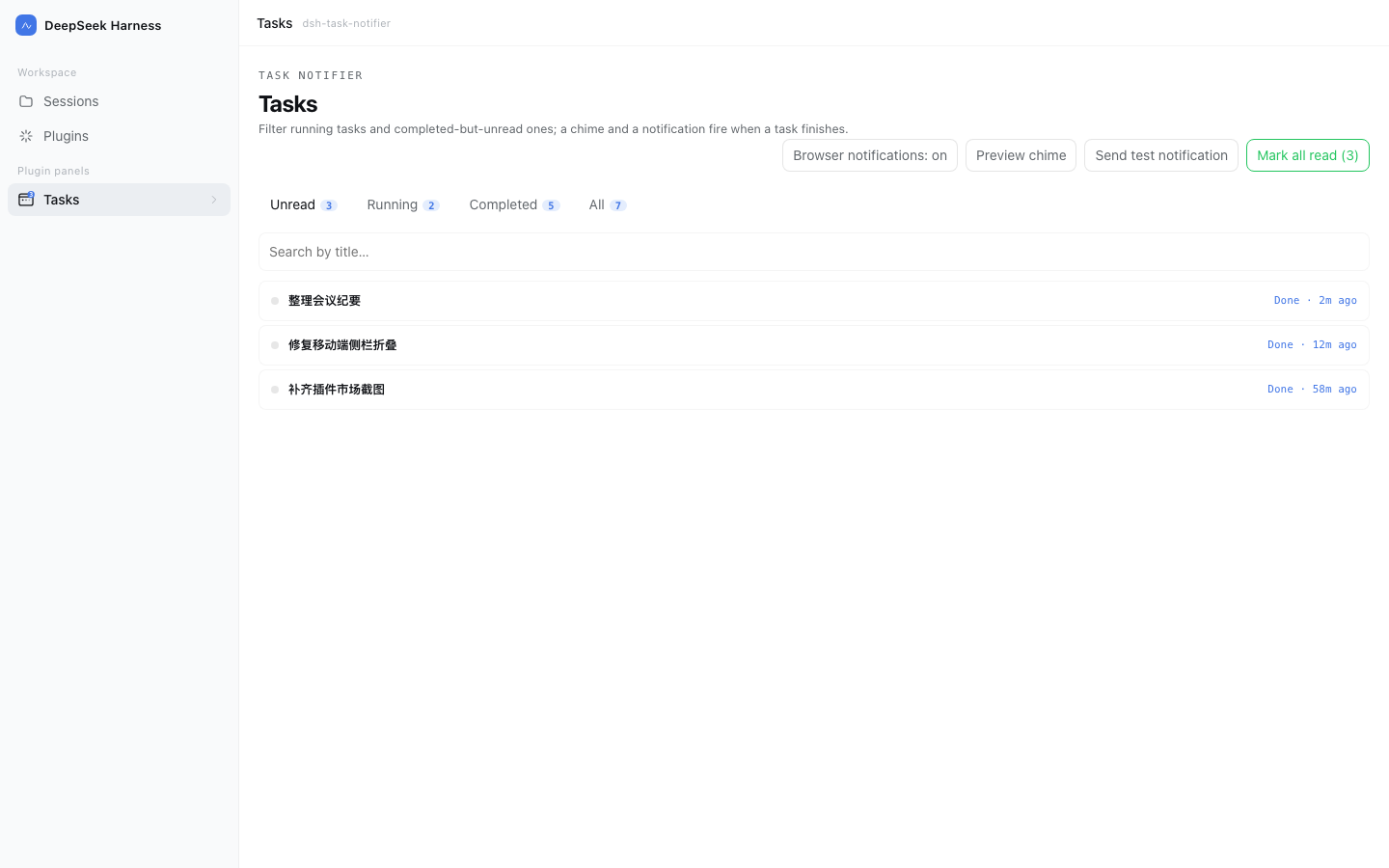
Screenshots render the real
lib/client.jswith sample data via headless Chrome (npm run screenshot).
Development
npm test              # node:test: interruption detection, security boundaries, read-sync, zh/en dictionary parity
npm run preview       # local preview page (real client.js + mock data)
npm run screenshot    # regenerate preview/screenshots/*.png
License
Ähnliche Plugins
dsh-web (dsh-ssh)
zhu1090093659/dsh-web
dsh-web (dsh-remote-web-ui)
zhu1090093659/dsh-web
dsh-web-ui (dsh-ssh)
zhu1090093659/dsh-web-ui
dsh-web-ui (dsh-remote-web-ui)
zhu1090093659/dsh-web-ui