dsh-freedomchat
qiuyunhui666-sketch/dsh-freedomchat
A chat-only side panel in the right sidebar with an isolated context, no local execution, its own model, two-way reading only with explicit consent, and deletion together with an archived session.
Installation
dsh plugin --profile web add github:qiuyunhui666-sketch/dsh-freedomchatREADME
Side Freedom Chat (dsh-freedomchat)
A chat-only panel in the right sidebar of every session — talk, don't touch.
中文 · Detailed guide · Contract
Your main session is busy running a task. You want a quick question answered, an idea pushed around, or a second model's opinion — without dumping that chatter into the main context and without handing it access to your files.
This plugin adds an isolated conversation panel: empty context, zero local execution, its own model, two-way reading that always needs your explicit consent, and no effect on the main session the moment you close it.
Screenshots
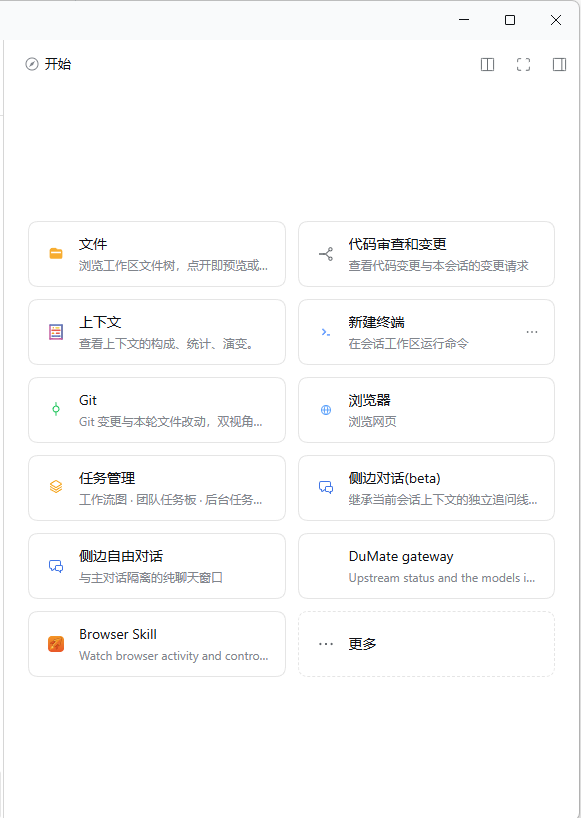
| Sidebar entry | Empty panel |
|---|---|
 | 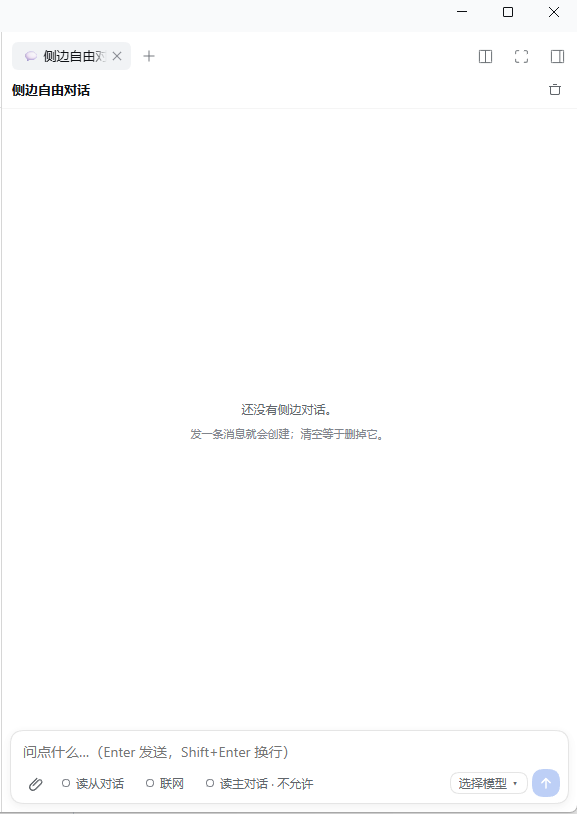 |
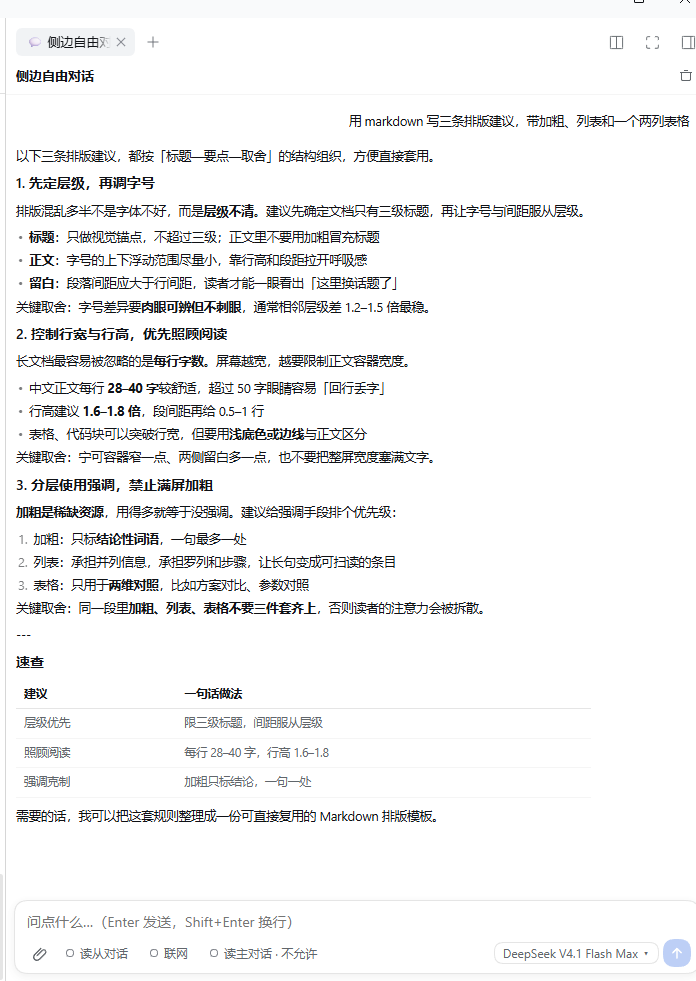
| Model picker | In use |
|---|---|
 |  |
Features
- A real right-sidebar tab: one per session, opened like the built-in sidebar tabs. A session has at most one side thread, even across windows.
- Empty context: it inherits nothing and cannot see the main session unless you allow it.
- Zero local execution: no built-in tools in the side thread; the host rejects any tool call before it runs.
- Model and reasoning effort: a card picker grouped by provider. Defaults to the main session's current model and never changes your global default.
- Images: paperclip or paste (png / jpeg / webp / gif, up to 8 per message).
- Web on demand: off by default; when on, only
web_search/web_fetch/researchare allowed. - Two-way reading, both explicit:
- Read from the panel switch → the main session gains a reading tool, and only for a turn where you explicitly ask it to read the side chat.
- Read the main session three-state pill (Allow / Ask / Deny) → reverse reading; "Ask" shows a confirmation bar that times out after two minutes.
- Closed means gone: closing the panel unloads the reading tool immediately.
- Clear means delete: clearing removes the thread and its transcript; the next message starts a fresh one.
- Lifecycle: transcripts cold-resume after a restart; archiving the parent deletes the side thread and leaves a tombstone; deleting the parent cleans up too.
Compared with the built-in Side chat (beta)
| Side Freedom Chat | Side chat (beta) | |
|---|---|---|
| Context | Empty, inherits nothing | Inherits the full main history |
| Tools | No local execution | Follows the parent preset |
| Model | Per panel | Inherited |
| Clear | Deletes the thread | Starts a new thread |
| Archive | Deleted with the parent | Disabled |
Both can be open at the same time.
Install
Requires DSH >= 0.2.2-rc.3 and Node >= 22 (Desktop or Web).
No companion plugin is needed. The panel lives in the host's own right sidebar (@deepseek-ai/dsh-client-ui-sidebar-right), so it appears with or without dsh-better-sidebar — both can be installed and open side by side. If the right sidebar is collapsed, open it from the session header first.
From a release:
dsh plugin --profile desktop add https://github.com/qiuyunhui666-sketch/dsh-freedomchat/releases/download/v0.1.0/dsh-freedomchat-0.1.0.tgz
From a local checkout:
dsh plugin --profile desktop add link:D:/DSH/work/dsh-freedomchat
Restart DSH afterwards.
Usage
- Open Side Freedom Chat in the right sidebar of any session.
- Send a message — the thread is created on the first message, not on mount.
- Use the model pill to change model or reasoning effort.
- Paste or attach images.
- Turn on Read from the panel, then say "read the side chat" in the main session.
- Set Read the main session to Allow or Ask for reverse reading.
- The trash button deletes the thread.
Security model
- The side thread's allow-list is empty and a host-level
tools/pre-executegate rejects anything that slips through. - Reading tools are mounted on demand and unloaded when the panel or switch is off — they do not exist in the main session's tool list otherwise.
- Reads carry the last 20 user/assistant messages only; tool calls and results are never transferred.
- Web tools are opt-in and limited to three names.
Data
- Registry:
~/.dsh/freedomchat/threads.json(mapping, switches, model). - Transcripts:
~/.dsh/sessions/<project>/<session id>/, like any other session. - No telemetry; only the web tools you enable reach the network.
How it works
The host half (lib/index.js) exposes an HTTP route /freedomchat/api with ensure / peek / snapshot / send / cancel / clear / settings / resolveApproval / catalog / setModel / revive. Side threads are created with agents.create (blank seed, origin: 'subagent', parentSession pointing at the main session); streaming text comes from agent/assistant-stream and durable events from session/event. The client half (lib/client.js) is build-free: it registers the sidebar.right.pane.tab slot and draws the panel itself.
See docs/contract.md for the full contract.
Development
node scripts/smoke.mjs          # client loader / slot registration
node scripts/render-smoke.mjs   # fake-React render assertions
node scripts/host-smoke.mjs     # host API, including cold resume in a sandbox
node scripts/install-dev.mjs    # link into the current profile
Known limitations
- With the panel closed, the reading tool is absent, so asking the main session to read then yields
unknown tool— the cost of "closed means no effect". - Archive detection polls once a second; an archive undone within that second can be missed.
origin: subagentsessions are not listed in the DSH session list (host behaviour), so the side thread lives only in its panel.
License
MIT
Ähnliche Plugins
dsh-web (dsh-task-board)
zhu1090093659/dsh-web
dsh-web (dsh-web-all)
zhu1090093659/dsh-web
dsh-TUI
ccch1mneyyy/dsh-tui
dsh-web-ui (dsh-task-board)
zhu1090093659/dsh-web-ui