dsh-scratch-workspace
s0meb0dy3/dsh-scratch-workspace
Creates a throwaway workspace with its own folder and session, manages running ones from a sidebar panel, and moves finished folders to the system Trash.
Installation
dsh plugin --profile web add github:s0meb0dy3/dsh-scratch-workspaceREADME
Temporary Workspaces for DeepSeek Harness


English | 中文
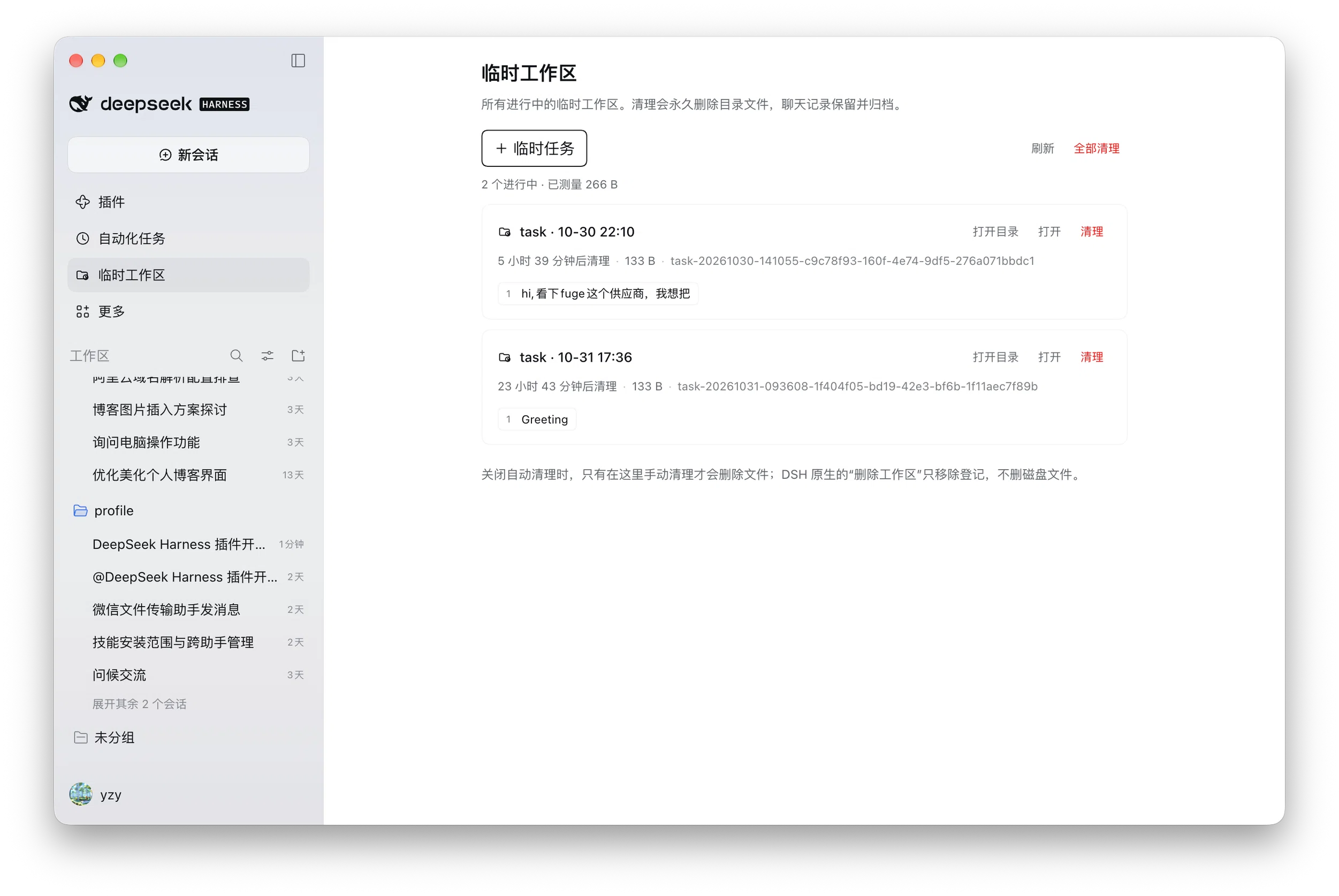
Throwaway workspaces for DeepSeek Harness: one click to create a folder with its own workspace and session, one panel to manage every running one, and safe deletion when you are done — or an idle timer that does it for you.
[!NOTE] Cleanup moves the folder to your system Trash / Recycle Bin, so a mistake is recoverable there. The conversation is kept and archived. Empty Trash when you are sure you no longer need it.
Install
-
In DeepSeek Harness, open Plugins in the sidebar → Install.
-
Paste the package name:
@s0meb0dy3/dsh-scratch-workspace -
Quit DeepSeek Harness completely and reopen it, then open Temporary workspaces in the sidebar.
Requires DeepSeek Harness 0.2.1 or newer.
What you get
- One entry, two jobs — the sidebar panel creates (
+ Temporary task) and manages (list, open, clean up) in the same place. - Every task at a glance — friendly name, live state (running / terminal open), idle countdown, folder size, and the sessions inside it.
- Safe deletion — ownership and inode checks, a durable retry journal, and refusal while the agent or a terminal is still using the folder.
- Optional idle expiry — off by default; when on, it applies to new tasks only.
Docs
| Configuration | Root folder, prefix, confirmation, idle hours |
| Security model | What deletion verifies, and what it does not protect |
| Platforms | macOS verified; Windows caveats |
| Contributing | Development, tests, release process |
License
MIT © 2026 s0meb0dy3
Ähnliche Plugins
dsh-web-ui (dsh-chat-recovery)
zhu1090093659/dsh-web-ui
billion-context
ranxianglei/billion-context
dsh-synapse
liangmianya/dsh-synapse
dsh-archive-manager
michengai/dsh-archive-manager