dsh-custom-bg
wuqiwenpk/dsh-custom-bg
Bottom-left floating panel that uploads and switches your own background images, with scrim and blur sliders and three bundled wallpapers.
Install
dsh plugin --profile web add github:wuqiwenpk/dsh-custom-bgREADME
dsh-plugin-custom-bg · Custom wallpaper
English | 中文
A wallpaper for DeepSeek Harness. A small floating panel in the bottom-left
corner uploads images, switches between them, and tunes the scrim and blur.
Three wallpapers ship inside the package (imgs/), so the plugin has something
to show the moment it is enabled.
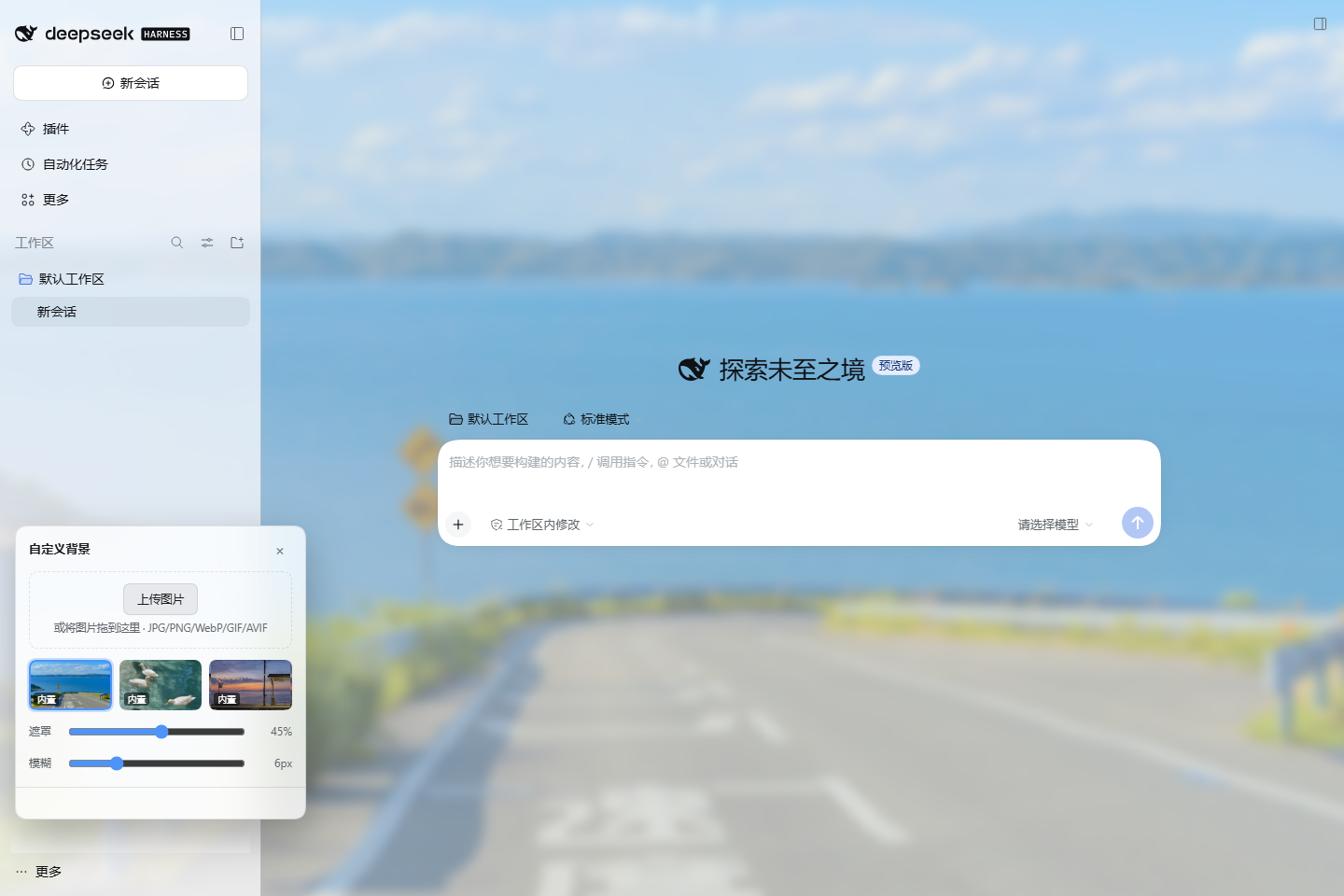
Features
- Bottom-left floating panel — a 44px button that expands into a 312px card; it never takes layout space.
- Three bundled wallpapers —
default.jpg,ducks.jpgandseaside.jpglive inimgs/and are served straight from the package, no network needed. - Upload and apply — pick a file or drop an image onto the panel. JPG, PNG, WebP, GIF and AVIF up to 24 MB.
- Keep several images — every upload stays as a thumbnail; click to switch, hover to delete. Re-uploading the same bytes stores it once.
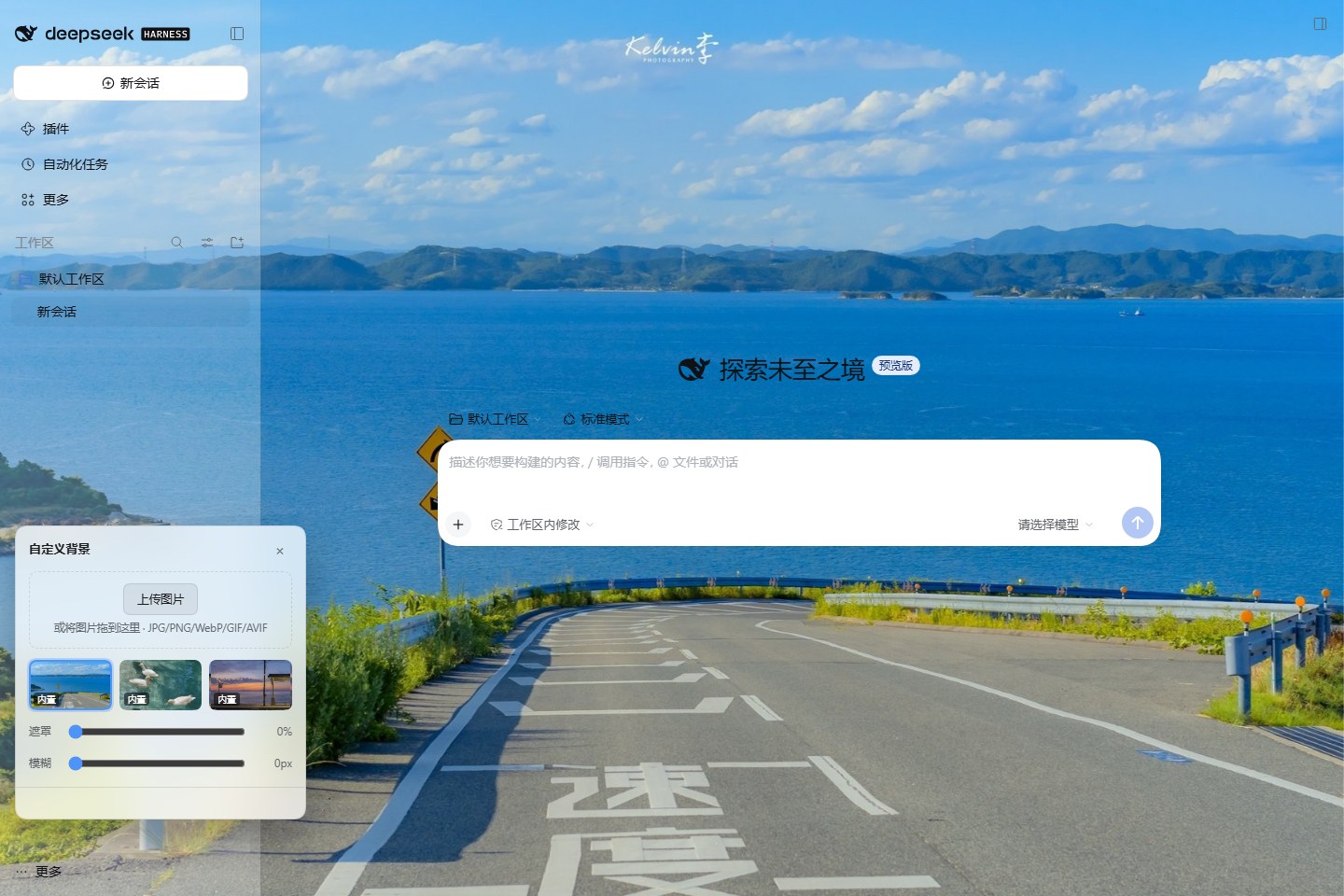
- Scrim and blur — two sliders keep text readable: scrim 0–85%, blur 0–24px. The scrim also drives the sidebar and title bar: at 0 they step aside and the wallpaper fills the whole window, not just the chat column.
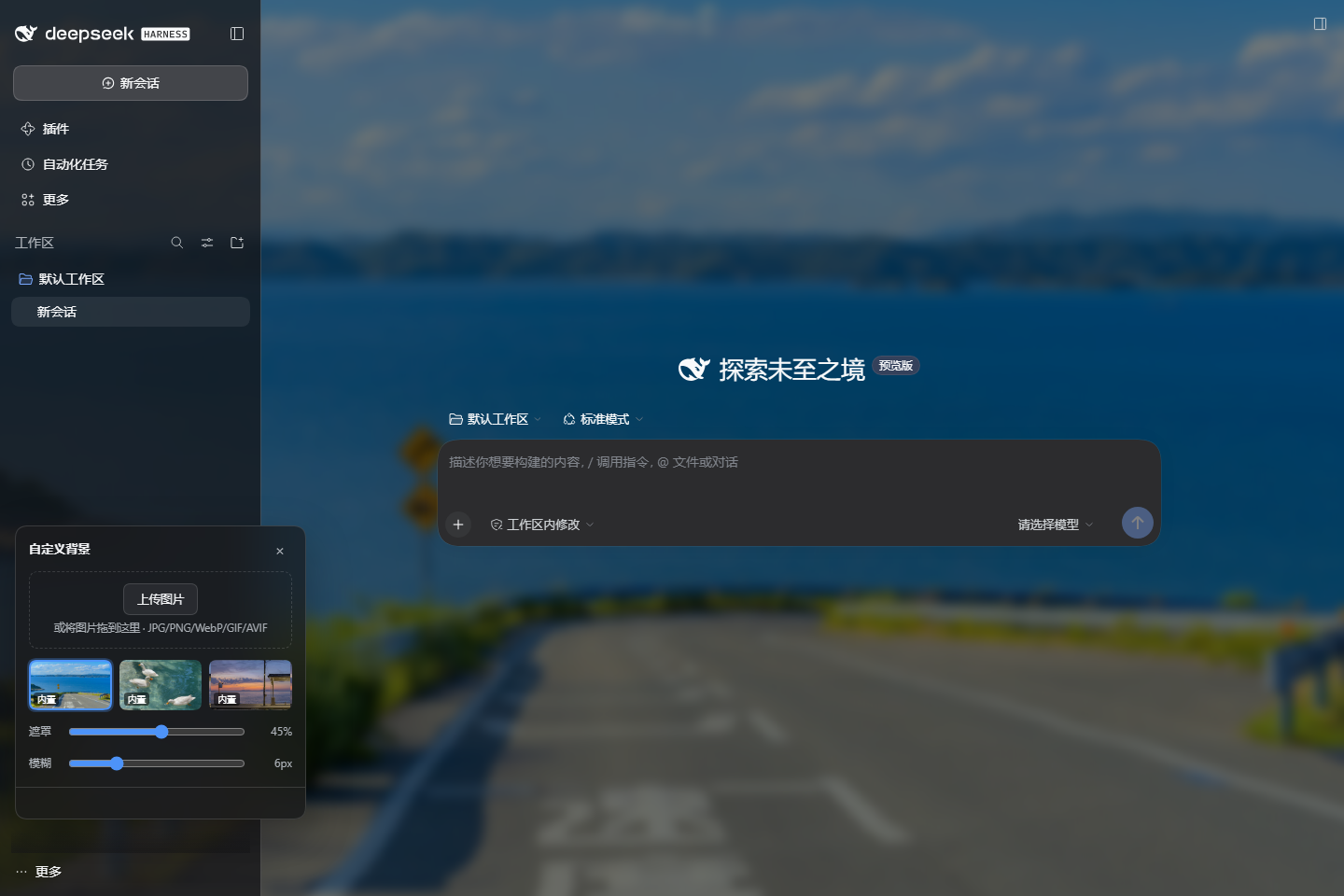
- Follows light and dark — the scrim flips between white and black with the theme, and the panel itself is themed glass.
- Persists across reloads — the active image and both sliders live in
$DSH_HOME/plugin-data/dsh-custom-bg/state.json. - No third-party runtime — the Host half uses Node built-ins only; the browser half is plain DOM.
Scrim and blur at 0: sidebar, title bar and chat column all step aside, and the wallpaper keeps its native sharpness.
Install
Plugin market (recommended)
Open Plugins → Plugin market, search custom-bg, and install. Reload the
page once; the wallpaper button appears in the bottom-left corner.
The listing material lives in market/: index.json is a
format-1 market index you can add as a Discover index source today, and
awesome-dsh-plugin.yml is the single file to submit to the curated catalog.
Command line
dsh plugin --profile web add dsh-plugin-custom-bg
Replace web with the profile your host boots, then restart dsh web.
Straight from GitHub
dsh plugin --profile web add "git+https://github.com/wuqiwenpk/dsh-custom-bg.git"
Usage
- Click the wallpaper button in the bottom-left corner.
- Upload — press “上传图片” or drop an image onto the panel. The upload becomes the active background immediately.
- Switch — click a thumbnail. The ones labelled 内置 are the bundled wallpapers, and they are always there.
- Tune — drag 遮罩 to dim or lift the wallpaper, drag 模糊 to push it back.
- Collapse — the × in the header, or
Esc; the panel remembers whether it was open.
Data and configuration
| Item | Location |
|---|---|
| Uploaded images | $DSH_HOME/plugin-data/dsh-custom-bg/<id>.<ext> |
| Active image and sliders | $DSH_HOME/plugin-data/dsh-custom-bg/state.json |
| Bundled wallpapers | imgs/*.jpg inside the package (three) |
$DSH_HOME defaults to ~/.dsh. Uninstalling keeps this data; delete the
directory to remove it.
Two optional config fields, in the profile's cordis.patch.yml:
- id: custom-bg
  config:
    dataDir: D:/my-data/custom-bg   # override the data directory
    dshHome: D:/my-dsh-home         # override the $DSH_HOME inference
HTTP routes
The Host half claims the /custom-bg prefix:
| Method | Path | Purpose |
|---|---|---|
| GET | /custom-bg/api/state | Active image, image list, scrim and blur |
| GET | /custom-bg/image/<id>.<ext> | Image bytes, long-lived cache |
| POST | /custom-bg/api/upload | Raw image body (optional x-file-name); stored and activated |
| POST | /custom-bg/api/select | {"id": "..."} |
| POST | /custom-bg/api/delete | {"id": "..."}; bundled wallpapers are not deletable |
| POST | /custom-bg/api/settings | {"scrim": 0..0.85, "blur": 0..24}, clamped |
Cross-site requests are refused (Sec-Fetch-Site / Origin), and uploads are
sniffed by signature — mislabelled bodies get 415.
Compatibility
- DSH
0.2.xon thewebcarrier (@deepseek-ai/dsh-host-webserverplus the client-module system). - The shell-owned
file://carrier is out of scope; the desktop app works because it runs a localdsh web.
Troubleshooting
- No wallpaper appears — another theme/appearance plugin may be writing
--dsw-alias-bg-baseback; keep one of them enabled. - Why the panel sits 82px above the bottom edge — so it clears the sidebar's footer row (settings, more, account) instead of covering it.
- Upload rejected — formats are checked by file signature, so a renamed file gets 415; the limit is 24 MB.
- Start clean — delete
$DSH_HOME/plugin-data/dsh-custom-bg/and the three bundled wallpapers come back.
Development
lib/ is the source — there is no build step. lib/index.js is the Host half;
lib/client.js is the browser bundle with its window.__ModuleLoader__
envelope.
npm run check   # syntax check both halves
npm run smoke   # offline Host smoke test against a temp directory

dsh --profile cb-test --from-default-profile web --dump-config
dsh plugin --profile cb-test add link:$PWD
dsh --profile cb-test web --port 43301
License
MIT
Related plugins
dsh-web (dsh-task-board)
zhu1090093659/dsh-web
dsh-web (dsh-web-all)
zhu1090093659/dsh-web
dsh-TUI
ccch1mneyyy/dsh-tui
dsh-web-ui (dsh-task-board)
zhu1090093659/dsh-web-ui