dsh-warm-charcoal-theme
595708049/dsh-warm-charcoal-theme
Applies a Warm Beige light palette and a Dark Charcoal dark palette to the DeepSeek Harness interface.
Instalar
dsh plugin --profile web add github:595708049/dsh-warm-charcoal-themeREADME
Warm Beige / Dark Charcoal theme for DeepSeek Harness
A palette plugin for DeepSeek Harness. It does not add a new theme id and does not change layout or behaviour: it overrides the design tokens of the two built-in themes, so the existing Settings → General → Appearance switch keeps working and the harness keeps remembering the choice.
| Light — Warm Beige | Dark — Dark Charcoal |
|---|---|
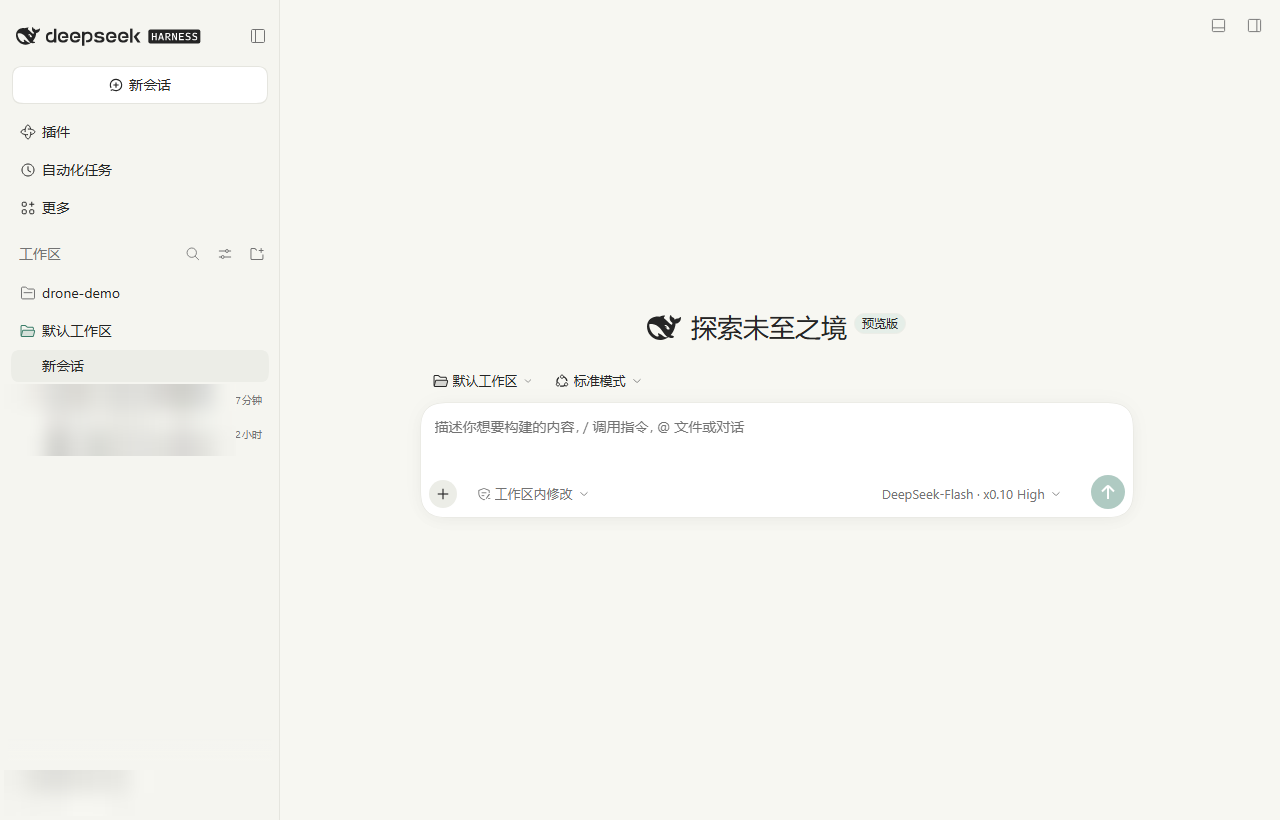 | 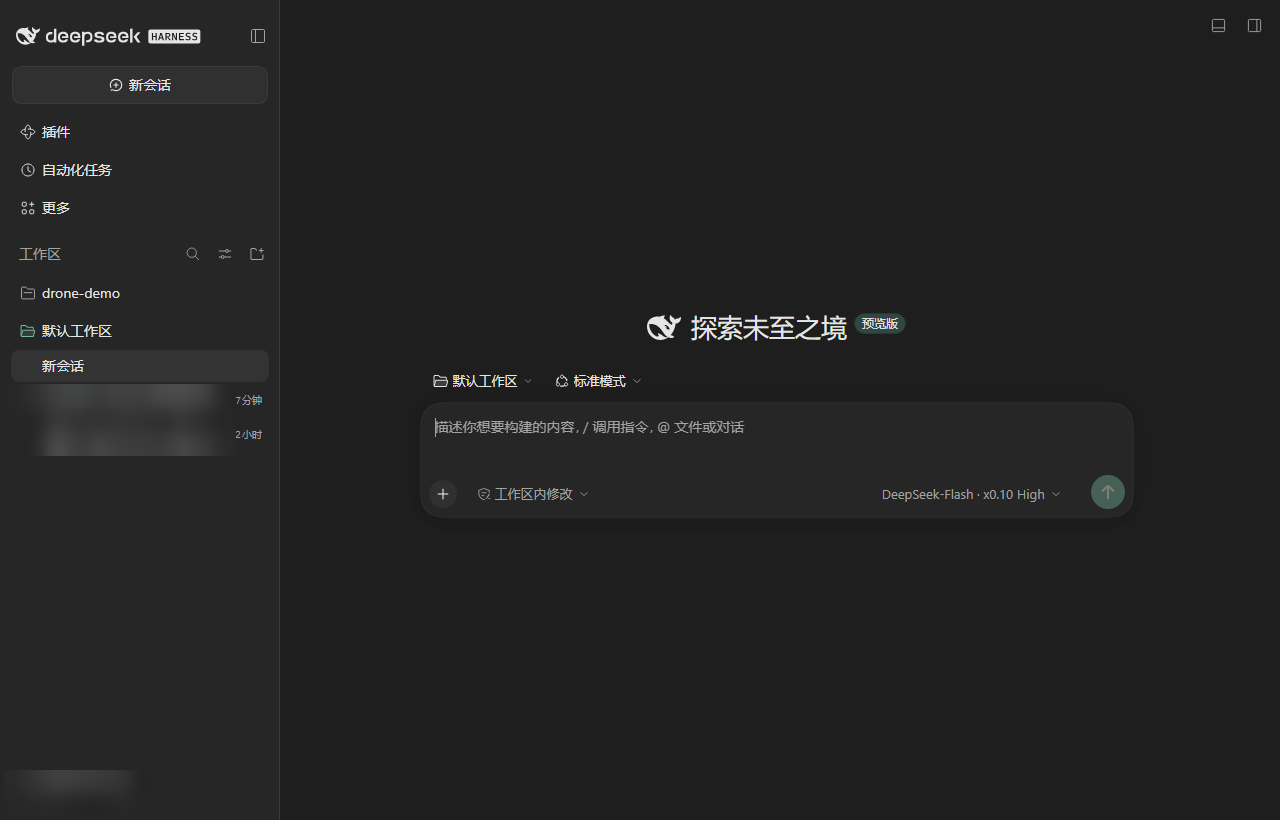 |
| Light — Warm Beige | Dark — Dark Charcoal | |
|---|---|---|
| Page background | #F7F7F2 | #1E1E1E |
| Sidebar | #F5F5F0 | #262626 |
| Content card | #FFFFFF | #303030 |
| Input background | #FFFFFF | #262626 |
| Primary text | #252525 | #E5E5E5 |
| Secondary text | #737373 | #A3A3A3 |
| Border | #E5E5DF | #3A3A3A |
| Accent | #397C68 | #78B89E |
| Button text | #FFFFFF | #1E1E1E |
| Selected background | #E5EEE8 | #30483D |
| Hover background | #ECEDE7 | #333333 |
Install
Pick whichever line matches where you are installing from.
From the plugin market — open Settings → Plugins → Add plugin and paste:
https://github.com/595708049/dsh-warm-charcoal-theme
From a shell, the same source as a spec:
dsh plugin add https://github.com/595708049/dsh-warm-charcoal-theme
If the package is published to npm, the short form works too:
dsh plugin add dsh-warm-charcoal-theme
From a checkout you already have, point at the directory (absolute path):
dsh plugin add /absolute/path/to/dsh-warm-charcoal-theme
Fully offline, from a packed tarball:
dsh plugin add /absolute/path/to/dsh-warm-charcoal-theme-1.0.0.tgz
Then reload the web UI. The palette applies immediately; switch between light and dark in Settings → General → Appearance.
The plugin adds no settings page of its own — switching, following the system and remembering the choice all happen in that existing Appearance row.
| Appearance switch — light | Appearance switch — dark |
|---|---|
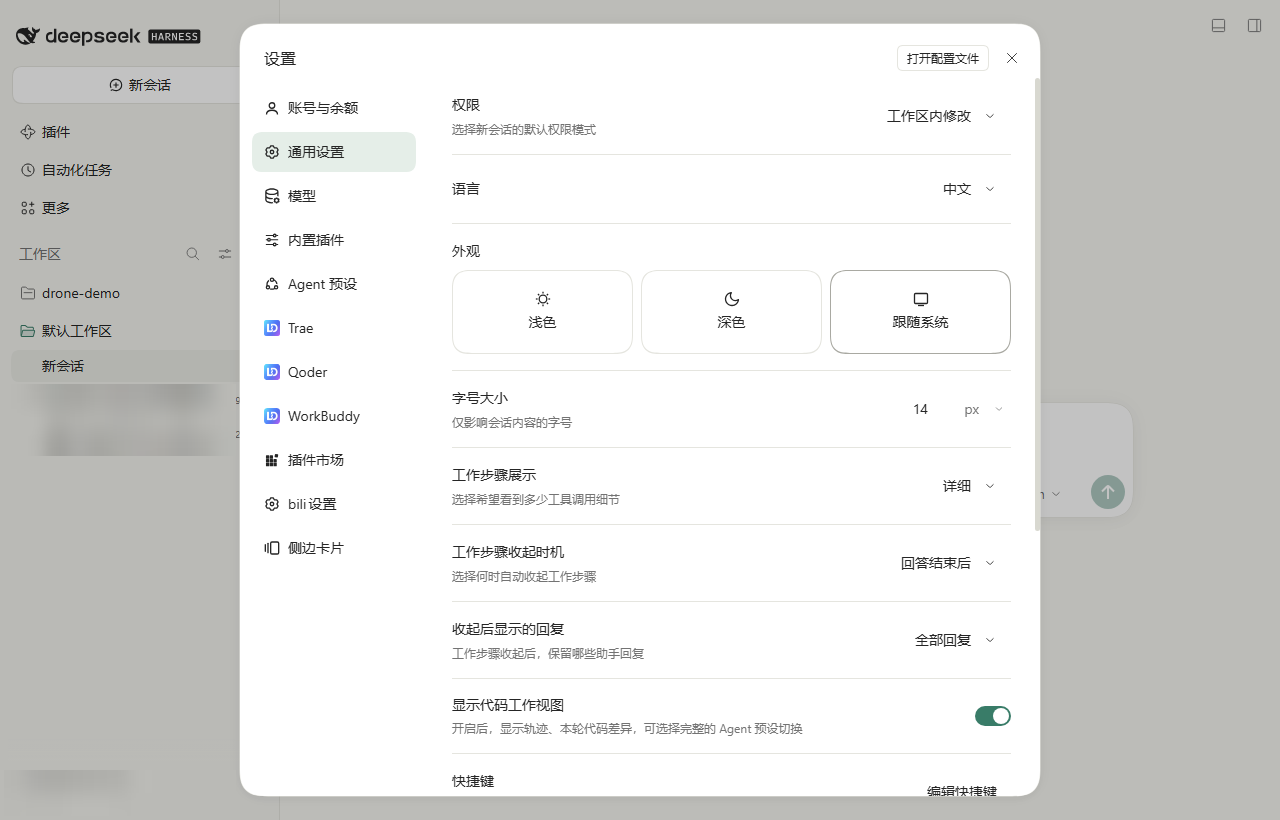 | 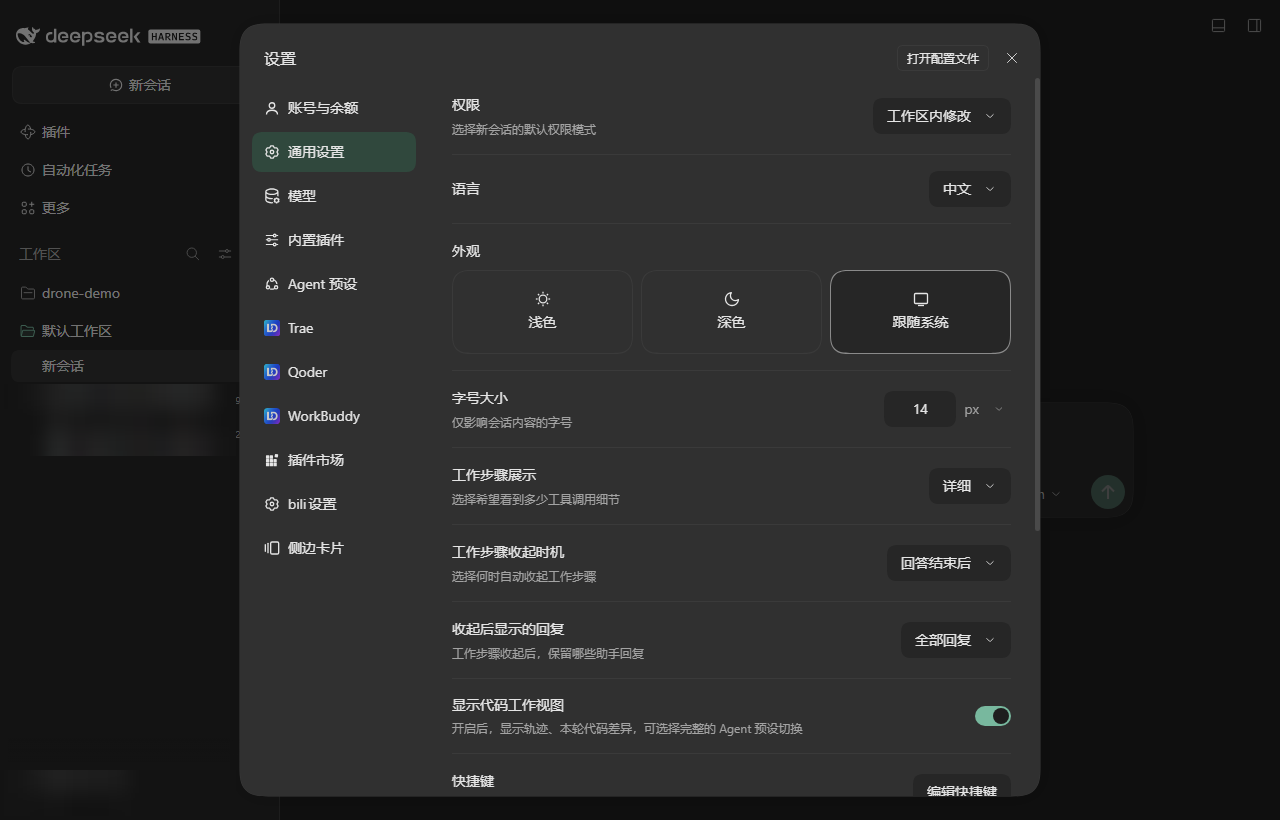 |
What it does
- Registers a token override through the client
themeservice (ctx.theme.overrideTokens) for both color schemes at once. - Covers the alias layer (
--dsw-alias-*) and the static colour ramps (--dsw-static-neutral-*,--dsw-static-neutral-bluish-*,--dsw-static-deepseek-*,--dsw-static-blue-*). Components in the harness read the static ramps directly in a few places, so overriding only the alias layer would leave cool-grey patches behind. - On a profile that has never stored a preference, selects light once, so a first visit opens in Warm Beige. After that the stored preference — light, dark or system — is respected and never overwritten.
Requirements
- DeepSeek Harness with the
ui-themeclient plugin (bundled). - The
@deepseek-ai/dsh-client-ui-themeand@deepseek-ai/dsh-client-ui-settingspackages are declared as optional peer dependencies; the harness supplies them.
License
MIT
Plugins relacionados
dsh-wallpaper-engine
elysia395/dsh-wallpaper-engine
dsh-deep-whale (maid-atelier)
small-tailqwq/dsh-deep-whale
dsh-deep-whale
small-tailqwq/dsh-deep-whale
dsh-claude-style
nwflower/dsh-claude-style