dsh-file-mentions
a903067276-rgb/dsh-file-mentions
Rutas de archivo clicables en las respuestas de DSH: apertura en línea al estilo Codex, mostrar en el gestor de archivos y una lista de chips de archivos mencionados al final del turno.
Instalar
dsh plugin --profile web add github:a903067276-rgb/dsh-file-mentionsREADME
dsh-file-mentions 📎


Clickable file paths in DSH replies — a DeepSeek Harness (DSH) web plugin with a Codex-style experience.
Unofficial project: independently developed and maintained by a community member, not an official DeepSeek product.
Screenshot
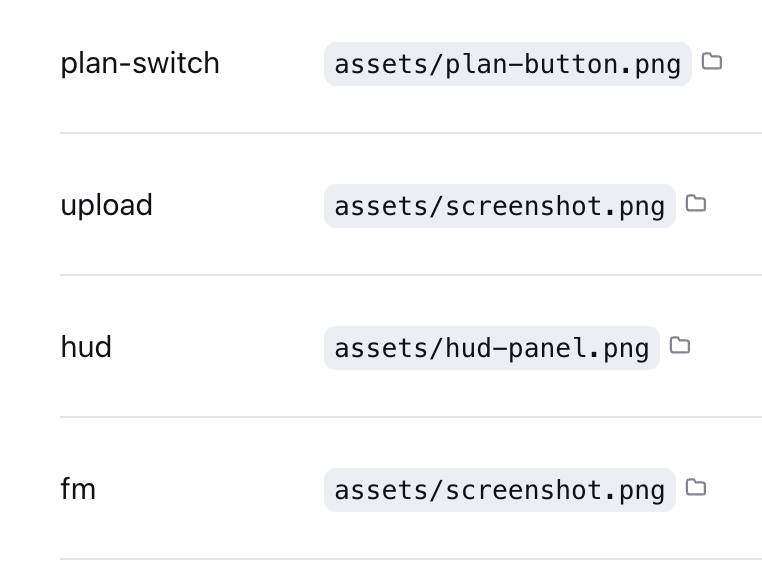
Inline paths wrapped in backticks (`~/...`, absolute, relative, or Chinese paths) become
click-to-open; each clickable path carries a small folder-icon button that reveals the file in your
file manager; a "📎 mentioned files" chip list at the turn tail covers the rest. URLs are
already auto-linked by the official renderer, so this plugin leaves them alone.
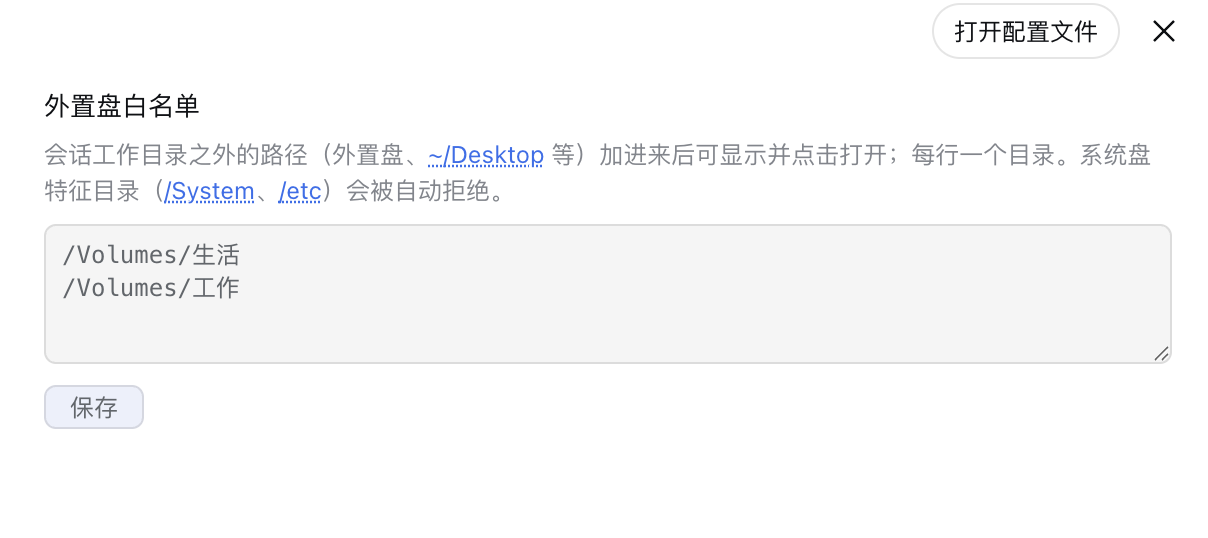
The external-drive whitelist (Settings → Plugins → file-mentions): local files in your home
directory are clickable by default; only external drives / network volumes (e.g.
/Volumes/USB) need their root added here — one path per line. System-disk marker
directories (/System, /etc) are rejected automatically.
Features
| Where | What | Effect |
|---|---|---|
| Inline path text | click | Open with default app / open directory |
| folder icon after inline path | click | Reveal in file manager |
| "📎 mentioned files" chip | click name | Preview content inside DSH |
| folder icon in the chip list | click | Reveal in file manager |
| Inline URL | click | Browser opens it (official autolink) |
Supports ~/ expansion, relative paths (resolved against the session cwd), and absolute
paths in macOS / Linux / Windows forms. Non-existent paths silently do nothing.
Division of labour with the official features (since 2026-10-01)
DSH 0.2 already ships several ways to open files. This plugin only fills the gaps the official build leaves instead of duplicating them:
| Scenario | Owner |
|---|---|
@ completion for files/folders/sessions in the composer | official (dsh-file-reference + ui-reference) |
Markdown file links in messages ([x](path), with #L24) | official (opens in the right sidebar) — this plugin skips anything inside <a>, so nothing is decorated twice |
| The session-header "Open In…" button and the sidebar preview's "open with default app / show in folder" | official (dsh-host-open-in-app) |
Bare paths in backticks in message text (`~/x/y.md`, which the official renderer ignores) | this plugin: click to open with the system default app |
| The folder icon next to a bare path (reveal in file manager) and the "📎 mentioned files" rail at the end of a reply | this plugin (no official counterpart) |
Install
This repository is an official bundle plugin (dsh.bundle + dsh.client in the root
package.json), installed through the official profile manager:
# DSH 0.1.7 and later:
dsh plugin --profile web add "github:a903067276-rgb/dsh-file-mentions#main"
# DSH 0.1.5 and older (this release needs 0.1.7+):
# dsh plugin --profile web add "github:a903067276-rgb/dsh-file-mentions#v1.0.14"
Then restart dsh web (bundle layers are composed at startup; HMR does not apply).
Requires pnpm on PATH (dsh plugin forwards to pnpm).
Manual mount fallback: see docs/install.md.
Usage
Have the agent wrap paths in backticks (e.g. `~/docs/plan.md`) to make them clickable
inline. The tail chip list appears automatically — no configuration.
Paths outside the session directory (external drives, etc.)
Local files inside your home directory (e.g. ~/Downloads, ~/Desktop) are clickable by
default — no configuration needed. For paths on an external drive / network volume (e.g.
/Volumes/USB), add that root to the external-drive whitelist in Settings → Plugins →
file-mentions (one path per line). Saving takes effect immediately — no restart required.
System-disk protection: whitelist roots containing system marker directories (/System,
/etc, or \Windows on Windows) are rejected automatically, so a full system disk mounted
externally can never be whitelisted by mistake.
Platform support
| Platform | Status |
|---|---|
| macOS | ✅ Fully tested (incl. Chinese paths) |
| Linux | ⚠️ Not tested — expected to work (command branching and path parsing implemented) |
| Windows | ⚠️ Not tested — expected to work (command branching and path parsing implemented) |
Requirements
- DSH web >= 0.1.0-rc.6 (run with
npx @deepseek-ai/dsh web) - Version compatibility (best effort — the settings card uses dual-field
key+idregistration to satisfy both rc.6 (id) and rc.7+ (key); verified locally on rc.6/rc.8/0.1.1-rc.2/0.1.2-alpha.2/0.1.5-rc.1 (clickable paths + "mentioned files" panel), not guaranteed on every DSH version):- DSH 0.1.0-rc.6 and newer (incl. 0.1.1-rc.1/rc.2 and 0.1.2): try
main(default). - DSH 0.1.5-rc.1: load-verified (the plugin is in the client bundle and
/api/file-mentions/checkresponds); UI interactions were not eyeballed item by item. ⚠️ 0.1.5 ships a narrow built-in "clickable inline-code paths in the closing reply" (only files written viawrite/edit/presentin that turn — seedsh-client-ui-deliverables), which partially overlaps; plain-text/bare paths, cross-turn and historical messages are still handled only by this plugin. - Conservative fallbacks (the last pre-0.1.1 build): DSH 0.1.0-rc.7/rc.8 →
v1.0.8(dsh plugin add github:a903067276-rgb/dsh-file-mentions#v1.0.8); DSH 0.1.0-rc.6 → frozenrc6-compattag (no maintenance).
- DSH 0.1.0-rc.6 and newer (incl. 0.1.1-rc.1/rc.2 and 0.1.2): try
- Pure Node stdlib implementation — peer dependencies (
@deepseek-ai/dsh-settings,@deepseek-ai/schemastery) are provided by the host - Opening files uses the system default app / file manager (per-platform command branching)
- ✅ DSH 0.1.7 and later — use this release (
v1.2.2): it declarespeerDependencies: {"@deepseek-ai/dsh": "^0.1.7-rc.1 || ^0.2.0-rc.1"}, so a mismatched host refuses to load it with an explicit reason instead of failing quietly. Settings move to the 0.1.7 model (pluginConfig, live-editable.volatile()fields), so changes apply without a restart. - ✅ DSH 0.2.0-rc.1 — verified compatible: the peer range now covers both lines (
^0.1.7-rc.1 || ^0.2.0-rc.1) anddsh.compatibility.dshReleasesadds"0.2.0-rc.1": "compatible"— verified on a real 0.2.0-rc.1 host and a shadow instance. Since 0.2 the host gates profile bundles on peer compatibility and skips the whole bundle when the declared range misses the running host, so this range is what keeps the plugin loading. - ⚠️ DSH 0.1.5 and older — install the previous tag
v1.0.14: that line keeps the old behavior and uses no 0.1.7-only API. - ⛔ Old plugin releases (up to
v1.0.14) are not supported on 0.1.7 — the external-disk whitelist silently becomes empty (settings.getis gone). Upgrade the plugin together with the host.
- ✅ DSH 0.1.7 and later — use this release (
- Maintenance policy: this plugin keeps evolving with the latest DSH releases; compatibility with older DSH versions is best-effort only and not guaranteed going forward.
How it works
- Host (
lib/index.js): three routes —/api/file-mentions/check(existence check),/api/file-mentions/open(system open,mode: open/reveal, per-platform command) and/api/file-mentions/config(whitelist read/write for the settings page). All three routes are same-origin guarded. Probe surface: absolute/~/paths are checked only inside the session cwd or user-declared whitelist roots (stored via the official settings service — immediate effect, no restart); whitelist roots are protected against system disks and symlink escapes. Pure Node stdlib;execFileavoids shell injection. - Client (
lib/client.js): a conversationEvents collector extracts paths from each reply → publishes them to turn data → the tail list filters non-existent paths before rendering; inline clicks use a document-level click delegation (the official render entry is occupied by the official "deliverables" plugin, so DOM delegation is the only viable path); inline folder-icon buttons are inserted by a MutationObserver and restored automatically after React re-renders; a settings card (sidebar section + plugin page) edits the whitelist. Scanning/decoration is incremental: the observer callback only handles newly-added nodes inside the official message area ([data-conversation-scroll]), each new text is cheap-screened for path-like characters (no/,~or\→ skipped with zero regex work and zero requests), and existence checks hit only the current session — conversations without paths trigger no scanning at all; sidebars, hover cards, menus and settings are never touched (v1.0.13).
See docs/architecture.md.
Notes
- Use either the official bundle install or the manual mount — never both.
- Manual mounting needs a single entry in
~/.dsh/cordis.patch.yml; a double entry applies the plugin twice and crashes on duplicate route registration.
Compatibility notes
- Inline clicks rely on backtick-wrapped paths (the agent-output convention, same as Codex); bare paths inside message text are clickable too (decoration is CSS-Highlight only, zero DOM mutation; message area only — sidebars, hover cards, menus and settings are never touched, v1.0.13).
- The official "produced files" list and this plugin coexist: official wins when it has output, otherwise this plugin shows.
- Windows / Linux validation via issue or PR is welcome.
License
Plugins relacionados
dsh-web (dsh-task-board)
zhu1090093659/dsh-web
dsh-web (dsh-web-all)
zhu1090093659/dsh-web
dsh-web-ui (dsh-task-board)
zhu1090093659/dsh-web-ui
dsh-web-ui (dsh-web-ui-all)
zhu1090093659/dsh-web-ui