dsh-inbox
chance722/dsh-inbox
Bandeja personal para pegar en DeepSeek Harness (dsh): /inbox en el compositor o panel lateral guarda enlaces, imágenes, texto y credenciales en un vault local; clasifica primero con reglas locales y luego con un modelo limitado por cuota. Permite explorar, buscar y editar; el asistente recupera registros si se solicitan en conversación. Los cuerpos de credenciales se cifran en reposo. Sincronización opcional con WebDAV/S3 para registros y adjuntos. Por ahora solo Windows.
Instalar
dsh plugin --profile web add github:chance722/dsh-inboxREADME
dsh-inbox
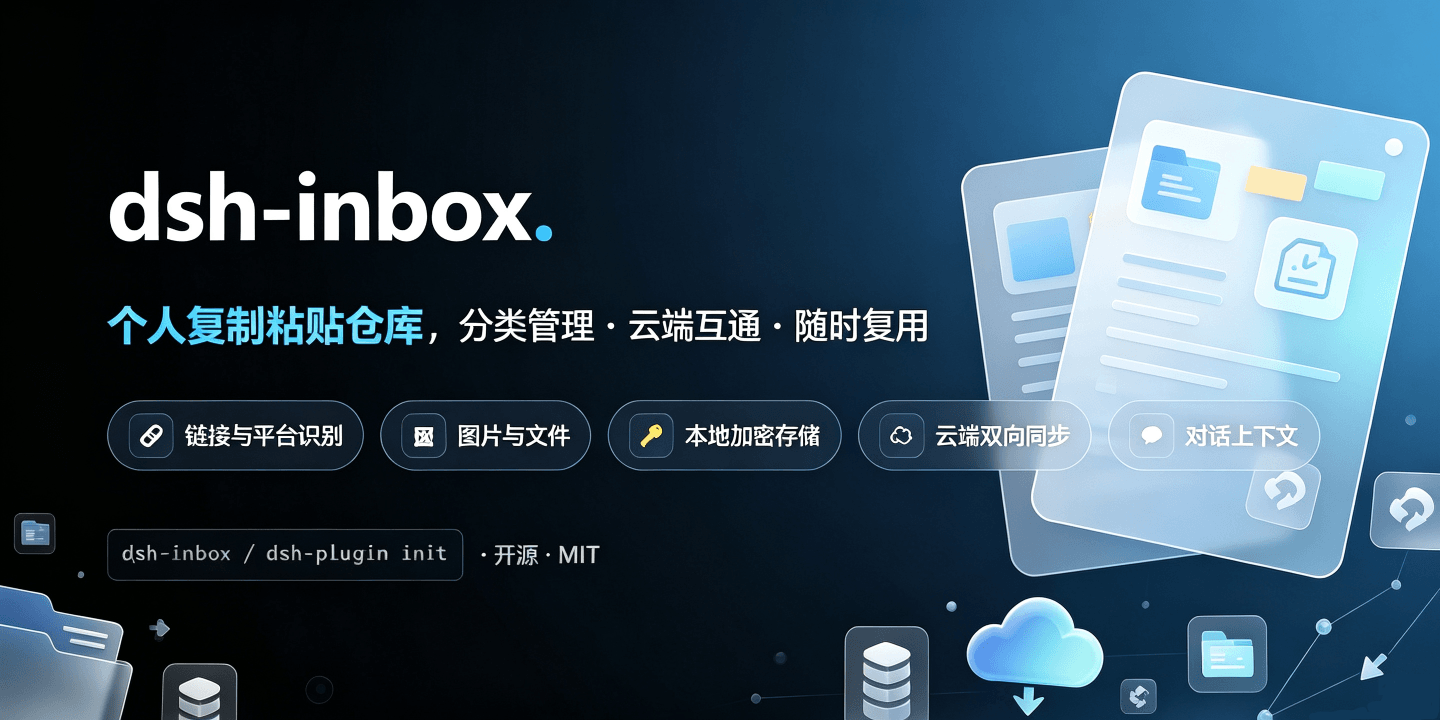
A local inbox plugin for DeepSeek Harness (dsh): file whatever you copy into one vault, get it back when you need it — including by asking your assistant in conversation.
English | 中文
What it is
The things you copy in a day — a link to read later, a screenshot, a config snippet, an account and password — end up scattered across clipboard history, bookmarks and temp files. dsh-inbox keeps them in one local vault: paste to file, automatic classification, browse and search from the sidebar — and instead of digging through it yourself, ask your assistant "what was that article about caching I saved last month?".
Everything lands on your machine, and the model only sees a record when you ask it to look.
Features
| Feature | What it does |
|---|---|
| Three ways in | /inbox <text or link> in the composer (attach images to carry them along), paste / drop / pick a file in the panel, or ask the assistant to keep something |
| Automatic classification | Links by platform and media type (60-odd sites: Bilibili, YouTube, WeChat, 掘金, Zhihu…), text by credential shape, images get a 疑似证件 tag at card proportions; the rest goes to the model, with a daily cap |
| Panel | Filter by watch-later / category / tag, search title, text, link and note, two list densities; the detail pane edits name, category, note and tags, flags watch-later, deletes and restores — and it follows dsh's theme and language |
| Every record has a name | A link takes the page's own headline (no model tokens), a photo or file its file name, and the name you type always wins. A page that will not be read — an anti-bot page, a dead link — leaves the address as the name rather than a guess |
| Who judged the category | A coloured badge: 规则判定 (local rules) / 模型判定 (the capped model pass) / 手动判定 (yours — nothing overwrites it later) |
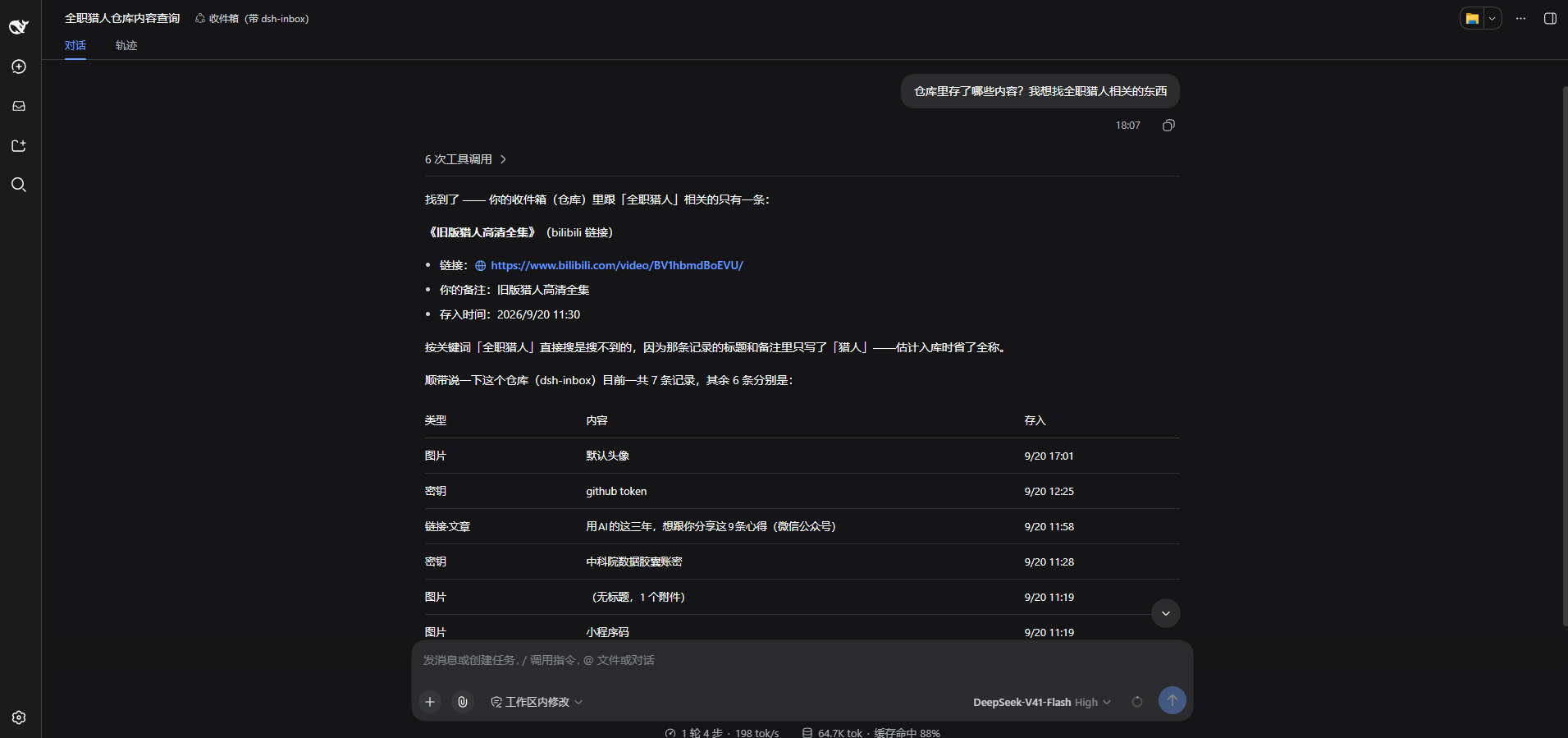
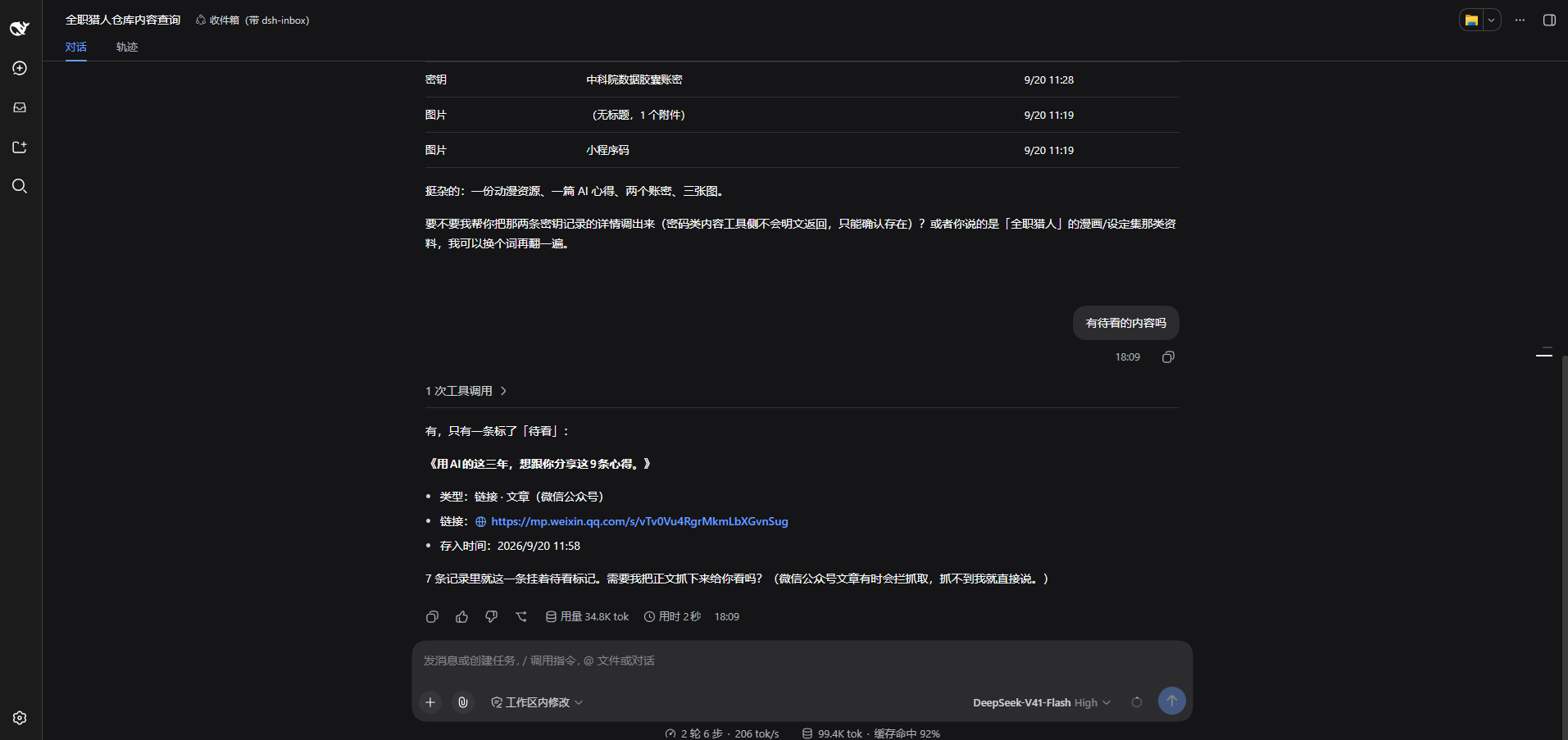
| Ask in conversation | Ask for 收件箱 / 仓库 / inbox and the assistant searches by words, category, tag, watch-later flag or kind (ten at a time plus a count, thumbnails inline) and opens one by id (text up to 1000 characters, link, note, tags, attachments). 「打开 ↗」 under an answer jumps to that record in the 仓库 tab. Hand it something to keep and it files that too — no name, and no credential while the vault is locked |
| Looking at a picture | Image bytes stay out of the conversation; ask the assistant to look at one and that single image is sent — explicitly, per call |
| Credentials are safe | The body is encrypted at rest, with a key derived from your master password — neither is ever written down. The list shows only the name you gave it, and plain text never reaches a conversation or a model |
| Two-way sync | Point it at a WebDAV folder or an S3 bucket: changes push a few seconds later, 「同步」 runs a full push-then-pull merged per record by id + timestamp, and emptying the recycle bin deletes the cloud copies too. Two machines see each other when they share one 「目录」 |
| Conversation cards | Tool results render as dsh-inbox cards — links clickable, image markers drawn as thumbnails on your machine |
| Gateway quirks | Some object-storage gateways bind each AccessKey to an "application" and identify clients by a header — so the plugin keeps one client identity per protocol |
Screenshots
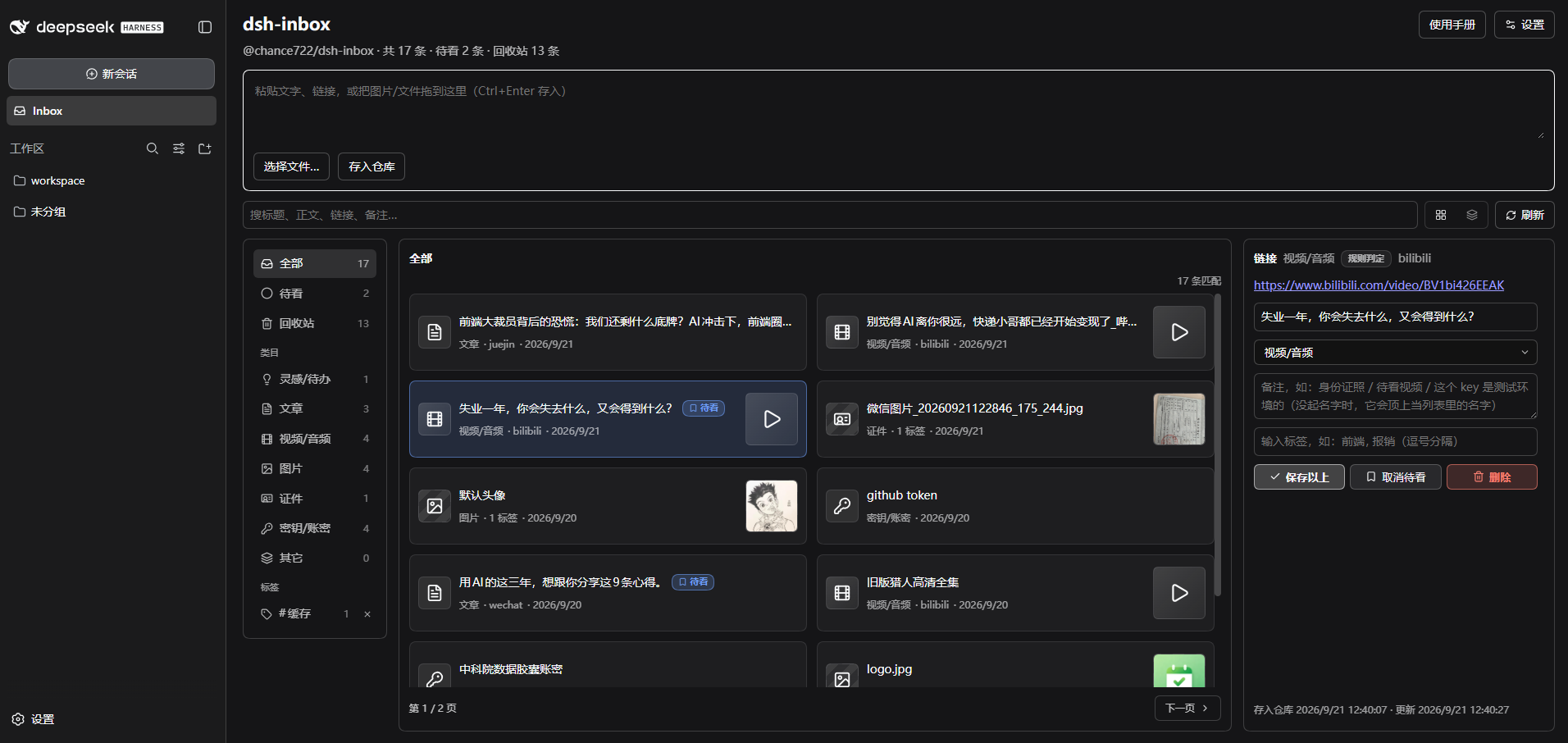
Two ways to use it
① File something from the conversation
/inbox in the composer, followed by text or a link, with images attached right there — this never reaches the model, it only goes into the vault. That is the way to file credentials and throwaway links.
Or just say so — "keep this in my inbox", with the link or the paragraph right there — and the assistant files it for you. That path does put the content in front of the model on the way through, so /inbox stays the way to file credentials.
② Ask for it later
No command, just talk:
which of my saved images is the mini-program code?
show me that article about caching I saved last week
list the links in my inbox I haven't read yet
Two questions in the same conversation, on a real machine:
Install
Needs Node ≥ 22 and a working dsh (the installer brings pnpm along when your machine does not have it). Windows only so far — macOS and Linux are unverified.
Web (command line)
# install (`dsh web` is `dsh --profile web`, so this is the profile you already start)
npx @chance722/dsh-inbox init --profile web --install-pnpm

# never run dsh on this machine? create the profile in the same command
npx @chance722/dsh-inbox init --profile web --create-profile --install-pnpm

# update (within 24h of a release, swap @latest for the exact version, e.g. @0.2.15)
dsh plugin --profile web add @chance722/dsh-inbox@latest
Desktop app (DeepSeek Harness)
Open Plugins in the sidebar → install → enter @chance722/dsh-inbox@latest (within 24h of a release, @0.2.15) → restart when it asks.
That field also takes a GitHub URL (https://github.com/Chance722/dsh-inbox): the built plugin ships in the repository, so it installs the same way with nothing extra to do. Reinstalling is how you upgrade; the package name is still the smoother path day to day.
The same from the desktop's own CLI:
"<desktop install dir>\resources\runtime\cli\bin\dsh.cmd" plugin --profile desktop add @chance722/dsh-inbox@latest
Restart afterwards. Inbox is in the left rail, and a new session's assistant can look things up ("what links in my inbox haven't I read yet?").
To keep your daily dsh untouched, give the plugin its own profile and port: npx @chance722/dsh-inbox init --create-profile, then dsh --profile inbox --no-open --port 3102.
Other flags: --profile <name>, --install-pnpm, --no-default, --help.
From a local checkout
git clone <this repo> dsh-inbox ; cd dsh-inbox
pnpm install ; pnpm build
node lib/cli.js init --package <absolute path to this repo>
Uninstall
# 1. remove the package from the profile you installed it into
#    (also drops it from dsh.profile.bundles)
#    desktop app: uninstall it in the Plugins panel — same thing
dsh plugin --profile <that profile> remove @chance722/dsh-inbox

# 2. delete what init created (**dsh 0.1.x only**; from 0.2 init skips this)
rm -r ~/.dsh/.agent-presets/inbox      # the preset copy
# default preset: delete agent-presets.default in ~/.dsh/settings.yaml (falls back to the
# deployment default) or set it to standard; every init left a settings.yaml.bak-* backup

# 3. and the profile itself, if you made one just for this
rm -r ~/.dsh/profiles/<that profile>
Uninstalling does not delete your vault. To remove the records too: rm -r ~/.dsh/storages/dsh_inbox.
Where things live
Everything under %DSH_HOME% (C:\Users\<you>\.dsh on Windows):
| What | Where |
|---|---|
| Records: text, links, category, note, tags, watch-later… | storages\dsh_inbox\items\*.json, one file each |
| Attachment index (mime / size / original name) | storages\dsh_inbox\attachments\*.json |
| The bytes of images, videos and files | attachments\ — dsh's own content-addressed store, never auto-deleted |
| Remote password / S3 AccessKey Secret | dsh's credential store, .credentials.yaml |
| Remote settings (URL, bucket, client identity…) | dsh's own settings |
What the remote looks like
With a remote configured and /inbox as the directory:
| Remote path | What it is |
|---|---|
inbox/<whatever you drop> | The drop folder: any device drops files here and this one ingests them |
inbox/sync/items/<record id>.json | One record, machine-readable — the source of truth for sync |
inbox/sync/items/<record id>.txt | The same record, readable (text, note, which attachments it points at) |
inbox/sync/attachments/<attachment id>.<ext> | Attachment bytes (images, video, PDFs open as themselves) |
inbox/sync/attachments/<attachment id>.meta.json | The attachment's metadata (original name, dimensions, size, digest) |
A 0-byte key ending in / | A folder marker the cloud drive made itself, not us |
How syncing works
- Automatic: a push seconds after a capture or edit (debounced — several quick saves are one push); 「同步」 is a full sync: push → pull → re-read the list.
- Merging: per
id+ timestamp, the newer write wins, no conflict copies; needed attachment bytes come down with the record. - Two machines: one shared 「目录」 (blank,
/andinboxare the same). Records a machine left under an older directory come back if you tick Merge other sync directories too in the settings. - Deleting: 「删除」 only moves a record to the bin and the other devices are told it is gone; emptying the bin deletes the cloud copy as well, and it stays deleted — a copy sitting in another sync directory cannot file it back in.
Privacy and security
- Credential bodies are encrypted at rest (AES-256-GCM, key derived from your master password). Neither the password nor the key is written down: the vault locks on every restart and you unlock it under 设置 → 账密加密, and a forgotten password means unrecoverable ciphertext. With no master password set, a credential is refused rather than stored in the clear. On a second machine, synced credentials open with the master password you set on the first one — the derivation parameters travel, the password does not.
- That covers the body only: notes, categories, tags, timestamps and attachment bytes are not encrypted — a key inside a pasted file is still a key inside a file.
- Masked where it matters: a credential is listed by the name you gave it, and its plain text never reaches a conversation or a model.
- Pictures: classification does send an image to the model, and the conversation gets an
[attachment:id]marker — that one image is sent only when you explicitly ask the assistant to look at it. - The model cannot see your vault unless you ask it to look, and classification requests are redacted first. It can also file what you hand it (see "Two ways to use it"), and a record written that way lands exactly like a paste: no name, credentials still refused while the vault is locked. It files only what you ask it to keep — asking what a link says does not file it.
- Your remote needs access control: only credential bodies are ciphertext up there — text, links, notes and attachment bytes are in the clear, and the master password and key never sync. One extra file,
sync/master.json, holds the non-secret derivation parameters (salt, work factors, a check value) so the same master password opens synced credentials on any machine — on a second machine, enter the password you set on the first. - One thing the install changes outside the panel: reading a link's headline is the plugin's only outbound request (one GET, only for links captured on this machine — pasted, dropped, or handed to the assistant — never for links that came through sync). It goes out with a browser-shaped identity, an override of
web-fetch-http.userAgentshipped in this package'scordis.patch.yml. That identity is the whole profile's, the model's own web tools included; your owncordis.patch.ymloverrides it. Details: docs/help/link-title-fetch.md.
Development
pnpm install
pnpm build        # lib/index.js (host) + lib/client.js (panel) + lib/cli.js (init) + lib/types
pnpm typecheck
pnpm test         # vitest
Client-side changes need pnpm build (dsh's client-hmr reloads the page); host-side changes need a restart. Details in docs/help/dev-setup.md, milestones in the development bus.
To switch the profile you actually run between the published package and this checkout (default profile web; set DSH_PROFILE for another):
pnpm dev:status    # which one is in use right now
pnpm dev:npm       # point it at the published version
pnpm dev:local     # point it back here (builds first, then links)
License
MIT