dsh-openai-codex-auth
gooosie/dsh-openai-codex-auth
Unofficial OpenAI Codex provider for DeepSeek Harness with ChatGPT subscription sign-in.
Instalar
dsh plugin --profile web add github:gooosie/dsh-openai-codex-authREADME
dsh-openai-codex-auth
简体中文 | English
Adds an openai-codex model provider to
DeepSeek Harness. Sign in
with an eligible ChatGPT subscription instead of an OpenAI Platform API key.
Only one plugin should own an LLM provider route. Enabling two implementations
of openai-codex causes an adapter registration conflict.
Features
- ChatGPT sign-in through the OpenAI Codex OAuth device-code flow.
- Codex models in the DSH model selector, with model-specific reasoning levels.
- Local credential storage and automatic token refresh.
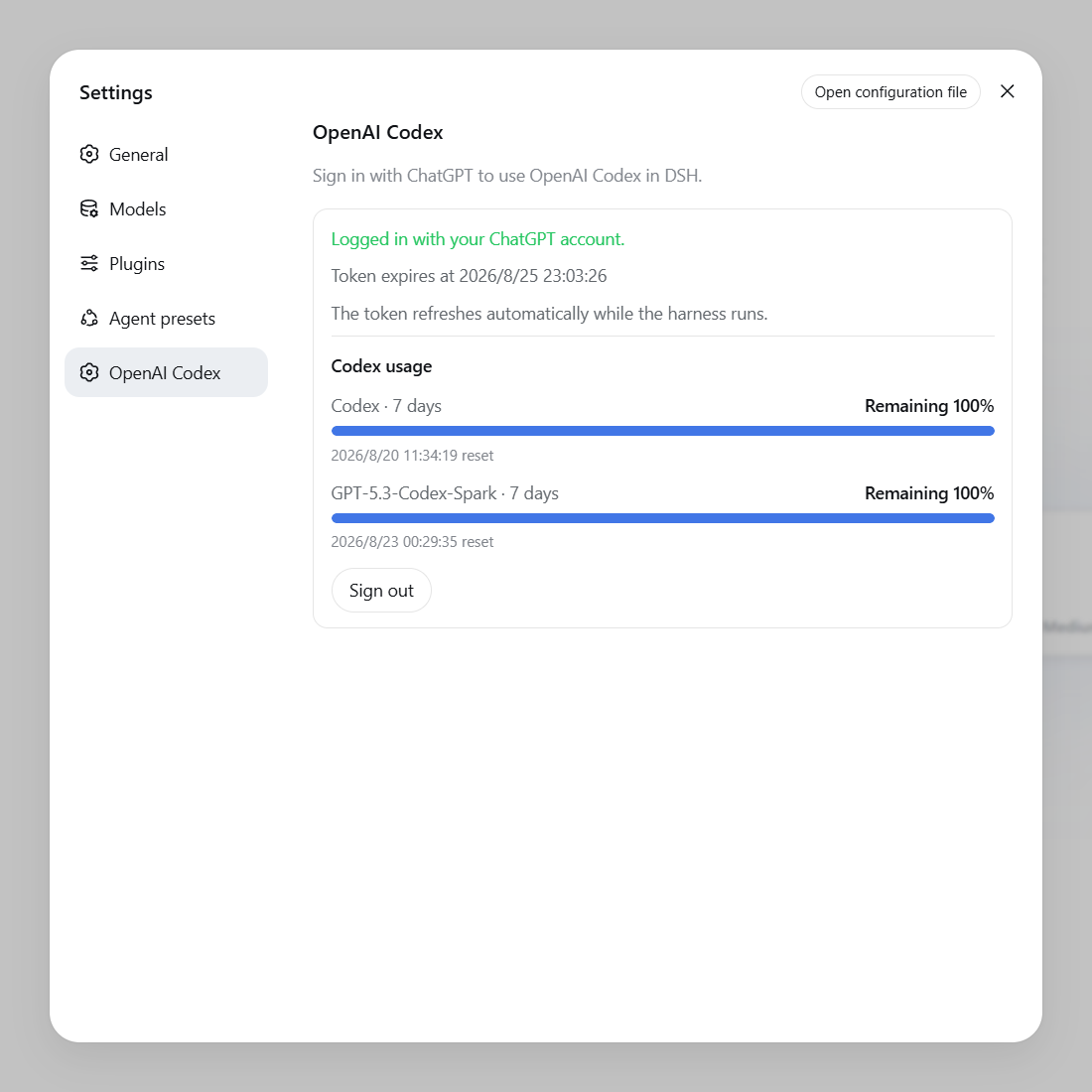
- Login status, rolling usage windows, reset times, and Credits in Settings.
Requirements
- Node.js
>=22.19.0. - A DSH
0.1.0-rc.6Web profile. - A ChatGPT subscription eligible for Codex, with device-code sign-in enabled.
Install or update
dsh plugin --profile web add dsh-openai-codex-auth
Restart DSH after installing or updating.
From source
npm install
dsh plugin --profile web add .
The package is a DSH bundle, so no separate install script is required.
Usage
- Open Settings → OpenAI Codex and select Sign in with ChatGPT.
- Open the verification page, enter the displayed device code, and authorize.
- Select a model under OpenAI Codex in the model selector.
DSH agents can also call codex_login, codex_status, and codex_logout.
Uninstall
Sign out under Settings → OpenAI Codex first, then run:
dsh plugin --profile web remove dsh-openai-codex-auth
Restart DSH afterward.
Security
- OAuth tokens are stored locally under
PI_OAUTH_OPENAI_CODEXin$DSH_HOME/.credentials.yamland are never sent to the settings page. - Usage data retains only aggregate percentages, reset times, and Credits.
- Never commit or share
.credentials.yaml,auth.json, or environment files.
Report security issues privately according to SECURITY.md.
Development
npm run check
npm test
npm pack --dry-run
See CONTRIBUTING.md before submitting changes.
License
Plugins relacionados
dsh-routing-suite
yjh051108/dsh-routing-suite
dsh-plugin-subscriptions
v1ki/dsh-plugin-subscriptions
dsh-commandcode-provider
mars-sea/dsh-commandcode-provider
dsh-workbuddy-connect
corrinehu/dsh-workbuddy-connect