dsh-tool-deny
hhuangpanda/dsh-tool-deny
Hides or disables specific tools for a customized list of agent presets, such as tools another plugin adds to every preset. Hidden tools are removed from the tool list and use no tokens, denied tools have calls refused. Can also blank system prompts added by other plugins. Configured in YAML. Does nothing until you add a config row.
Instalar
dsh plugin --profile web add github:hhuangpanda/dsh-tool-denyREADME
dsh-tool-deny


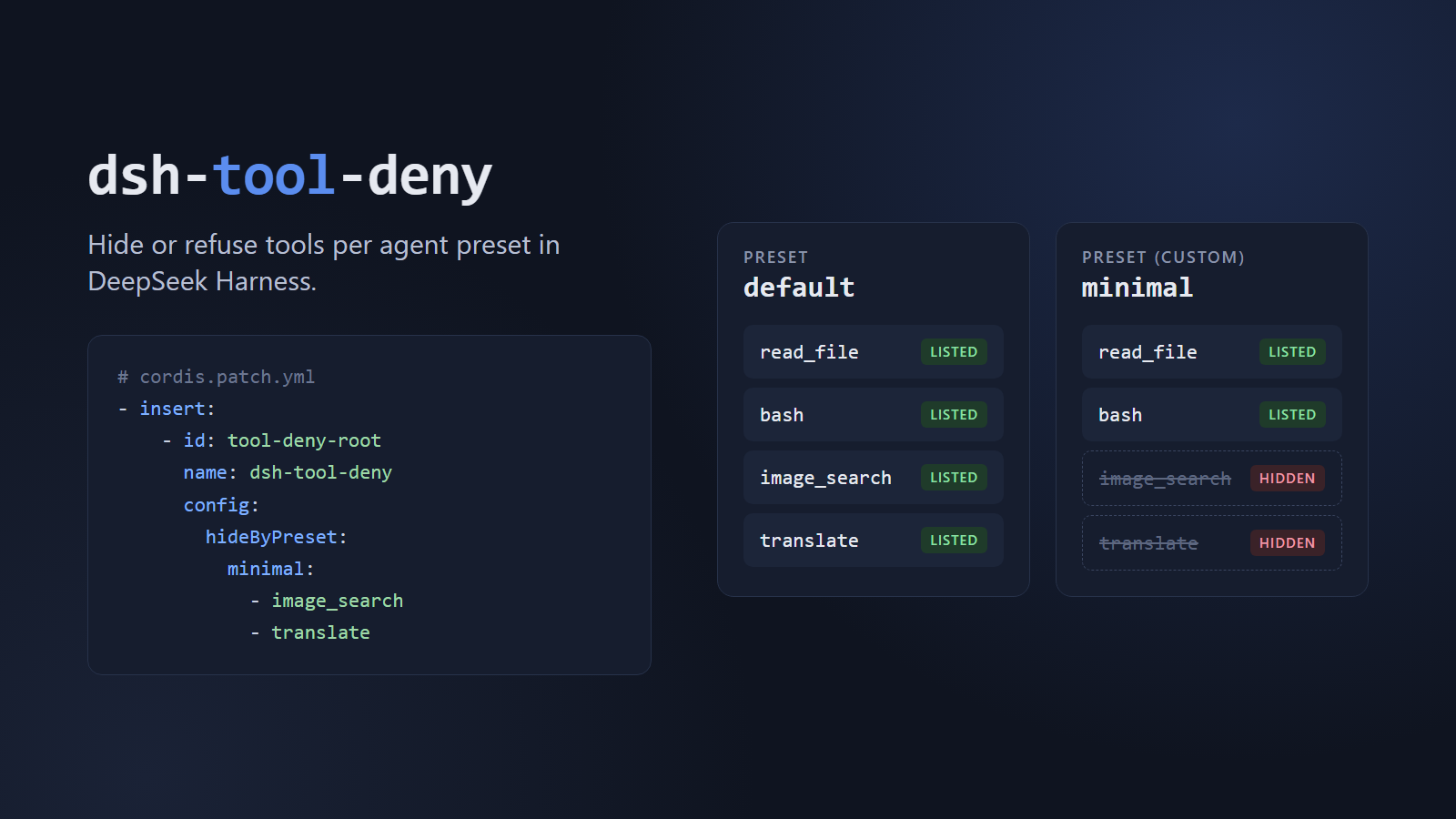
Choose which tools each agent preset gets in DeepSeek Harness (dsh).
A plugin loaded at the root of a profile registers its tools globally, so every preset inherits them. A preset can add plugins, but it has no setting to remove a global tool. dsh-tool-deny fills that gap with a few lines of YAML.
Features
| Option | Where | Value | What it does |
|---|---|---|---|
hideByPreset | Root row | Map of preset id to tool names | Removes tools from the model's tool list for the presets you name |
hide | Inside a preset | Tool names | Same, for the preset that mounts the plugin |
deny | Inside a preset | Tool names | Keeps tools listed, but refuses every call |
hideSections | Either | Section names | Blanks global system prompt sections for those agents |
Use hideByPreset in a root row, and hide and deny in a preset row. If a row sets hideByPreset, hide and deny are ignored and a warning is logged.
Hidden tools cost no tokens, because their definitions are never sent to the model. Other presets are unaffected. Subagents, automation runs and resumed sessions are covered too.
Requirements
Tested on dsh 0.2.1-rc.4.
Install
dsh plugin --profile web add dsh-tool-deny
The plugin does nothing until you configure it.
Quick start
Say you installed a plugin that adds image_search and translate, and you want to keep them away from your minimal and reviewer presets. Add this to your profile's cordis.patch.yml:
- insert:
    - id: tool-deny-root
      name: dsh-tool-deny
      config:
        hideByPreset:
          minimal:
            - image_search
            - translate
          reviewer:
            - translate
Restart dsh. New minimal sessions no longer see either tool, reviewer sessions no longer see translate, and every other preset keeps both.
If several presets share a list, a YAML anchor avoids repeating it:
hideByPreset:
  minimal: &extra-tools
    - image_search
    - translate
  reviewer: *extra-tools
Use inside a preset
Use this when a preset should carry its own rules, or when you need deny. Add the row to the preset's plugins list:
- id: tool-deny
  name: dsh-tool-deny
  config:
    hide:
      - image_search
    deny:
      - delete_records
image_search disappears from the list. delete_records stays listed, and calling it returns "delete_records" is not available to this agent.
Hide or refuse?
Prefer hiding: the model never sees the tool, and you save its tokens. Use deny for tools that hiding can't reach, which are the ones a plugin registers on each agent directly (through agent.ctx) instead of globally. If you try to hide one, it stays visible.
Hide prompt sections
Some plugins add a global section to the system prompt. Blank it by name for the same agents:
config:
  hideByPreset:
    minimal:
      - image_search
  hideSections:
    - my-plugin:notes
At the root, hideSections applies to every preset named in hideByPreset. The section name is defined by the plugin that registers it.
Limitations
- Failures are quiet. If you remove the row or the plugin stops loading, the tools come back with no error. Don't rely on it as your only safeguard for a sensitive agent.
- Lists are by name. A new tool added by a plugin update stays visible until you add it.
- Unknown names are skipped. A tool name in
hideorhideByPresetthat doesn't exist logs a warning and is otherwise ignored. A misspelleddenyname gets no warning and simply never matches, so check your spelling. - It hides tools, not plugins. The plugin keeps running. Anything it does beyond its tools, such as acting as the provider behind
web_search, is unchanged. - Preset switches can drop tools. Switching a new session to another preset and back can leave out
subagent, which is dsh behavior. Starting a fresh session restores it.
How it works
In root mode, the plugin listens for agent/created and agent-preset/selected, looks up the agent's preset, and calls ctx.tools.restrict({ deny }) on that agent. dsh then filters those tools whenever it builds the agent's tool list. The tools stay registered, so other agents are unaffected. deny uses ctx.tools.guard, which rejects the call at execution time.
License
Plugins relacionados
archify (deepseek-harness)
tt-a1i/archify
WeKnora (dsh-weknora)
tencent/weknora
next-ai-draw-io (dsh-plugin)
dayuanjiang/next-ai-draw-io
weknora
tencent/weknora