session-stickies-manage-your-attention
juliiiiiiiu/session-stickies-manage-your-attention
Session-specific sticky cards with optional, explicitly authorized agent follow-ups. Targets the DSH desktop/web profile (protocol 0.2.2-rc.1); installed from GitHub.
Instalar
dsh plugin --profile web add github:juliiiiiiiu/session-stickies-manage-your-attentionREADME
Session Stickies - Manage Your Attention
Stay on track while you work on multiple agent tasks
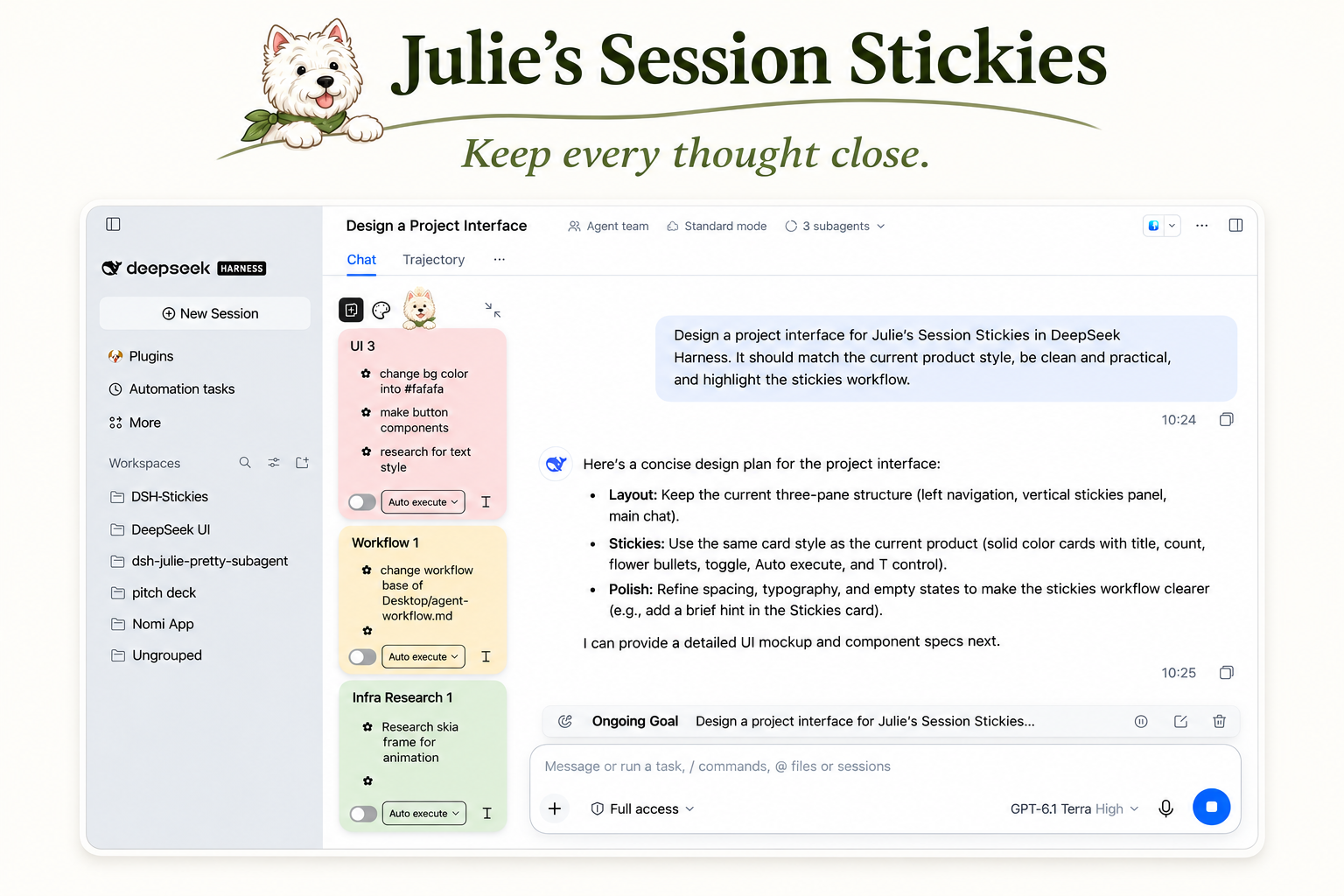
A plugin that keeps ideas, questions, and follow-ups next to the session they belong to—so you can switch tasks without losing your train of thought.
The problem
Agents can work in parallel. Human attention can’t.
While an agent is working, you might think of a small change, a question, or something to check. You don’t want to interrupt the task or open a new worktree for every idea. But after switching to another session, it’s easy to forget what you had in mind.
How it helps
- Jot down ideas as they come, without interrupting the agent.
- Keep questions, tasks, and checkpoints separate, so each gets the right attention.
- Turn notes into action by asking the agent to execute a task or answer a question.
- Keep work moving by letting the agent process selected notes in order after the current task finishes.
Session Stickies helps you capture a thought, return to it in context, and turn it into the agent’s next action.
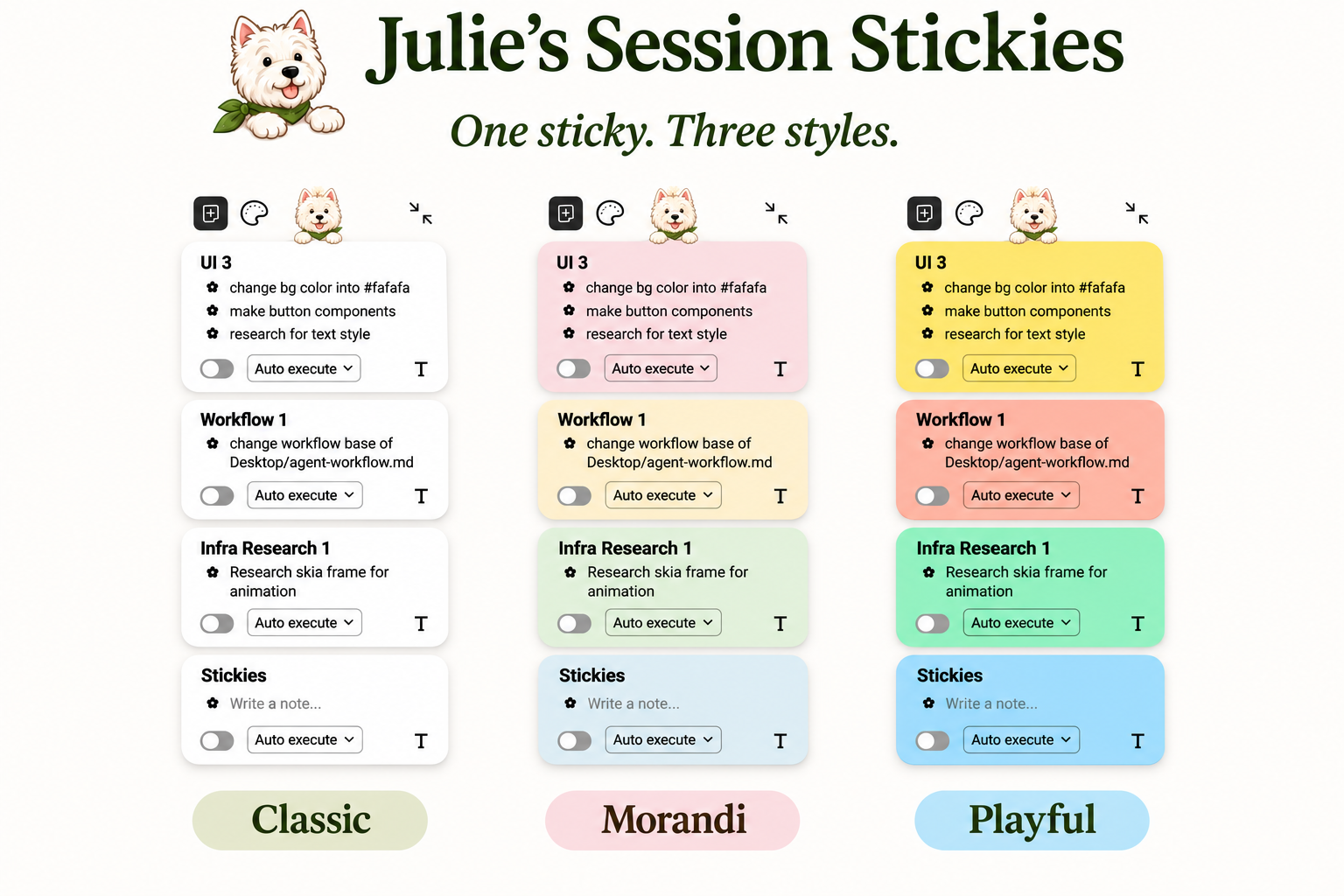
Three styles
Compatibility
Currently available for DeepSeek Harness (DSH). Support for other agent harnesses is planned.
Topics: deepseek-harness ai-agents agent-tools session-stickies attention-management focus context-switching productivity adhd-friendly
Installation
This plugin targets the DeepSeek Harness desktop/web profile with protocol version 0.2.2-rc.1. Install the GitHub bundle from Plugin Manager using github:juliiiiiiiu/session-stickies-manage-your-attention. A page refresh may be needed after activation. GitHub installs can require build permission according to your package manager's policy; inspect the source before allowing it.
The plugin displays beside conversations. Its dog button collapses or expands the board. Enter commits a new note, and Shift+Enter inserts a line break. The card title can be edited directly.
Safety and storage
Cards and committed notes are stored by the DSH host per session. Drafts, local recovery journals and card sizes are stored in browser-local storage. Clearing browser data may remove those browser-local values. Back up important information before removing storage or changing profiles.
Auto run uses a queue shared across the session. Execute mode uses the current session's permissions; Answer only uses a read-only tool allowlist. Pausing prevents subsequent queue items but does not stop an item already running. Review selected notes and permissions before authorizing them. On restart the plugin pauses uncertain work rather than replaying it automatically.
Development
Requires Node.js and the host services provided by a compatible DeepSeek Harness installation. The generated client is committed, so consumers do not need to build it.
node build.mjs
node --check host.js && node --check client.js
node --test test-*.mjs
The automated tests cover storage, queue safety, rich-text behavior, sizing, contrast and layout policies. They do not replace interactive testing across browsers and window sizes. See third-party icon notices.
Plugins relacionados
billion-context
ranxianglei/billion-context
dsh-web-ui (dsh-chat-recovery)
zhu1090093659/dsh-web-ui
dsh-synapse
liangmianya/dsh-synapse
dsh-archive-manager
michengai/dsh-archive-manager