dsh-agy-gemini-quota
nursatechstudio/dsh-agy-gemini-quota
DeepSeek Harness plugin for Antigravity Gemini quota monitoring in settings submenu agy-quota
Instalar
dsh plugin --profile web add github:nursatechstudio/dsh-agy-gemini-quotaREADME
📊 dsh-agy-gemini-quota
DeepSeek Harness × Google Antigravity — Real-time Gemini & Claude Quota Monitor




🌐 Language: English · Bahasa Indonesia
DeepSeek Harness plugin for Antigravity Gemini quota monitoring in Settings submenu agy-quota.
📸 Preview
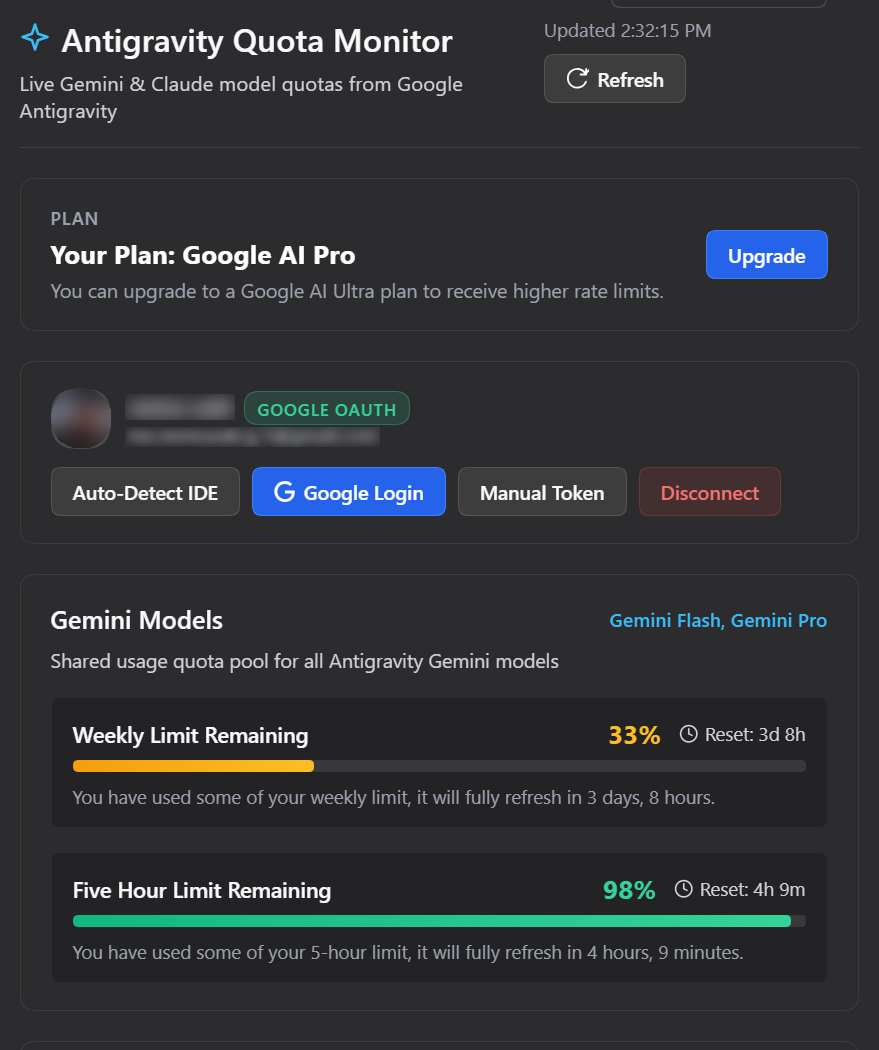
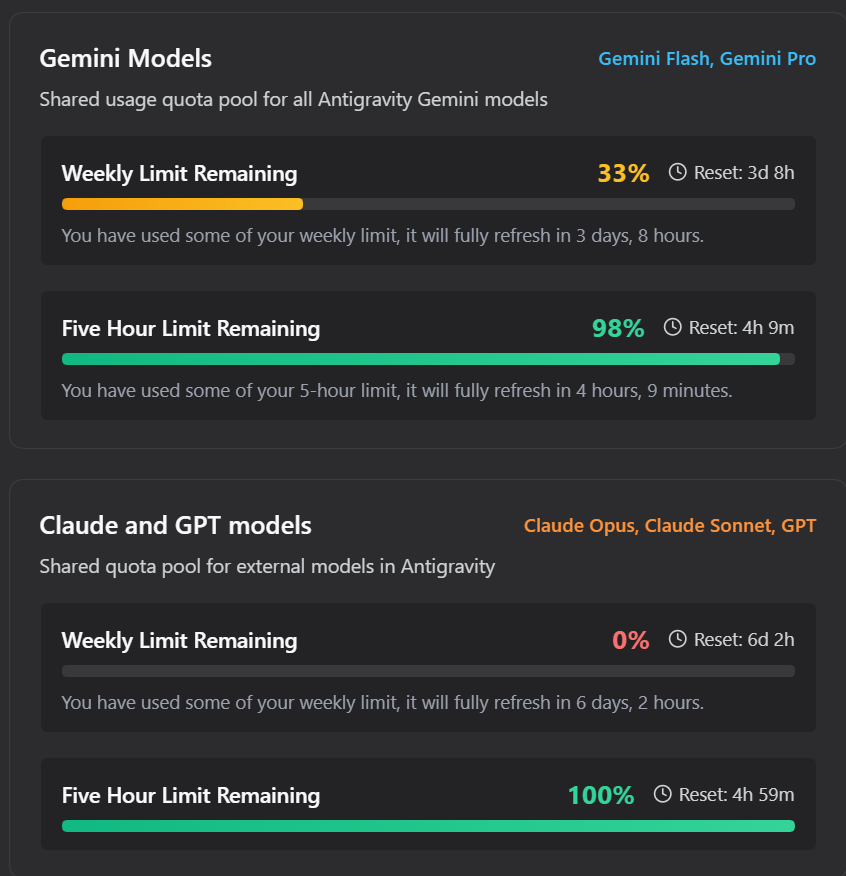
✨ Features
- Live Gemini Quota: Weekly and 5-Hour rolling limits with visual progress bars, percentage, and reset time countdown.
- Claude & 3P Quota: Tracks third-party quota bucket (Claude Opus/Sonnet/GPT).
- Multiple Login Methods:
- Auto-Detect IDE: Automatically reads OAuth credentials from local Antigravity IDE state.
- Google Login: One-click Google OAuth flow from the settings page.
- Environment / .env: Supports
AGY_REFRESH_TOKENorAGY_ACCESS_TOKEN. - Manual Token: Paste refresh token (
1//...) or access token (ya29...) in the UI.
- Settings Submenu: Integrates directly into DSH Settings sidebar under
agy-quota.
📦 Installation
1. Install via DSH CLI
From NPM (recommended for DSH Plugin Hub):
dsh plugin --profile web add dsh-plugin-agy-quota
From GitHub:
dsh plugin --profile web add github:nursatechstudio/dsh-agy-gemini-quota
Or from a local directory (development):
dsh plugin --profile web add ./path/to/dsh-agy-gemini-quota
2. Verify Installation
Inspect composed profile bundle layer:
dsh --profile web --dump-config
3. Uninstall
dsh plugin --profile web remove dsh-plugin-agy-quota
⚙️ Configuration (Optional)
If running in headless mode or without Antigravity IDE installed on the same machine:
cp .env.example .env
Set either AGY_REFRESH_TOKEN or AGY_ACCESS_TOKEN in .env:
AGY_REFRESH_TOKEN=1//...
Note: Never commit .env or sensitive credentials to Git.
📄 License
Plugins relacionados
DeepSeek-Balance-Whale-Widget
meteornox/deepseek-balance-whale-widget
dsh-context
bowenliang123/dsh-context
dsh-cost-meter
han-1413141/dsh-cost-meter
dsh-damage-pulse
wssfk12138/dsh-damage-pulse