soyo
ottohere-mourn/soyo
DSH-native video understanding with configurable multimodal providers
Instalar
dsh plugin --profile web add github:ottohere-mourn/soyoREADME
SOYO
Selective Observation for Yield-Aware Orchestration
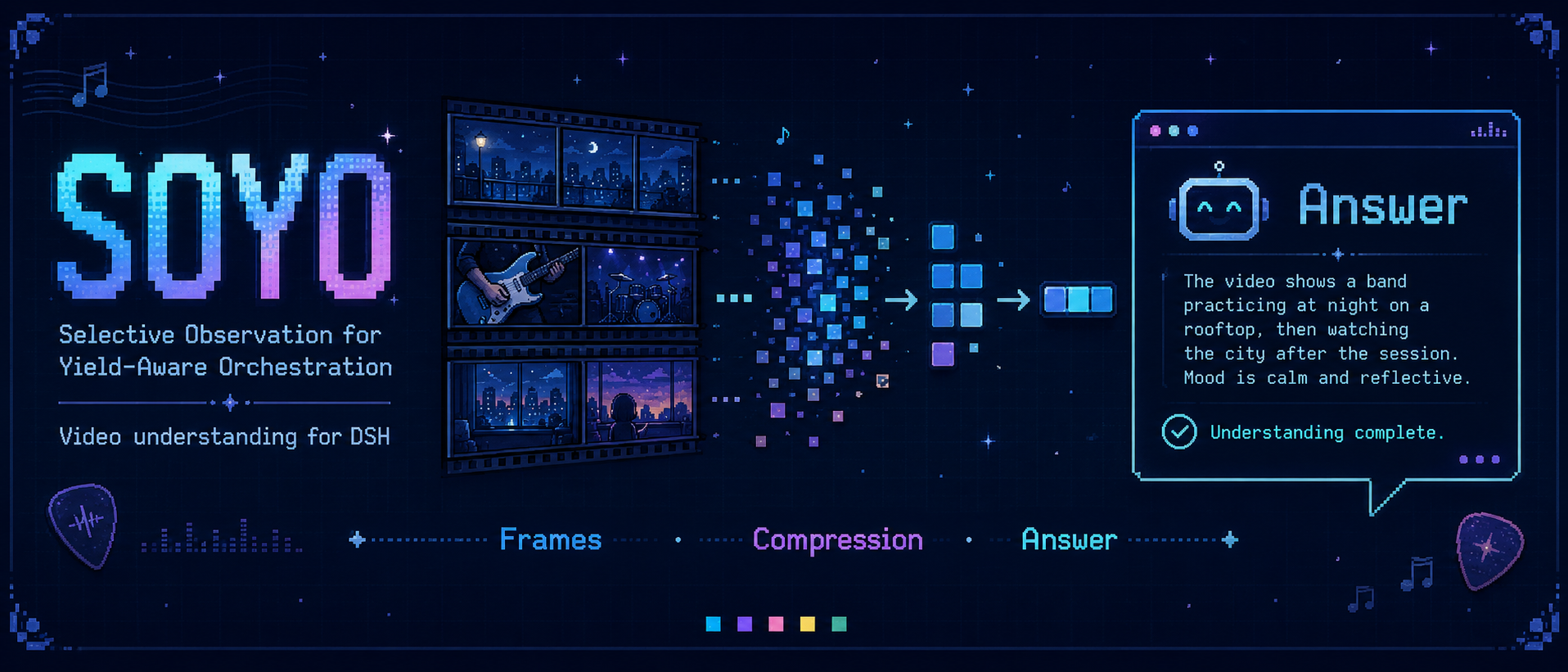
SOYO is a lightweight, DSH-native video-understanding plugin. It gives a DeepSeek Harness Agent one callable tool—analyze_video—backed by a configurable local or API-based multimodal provider.
V0.1 supports two fixed worker modes:
vanilla: ordinary provider-backed video inference;flashvid: local visual-token compression using the pinned upstream FlashVID integration.
SOYO is integration software, not a new compression algorithm or a general Video Agent system. V0.1 intentionally has no MCP layer, UI, memory, dynamic budget, or benchmark suite. It includes one frozen 100-question LongVideoBench validation comparison as a release check.
Status
V0.1 is a release candidate. The following paths have run successfully on a real local video:
DSH analyze_video
  -> loopback Python worker
  -> configured multimodal provider (vanilla or FlashVID)
  -> structured result
  -> DSH Agent continuation
The DSH main-Agent model is configured separately by the user. SOYO does not install or serve a main-Agent LLM.
Architecture
DeepSeek Harness Agent
        |
        | native analyze_video(video_path, question)
        v
SOYO TypeScript/Cordis plugin
        |
        | loopback HTTP/JSON
        v
SOYO Python worker — one mode per process
        |
        +-- vanilla  -> configured local or API provider
        |
        +-- flashvid -> pinned FlashVID -> local compatible checkpoint
        |
        v
answer + frames + visual tokens + timing + memory metadata
The public tool contract is intentionally small:
analyze_video(
  video_path: absolute path to an allowed local MP4,
  question: focused natural-language question
)
Mode is not a tool argument. FlashVID patches Transformers model classes globally, so V0.1 selects SOYO_MODE=vanilla|flashvid when the worker starts. Switching mode requires restarting the worker.
Requirements
The core stack is:
- Node.js 22 and pnpm;
- DeepSeek Harness
0.1.0-rc.6/@deepseek-ai/dsh-tools@0.1.0-rc.6; - Python 3.11;
- either a configured API provider or a compatible local multimodal checkpoint.
Model weights are not included and are never downloaded by SOYO.
Installation from source
Clone the repository and build the DSH bundle:
pnpm install --frozen-lockfile
pnpm check
pnpm test
pnpm build
Create the Python 3.11 environment:
python3.11 -m venv .venv
.venv/bin/python -m pip install --upgrade pip
For API-backed operation, install the provider extra:
.venv/bin/python -m pip install -e 'python[api]'
For a local GPU backend, install the provider-specific runtime appropriate for the selected model, then install the worker's local extra:
.venv/bin/python -m pip install --no-build-isolation -e 'python[vanilla]'
For flashvid mode, install the pinned official revision over the compatible local environment without resolving FlashVID's broader dependency set:
.venv/bin/python -m pip install --no-deps --no-build-isolation \
  -r python/requirements-flashvid.txt
The pinned revision is 983cce6e30d7a8012442bfc7557d3afa61b3572d.
The upstream FlashVID package declares lmms-eval as a required dependency even though SOYO's inference path does not import or use it. The deliberate --no-deps install keeps the V0.1 runtime small and avoids installing an evaluation stack. Consequently, pip check reports the absent lmms-eval requirement in a FlashVID environment; this is a known upstream packaging limitation, not evidence that the validated SOYO inference path is missing a runtime import.
The provider uses the OpenAI-compatible Chat Completions format. This covers compatible hosted services and self-hosted gateways by changing SOYO_API_BASE_URL, SOYO_API_KEY, and SOYO_API_MODEL; credentials are read only from the environment and are never returned in metadata.
Start the worker
Choose one mode and an explicit local-video allowlist:
CUDA_VISIBLE_DEVICES=0 \
HF_HUB_OFFLINE=1 \
TRANSFORMERS_OFFLINE=1 \
SOYO_MODE=flashvid \
SOYO_PROVIDER=local \
SOYO_MODEL_PATH=/absolute/path/to/local/model \
SOYO_ALLOWED_VIDEO_ROOT=/absolute/path/to/videos \
.venv/bin/soyo-worker
For API mode, set SOYO_PROVIDER=openai_compatible, omit SOYO_MODEL_PATH, and use a vision-capable model. SOYO samples the local MP4 into JPEG frames and sends those frames to the configured endpoint:
SOYO_PROVIDER=openai_compatible \
SOYO_API_BASE_URL=https://api.example.com/v1 \
SOYO_API_KEY="$YOUR_PROVIDER_KEY" \
SOYO_API_MODEL=your-vision-model \
SOYO_ALLOWED_VIDEO_ROOT=/absolute/path/to/videos \
.venv/bin/soyo-worker
Use SOYO_MODE=vanilla for the uncompressed path. The worker binds to 127.0.0.1:8765 by default and loads the model once at startup.
Useful worker variables:
| Variable | Default | Meaning |
|---|---|---|
SOYO_MODE | vanilla | Immutable vanilla or flashvid mode |
SOYO_PROVIDER | local | local or openai_compatible |
SOYO_MODEL_PATH | unset | Local checkpoint path when using local |
SOYO_API_BASE_URL | https://api.openai.com/v1 | OpenAI-compatible API base URL |
SOYO_API_KEY | unset | API credential, supplied through the environment |
SOYO_API_MODEL | unset | Provider model identifier |
SOYO_ALLOWED_VIDEO_ROOT | required | Canonical root containing allowed MP4 files |
SOYO_HOST | 127.0.0.1 | Must remain loopback in V0.1 |
SOYO_PORT | 8765 | Worker port |
SOYO_DEVICE | cuda:0 | Logical CUDA device |
SOYO_NUM_FRAMES | 8 | Fixed decoded-frame request |
SOYO_MIN_PIXELS | 3136 | Processor pixel lower bound |
SOYO_MAX_PIXELS | 50176 | Processor pixel upper bound |
SOYO_MAX_NEW_TOKENS | 64 | Greedy generation cap |
Check readiness:
curl http://127.0.0.1:8765/health
Install the DSH plugin
With DSH already installed and its main-Agent provider configured:
dsh plugin --profile headless add .
SOYO is a standard DSH bundle. Its Cordis patch inserts soyo-dsh-plugin, which registers analyze_video through @deepseek-ai/dsh-tools.
The TypeScript side connects to http://127.0.0.1:8765 by default. Override it when needed:
export SOYO_BACKEND_URL=http://127.0.0.1:8765
export SOYO_REQUEST_TIMEOUT_MS=600000
For a local tarball install:
pnpm pack
dsh plugin --profile headless add ./soyo-dsh-plugin-0.1.0.tgz
The tarball includes the Python worker source. When installing only from the tarball, install the worker from the package extracted under the selected DSH profile's node_modules/soyo-dsh-plugin/python directory.
For example, when DSH_HOME is explicit:
export DSH_HOME=/absolute/path/to/dsh-home
dsh plugin --profile headless add ./soyo-dsh-plugin-0.1.0.tgz

.venv/bin/python -m pip install --no-build-isolation \
  "$DSH_HOME/profiles/headless/node_modules/soyo-dsh-plugin/python[vanilla]"
Install the CUDA-specific PyTorch/Torchvision wheels first, as shown above. Add the pinned FlashVID requirements from the same packaged python directory only when using SOYO_MODE=flashvid.
DSH is currently a developer preview. Some environments require explicit pnpm native-build approval for DSH's own node-pty dependency; this is a DSH installation requirement, not a SOYO runtime dependency.
Minimal use
Ask the configured DSH Agent to inspect an allowed absolute path:
Use analyze_video to answer: what is the person doing in
/absolute/path/to/videos/example.mp4?
The Agent receives a result resembling:
SOYO video analysis: The person is washing dishes in a kitchen sink.
Metadata: {"mode":"flashvid","num_frames_processed":8,...}
The underlying HTTP API remains available for diagnostics:
curl -H 'content-type: application/json' \
  --data '{
    "video_path": "/absolute/path/to/videos/example.mp4",
    "question": "What is the person doing? Answer briefly."
  }' \
  http://127.0.0.1:8765/v1/analyze
180-second smoke/demo
Both modes ran in separate fresh processes against the same 180-second MP4, checkpoint, question, eight decoded frames, pixel bounds, and greedy generation settings.
| Field | Vanilla | FlashVID |
|---|---|---|
| Frames processed | 8 | 8 |
| Visual tokens before compression | 216 | 216 |
| After FlashVID vision compression | 216 | 68 |
| After FlashVID inner-LLM pruning | 216 | 21 |
| Output | washing dishes in a kitchen sink | washing dishes in a kitchen sink |
This table is single-run smoke/demo data, not a benchmark. The intended conclusion is only that both paths executed and returned valid results while FlashVID's observed token boundaries changed from 216 -> 68 -> 21.
Full records:
Controlled long-video comparison
V0.1 uses one deterministic, stratified 100-question subset of LongVideoBench validation: 98 unique videos, all 17 question categories, and all four duration groups. The questions came from pinned official metadata. The 4.7135 GiB of selected MP4s came from a pinned community mirror because the official release exposes only roughly 162 GB of multipart archives. All 98 mirror files matched their pinned LFS SHA-256 and decoded through Decord; byte identity with the official tar remains unverified.
Both modes used the same Qwen2.5-VL checkpoint, videos, prompts, 32-frame setting, pixel bounds, and greedy generation settings. The pinned official LongVideoBench scorer parsed every output without random fallback:
| Metric, mean unless noted | Vanilla | FlashVID |
|---|---|---|
| Official accuracy | 55/100 (55%) | 47/100 (47%) |
| Visual tokens before compression | 959.04 | 959.04 |
| After vision-side compression | 959.04 | 306.04 |
| After inner-LLM pruning | 959.04 | 92.40 |
| FlashVID reduced mean visual tokens by approximately 68.1% at the vision boundary and approximately 90.4% after inner-LLM pruning. Accuracy fell by 8 percentage points on this subset. Paired outcomes were: both correct 43, vanilla-only correct 12, FlashVID-only correct 4, and both wrong 41; 80/100 predictions were identical. This negative quality result is reported directly and does not support a lossless-compression claim. |
These are fixed controlled-subset results, not full-validation or leaderboard scores. The earlier MLVU Dev-98 fallback run is retained as a diagnostic record, not as V0.1's formal benchmark.
Reproducibility records:
benchmarks/longvideobench_v0_1/protocol.jsonbenchmarks/longvideobench_v0_1/subset_q_uids.jsonbenchmarks/longvideobench_v0_1/mirror_files.jsonbenchmarks/longvideobench_v0_1/results_20260814.jsondocs/research/09_longvideobench_v0_1.md
Limitations
- API compatibility depends on the provider's multimodal input support.
- Inputs are existing local MP4 files below one explicit allowlisted root.
- One worker processes one request at a time.
- HTTP cancellation stops the DSH-side wait but cannot preempt synchronous GPU generation.
- One process owns one mode; there is no runtime mode switching or dynamic token budget.
- SOYO does not configure or serve the DSH main-Agent model.
- DSH
0.1.0-rc.6is a developer preview and its plugin/launcher behavior may change. - V0.1 reports only the frozen LongVideoBench validation-100 controlled subset; it makes no full-benchmark or leaderboard claim.
Attribution and licenses
SOYO source is released under the MIT License.
FlashVID is third-party MIT-licensed work by Ziyang Fan, Keyu Chen, Ruilong Xing, Yulin Li, Li Jiang, and Zhuotao Tian. SOYO calls upstream FlashVID at pinned commit 983cce6e30d7a8012442bfc7557d3afa61b3572d; it does not present FlashVID as a SOYO algorithm.
The LongVideoBench-100 reference run used user-supplied Qwen2.5-VL-7B-Instruct weights. Neither model weights nor DeepSeek Harness source are redistributed by SOYO.
See THIRD_PARTY_NOTICES.md for the complete attribution boundary.
Plugins relacionados
dsh-web-ui (dsh-tool-describe-image)
zhu1090093659/dsh-web-ui
ipollowork
devin-axis/ipollowork
modlens
liustack/modlens
dsh-vision-router
ysr666/dsh-vision-router