dsh-ip-https
qiufengcrl/dsh-ip-https
Plugin de DeepSeek Harness: ajustes remotos y certificados IP de Let’s Encrypt. Sin dominio ni inicio de sesión.
Instalar
dsh plugin --profile web add github:qiufengcrl/dsh-ip-httpsREADME
dsh-ip-https
DeepSeek Harness 插件:远程浏览器能改设置,并用 Let’s Encrypt IP 证书做 HTTPS。不需要域名、不用备案、没有登录。
装完不用再手写 nginx。本插件不改 dsh 源码,也不改它安装目录里的文件。
公网打开后,谁能访问地址,谁就能改模型和在工作区跑命令。请自己用安全组 / VPN 限制来源。
dsh 0.1.2 起,网页界面会要一次启动 token,再换成约 30 天的登录 cookie。本插件把 cookie 原样转给浏览器,并在打开 https://<公网IP>/(没有 cookie、也没有 ?token=)时自动跳到当前进程的 token 地址。手机和电脑都只要收藏这个根地址,不必再去抄启动日志。能访问该 IP 的人同样会被自动放进(和「没有登录」一致)。不想自动放行时,把 autoLogin 设为 false。
做什么
- 远程设置:往页面注入脚本,让设置页按本机模式写入
settings.yaml。 - 改头:把
Host/Origin改成127.0.0.1:<dsh端口>,特权 RPC 和 pocket 的tunnel.start不再 403。 - 自动 HTTPS:探测公网 IP,申请 Let’s Encrypt
shortlivedIP 证书(约 6 天),80 跳 443,到期前约 48 小时自动续。
未装插件时
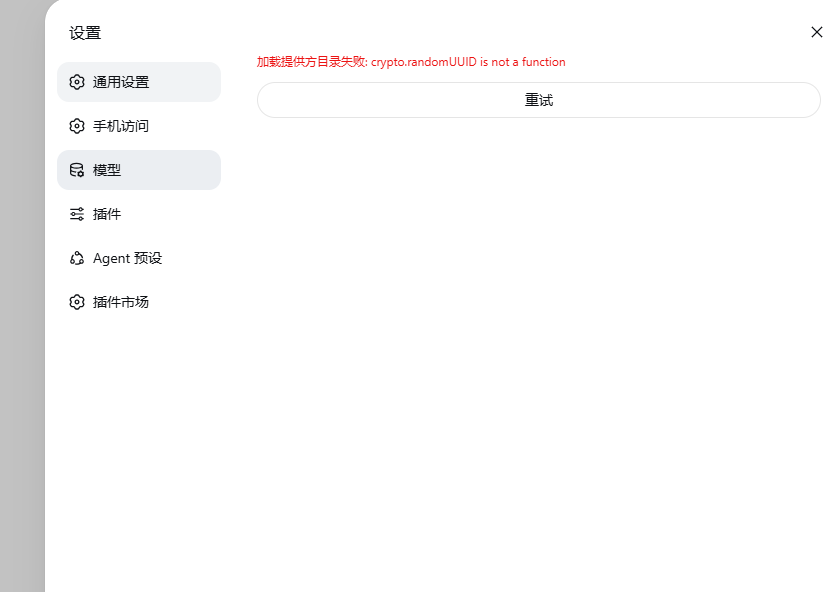
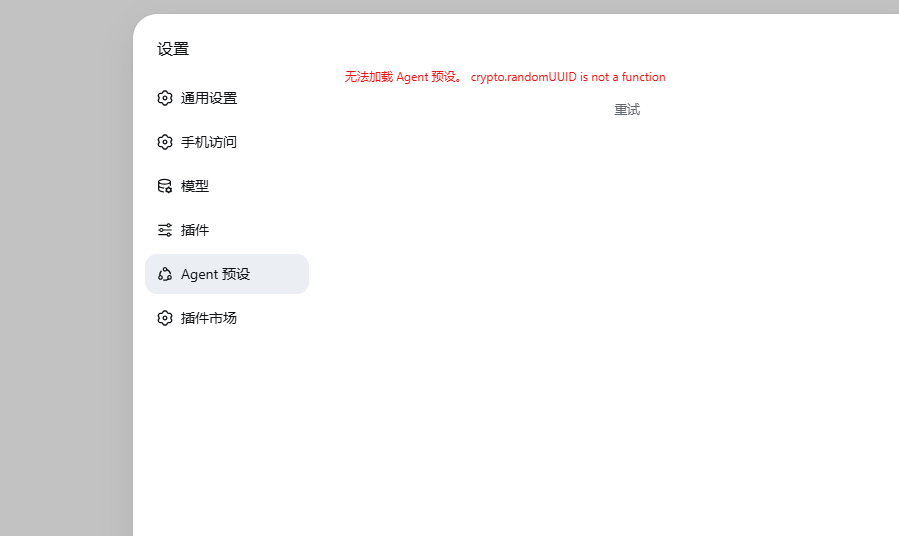
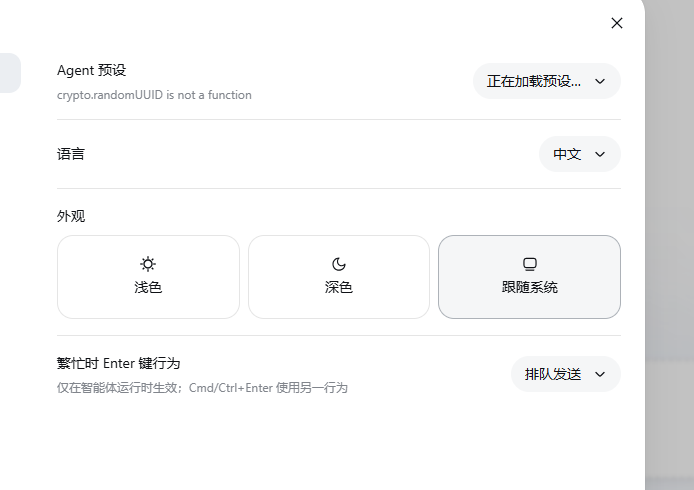
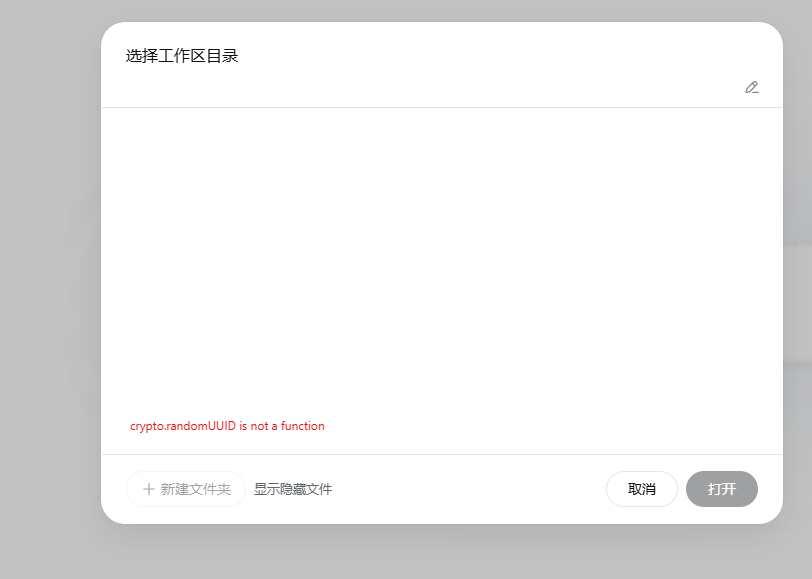
公网用 http://<IP>:<端口> 打开(不是 HTTPS、也不是本机),浏览器没有安全上下文,crypto.randomUUID 不可用,设置页和工作区会直接报错:
模型加载失败
Agent 预设加载失败
选择工作区目录失败
装上本插件后走 https://<公网IP>/,并注入 polyfill,这些页面可以正常打开、远程改设置。
安装 / 更新
需要已经能跑的 dsh(Node 22.5+),以及本机 openssl(生成带 IP SAN 的 CSR)。80/443 要对公网开放(安全组 + 防火墙)。
从任意 DeepSeek Harness 安装:
dsh plugin --profile web add dsh-ip-https
或更新插件 dsh-ip-https:
dsh plugin --profile web update dsh-ip-https@latest
然后启动网页界面。无需构建,也无需额外重启:
dsh web
启动后看终端里的 dsh-ip-https URL(没有 nginx 时用这一行)。已经用 nginx 反代 IP 的,继续打开原来的地址即可。
已经有 nginx、用 IP 访问时
不用改 nginx。 装上插件,还用原来的 http://<公网IP>/(或你在 nginx 里配的那个 IP 地址)。
插件在 dsh 进程里做两件事,流量即使是 nginx → 127.0.0.1:3080 也会生效:
- 注入脚本:补上
crypto.randomUUID,并让设置页按本机模式写入 - 改
Host/Origin:特权 RPC 不再 403
因为 80/443 已被 nginx 占用,本插件签不了 https://<公网IP>/ 那种 IP 证书。HTTPS 仍由你现有的 nginx 负责(有就有,没有就还是 HTTP,但设置页可以工作)。
想改用插件自己的 https://<公网IP>/:让 nginx 不要占 80/443,再重启 dsh。
在 profile 的 cordis.patch.yml 里可改:
| 项 | 默认 | 含义 |
|---|---|---|
listenHost | 0.0.0.0 | 网关监听地址 |
httpsPort | 443 | HTTPS |
httpPort | 80 | ACME + 跳转 |
fallbackPort | 3443 | 443 被占时的后备端口 |
autoTls | true | 自动申请 IP 证书 |
autoLogin | true | 无登录 cookie 时,把 / 转到当前进程的 ?token= |
publicIp | 空 | 留空则自动探测 |
acmeEmail | 空 | 可选,到期通知 |
acmeStaging | false | true 走 LE 测试环境 |
设置页解锁用的是页面注入,不是改 dsh 的 client.js。dsh 大版本如果改了模块加载器,需要升级本插件。
Plugins relacionados
dsh-web (dsh-ssh)
zhu1090093659/dsh-web
dsh-web (dsh-remote-web-ui)
zhu1090093659/dsh-web
dsh-web-ui (dsh-ssh)
zhu1090093659/dsh-web-ui
dsh-web-ui (dsh-remote-web-ui)
zhu1090093659/dsh-web-ui