dsh-minimax-usage-pro
andyfan1094/dsh-minimax-usage-pro
Affiche l’utilisation du MiniMax Token Plan dans les paramètres via des routes webServer et lit l’un ou l’autre nom de clé d’abonnement depuis l’environnement ou un fichier d’identifiants.
Installer
dsh plugin --profile web add github:andyfan1094/dsh-minimax-usage-proREADME
dsh-minimax-usage-pro
中文文档 | English
DSH (DeepSeek Harness) bundle plugin that exposes the user's MiniMax Token Plan usage data inside the Settings → 用量 page.
This is the pro edition of @floatingdeaming/minimax-usage@1.0.3. The
original bundle plugin only worked on dynamic plugins because the DSH host
runtime exposes harness.handle(...) only to dynamic plugins' vm sandboxes;
trusted bundle plugins received a plain cordis context and could not register
JSON-RPC handlers. That limitation surfaces as WARN: harness not available
in the original host log and an empty Settings section in the UI.
dsh-minimax-usage-pro keeps the same bundle-plugin shape but routes the
client→host traffic over a plain HTTP route on webServer instead of the
harness JSON-RPC system, so it works on DSH 0.1.0-rc.8 and any later
release that keeps the webServer service available.
Screenshots
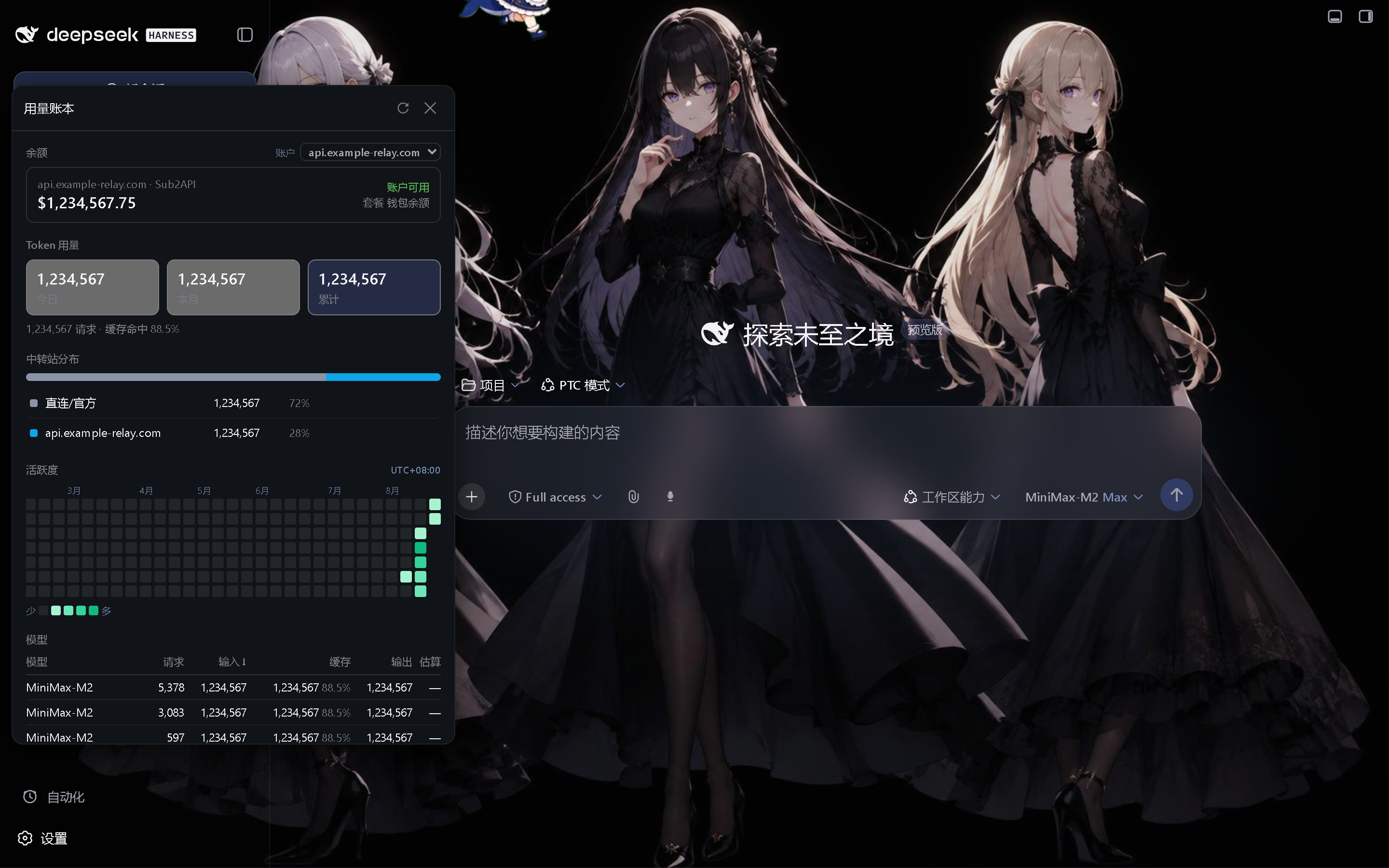
Install
Download the newest dsh-minimax-usage-pro-*.tgz from Releases and add it to the profile:
dsh plugin --profile web add D:\downloads\dsh-minimax-usage-pro-0.1.1.tgz
Restart the DSH Web host after installation; the Settings page then shows the 用量 section.
Routes (host-side)
| Method | Path | Body | Response |
|---|---|---|---|
GET | /api/dsh-minimax-usage-pro/has-key | — | { ok, hasKey, reason } |
POST | /api/dsh-minimax-usage-pro/usage | { force?: boolean } | normalized usage response (same shape as the original) |
The usage route accepts POST only so browser prefetch and cross-site navigation cannot trigger an external quota request. Both routes are best-effort — if MiniMax returns 1004 the route responds
with a structured error (statusCode: 1004, errorCode: 'auth_error').
Settings UI
Registers settings.section slot id dsh-minimax-usage-pro with label
"用量" and order: 100. Renders a "套餐用量 · Max Plan" card with two
progress rows (5h + weekly) plus a 刷新 button and auto-refresh on focus.
API key
The host-side reads the MiniMax Token Plan key from, in priority order:
process.env.MINIMAX_API_KEYprocess.env.MINIMAX_CN_API_KEY~/.dsh/.credentials.yaml—MINIMAX_API_KEYfirst, thenMINIMAX_CN_API_KEY, independent of file order
Caveats
- The route is not on the
PRIVILEGED_METHODSlist, so any browser session that can reach/api/...can read it. DSH's/apifence is loopback-only by default and expands to a--trusted-hostfor remote browsers; either posture is fine because no secret is sent to the browser — only the already-resolved usage numbers. - The route bypasses the
PRIVILEGED_METHODSgate by design; if you want it gated, add'/api/dsh-minimax-usage-pro/usage'to the privileged list in~/.dsh/settings.yaml.
Plugins associés
DeepSeek-Balance-Whale-Widget
meteornox/deepseek-balance-whale-widget
dsh-context
bowenliang123/dsh-context
dsh-cost-meter
han-1413141/dsh-cost-meter
dsh-damage-pulse
wssfk12138/dsh-damage-pulse