dsh-trail (bundle)
ayahunter/dsh-trail/packages/bundle
Remplace l'onglet de trajectoire de l'interface Web par un récit tour par tour convivial pour les nouveaux utilisateurs, des libellés d'outils en langage clair, des filtres de catégorie et une recherche floue.
Installer
dsh plugin --profile web add github:ayahunter/dsh-trailCe plugin se trouve dans le sous-répertoire packages/bundle du dépôt.
README
dsh-trail
Friendly Trajectory — a new-user-friendly replacement for the DeepSeek Harness Web "轨迹" (Trajectory) tab: the raw event ledger becomes a storyline anyone can read.
中文 · Usage · Development
The built-in trajectory view is a power tool: untranslated jargon with no legend, five
toolbar toggles, a zoomable/draggable timeline, a separate inspector, and an event table
that never answers "what did I ask → what did the AI do → what came back". dsh-trail
replaces that tab with a storyline design — one collapsible card per round,
plain-language tool names, inline argument previews, and guidance for every state. It
reads only the session snapshot, adds no Host half, and uninstalling restores the
original view.
Features
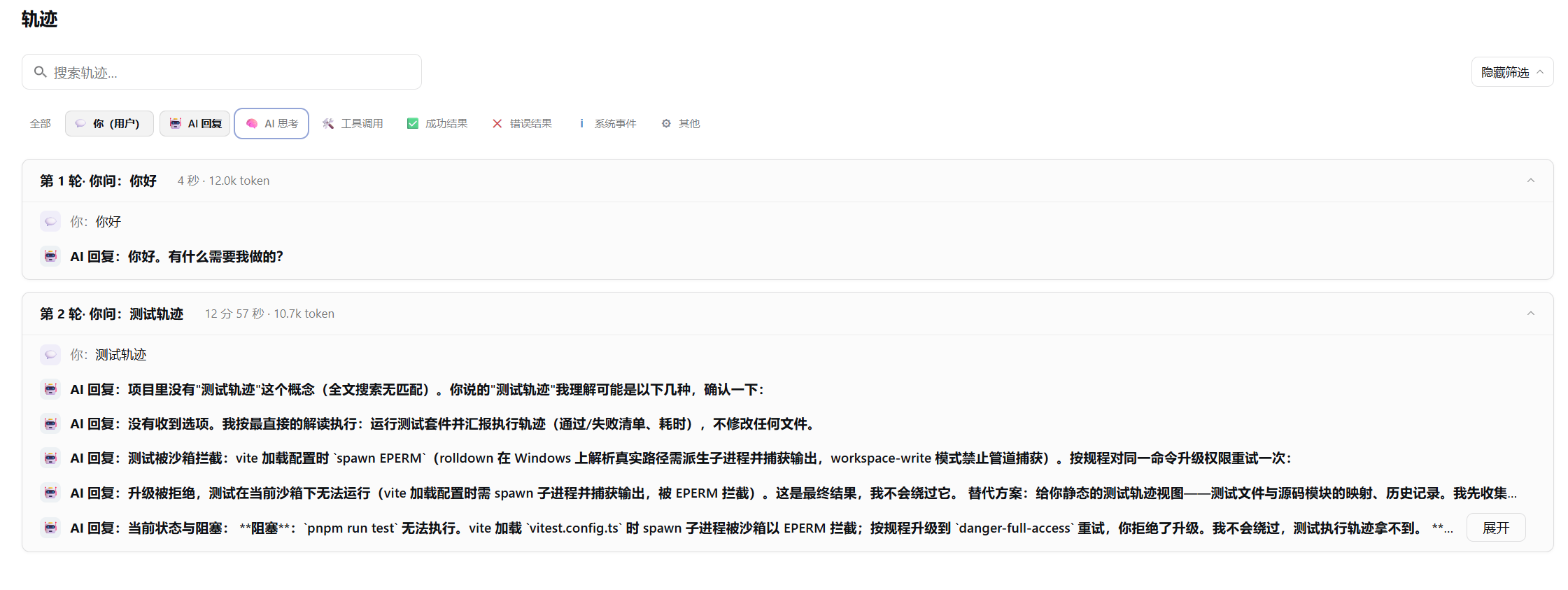
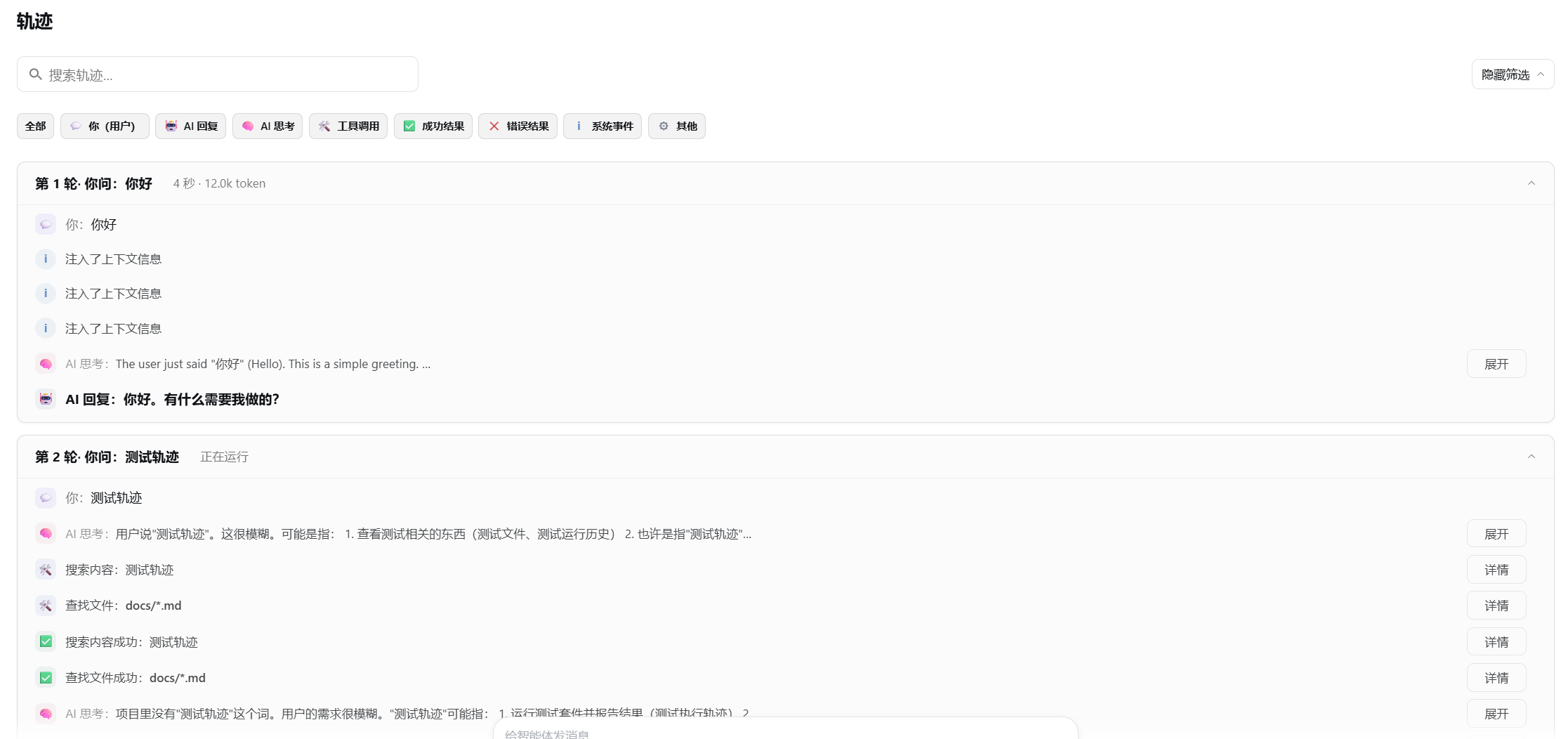
- Turn cards — one card per round: what you asked → what the AI thought → which tools it called → the outcome, with duration, model and token meta when present.
- Plain-language tool labels —
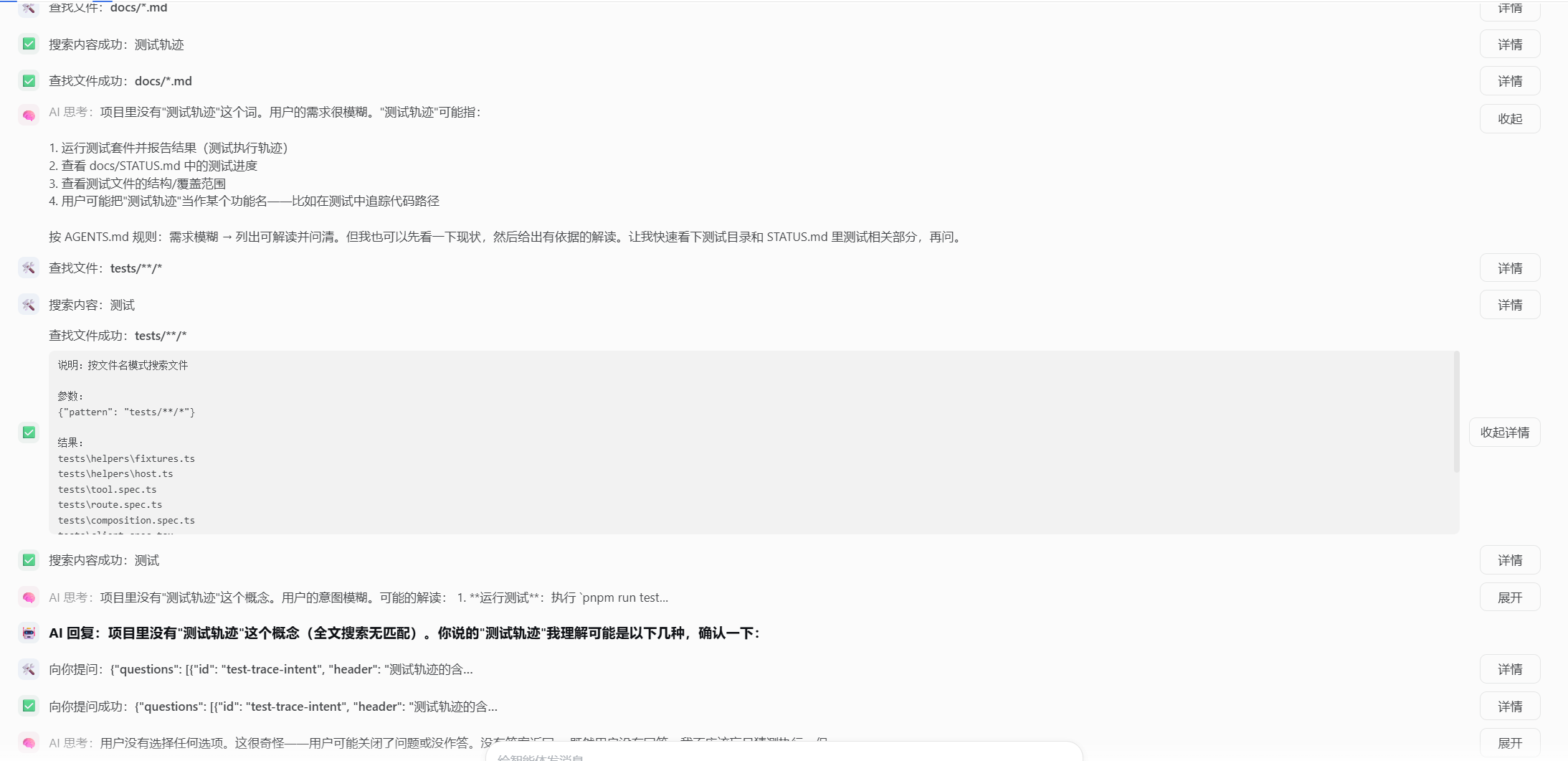
readrenders as 读取文件 (read a file) with a one-line note; unknown tools fall back gracefully. - Inline argument previews — the touched file or command is visible on the row; raw arguments, results, timing and error metadata fold into a Details toggle.
- Category filter — 全部 (all) plus eight row categories, combinable and remembered across sessions.
- Fuzzy search — ignores case, punctuation and full-width forms; multi-word terms match as ordered subsequences.
- Live round — dashed card with status pills (thinking / generating / running tool · elapsed) and a spinner; durations are never fabricated.
- Zero product coupling — renders purely from top-level session snapshot fields; no Host half, no new data endpoints.
Screenshots
The Friendly Trajectory view inside the official Web GUI — turn cards summarize each round, and reasoning, tool arguments and full replies stay folded until expanded:
Install
dsh plugin --profile web add dsh-trail dsh-trail-bundle
Restart the profile and open any session: the 轨迹 tab is now the storyline view. The
bundle disables the shipped ui-trajectory row and mounts this view in its place, so
exactly one 轨迹 tab remains.
To go back to the original view:
dsh plugin --profile web remove dsh-trail dsh-trail-bundle
Update
dsh plugin --profile web update dsh-trail dsh-trail-bundle
Upgrades are never applied automatically; restart the profile afterwards. Two pnpm
behaviors can make an update look stale right after a release: the registry metadata
cache and the 24-hour minimumReleaseAge supply-chain policy for freshly published
versions. If update reports "Already up to date" while npm shows a newer version,
clear the cache (pnpm cache delete dsh-trail) or pin explicitly
(dsh plugin --profile web add dsh-trail@<version> dsh-trail-bundle).
Quick start
Open a conversation and click 轨迹. Read it top-down as a story: expand any folded reasoning or reply with 展开, and open 详情 on a tool row for raw arguments, results, timing and tokens. Use the search box to jump to a file or command, and the category bar to isolate e.g. only 工具 rows — both stay applied while you browse.
Architecture
One repository, two npm packages. dsh-trail is the client plugin: it registers the
conversation.view slot cell id: 'trajectory' and renders purely from top-level
session snapshot selectors (nodes, turnTimings, partial, runningCalls,
hasMore, loadingOlder, openState). dsh-trail-bundle is a patch bundle whose
cordis.patch.yml inserts the plugin row and sets disabled: true on the shipped
ui-trajectory row. Design rationale is documented in the repository's internal
working docs (not shipped with the package).
Known Limitations and Deferred Work
- Web GUI only — the plugin targets the web shell (
react^18 peer dependency); other shells are not validated. - Simplified Chinese-first — the v1 view copy (labels, tool names, guidance) is 简体中文; an English locale is deferred.
- Legacy snapshot fields — the plugin reads compatibility projections
(
nodes/turnTimings/partial/runningCalls/…), tested against dsh 0.1.0-rc.5; it must be upgraded if the product removes those fields. - Round grouping is heuristic —
user/tool-resultnodes carry no turn number, so round boundaries are inferred from node order and may occasionally be drawn wrong. - Not feature-parity with the original view — the timeline overview, duration toggles and batch collapses are removed by design; the essentials fold into Details and search is kept.
Documentation
- docs/usage.md — install, what the view shows, filters and search, uninstall
- docs/development.md — build, test, publish, contribute
License
MIT — see LICENSE.
Plugins associés
dsh-web (dsh-task-board)
zhu1090093659/dsh-web
dsh-web (dsh-web-all)
zhu1090093659/dsh-web
dsh-web-ui (dsh-task-board)
zhu1090093659/dsh-web-ui
dsh-web-ui (dsh-web-ui-all)
zhu1090093659/dsh-web-ui