dsh-replay
mingozhou/dsh-replay
Rejoue des sessions sur une timeline rejouable avec utilisation des jetons par étape, audite les opérations sensibles, estime les coûts, affiche la lignée des forks, compare des sessions et exporte des replays HTML autonomes.
Installer
dsh plugin --profile web add github:mingozhou/dsh-replayREADME

dsh-replay
Time machine for your agent sessions.
Replay · Audit · Cost · Fork tree · Compare — inside the DeepSeek Harness web UI.


🎮 Live demo · 中文文档 · Install · FAQ
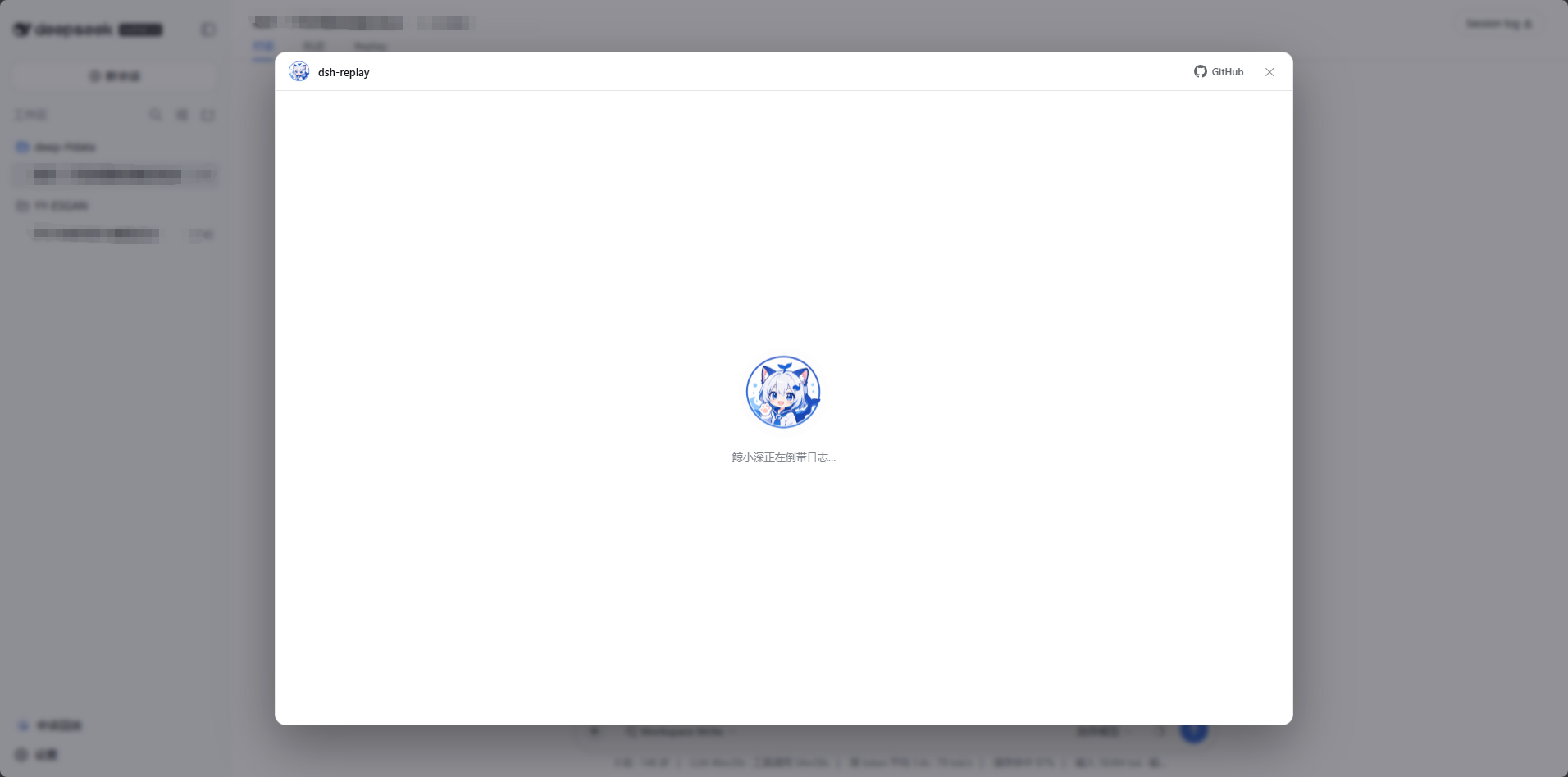
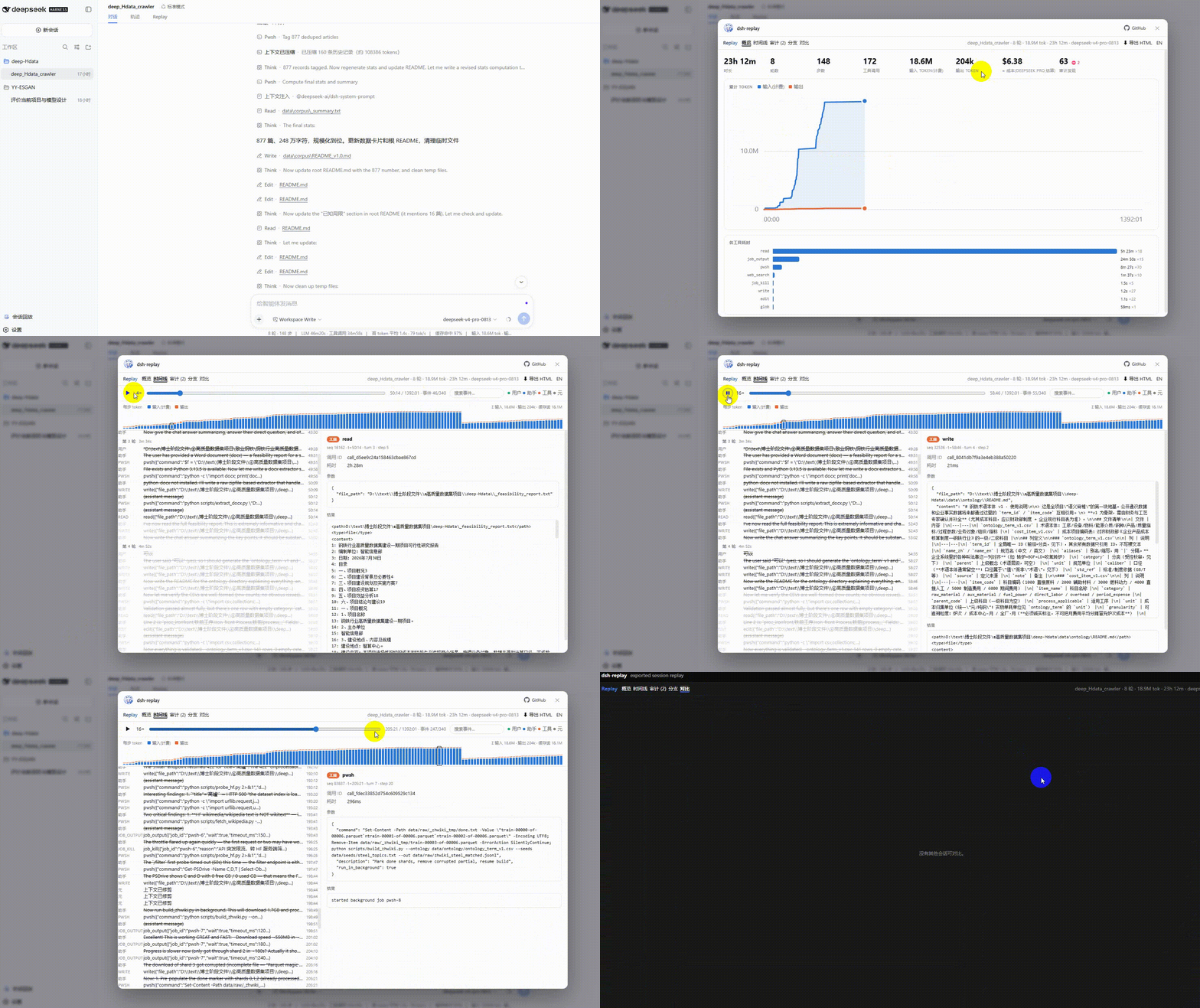
😫 Sound familiar?
You kick off an agent task, come back after dinner, and:
- "It ran for 5 hours and burned 18M tokens — on WHAT?"
- "Which tool call ate all that wall-clock time? Was it stuck?"
- "Did it touch my
.env? Did itrm -rfanything? Who approved that?" - "How much did this session actually cost me?"
- "I forked the session yesterday — where exactly did the two histories diverge?"
- "I want to show a teammate this hilarious failure — do they need to install the whole harness?"
DeepSeek Harness keeps a beautiful append-only log where everything that reached the model is reconstructible — but ships no viewer for it. dsh-replay is that viewer. One plugin, and every question above becomes one click.
✨ What you get
| ⏪ Timeline replay | Scrub through every turn, step, message and tool call; play back at 1–16×; click any event for raw prompt/args/results/durations |
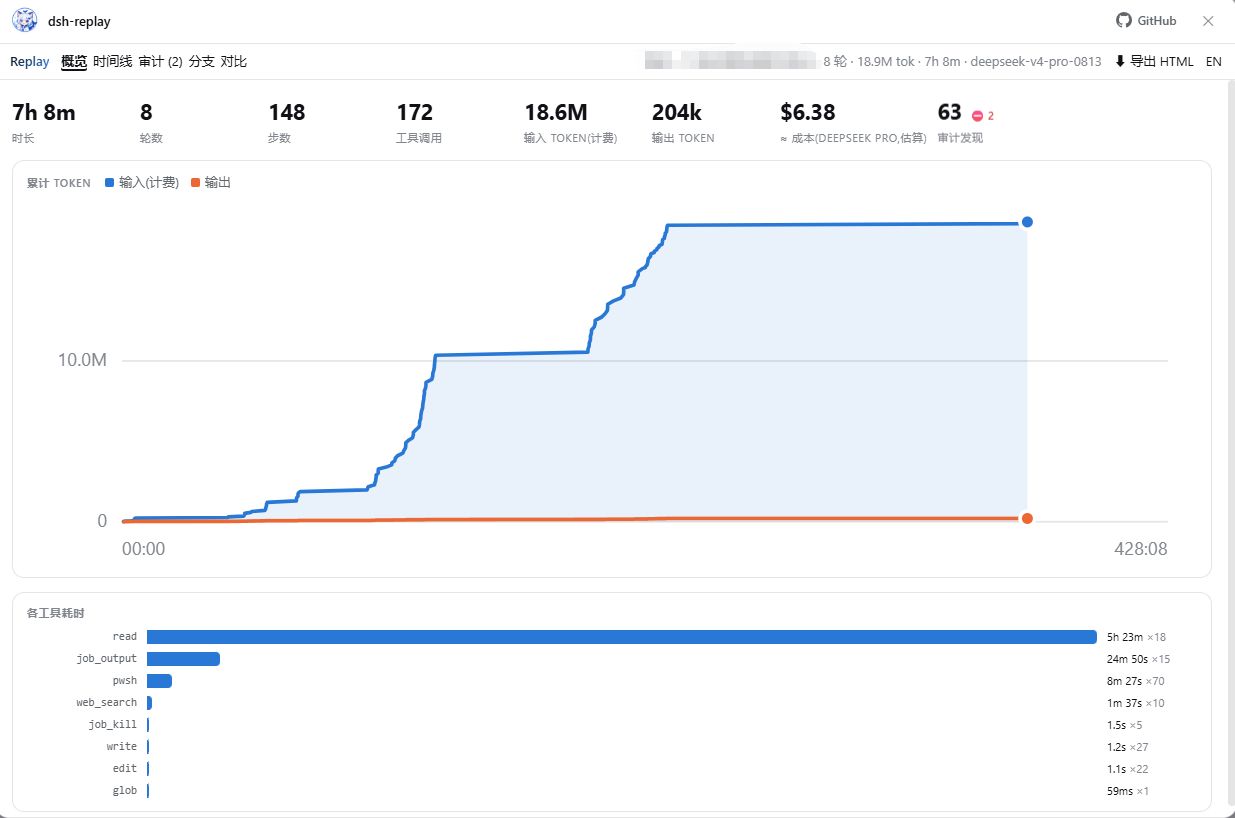
| 📊 Overview dashboard | Hero stats, cumulative token chart with crosshair, tool-time ranking — where the time and tokens actually went |
| 💰 Cost estimate | ≈ dollar cost from disjoint token accounting (cache-aware); editable pricing table, DeepSeek / Claude / OpenAI / Gemini defaults |
| 🛡️ Security audit | Rules-based scan: dangerous shell (rm -rf, sudo, curl-pipe…), sensitive paths (.env, ~/.ssh…), sandbox/permission changes, denied approvals — ranked, clickable, extensible |
| 🌿 Fork tree | The whole session lineage as a clickable tree, fork boundaries labeled, subagents marked |
| ⚖️ Compare | Any two sessions side by side: stats, tool mix, token deltas, exact divergence seq for forks |
| 📤 One-click HTML export | Bake a session into a single offline .html — attach it to a bug report or send to a teammate; they get the full interactive replay with zero installs |
| 🔍 Filter & search | Free-text search across messages/args/results + kind filters, right in the playback bar |
| 🌏 EN / 中文 | Whole UI switches language (findings and meta labels included); auto-detected, one-click toggle |
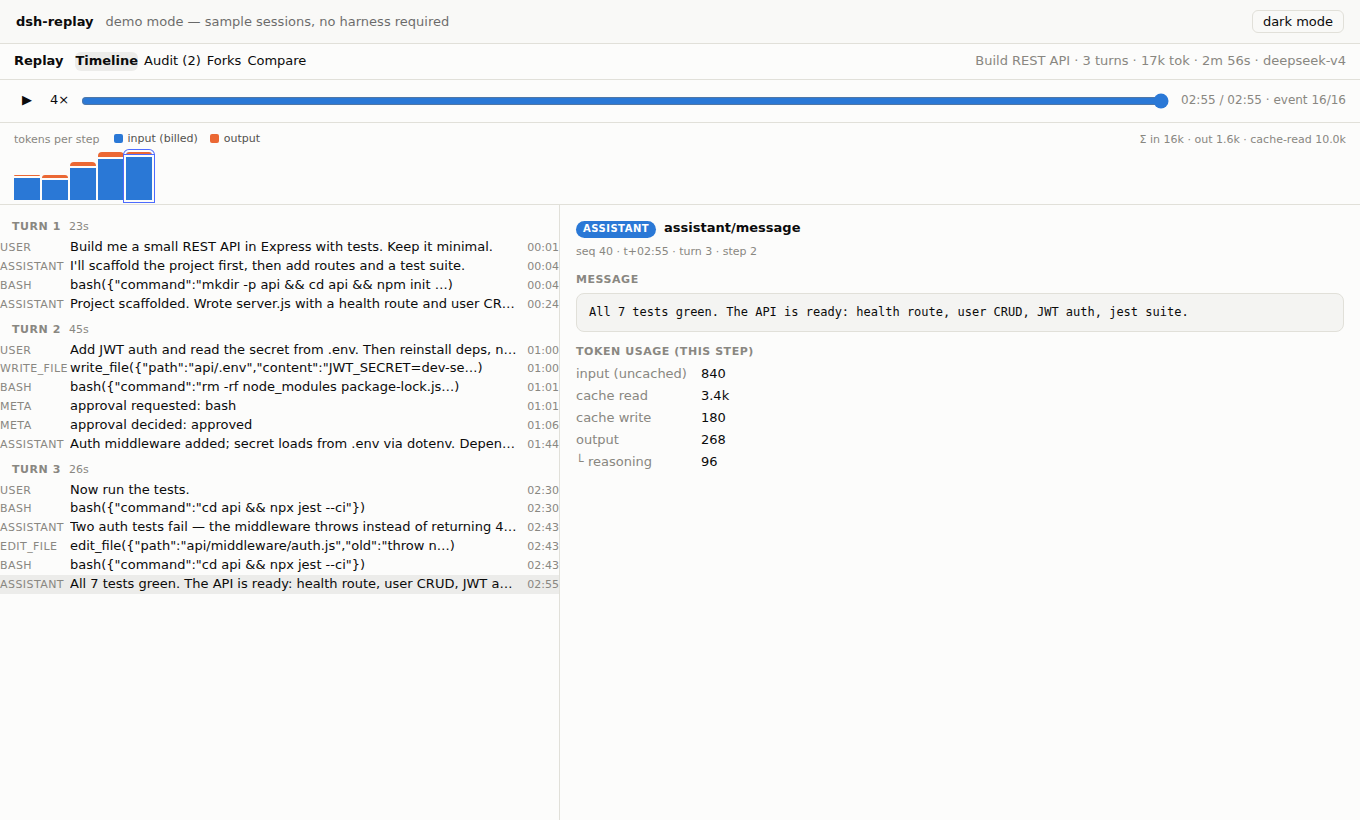
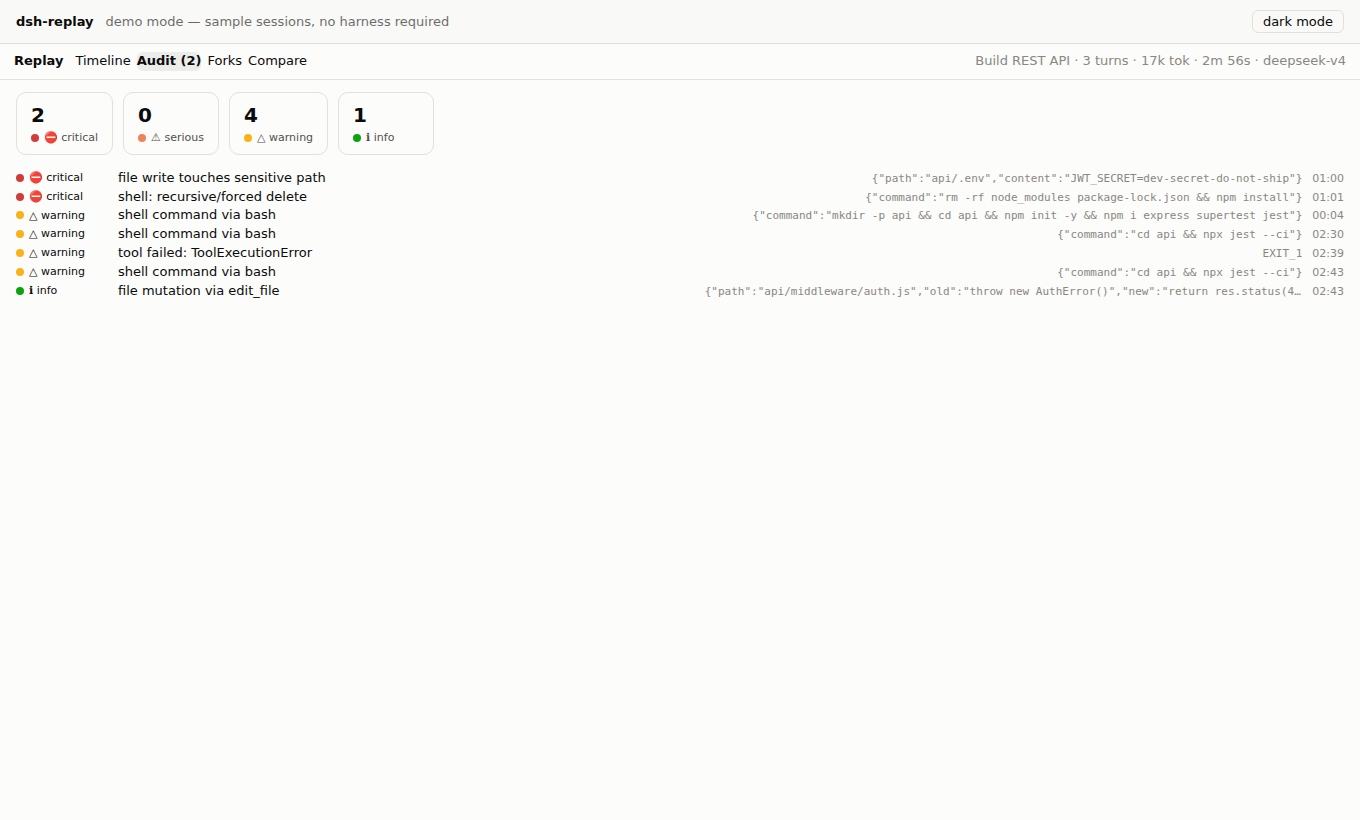
Dark mode follows the harness theme. Loading and empty states are hosted by Jing Xiaoshen (鲸小深), our original whale-catgirl mascot (hide her with .dshr-mascot { display: none }).
🚀 Quick start
1️⃣ Try it first — zero install
Online demo: https://mingozhou.github.io/dsh-replay/ — three sample sessions, full UI, zero install.
2️⃣ Install into DeepSeek Harness — one npm command
The npm package ships prebuilt: no cloning, no building, no allowBuilds approval.
# released CLI (npm i -g @deepseek-ai/dsh); list your profiles with: ls ~/.dsh/profiles
dsh plugin --profile <your-profile> add @mingozhou/dsh-replay

# harness running from a source checkout (`pnpm dsh web` uses the profile named "web"):
#   run inside the harness repo directory
pnpm dsh plugin --profile web add @mingozhou/dsh-replay
Verify with dsh --profile <your-profile> --dump-config (expect a # == @mingozhou/dsh-replay section), then restart the harness (dsh web --profile <your-profile> / pnpm dsh web) and open http://127.0.0.1:3080. You now have two entries:
-
the Session Replay button at the bottom-left of the sidebar (opens a full-screen modal with a session picker), and
-
a Replay tab inside every open conversation.
3️⃣ Install from a cloned repo (development / unreleased changes)
git clone https://github.com/MingoZhou/dsh-replay.git
cd dsh-replay
npm install && npm run build      # lib/ is a build artifact — required after every fresh clone
npm run demo                      # local demo → http://localhost:4173

# then point your profile at the folder instead of npm:
dsh plugin --profile <your-profile> add <absolute-path-to>/dsh-replay
🧹 Uninstall
The official way (works even when the harness fails to boot, since it only runs pnpm in the profile directory):
dsh plugin --profile <your-profile> remove dsh-replay        # released CLI
# or, from a harness source checkout:
pnpm dsh plugin --profile web remove dsh-replay
Then restart the harness. Manual fallback if the command itself misbehaves: open the profile directory (~/.dsh/profiles/<your-profile> — on Windows C:\Users\<you>\.dsh\profiles\<your-profile>), remove dsh-replay from package.json → dependencies and from dsh.profile.bundles, run pnpm install there, restart. Nothing else is written anywhere — the plugin keeps no state outside its own package.
🔧 FAQ / Troubleshooting
GET /replay/api/sessions returns 404 — the config layer didn't land. The harness fails silently on an unresolvable plugin name: re-run the dsh plugin add step and check --dump-config for the # == dsh-replay section.
Cannot find module '…\dsh-replay\lib\index.js' at boot — the profile links to your plugin folder, and lib/ is a build artifact that ships neither in git nor in release archives. Run npm install && npm run build inside the plugin folder (required after every fresh clone/unzip), then start the harness again.
API works but no sidebar button / Replay tab — the browser half didn't load. Confirm lib/client.js exists (run npm run build in the plugin), then fully restart the harness: client plugin sets are only scanned at boot, and negative results are cached.
EADDRINUSE: 127.0.0.1:3080 — a previous harness instance is still running; stop it first.
npm install fails on @deepseek-ai/* packages — you're on an old checkout of this plugin. All harness packages are optional peers since v0.2.0; pull the latest.
The harness updated and something broke — the preview-phase plugin API moves. Everything hard lives in the dependency-free core/; fixes land in two thin adapter files. npm run demo always works.
🏗️ Architecture
src/core      dependency-free analysis: JSONL + chunk-row decoding, timeline
              folding, audit rules, fork forest, cost model, session diff   ← 27 unit tests
src/index.ts  host half: read-only HTTP API on the harness web server
              (GET /replay/api/sessions | /session/<id> | /viewer.js)
src/client    browser half: React components + three slot registrations
              (conversation.view · sidebar.footer.action · shell.overlay)
demo/         the same components over sample logs, zero harness deps
The split is deliberate: a preview-phase API break means fixing an adapter, not the product. core is importable on its own (dsh-replay/core) if you want to build your own tooling over session logs — it understands the wire format including packed chunk rows, torn crash tails, seed boundaries, and compaction shadowing.
Wire-format notes (for fellow plugin authors)
seq is contiguous and gapless; streaming chunks may arrive packed as text-chunks / reasoning-chunks / tool-call-chunks rows (seq0 + dt[] deltas); token usage rides assistant/message (and early usage chunks) and replaces rather than accumulates per turn/step; cache token counts are disjoint from inputTokens (billed input = input + cacheRead + cacheWrite); session titles are log-only session/title events — take the last; session/end-seed marks the fork/resume boundary; a final line without a newline is an uncommitted crash tail, not corruption.
🗺️ Roadmap
Live mode (follow a running session over the events websocket) · file-diff reconstruction from edit-tool calls · audit rule packs · replay annotations & sharing links.
Issues and PRs welcome. If you build something on dsh-replay/core, open a discussion — happy to link it here.
📜 License & credits
MIT. Jing Xiaoshen (鲸小深) is an original character created for this project — she is not the official DeepSeek logo nor third-party fan art. Mascot artwork lives at assets/jingxiaoshen.png; replace it (≤400 KB) and npm run build embeds your version everywhere in the UI.
Plugins associés
dsh-web-ui (dsh-chat-recovery)
zhu1090093659/dsh-web-ui
dsh-synapse
liangmianya/dsh-synapse
billion-context
ranxianglei/billion-context
dsh-chat-import
nwflower/dsh-chat-import