dsh-popnotify
ruacha00/dsh-popnotify
Session-completion reminders for DeepSeek Harness: a sidebar bell with an unread dot, plus system notification, in-app toast and a two-tone chime, each switchable. The toast can be dragged anywhere, subagent sessions can be muted, and the last 24 completions stay one click away.
Installer
dsh plugin --profile web add github:ruacha00/dsh-popnotifyREADME
dsh-popNotify
Know the moment a DeepSeek Harness session finishes — system notification, in-app toast, or a chime.






中文说明 · Install · Features · Settings · Architecture · Development
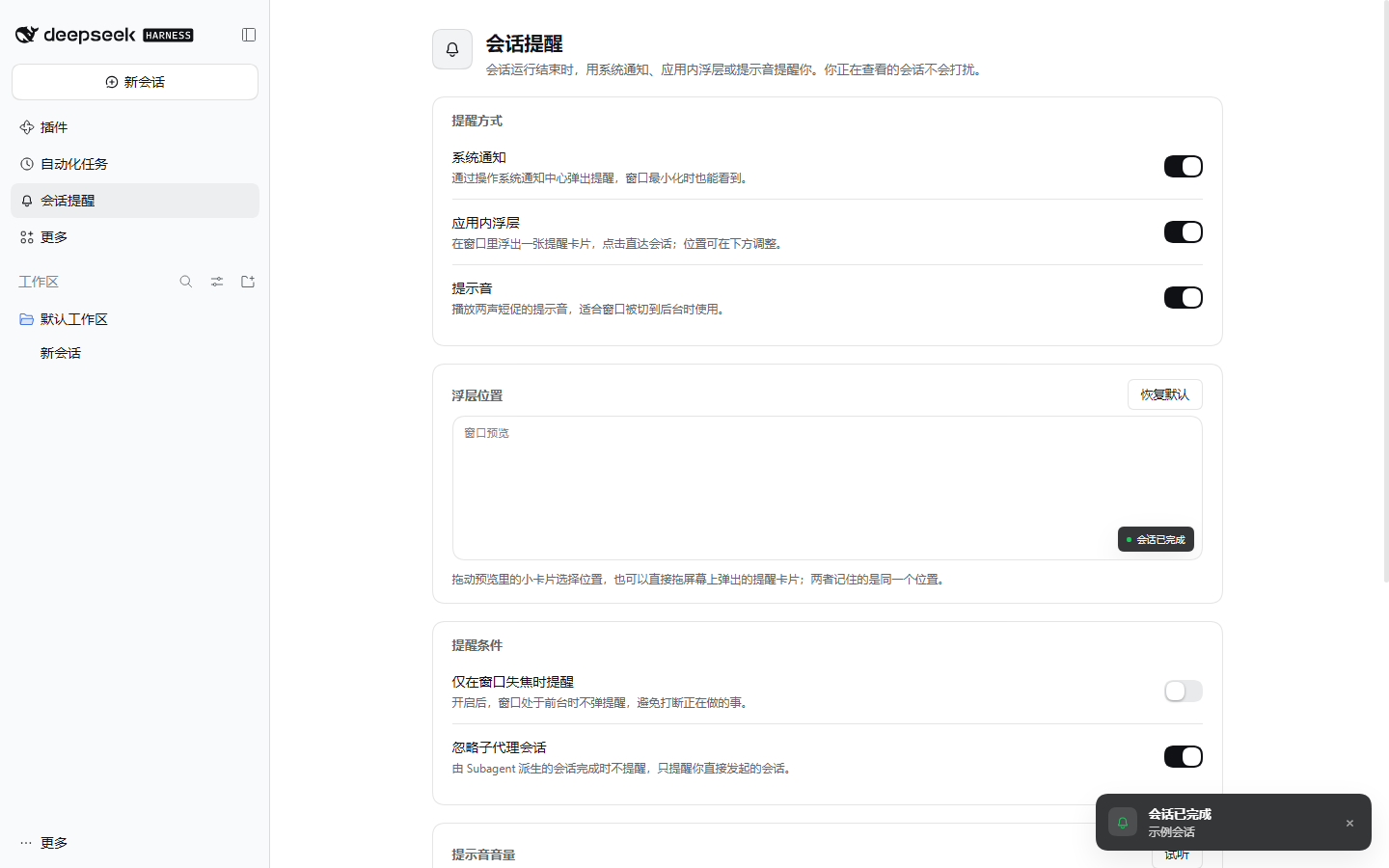
Long agent runs only need your attention when they are done. This plugin adds a bell entry to the DeepSeek Harness sidebar, watches every session’s run status, and reminds you through the channels you enable — a system notification, an in-app card, a short chime, or all three.
Features
| Feature | What it does | |
|---|---|---|
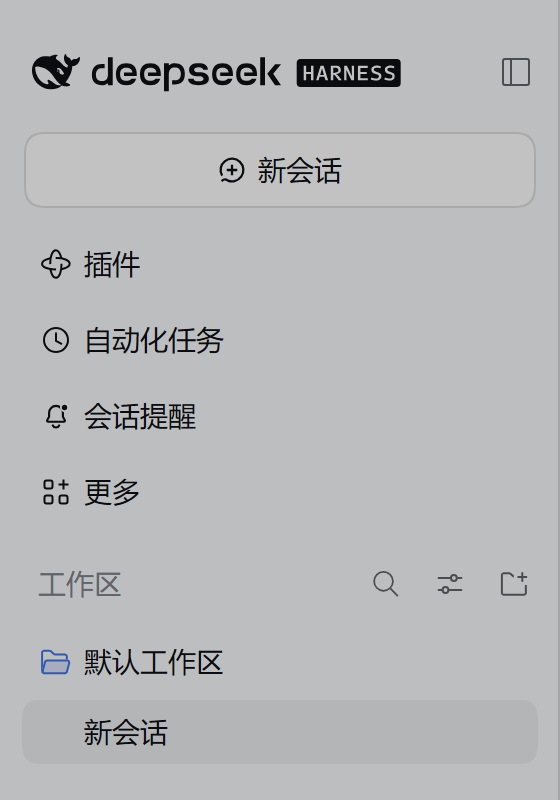
| 🔔 | Sidebar entry | Adds a Session reminders bell to the sidebar. An unread dot appears when a reminder fired while the panel was closed. |
| 🖥️ | System notification | Desktop notification with the session title; clicking it opens that session (and focuses the window). One notification tag per session, so a session never stacks duplicates. |
| 💬 | In-app toast | A compact card that jumps straight to the finished session when clicked. Up to 4 stack at once; each hides after 9 seconds. |
| 🎵 | Chime | Two short tones (880 Hz → 1318.51 Hz) after a completion, with adjustable volume. |
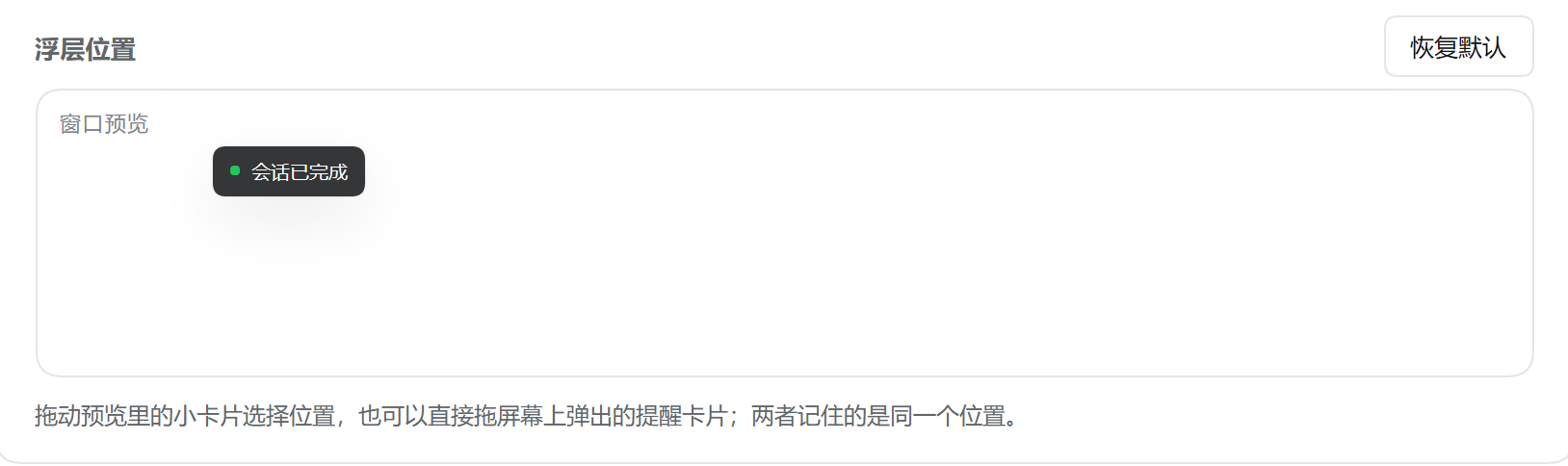
| 🎯 | Draggable placement | Drag the live toast, or the preview inside the settings panel, to pick where reminders appear. The position is stored as a viewport ratio, so it survives window resizes. |
| 🧭 | Quiet by default | The session you are currently reading never reminds you. Subagent sessions and empty sessions are ignored. |
| 🗂️ | Recent completions | Keeps the last 24 completed sessions in the panel; click one to reopen it. |
Installation
Requires DeepSeek Harness ≥ 0.2.0 on the web or desktop build. The plugin ships as a plain JavaScript bundle — no build step, no runtime dependency to install.
From npm
dsh plugin --profile <profile> add dsh-popnotify
From a local checkout
dsh plugin --profile <profile> add D:\path\to\dsh-popnotify
The command registers the package in the profile and appends dsh-popnotify to
dsh.profile.bundles in $DSH_HOME/profiles/<profile>/package.json. Restart that profile’s host
afterwards — the desktop app loads its bundles once at startup:
dsh --profile <profile> --dump-config # look for the "# == dsh-popnotify" layer
To uninstall:
dsh plugin --profile <profile> remove dsh-popnotify
Install from GitHub
The repository is also installable straight from source, since dsh plugin forwards to pnpm and
accepts any git spec:
dsh plugin --profile <profile> add github:Ruacha00/dsh-popnotify
dsh plugin --profile <profile> add github:Ruacha00/dsh-popnotify#v0.1.0   # pin a release tag
Plugin metadata
package.json declares an icon and the package ships locale/en.json + locale/zh.json, so
DeepSeek Harness lists it as Session Notifier / 会话提醒 with the bell icon instead of the raw
package name. screenshots.json points the plugin market at the images in docs/images/.
Published on npm as dsh-popnotify; this repository stays the source of truth.
Usage
- Open Session reminders in the sidebar.
- Turn on the channels you want: system notification, in-app toast, chime.
- Approve the notification permission when prompted — the Request permission button lives in the panel.
- Run a session, switch away, and wait for it to finish.
Settings
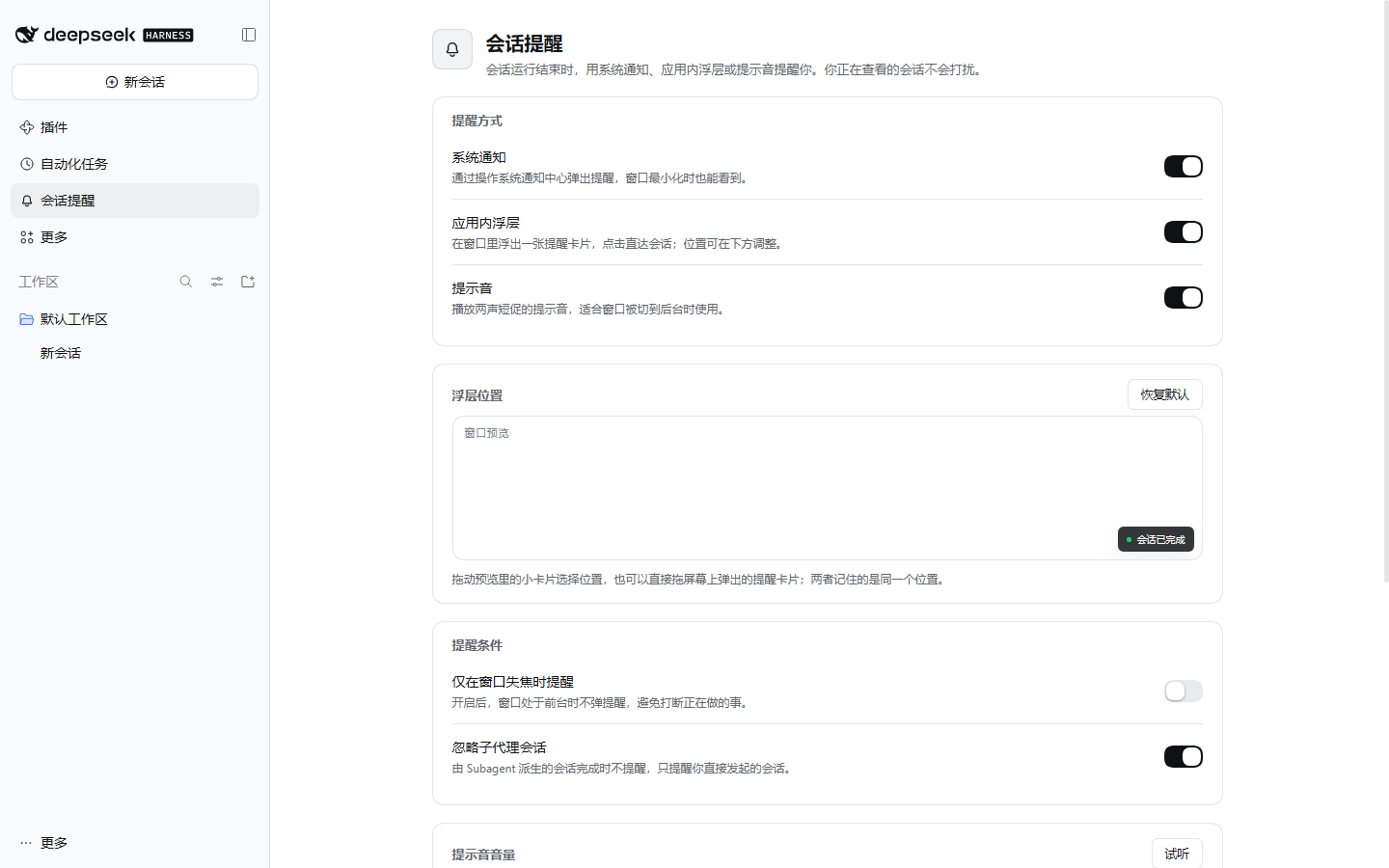
| Setting | Default | Notes |
|---|---|---|
| System notification | on | Needs notification permission; clicking opens the session. |
| In-app toast | on | The overlay card inside the app window. |
| Chime | on | Played through Web Audio; the first user gesture unlocks playback. |
| Volume | 60% | Applies to the chime only. |
| Toast position | bottom-right | Stored as { x, y } viewport ratios; dragged with the mouse. |
| Only when unfocused | off | Skips reminders while the window has focus. |
| Ignore subagent sessions | on | Subagent sessions finish often; keep them silent unless you disable this. |
Settings live in localStorage under dsh-popnotify/settings/v1. The welcome toast is
shown once per install (dsh-popnotify/welcomed/v1).
When a reminder fires
A session counts as complete when uiSession.sessionStatus flips running from true to false,
or when completionUnread becomes true. The reminder is then filtered:
- the session is blank (no messages yet) → skipped;
- the session is open in the main view right now → skipped;
origin === "subagent"while Ignore subagent sessions is on → skipped;- Only when unfocused is on and the window has focus → skipped;
- the same session fired again within 2 seconds → skipped.
In short: the session you are looking at stays quiet.
Screenshots
Sidebar entry
Settings panel
Toast placement preview
Architecture notes
The package has two halves:
| File | Role |
|---|---|
package.json | Declares the bundle patch (dsh.bundle.patch) and the browser entry (dsh.client). |
cordis.patch.yml | Inserts the bundle into the loader graph. |
lib/index.js | Host half — intentionally empty; it keeps the loader entry addressable. |
lib/client.js | Browser half — a hand-written __ModuleLoader__ bundle built on React and the client slot API. |
locale/{en,zh}.json | Display title and description shown in the plugin list, per language. |
assets/icon.png | 512×512 bell icon, declared by icon in package.json (≤ 256 KiB). |
screenshots.json | Storefront screenshots for the plugin market. |
The browser half registers three slots:
| Slot | Content |
|---|---|
sidebar.panellist | The bell entry (its id doubles as the panel key). |
main | The Session reminders settings panel. |
shell.overlay | The toast overlay; its position comes from toastPos. |
At runtime apply() declares [ "slots", "uiSession" ] in exports.inject, so the plugin only
activates when both services are available.
Debugging
The plugin exposes a console hook:
__dshPopNotify.fire("demo-session", "Test reminder")   // fire a reminder now
__dshPopNotify.settings()                             // current settings
__dshPopNotify.update({ sound: false })               // patch settings
__dshPopNotify.update({ toastPos: { x: 0.5, y: 0.2 } }) // 0..1 viewport ratio
__dshPopNotify.toasts()                               // open toasts
__dshPopNotify.history()                              // recent completions
__dshPopNotify.normalizePos({ x: 2 })                 // clamp an out-of-range position
__dshPopNotify.toastOffset({ x: 1, y: 1 }, { w: 1440, h: 900 }, { w: 300, h: 60 })
toastPos stores viewport ratios: {0,0} is the top-left corner, {1,1} (the default) the
bottom-right. The pixel offset is 18 + x * (viewportWidth - toastWidth - 36), so the card keeps an
18 px margin on the side it is anchored to.
Compatibility
- DeepSeek Harness ≥ 0.2.0; the bundle targets the
webclient platform. - Panel UI strings are currently Chinese only; the plugin's display name and description are localized through
locale/en.jsonandlocale/zh.json. - System notifications follow the host’s permission model (Chromium notification API on desktop).
- Browsers require a user gesture before audio playback; the plugin unlocks the audio context on the first click or key press.
- The desktop app has no bundle hot-reload: restart it after installing or upgrading the plugin.
Development
There is nothing to compile. Edit lib/client.js and reload the host page (or restart the desktop
app) — the file is loaded as-is.
To iterate safely, point a throwaway profile at this folder:
dsh plugin --profile scratch add D:\plugins\dsh-popnotify
dsh --profile scratch --dump-config
The plugin was verified against DeepSeek Harness 0.2.2-rc.1 in a real Electron web host (sidebar
entry, panel, toasts, unread dot, collapsed sidebar, dark theme, drag placement) and with a stubbed
runtime driving lib/client.js directly. The verification harness is not part of this package.
License
Plugins associés
dsh-web (dsh-ssh)
zhu1090093659/dsh-web
dsh-web (dsh-remote-web-ui)
zhu1090093659/dsh-web
dsh-web-ui (dsh-ssh)
zhu1090093659/dsh-web-ui
dsh-purge
kingcharleslzy-ai/dsh-purge