dsh-more-details
rzrz-q/dsh-more-details
Sélectionnez du texte pour une discussion séparée sur DeepSeek Web, puis rapportez-la dans DSH avec des fiches de référence et des instantanés texte à la demande.
Installer
dsh plugin --profile web add github:rzrz-q/dsh-more-detailsREADME
More Details · DSH Web Chat
English | Simplified Chinese
The classic Codex “More details” experience, brought to DeepSeek Harness.
Select a passage, explore it in a bottom-right DeepSeek Web Chat, and return to your main conversation with a reference. Start fresh chats, reopen history, and keep asking questions without losing your place.
Latest release · User guide · Release notes
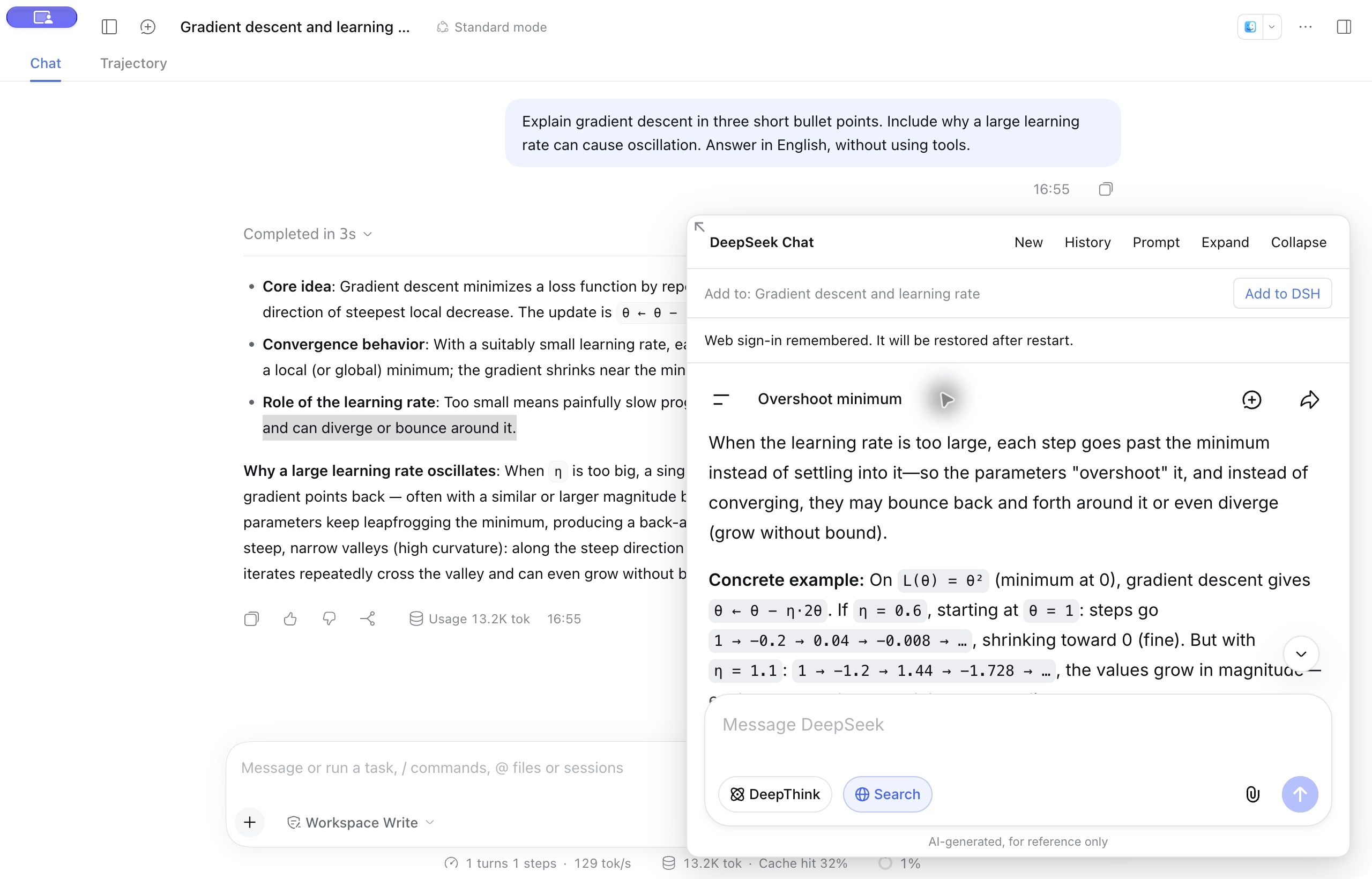
Actual DSH interface on macOS: explore a passage in Web Chat while keeping the main conversation in view.
See the flow: select a passage → discuss it → bring it back
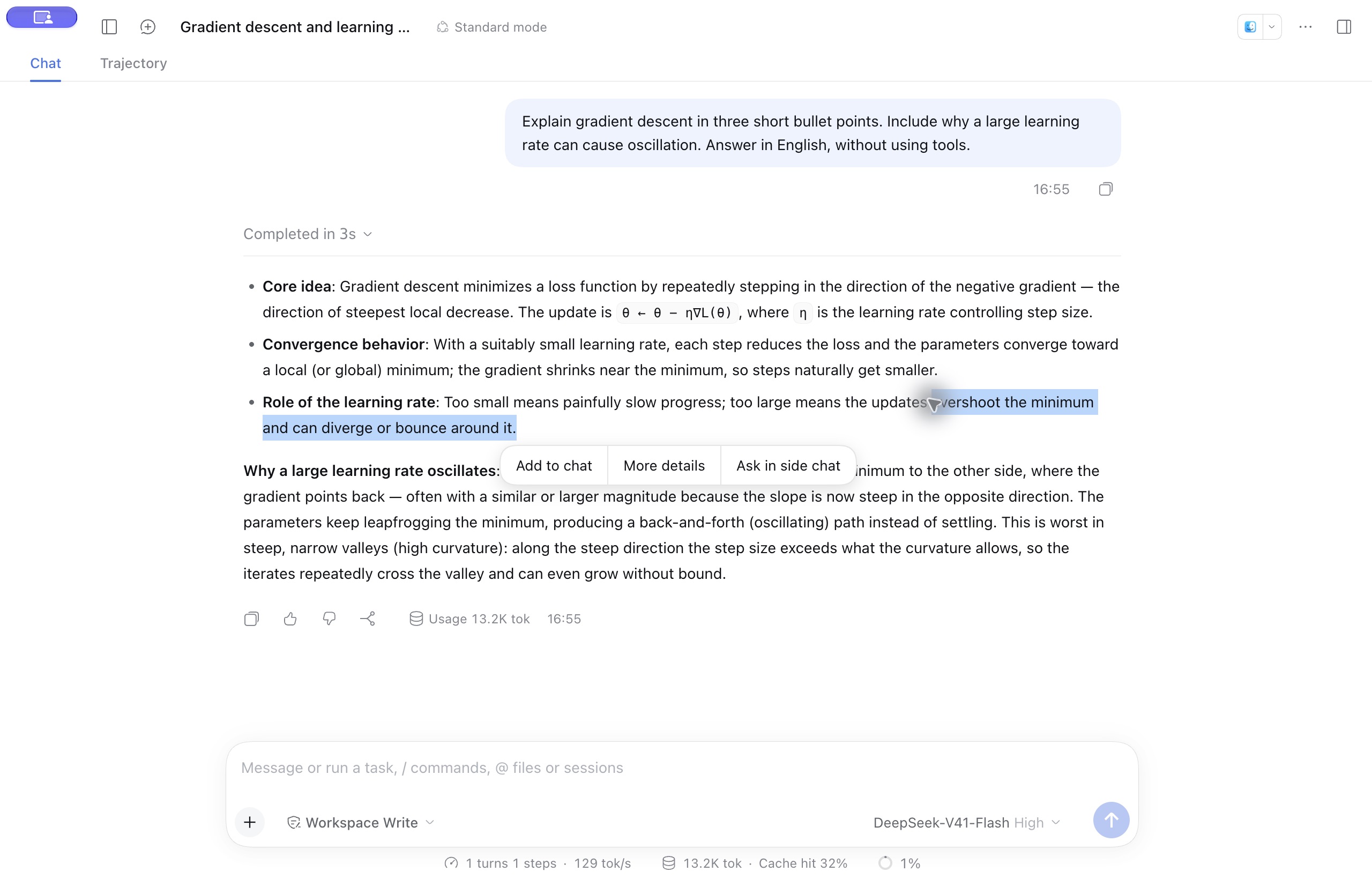
Select text in a response and click More details to open a web discussion with the passage and its context sent automatically.
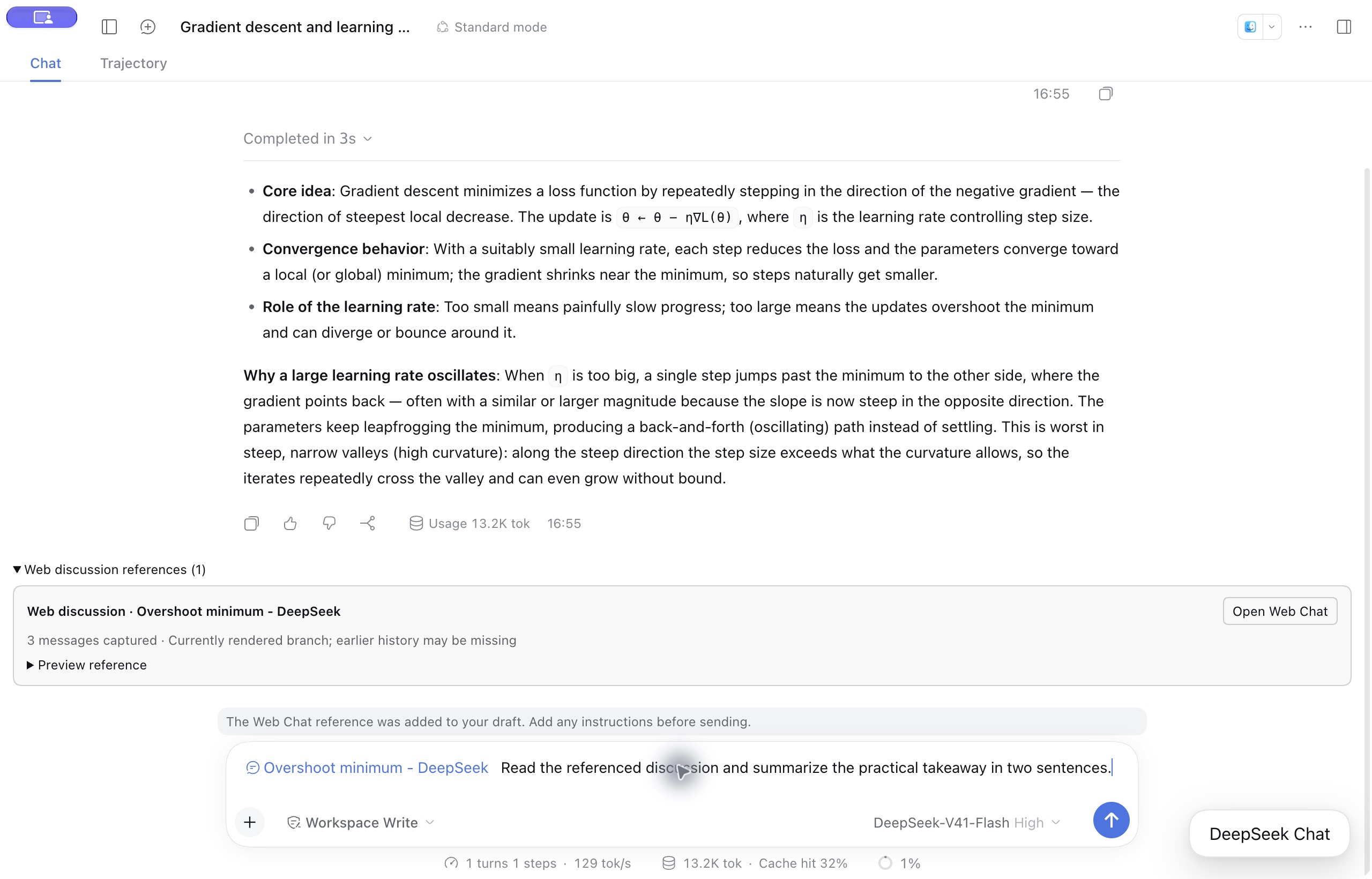
Click Add to DSH to attach a reference to your main draft. Send it with a question so the model can read the saved discussion on demand.
Features
- Explore a selection. More details automatically sends the selected text and source context to the real DeepSeek website. Customize the instruction in Prompt.
- Start or continue a chat. Use sidebar New Chat for a blank discussion and Continue chat to restore the collapsed panel without resending. Use History to reopen earlier discussions.
- Bring the discussion back. Add to DSH places a reference card in your current main draft. Preview it, send it with your question, or click it to reopen the web chat.
- Read saved text on demand. The main model can retrieve the captured discussion through
read_webchat_reference, including after a restart. - Keep your setup. Restore a valid web login, website language, and panel size. Drag to resize, expand, or collapse; plugin controls follow DSH’s English or Chinese setting.
- Use other selection actions. Add to chat attaches a quote and comment. Ask in side chat opens a temporary discussion with your choice of DSH-configured model.
Get started
Supported versions: DSH Desktop 0.2.0-rc.2, 0.2.1-alpha.4, 0.2.1-rc.1, 0.2.1-rc.2, 0.2.1-rc.3, and 0.2.1-rc.5. Installation checks and historical Desktop acceptance are separate; see the version-specific results. Windows and Linux have not completed maintainer feature acceptance. Web Chat requires Desktop. In browser-hosted DSH, New Chat is hidden and More details explains why it is disabled; Add to chat, API side chat, and saved-reference preview/reading remain available.
- In Plugins → Add plugin, install
dsh-more-details@0.3.18from npm, or use Discover. Git and release archives remain available. Disable the original AHGGG plugin if installed to avoid duplicate selection menus. - Fully quit and reopen DSH. Click New Chat and sign in inside the panel. This website login is separate from your DSH model configuration.
- Select text in a completed message and click More details. Use Prompt to save your preferred instruction; the bundled default is in Chinese.
- Continue in the panel, reopen a discussion from History, or choose New for a fresh chat.
- Click Add to DSH, check the target conversation, and send the reference with your question. Click the card later to reopen the original chat.
For Discover installation, Desktop CLI commands, and upgrades, see the installation guide.
How your data is used
More details sends your selection and source context to DeepSeek. References save a snapshot of the currently rendered text, rather than the entire account history. You decide when to send the main draft; saved snapshots remain unchanged as the web chat continues. Data and privacy details.
Documentation
- User guide and FAQ · Build and contribute
- Compatibility · Validation · Related projects — detailed records in Chinese
Credits
The interaction is inspired by the earlier Codex desktop More details feature and its small Chat window. Built on AHGGG/dsh-side-chat, with web integration references from Ckarefulon/dsh-deepseek-webchat and FrostLeafKEE/dsh-chat-bridge.
MIT license, with upstream copyright retained. See source attribution and third-party notices. This is a community plugin, unaffiliated with DeepSeek or OpenAI.
Plugins associés
dsh-web (dsh-task-board)
zhu1090093659/dsh-web
dsh-web (dsh-web-all)
zhu1090093659/dsh-web
dsh-TUI
ccch1mneyyy/dsh-tui
dsh-web-ui (dsh-task-board)
zhu1090093659/dsh-web-ui