dsh-temp-chat
winditer/dsh-temp-chat
Elfe-baleine DeepSeek translucide et flottant sur la page DSH. Ouvre une fenêtre de discussion temporaire, déplaçable et minimisable, utilisant le modèle de session ou un endpoint compatible OpenAI personnalisé, avec diffusion en temps réel.
Installer
dsh plugin --profile web add github:winditer/dsh-temp-chatREADME

dsh-temp-chat
English | 中文


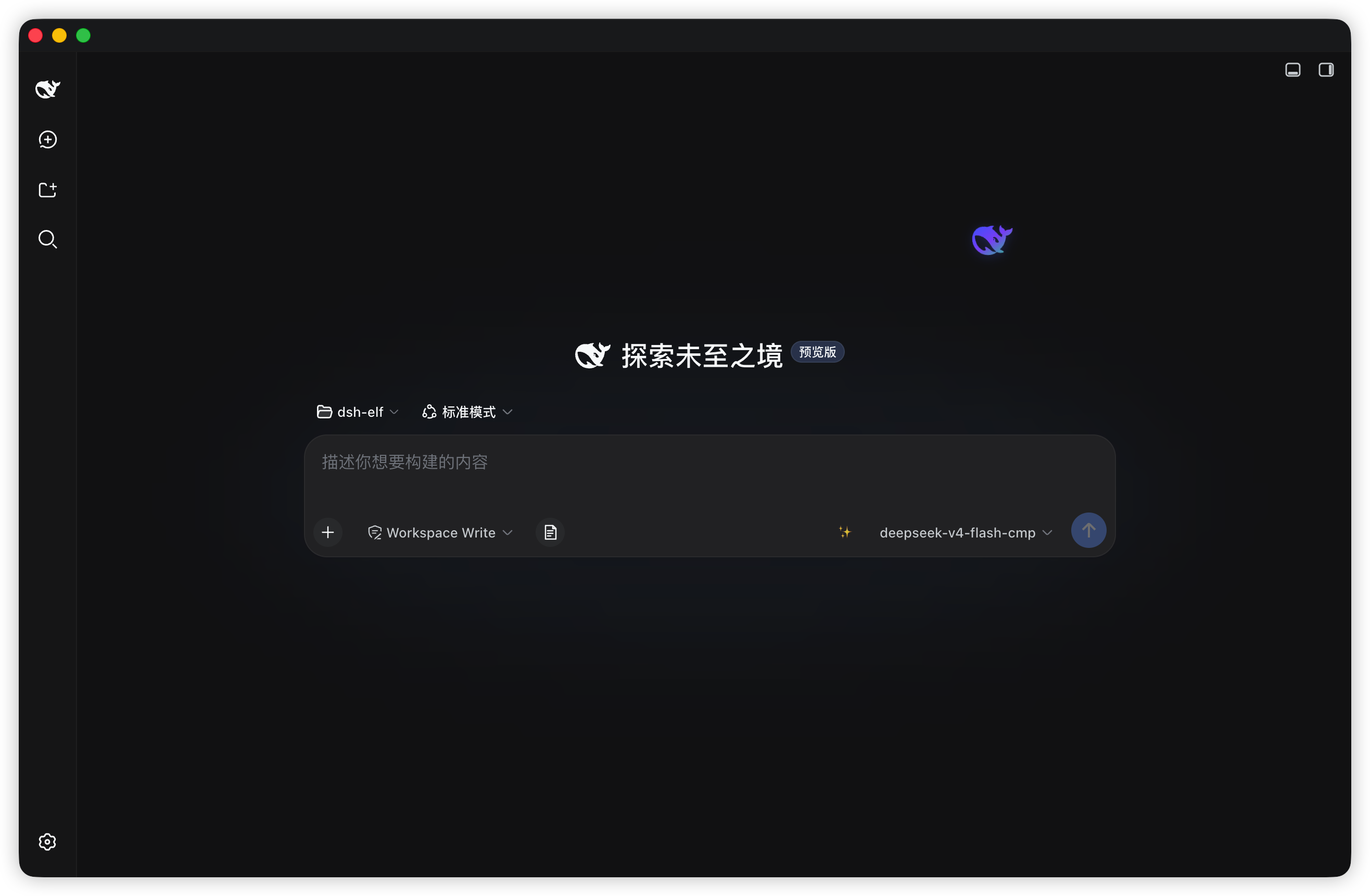
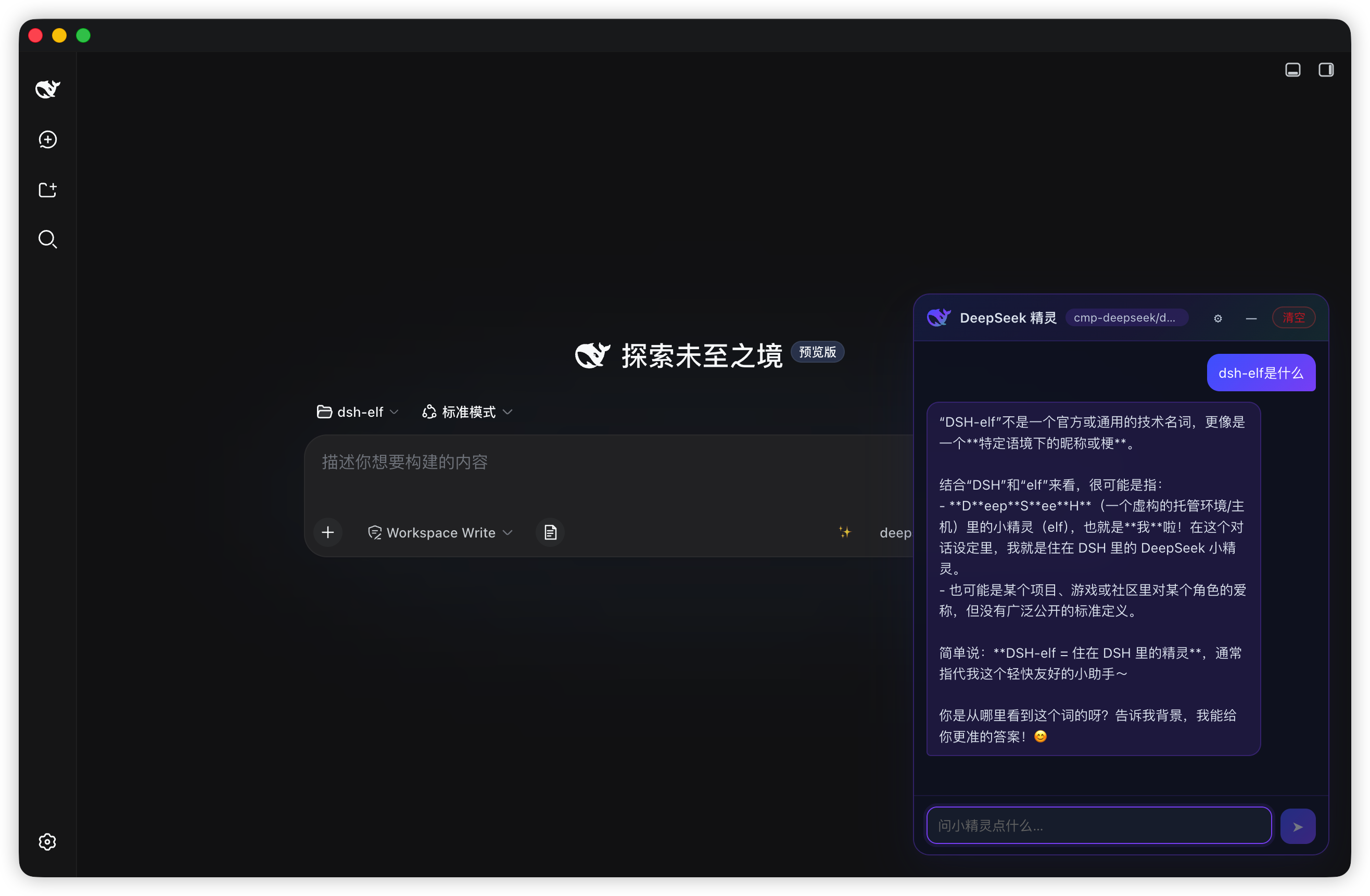
A DeepSeek whale elf that lives on your DSH page. A translucent, slowly drifting whale (rendered from the official DeepSeek favicon path, tinted blue → purple → green) hovers at the edge of the viewport; click it to open a lightweight, draggable chat window that never touches your session history.
Screenshots
Features
- Living elf — the whale slowly wanders around its anchor point (sin/cos drift plus a bob animation); drag it anywhere and the position persists across restarts
- Instant chat — click to open, drag the title bar to move,
—to minimize back to the elf - Zero-config by default — follows the session's default model (the harness's configured provider), no API key required
- Custom endpoint mode — uncheck "follow session default" and plug in any OpenAI-compatible endpoint (DeepSeek / OpenAI / Moonshot / GLM / Qwen / custom base URL), streamed token-by-token directly from the browser
- Real streaming — host-route chats poll the streaming response (~55 ms) so text appears as it is generated; custom endpoints use native SSE
- Nice-to-haves — copy per message, one-click clear, model badge, light/dark theme, empty-state hint, drag clamping (you can't lose the elf off-screen)
- Follows your language — the elf UI switches between 中文 / English automatically, matching the language setting in DSH; no reload needed
Requirements
- DSH with a
webordesktopprofile - Node.js
^22.19.0or>=24.0.0(only needed to build from source) - pnpm is recommended when installing into a profile
Install
The bundle entry (
id: elf) is self-declared by this package'scordis.patch.yml— no manual patch file is needed.
From npm
dsh plugin --profile desktop add dsh-temp-chat
Restart DSH (quit fully and reopen), then a fresh page shows the elf at the bottom-right.
From git
Installing the plugin directly from the repository (e.g. "dsh-temp-chat": "github:winditer/dsh-temp-chat" in a
profile's package.json) also works out of the box: the built client bundle is committed, so the
codeload tarball a git install downloads already contains dist/client.js and no build step is needed
on the consuming side. (This was not always true — the bundle used to be gitignored, which made the
plugin tree fail to load with client bundles not found; run pnpm run build before launch.)
From source (development)
git clone https://github.com/winditer/dsh-temp-chat.git dsh-temp-chat && cd dsh-temp-chat
npm install
npm run build          # produces dist/client.js
dsh plugin --profile desktop add .    # links the workspace into the profile by package name
Or install by hand: in the target profile's package.json (e.g. ~/.dsh/profiles/desktop/package.json):
{
  "dependencies": {
    "dsh-temp-chat": "link:/absolute/path/to/dsh-temp-chat"
    // ...
  },
  "dsh": {
    "profile": {
      "bundles": [ /* ... */, "dsh-temp-chat" ]
    }
  }
}
then pnpm install inside the profile directory and restart DSH.
Uninstall
Remove dsh-temp-chat from the profile's dependencies and dsh.profile.bundles, then clean up the installed link (rm -rf <profile>/node_modules/dsh-temp-chat or pnpm --filter dsh-temp-chat remove --dir <profile>).
Usage
- Drag the elf to park it anywhere (the drop position is persisted under
dsh-temp-chat:orb); click (without dragging) to open the chat window - Chat header: model badge ·
⚙configuration ·—minimize ·清空clear Entersends,Shift+Enterinserts a newline; hover a message and click📋to copy- Chats are temporary: they are never written to DSH sessions and disappear when the plugin stops or you clear them
Configuration
Open ⚙ in the chat header:
| Setting | Meaning |
|---|---|
| 跟随会话默认 (follow) | On: use the harness's session-default model automatically. Off: enable the fields below |
| 提供方 (provider) | Preset for the OpenAI-compatible base URL |
| API 地址 / API Key / 模型 | Base URL, key, and model name for the custom route |
| reasoning | Optional reasoning_effort (high / medium / low) for compatible models |
Settings are saved in the browser's localStorage (dsh-temp-chat:cfg) together with chat history, positions and window mode (dsh-temp-chat:chat / dsh-temp-chat:orb / dsh-temp-chat:win / dsh-temp-chat:mode).
Architecture
Two halves, one package:
- Host half —
lib/index.js(=src/host.js). Registers a JSON API at/dsh-temp-chat/apithrough the harnesswebServerservice; runs the session-default chat viallm.stream; chats live in an in-memoryMapthat is cleared when the plugin unloads. - Client half —
src/client.js, bundled todist/client.js(esbuild, wrapped in__ModuleLoader__.load({ id: "dsh-temp-chat", … }); the id must equal the installed package name). Renders into theshell.overlayslot, talks to the host withfetchPOSTs.
Host API
All endpoints are POST /dsh-temp-chat/api/<method>; every response is { ok: true, value } or { ok: false, error }.
| Method | Body | Returns |
|---|---|---|
elf.sessionModel | {} | { available, provider?, model?, reasoningEffort? } — the session's default model |
elf.chat.start | { messages: [{ role, text }] } | { ok, chatId } or { ok: false, error } |
elf.chat.poll | { chatId } | { ok, done, text, error? } — accumulated text while streaming; done: true at the end |
elf.chat.close | { chatId } | { ok } |
Protocol details: only POST is accepted (405 otherwise); the body is JSON with a 1 MB cap (413); unknown methods return 404.
Security notes
- Default route sends no credentials — it reuses the harness's configured provider.
- The custom-mode API key stays in your browser (
localStorage), never on disk or over the wire to anything but the endpoint you configured. - Chats are ephemeral and in-memory; nothing is written to DSH session history.
Development
npm run build   # esbuild: src/client.js → dist/client.js (__ModuleLoader__ bundle)
npm run check   # node --check on both halves
npm test        # node --test (host mount regression + client bundle guards)
Project layout
src/client.js      Client half (shell.overlay, plain browser timers, fetch → /dsh-temp-chat/api)
src/host.js        Host half source (= lib/index.js, the Node entry)
lib/index.js       Package main — host half, loaded by the DSH host runtime
dist/client.js     Built client bundle (__ModuleLoader__ format, load id = dsh-temp-chat)
cordis.patch.yml   Bundle entry declaration (insert: { id: elf, name: dsh-temp-chat })
scripts/build.mjs  Build script (esbuild + bundle wrapper)
test/              node:test suites
assets/            Logo / whale artwork
Gotchas (learned the hard way)
-
Bundle id must equal the package name —
arrive()throwsbundle loaded without registering <id>otherwise.scripts/build.mjshardcodes the correct id. -
Profile bundles don't get the cordis
timerservice — that service is installed only for dynamic cordis-runner packages. Use plain browsersetInterval/setTimeout(disposed in React effect cleanup), exactly like the siblingdshmarketbundle. -
Prefer
link:overfile:when installing a workspace copy —file:copies files, so edits/rebuilds go stale. -
Client changes go live on page refresh (bundle
revis content-hashed); host changes require a full DSH restart. -
Fresh publishes can trip the profile's
minimumReleaseAgepolicy — if the profile enforces pnpm's release-age supply-chain check, a version published less than ~24 h ago failsdsh plugin … add <pkg>withERR_PNPM_MINIMUM_RELEASE_AGE_VIOLATION. Add the exactname@versiontominimumReleaseAgeExcludein the profile'spnpm-workspace.yaml(and keep the entry current when you release a new version):minimumReleaseAgeExclude: - dsh-temp-chat@2.2.1
License
Plugins associés
dsh-web (dsh-task-board)
zhu1090093659/dsh-web
dsh-web (dsh-web-all)
zhu1090093659/dsh-web
dsh-TUI
ccch1mneyyy/dsh-tui
dsh-web-ui (dsh-task-board)
zhu1090093659/dsh-web-ui