dsh-server-resources
brungcm/dsh-server-resources
Adds a Resources tab to the right sidebar with live CPU, RAM, swap and disk usage on Linux, macOS and Windows, plus rankings of the top processes, folders and files; read-only, no dependencies, requires dsh-better-sidebar.
Installazione
dsh plugin --profile web add github:brungcm/dsh-server-resourcesREADME
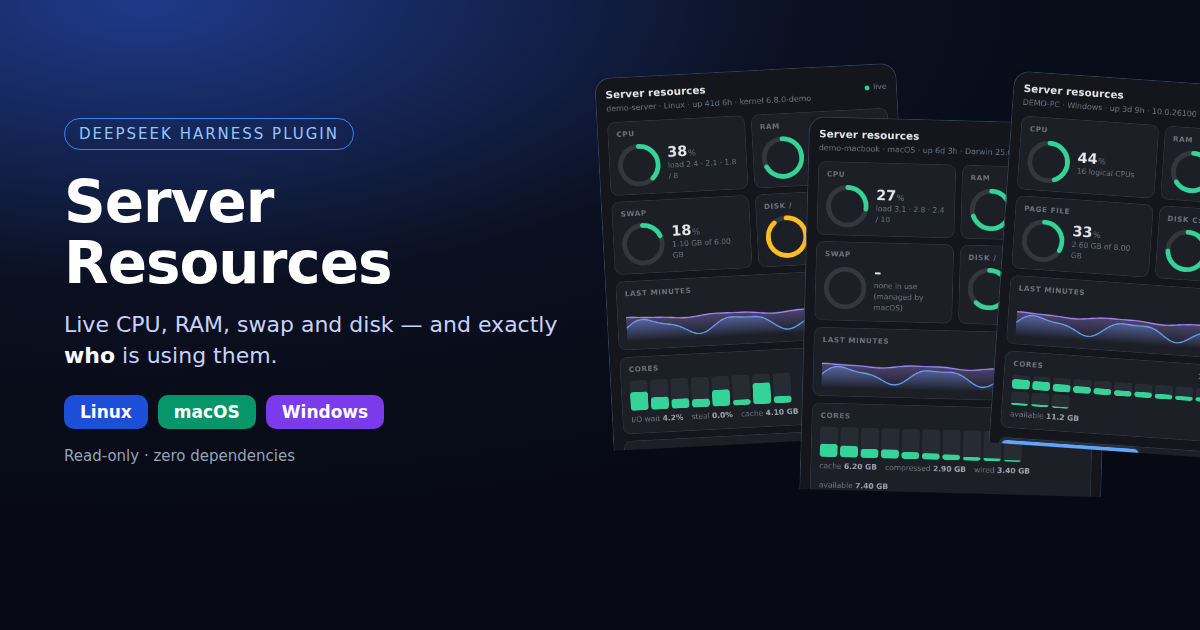
dsh-server-resources
See what is eating your machine — without leaving DeepSeek Harness.
Live CPU, RAM, swap and disk on Linux, macOS and Windows, with a ranked list of the biggest consumers of each.





Why
"The machine is slow" is a question, not an answer. This plugin adds a Resources tab to the DSH right sidebar that answers the follow-ups in one place:
- Is it CPU, memory, swap or disk?
- Which program is responsible — and how many copies of it are running?
- What is actually filling the disk?
No SSH session, no htop, no Activity Monitor, no Task Manager, no ncdu, no extra service to install.
Screenshots
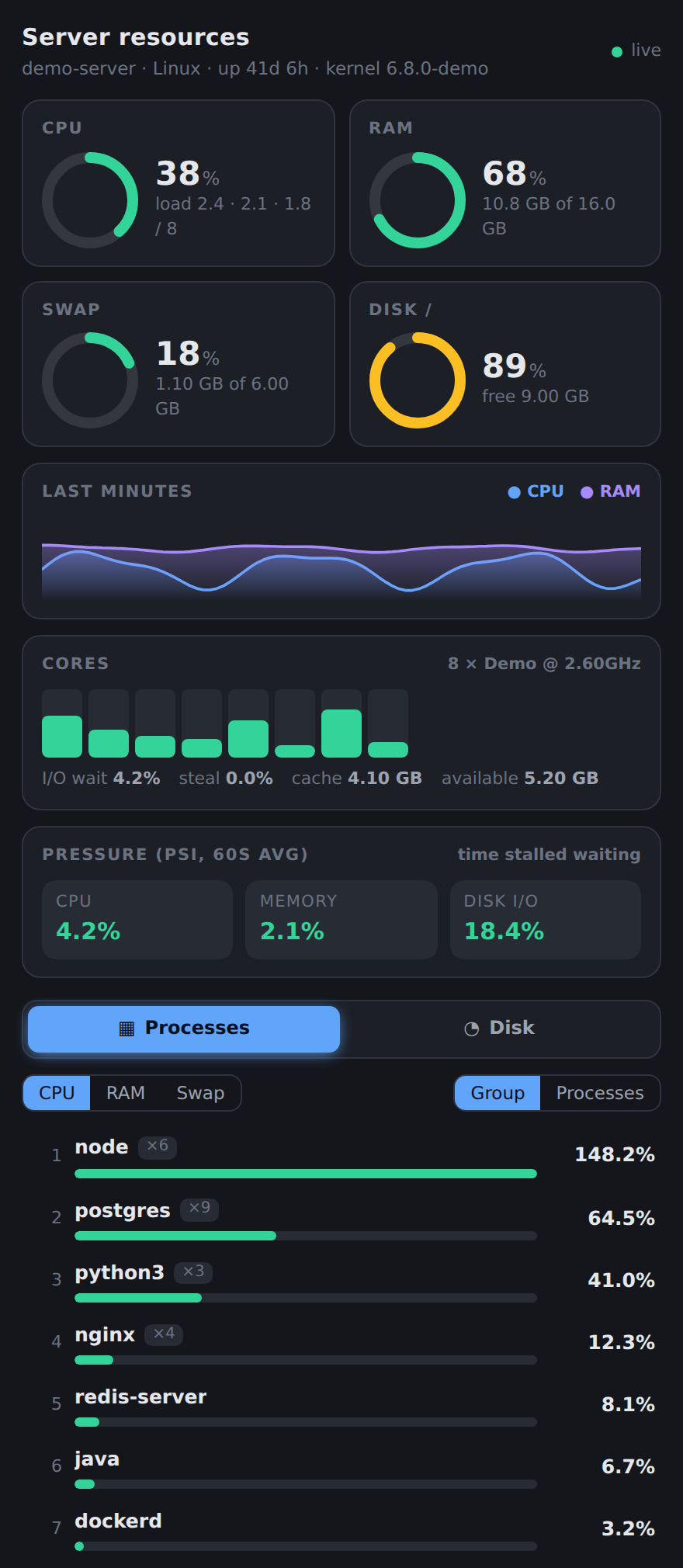
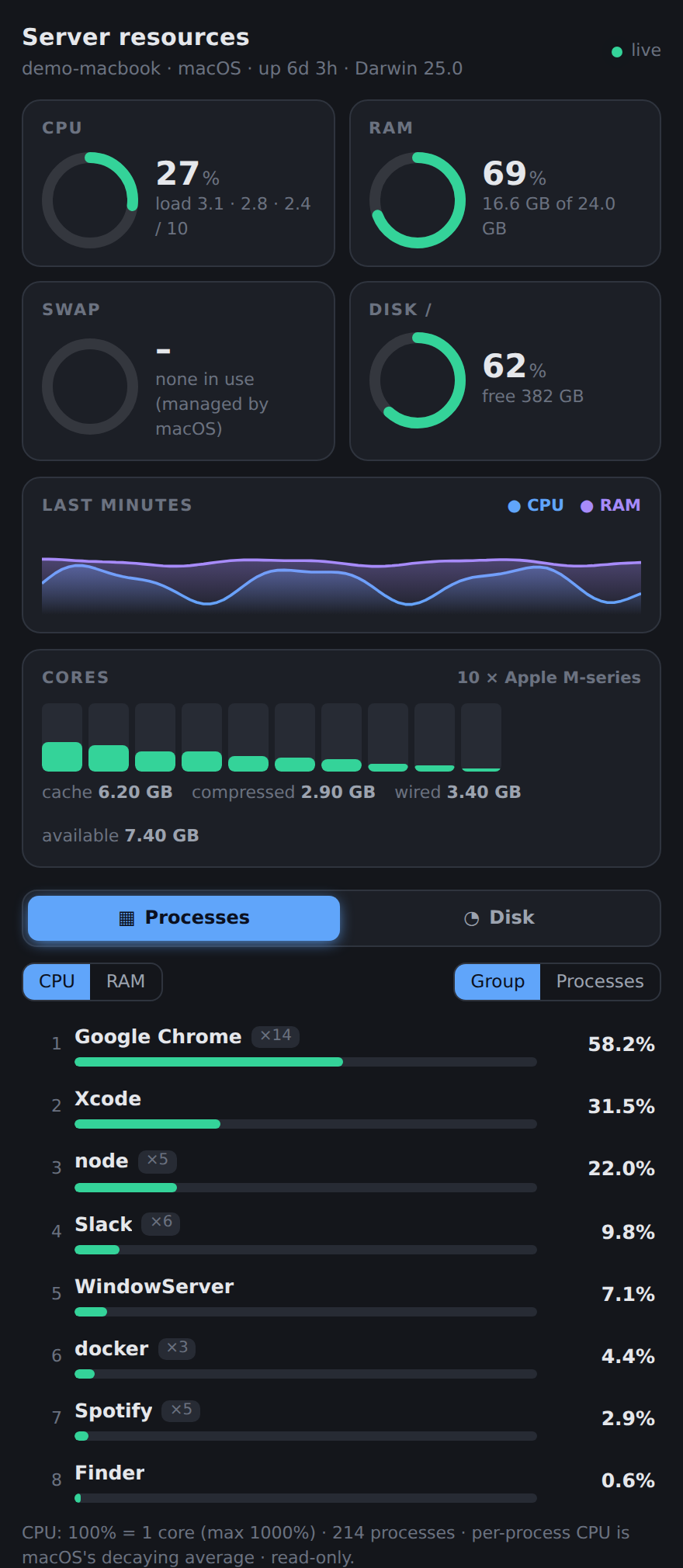
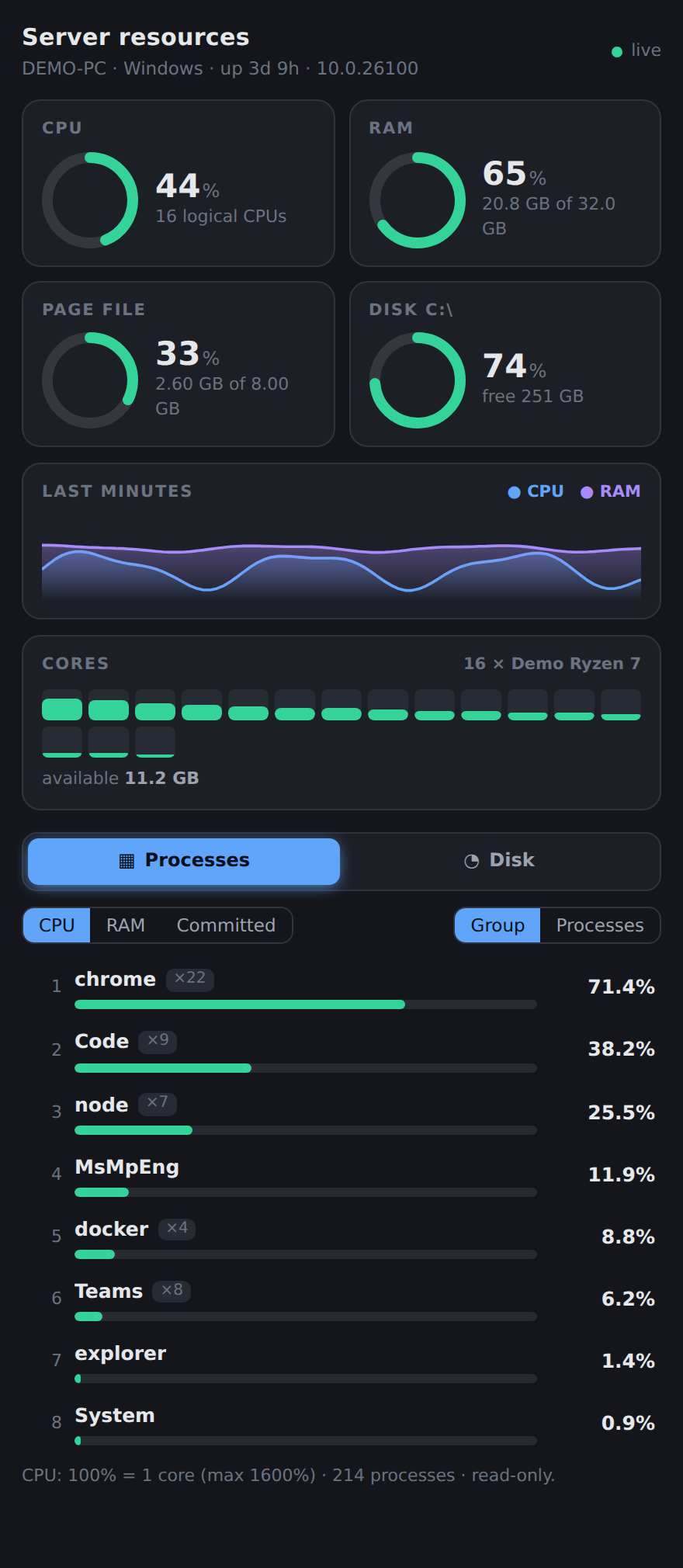
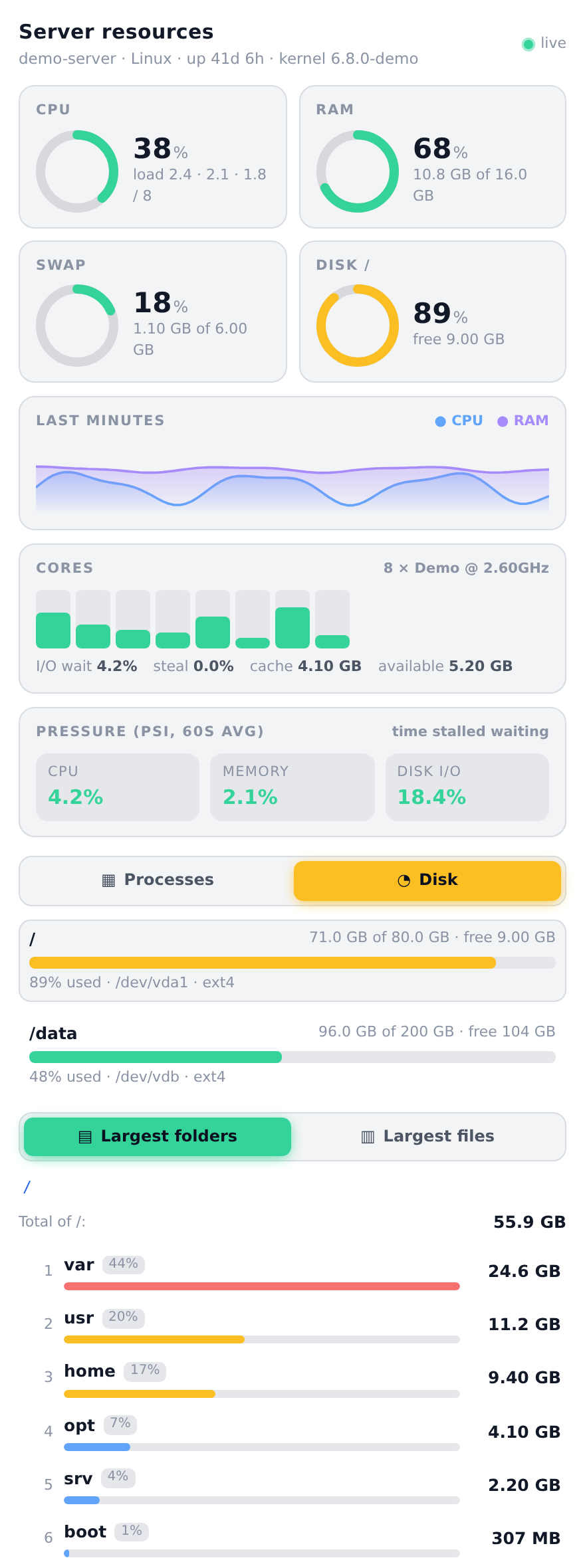
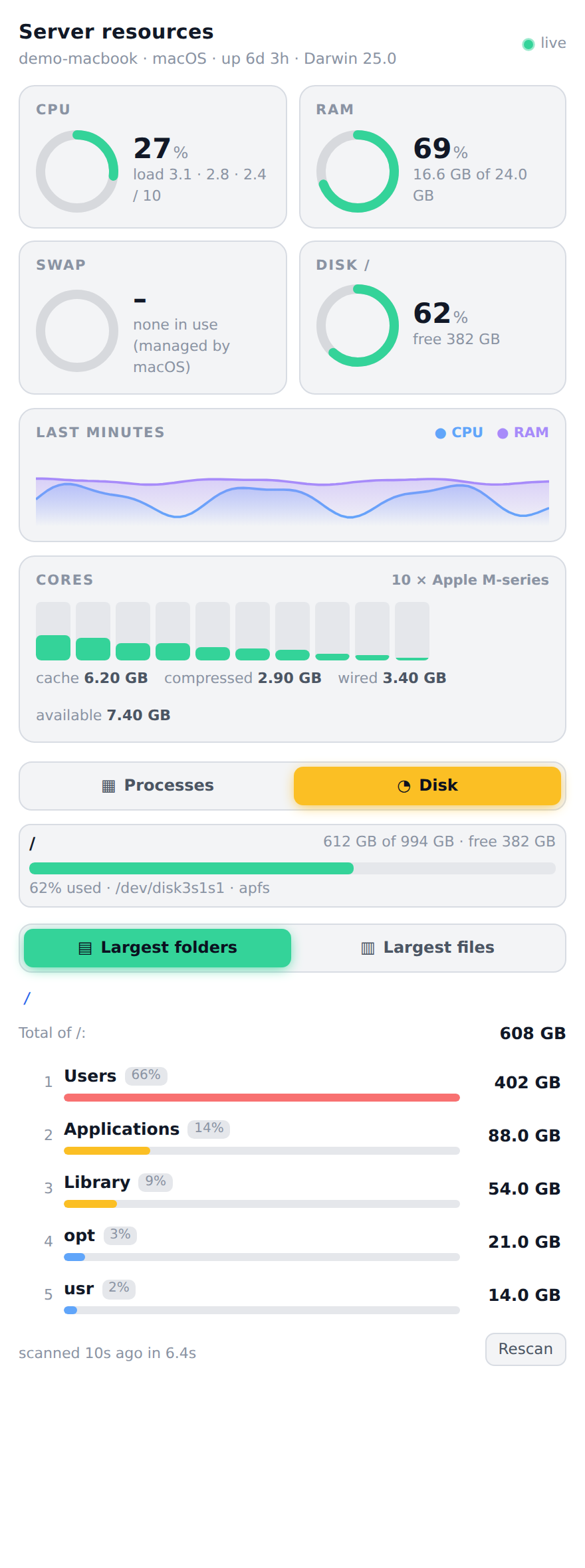
Same panel on every OS — it hides what an OS cannot measure instead of showing zeros.
| Linux | macOS | Windows |
 |
 |
 |
 |
 |
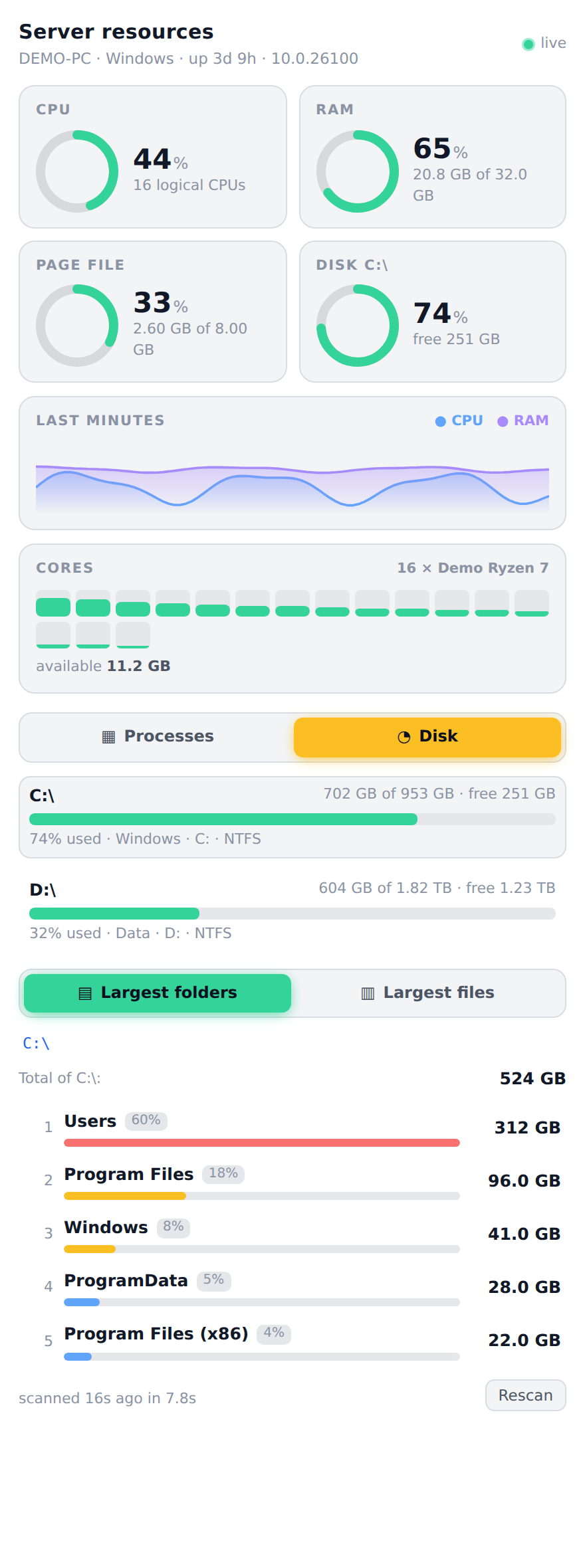 |
Dark and light themes are both supported (all variants are in docs/images). Every screenshot uses made-up demo data (see docs/demo); none shows a real machine.
Features
| Linux | macOS | Windows | |
|---|---|---|---|
| Gauges — CPU, RAM, swap / page file, fullest disk (green → amber → red) | ✅ | ✅ | ✅ |
| History — CPU and RAM over the last few minutes | ✅ | ✅ | ✅ |
| Per-core bars — spot one saturated core behind a "low" average | ✅ | ✅ | ✅ |
Processes — top consumers of CPU and RAM, grouped by program (claude ×4) or one by one with PID, user and command line | ✅ | ✅ | ✅ |
| Swap ranking per process | ✅ | — | ✅ (committed memory) |
| Disk tab — every volume, largest folders (click to drill in), largest files (20 MB … 1 GB) | ✅ | ✅ | ✅ |
| I/O wait · steal · page cache | ✅ | cache only | — |
| Pressure (PSI) — time stalled waiting for CPU, memory, disk | ✅ | — | — |
| Theme-aware (follows DSH light / dark) | ✅ | ✅ | ✅ |
— means the OS does not expose it to normal programs; the panel simply leaves it out. Details and the exact commands used on each OS: docs/PLATFORMS.md.
Install
Requires dsh-better-sidebar ≥ 0.30 (the plugin renders inside its sidebar) and Node.js ≥ 20.
# from npm
dsh plugin --profile <your-profile> add dsh-server-resources

# or straight from GitHub
dsh plugin --profile <your-profile> add github:brungcm/dsh-server-resources
Then open the + menu of the right sidebar and choose Resources.
Manual / local install
git clone https://github.com/brungcm/dsh-server-resources
dsh plugin --profile <your-profile> add ./dsh-server-resources
The bundle patch it applies is cordis.patch.yml: one insert row named server-resources.
What it needs from the OS
| OS | Needs | Notes |
|---|---|---|
| Linux | /proc, df, du, find, ionice, getconf | All present on any distro; BusyBox/Alpine work too (no PSI on old kernels). |
| macOS | sysctl, vm_stat, ps, df, mount | Ships with macOS. Tested on macOS 26 (Apple silicon). |
| Windows | PowerShell — pwsh (7+) or the built-in powershell.exe (5.1) | Prefers pwsh: it starts ~15× faster. Tested on Windows Server 2025. |
Safe by design
- Read-only. It never kills a process, deletes a file or changes a setting.
- No dependencies, no network. Linux reads
/proc; macOS runssysctl/vm_stat/ps/df; Windows runs one PowerShell script that only callsGet-CimInstance. Commands are started with a fixed argument list (never a shell string), and the PowerShell script is sent with-EncodedCommand, so nothing from the browser is ever interpolated into it. - Gentle on the machine. Linux and macOS disk scans run at the lowest priority (
ionice -c3 nice -n19/nice -n19); Windows uses a built-in walker that yields to the event loop. All scans run one at a time, with a 150 s limit, a 5 min cache and at most 4 queued (the rest get HTTP 429). The overview is sampled at most once per second (more slowly on Windows) however many tabs are open, every command has a hard timeout so a dead network mount cannot hang the panel, and polling stops while the tab is hidden. - Guarded paths.
/proc,/sys,/devand/runcannot be scanned on Linux/macOS; on Windows only drive-letter paths (C:\…) are accepted — UNC and\\?\paths are refused; every path goes throughrealpathand must be an existing directory; the walker never follows symlinks or junctions, never leaves the volume it started on and counts a hard link once. - Behind DSH's own auth. The routes are served through DSH's connection layer and are only reachable by the signed-in owner.
Heads-up — command lines. The Processes tab shows each process's command line, which can contain secrets passed as arguments. Obvious shapes are masked (
--password …,TOKEN=…,Bearer …,user:pass@host), but masking is best-effort: a secret passed as a bare positional argument cannot be recognised. SetDSR_HIDE_COMMAND_LINES=1in the environment of the DSH server to hide command lines entirely. It is the same information any local user can read withps,Get-CimInstanceor Task Manager; do not expose your DSH instance publicly without authentication.
Limitations
- Numbers describe the host DSH runs on; container (cgroup) limits are not shown.
- macOS: per-process CPU is macOS's own decaying average (it lags a sudden spike); swap is "none" until macOS actually needs it; no per-process swap.
- Windows: one sample takes ~1–2 s (PowerShell + CIM), so the panel refreshes every few seconds instead of 2.5 s; "System Idle Process" is left out of the CPU ranking; processes of other users are listed but may lack a command line without administrator rights. Antivirus/EDR products sometimes flag any repeated
powershell -EncodedCommand; the plugin avoids-ExecutionPolicy Bypassand starts PowerShell by absolute path to look as ordinary as possible, but if your policy blocks it the panel says so instead of showing zeros. - Unreadable folders: on macOS (Full Disk Access / TCC) and Windows (protected system folders) some folders cannot be read without elevated rights; the Disk tab counts them ("N folders could not be read") instead of silently under-reporting.
- If
/procis mounted withhidepid(Linux), processes of other users are not readable; the tab shows how many were skipped. - Disk scans of very large trees stop after 2.5 min and return a partial result (clearly marked). On Windows the built-in walker is ~5–15× slower than
du(a 5 GB tree takes a few seconds). - Not supported: BSDs, Android, 32-bit Windows. On those the tab shows a clear "unsupported platform" message.
How it works
 browser (React tab) ──poll──▶  GET /api/dsh-server-resources/overview
                                 └─ platform/linux.js   /proc/* · df
                                    platform/darwin.js  sysctl · vm_stat · ps · df · mount
                                    platform/win32.js   PowerShell → Get-CimInstance (one JSON document)
                     ──on demand▶ GET /api/dsh-server-resources/disk/dirs|files?path=…
                                 └─ Linux: ionice du/find     macOS/Windows: lib/walker.js (pure Node)
Every collector returns the same snapshot shape plus a capabilities map; the UI shows only what the OS can fill. Design notes: docs/ARCHITECTURE.md. Source: lib/ — no build step.
Development
npm test            # ~70 tests, nothing to install (parsers are tested against real macOS and Windows output)
npm run smoke       # run the real collectors on THIS machine and print what the panel would show
PW_FROM=<dir-with-playwright-core>/ node docs/demo/render.mjs <chrome> <react.iife.js>   # regenerate screenshots
CI runs the tests on Linux, macOS and Windows × Node 20/22/24, plus the smoke test on a real host of each OS. See CONTRIBUTING.md for how to add a platform or a metric.
Changelog
See CHANGELOG.md.
License
MIT © brungcm
Plugin correlati
deepseek-harness
deepseek-ai/deepseek-harness
dsh-market
dsh-market/dsh-market
dsh-web (dsh-plugin-manager)
zhu1090093659/dsh-web
dsh-web
zhu1090093659/dsh-web