dsh-token-receipt
maxlee/dsh-token-receipt
Print daily, weekly, monthly, 30-day, 90-day, and all-time token usage and estimated model costs as a receipt, with clipboard image copy and PNG export.
Installazione
dsh plugin --profile web add github:maxlee/dsh-token-receiptREADME

Token Receipt
Print daily, weekly, monthly, 30-day, 90-day, and all-time DeepSeek Harness token usage and estimated model costs as a tactile receipt, then copy the image or save a PNG.



| Dark · Daily | Light · Monthly |
|---|---|
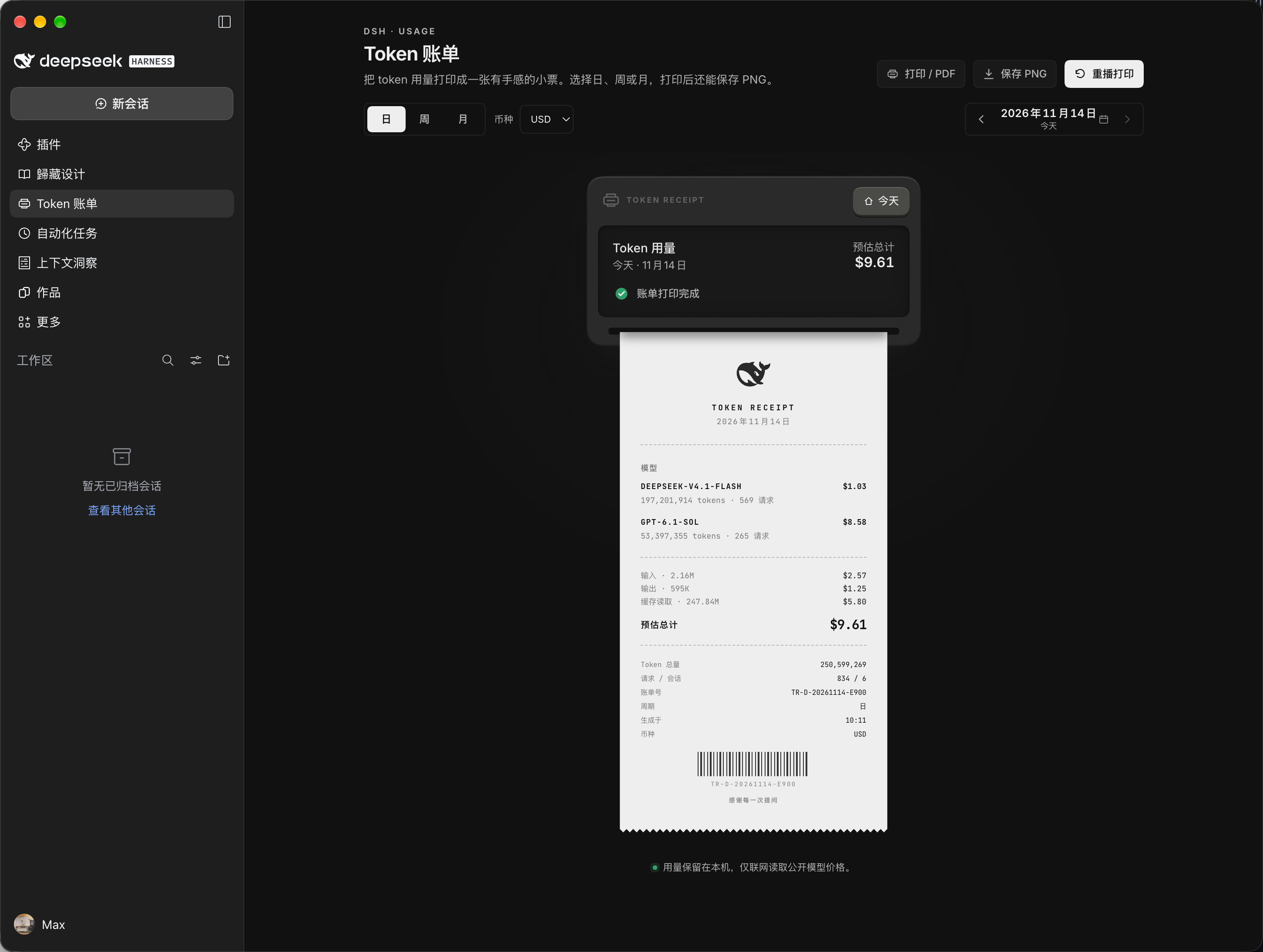 | 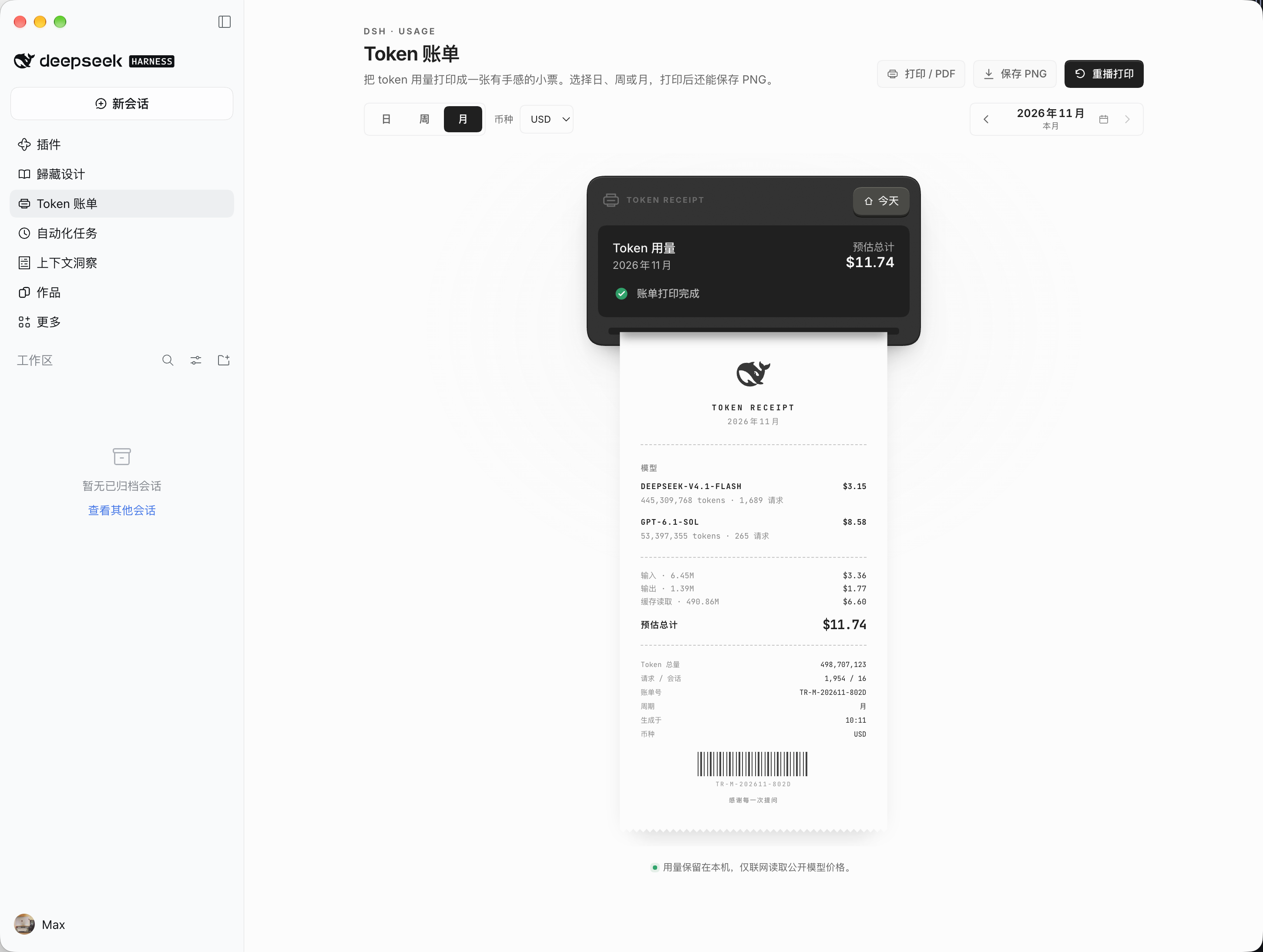 |
Features
Token Receipt turns local DeepSeek Harness usage records into a printable receipt:
- Period navigation. Switch between Day, Week, Month, 30 days, 90 days, and All views, step across dates for Day, Week, and Month without leaving the panel, and replay the paper-feed print animation automatically on every period change.
- Estimated model costs. Break down spending per model across input, output, cache read, and cache write tokens using public models.dev rates.
- Multi-currency display. Match the default currency to your interface language, or switch manually between
USD,CNY, andJPY. - Tactile receipt feed. Watch a stepped paper-feed animation with a torn paper edge and a barcode whenever you print or switch periods, with automatic
prefers-reduced-motionsupport. - High-DPI export and sharing. Click Copy image to copy a 3x PNG directly to your clipboard for instant pasting and sharing, or Save PNG to download a local image.
- Multilingual themes. Use the interface in English, Simplified Chinese, or Japanese across light and dark themes.
[!NOTE] Displayed costs are reference estimates calculated from public models.dev catalog rates, not provider invoices. All session and token usage data stays local on your device, and only public price rates are fetched online.
Installation
Install from npm
Open Plugins in DeepSeek Harness, click Add plugin, and enter:
dsh-token-receipt
Or install with the plugin_manager tool:
{
	"action": "install_bundle",
	"target": "dsh-token-receipt"
}
Install from a local checkout
Pass the local repository path to plugin_manager:
{
	"action": "install_bundle",
	"target": "/absolute/path/to/dsh-token-receipt"
}
If DeepSeek Harness reports restart-required, restart the app once to activate the plugin.
Updating on DSH Desktop
After an update that changes the plugin's browser UI (client.js), fully quit DeepSeek Harness and reopen it. Closing the plugin panel, toggling the plugin, or closing the window is not enough: DSH Desktop loads browser plugin bundles only when the app window starts. Uninstalling and reinstalling is not required. Version 1.1.1 and later show a Reload UI banner when they detect that the installed version is newer than the loaded page.
Usage
- Open Token receipt from the left sidebar.
- Select Day, Week, Month, 30 days, 90 days, or All (use the date controls on Day, Week, and Month to step across dates or return to today). Switching periods plays the paper-feed print animation automatically.
- Choose
USD,CNY,JPY, or Follow language in the Currency menu. - Click Copy image to copy a 3x PNG directly to your clipboard for instant pasting and sharing, Save PNG to download the receipt image, or Replay print to run the paper-feed animation again.
Compatibility and development
Token Receipt requires the following runtime versions:
- DeepSeek Harness
>=0.2.2-rc.3 <0.3.0 - Node.js
^22.19.0 || >=24.0.0
Run syntax checks and the test suite from a local checkout:
npm run check && npm test
License
Licensed under the MIT License.
Receipt printer interaction inspired by dqnamo's Receipt Printer, with pricing resolution adapted from dsh-context. See THIRD_PARTY_NOTICES.md for Apache-2.0 and SIL Open Font License 1.1 notices.
Plugin correlati
DeepSeek-Balance-Whale-Widget
meteornox/deepseek-balance-whale-widget
dsh-context
bowenliang123/dsh-context
dsh-cost-meter
han-1413141/dsh-cost-meter
dsh-damage-pulse
wssfk12138/dsh-damage-pulse