dsh-bottom-info-bar (plugin)
songoao25/dsh-bottom-info-bar/plugin
Barra informativa inferiore per la Web UI di DSH: provider/modello, saldo in tempo reale, tariffe di punta/fuori punta con conto alla rovescia e spesa reale persistente per sessione in una singola riga.
Installazione
dsh plugin --profile web add github:songoao25/dsh-bottom-info-barQuesto plugin si trova nella sottodirectory plugin del repository.
README
Bottom Info Bar
English | 中文


Join the DeepThinking beta group

Bugs, questions and feature requests get answered fastest in the group — scan the code, say what you hit or what you want next, and it moves up the queue. The QR code expires periodically; open an issue if it has stopped working.
A DeepSeek Harness plugin that adds an account information row under the composer: provider and model, real balance or subscription quota, peak/off-peak pricing, and what this session has cost.

What it shows
The bar follows the active session and picks one of three readings per provider (mutually exclusive, nothing to switch by hand): balance shows the real balance from the provider's own API, subscription quota shows each quota window's remaining allowance with its reset countdown (an exhausted window stays visible at 0% instead of disappearing, flagged low), and cloud billing shows this month's real spend from the official billing API. On top of that come four spend tallies — this session, today, last 30 days, all time — plus extras such as time and custom text. All four come from the plugin's own ledger, which starts counting when the plugin first runs: calls made before that (or before you cleared the ledger) are not included, and hovering the spend writes out the exact start of the count. For the authoritative figure for a whole session, use the provider's own balance or bill. In balance mode, hovering the balance expands it into topped-up and granted balances, so gifted credit is never conflated with the money you paid in.
On DSH 0.2.2 with the native activity/usage buttons, the native line sits on top and the plugin's account information on the line below. Clicking any plugin field still switches between Full and Compact with the same height/fade animation: Full shows the native line, Compact collapses it. The native buttons keep their own click behavior and open Harness's details dialogs. Each of the two native buttons can be hidden separately from the plugin's settings page. The context ring keeps its existing details and plugin settings.
On older hosts, clicking the bar still switches between Full and Compact: Full keeps the legacy statistics row, Compact collapses it. Plugin fields remain identical in both modes. Compatibility is detected from the host's live extension entries, rather than a version string.
Install
Recommended: open the DSH plugin page, choose Add plugin, and enter the npm package name — DSH fetches the published package from npm, with no commands and no build:
dsh-bottom-info-bar
Prefer the terminal? The same install from the command line:
dsh plugin --profile web add dsh-bottom-info-bar
To run the newest code from the default branch instead of the latest release, paste the repository URL into the same field:
https://github.com/songoao25/dsh-bottom-info-bar
Then restart DSH — plugins are composed when the host starts, so a page refresh is not enough. In the desktop app, use Plugins → Add plugin; its profile is managed by the app and cannot be installed into through the CLI. Other install methods (including Windows PowerShell) and troubleshooting: docs/INSTALL.md.
The context usage ring keeps the native hover tooltip and opens a statistics panel when clicked. Both overlays render outside the bottom bar so they do not change its contents.
Settings
Plugin settings live under Plugins → bottom-info-bar and save as you change them. The page is built on the same card system DSH 0.2.2 uses elsewhere: every section is one card with a title and a one-line summary, separated by whitespace instead of dividers. Information to show holds every field switch and color, grouped into native information and plugin information — both collapsible, with search across all rows. Notices render on the bar as soft pills and no longer have switches. Quota credentials stays collapsed by default, billing data covers export and clear, and version & updates holds the update mode with rollback. Resetting fields or colors does not change Harness's native button preferences.
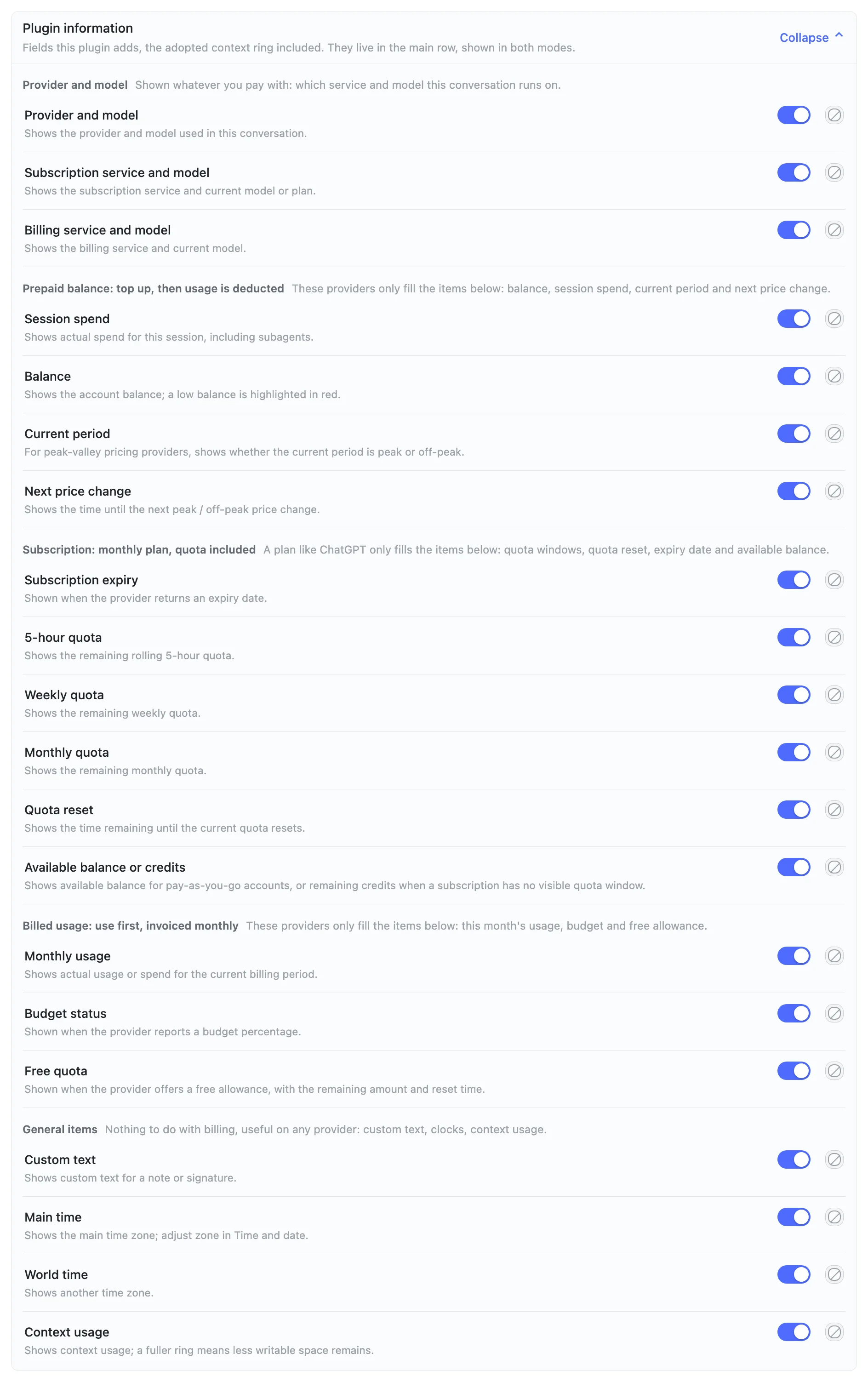
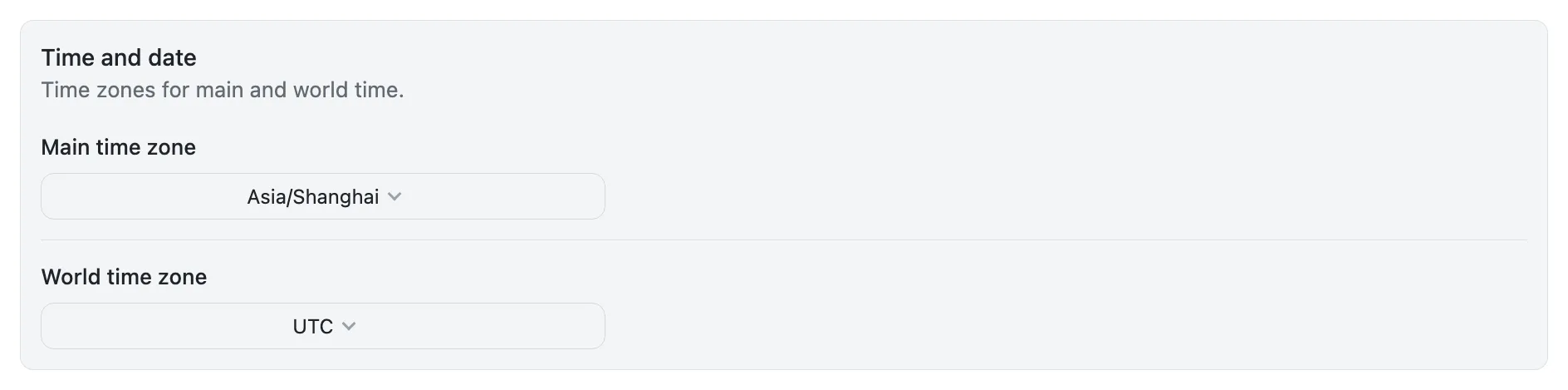
Plugin information is further grouped by billing mode — read only the block that matches your provider; each block's heading says which items carry data for it. Time and date, subscription window percentage direction, quota credentials and billing data are separate cards:
API keys go in DSH under Settings → Models; subscriptions (Codex, OpenCode, Xiaomi Token Plan, Command Code, MiniMax, Zhipu GLM, Kimi For Coding) read the local sign-in or the model key already configured in DSH (MiniMax's needs to be a Subscription Key). Unused plans never show up, and nothing needs to be typed on the plugin page. The one exception is Alibaba Token Plan (China and international sites): the inference plan key cannot read quota, so set an Alibaba Cloud AccessKey (ALIBABA_CLOUD_ACCESS_KEY_ID / ALIBABA_CLOUD_ACCESS_KEY_SECRET, a RAM user is enough) under Quota credentials in the plugin settings (collapsed by default), or in DSH's credentials / same-named environment variables. Anything off the list gets a not-supported hint instead of borrowed numbers.
Spend and updates
The ledger requires a DSH runtime with Node.js 22.13 or newer. It keeps records and historical session indexes in a local disk database, reads bounded batches, and streams exports. Existing ledger files are migrated once and retained for recovery; see Ledger storage and recovery.
Every model response records one entry (usage × unit price, locked the moment the response completes) and survives restarts. The plugin checks npm once per DSH start: automatic updates (default) download in the background and take effect after you restart, manual updates only notify; a bad release can be rolled back from settings. The ledger stores tokens and amounts, never conversation content; data stays under this end's DSH_HOME in dsh-bottom-info-bar/ (default ~/.dsh/dsh-bottom-info-bar/, overridable via DSH_BOTTOM_INFO_BAR_DATA_DIR) and survives uninstall — export or clear it from Billing data if you want a clean slate.
Uninstall and roll back
Remove the plugin on the DSH plugin page (or dsh plugin --profile web remove dsh-bottom-info-bar) and restart DSH: the native stats row comes back by itself and no plugin files are left behind. The ledger is kept on purpose — export or clear it from Billing data before removing the plugin if you want a clean slate. To go back a version instead, the update section offers roll back to the previous version while a newer build is waiting for a restart, and after a failed update. Details: docs/INSTALL.md.
FAQ
The bar shows "not configured" or "Refresh failed" — is it broken?
No. When it can't read data, the bar keeps the last good snapshot and never shows a fake 0%. First make sure you restarted DSH after installing (a page refresh is not enough). Hover the affected field to see the reason; touch hosts (DSH Go) have no hover, so check the plugin settings page instead. Per-provider credential setup is in docs/INSTALL.md.
I configured an AccessKey for Alibaba Token Plan as documented, but it still says "Refresh failed".
Usually the authorization is incomplete — AliyunTokenPlanReadOnlyAccess alone is not enough. Have the primary account do the following for that RAM user:
- In the RAM console, grant both system policies
AliyunTokenPlanReadOnlyAccessandAliyunBSSReadOnlyAccess; - In the Bailian console's Account Management, assign the RAM user admin or Subscription Package permission — granting only the system policies and skipping this assignment still leaves quota unreadable (the bar reports Refresh failed);
- Personal-plan monthly percentages use the console path, which also needs a custom policy granting
modelstudio:GenerateCLIAccessToken.
Also, inference plan keys (sk-sp-…) can only run inference and cannot read quota — you must use an Alibaba Cloud AccessKey (ALIBABA_CLOUD_ACCESS_KEY_ID / ALIBABA_CLOUD_ACCESS_KEY_SECRET), entered under Quota credentials in the plugin settings (collapsed by default), or in DSH credentials / same-named environment variables. The bar's hover only gives a generic "reauthorize" hint; the full authorization checklist above also appears in the settings Quota credentials card, with step-by-step details in docs/INSTALL.md.
Languages
The plugin includes English, Simplified and Traditional Chinese, Japanese, Korean, Spanish, Portuguese, French, German, Italian, Russian, Hindi and Indonesian. It follows DSH’s language by default. Choose Language on this plugin’s settings page to use a different language independently; the choice is saved in this browser. Regional variants such as Spanish (Mexico) and Portuguese (Brazil) use the corresponding built-in language. Unsupported languages fall back to English.
Development
- Build:
npm run build - Test:
node tests/run-all.mjs - Contributing: CONTRIBUTING.md
License
MIT © 2026 songoao25
Holiday pricing includes the official 2026 Chinese holiday leave ranges. Later calendars must be updated after the annual State Council notice; unlisted years use the weekday/weekend rule. Make-up working weekends remain off-peak. Frozen historical costs are unchanged.
Plugin correlati
dsh-web (dsh-task-board)
zhu1090093659/dsh-web
dsh-web (dsh-web-all)
zhu1090093659/dsh-web
dsh-TUI
ccch1mneyyy/dsh-tui
dsh-web-ui (dsh-task-board)
zhu1090093659/dsh-web-ui