dsh-share-chat-card
tanloon/dsh-share-chat-card
Picks individual records out of the loaded conversation and exports them as paginated PNG images, one self-contained HTML page, or straight to the clipboard. Reasoning blocks and timestamps are optional; the header line reports record count, tool calls, turn time, span and tokens.
Installazione
dsh plugin --profile web add github:tanloon/dsh-share-chat-cardREADME
dsh-share-chat-card
A DeepSeek Harness plugin that exports conversation records as PNG images or one self-contained HTML page.
Pick the records you want, export them, paste the file into a chat, a doc or an issue.
What it does
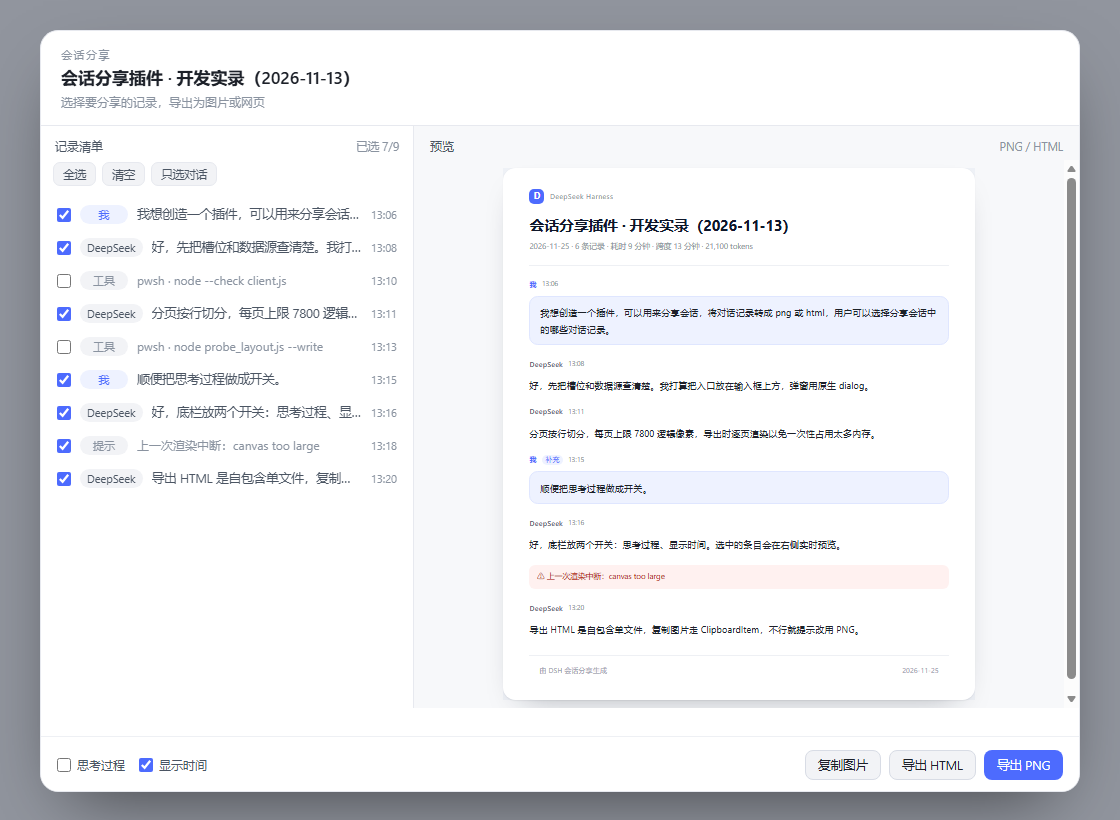
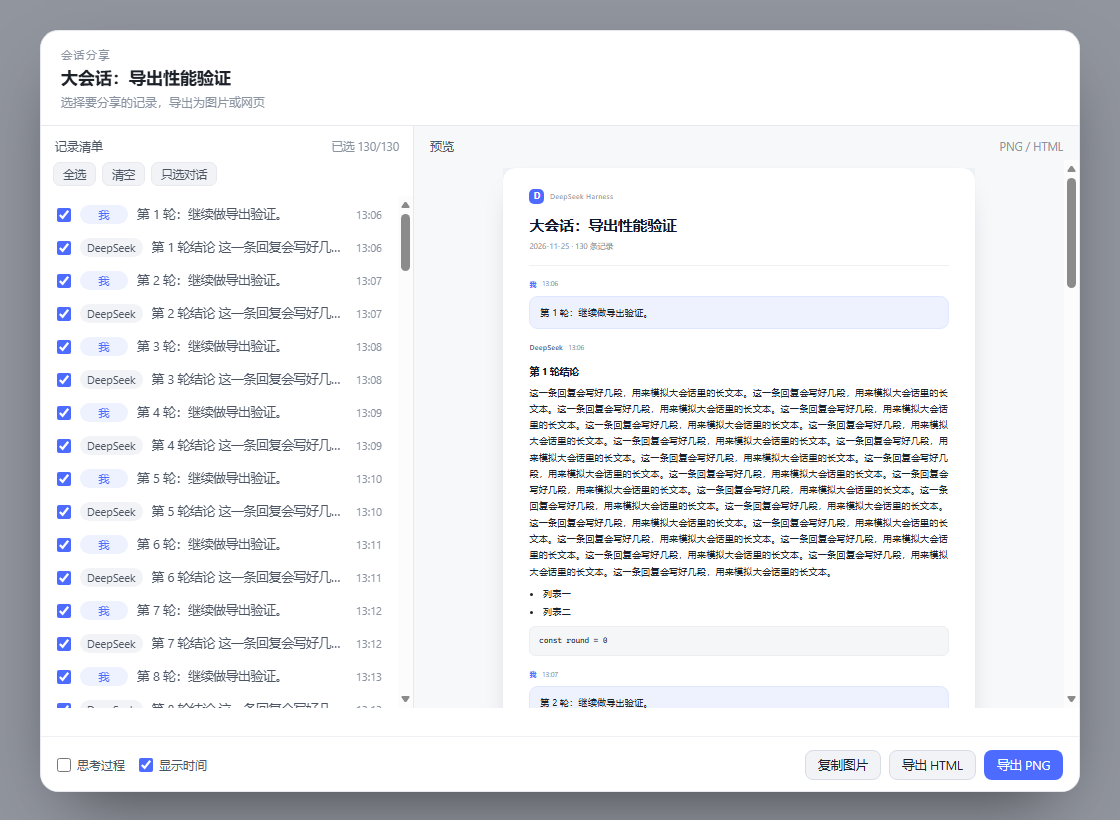
A Share pill sits in the composer dock. Opening it shows the conversation as a checklist on the left and a live preview on the right; the same document is what you export.
- Record-level selection — user messages, model replies, tool calls and interruption notes are separate rows, each with its own checkbox. Defaults to the conversation only; tool calls stay unchecked until you ask for them.
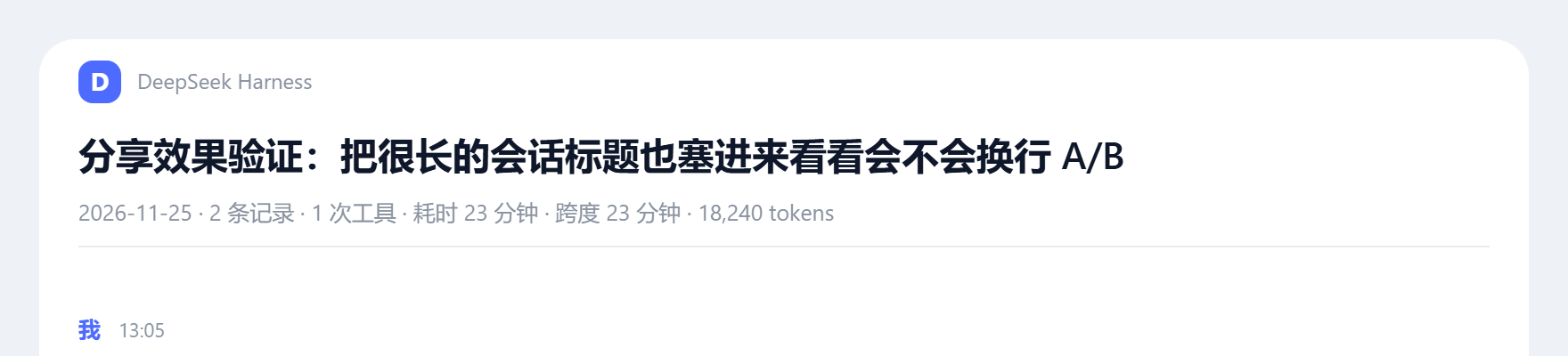
- Stats header — every export starts with one line: date, record count, tool-call count, turn time, span, and tokens when the assistant steps report usage.
- Two toggles — include reasoning blocks, show timestamps.
- Three actions — copy the PNG to the clipboard, export a single-file HTML page, or export paginated PNG images (
-01,-02, … for long content).
The two time figures
| Field | How it is computed | Example |
|---|---|---|
| Turn time | turn.end.time - turn.start.time, summed over the turns that have at least one shared reply | 5 turns of 3–8 minutes → 26 min |
| Span | Wall clock between the earliest and the latest shared record | same share → 12 days |
Turn time only counts a turn when one of its replies is actually shared, and turns that never finished (no end.time) are skipped instead of estimated from "now". Tokens come from each assistant step's own usage.totalTokens and are summed over the shared steps only, so the number describes the share, not the whole session.
Install
From the plugin market, or by hand:
# npm
dsh plugin --profile web add dsh-share-chat-card

# straight from this repository
dsh plugin --profile web add github:Tanloon/dsh-share-chat-card
Reload the page after installing. The pill appears in the composer dock above the input box.
Limits
- Only the loaded part of a conversation is listed. Older records appear once the Chat store has loaded an earlier page; the plugin does not read the session log itself.
- Reasonings and tool calls are selectable per record, not per block inside a record.
- The preview is bounded — at most 12 records, 2400 characters of body and 1600 of reasoning each — and says so at the bottom. Export always uses the complete model, so a long conversation with reasoning enabled does not build a multi-megabyte DOM.
How it is built
- Client-only:
client.jsregisters on theconversation.composer.dockslot and reads the loaded Chat store through the slot's standarduseChat/useSessionsprops. The host half (index.js) is deliberately empty. - The dialog uses a native
<dialog>.showModal()to reach the top layer; the composer container hastransform/backdrop-filter, soposition: fixedwould be clipped. - PNG rendering is hand-written Canvas layout (880 logical px, 2× scale, pagination by line), with mixed character/word line breaking for CJK and Latin text. No
html2canvas. - The HTML export and the preview share one
.dss-docstylesheet; the exported file has no external dependencies. - Copy is registered through
ctx.locale(dshShareChatCardnamespace, Chinese and English).
Requirements
- DeepSeek Harness 0.2.0 or newer
- Node.js 20 or newer
License
MIT — see LICENSE.
Plugin correlati
archify (deepseek-harness)
tt-a1i/archify
WeKnora (dsh-weknora)
tencent/weknora
next-ai-draw-io (dsh-plugin)
dayuanjiang/next-ai-draw-io
AiToEarn (dsh-plugin-aitoearn)
yikart/aitoearn