dsh-multiple-chat-panels
williamshi666/dsh-multiple-chat-panels
Multiple chat panels for DeepSeek Harness: view and interact with several agent sessions side by side in a Mission Control grid
Install
dsh plugin --profile web add github:williamshi666/dsh-multiple-chat-panelsREADME
dsh-multiple-chat-panels
Multiple chat panels for DeepSeek Harness: view and interact with several Agents side by side.
Terminal-native Agents (like Claude Code) give you a “god’s-eye view”: you can watch and steer multiple conversations at once, and interact with several Agents in parallel. Most desktop and web harnesses don’t offer this: you either work with a single Agent in a single conversation, or you juggle multiple windows and quickly lose context.
在终端里使用 TUI 形态的 Agent(例如 Claude Code),你会获得一种“一览众山小”的上帝视角:可以同时查看和操控多个对话窗口,并与多个 Agent 并行互动。但很多桌面端或网页端的 Harness 并不支持这种能力:要么只能在一个对话里和一个 Agent 交互,要么即使支持多 Agent / 多窗口,操作也非常繁琐。
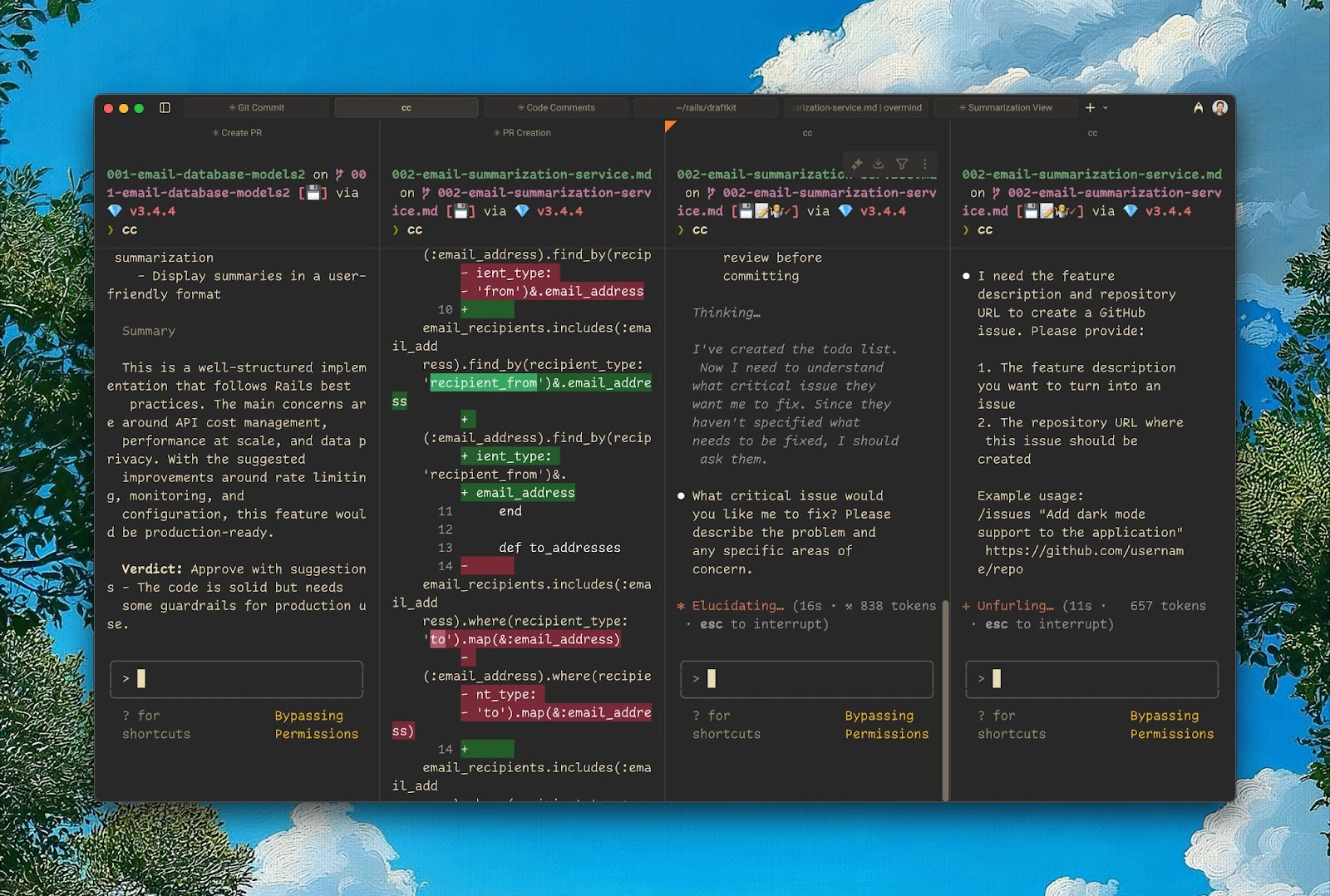
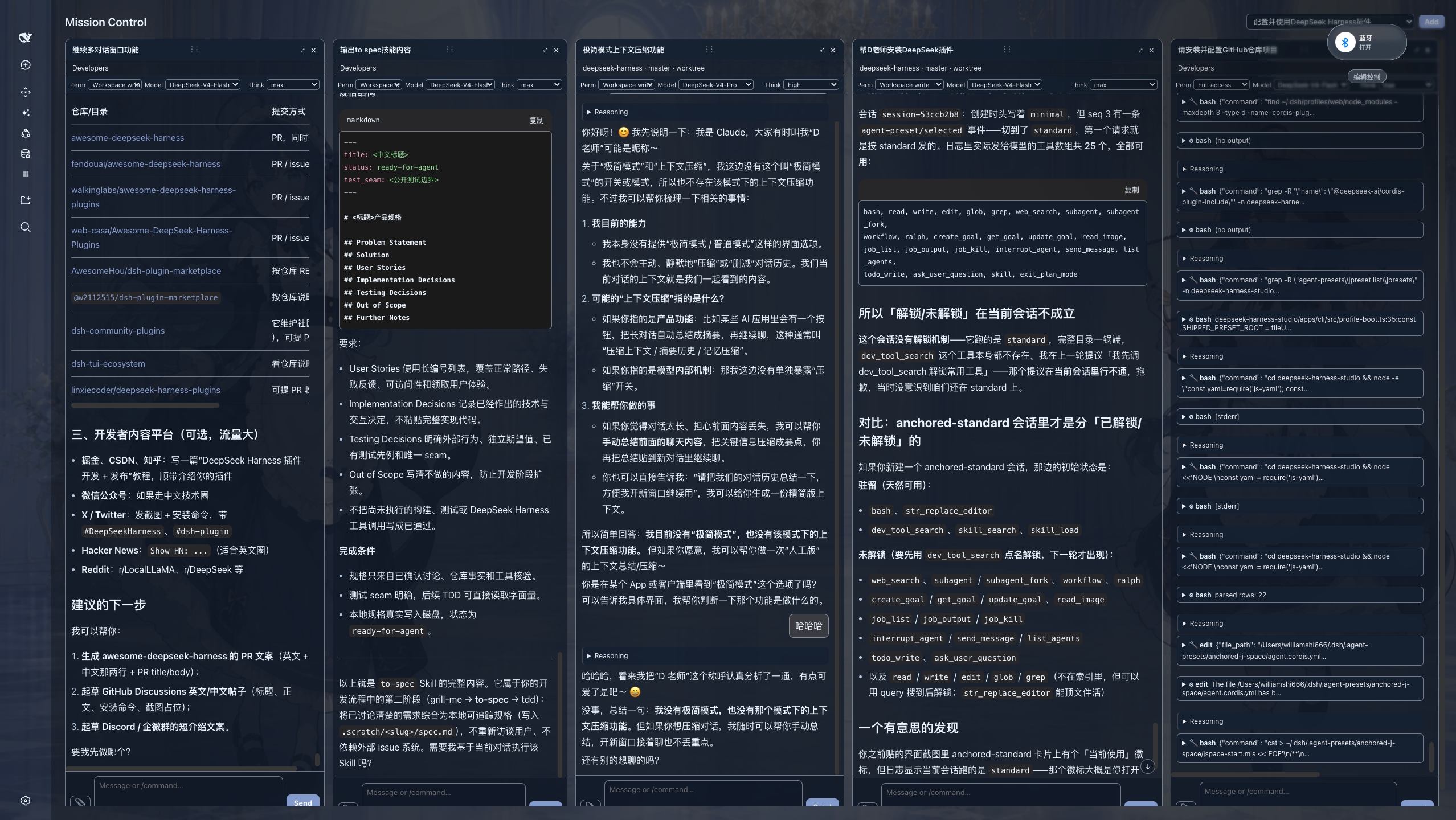
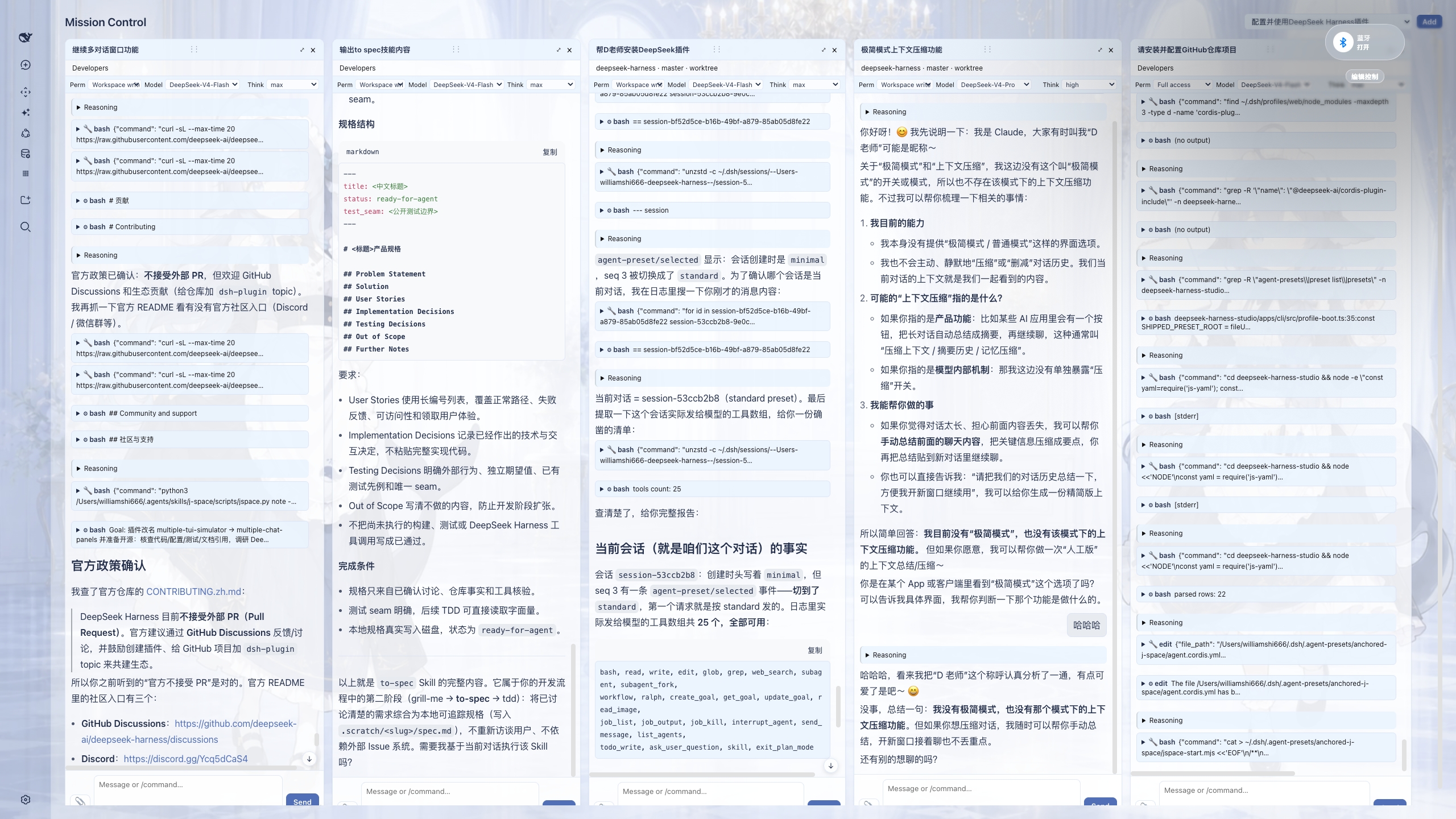
multiple-chat-panels brings that same experience to DeepSeek Harness. Drag conversations from the left sidebar into the center area, and Mission Control opens with each session as a live, independently interactive panel. With this “god’s-eye view”, you can significantly improve how you interact with multiple Agents and how you handle multitasking, all without leaving your desktop or web UI. Available in both dark and light mode.
multiple-chat-panels 把这种体验带到了 DeepSeek Harness:你只需把左侧边栏里的对话拖到中间区域,Mission Control 就会把每个会话展开为一个可实时交互的独立面板。有了这样“一览众山小”的上帝视角,你可以显著提升与多个 Agent 的交互能力,以及多任务(multitasking)的执行能力;无需离开桌面端或网页端 UI。支持深色与浅色模式。
安装
dsh plugin --profile web add multiple-chat-panels
也可以直接从 GitHub 安装:
dsh plugin --profile web add github:WilliamShi666/dsh-multiple-chat-panels
安装后重启 DSH,把侧边栏中的会话拖到中间区域即可打开 Mission Control。
链接
- GitHub: https://github.com/WilliamShi666/dsh-multiple-chat-panels
- npm: https://www.npmjs.com/package/multiple-chat-panels
- 完整功能与开发状态: docs/FEATURES.md
- 发布/开源操作: RELEASING.md
License
MIT
Related plugins
dsh-web (dsh-task-board)
zhu1090093659/dsh-web
dsh-web (dsh-web-all)
zhu1090093659/dsh-web
dsh-web-ui (dsh-task-board)
zhu1090093659/dsh-web-ui
dsh-web-ui (dsh-web-ui-all)
zhu1090093659/dsh-web-ui