dsh-wallpaper
codemonkey-pine/dsh-wallpaper
Wallpaper Engine の dsh web GUI 連携。ローカルの WE ライブラリ(Steam workshop 431960 + ローカルプロジェクト)をスキャンし、その壁紙をページ背景として使用する。画像/動画/web はネイティブにレンダリングし、scene 壁紙はやわらげた静的プレビューとして表示する。さらに 壁紙デザイン パネル(opacity、scope、fill、blur、vignette、fps、parallax、carousel、theme linkage)と、agent 用ツール wallpaper_scan/list/set/config を備える。
インストール
dsh plugin --profile web add github:codemonkey-pine/dsh-wallpaperREADME
dsh-wallpaper — Wallpaper Engine 壁纸联动插件


把本机 Wallpaper Engine 下载的壁纸设为 DSH Web GUI 的页面背景:图片 / 视频 / 网页壁纸按原样渲染,场景壁纸自动柔化为静态预览。侧边栏「壁纸设计」入口 + 右侧面板实时调节。
截图
| 主内容区(视频壁纸) | 壁纸设计面板 | 整页模式 |
|---|---|---|
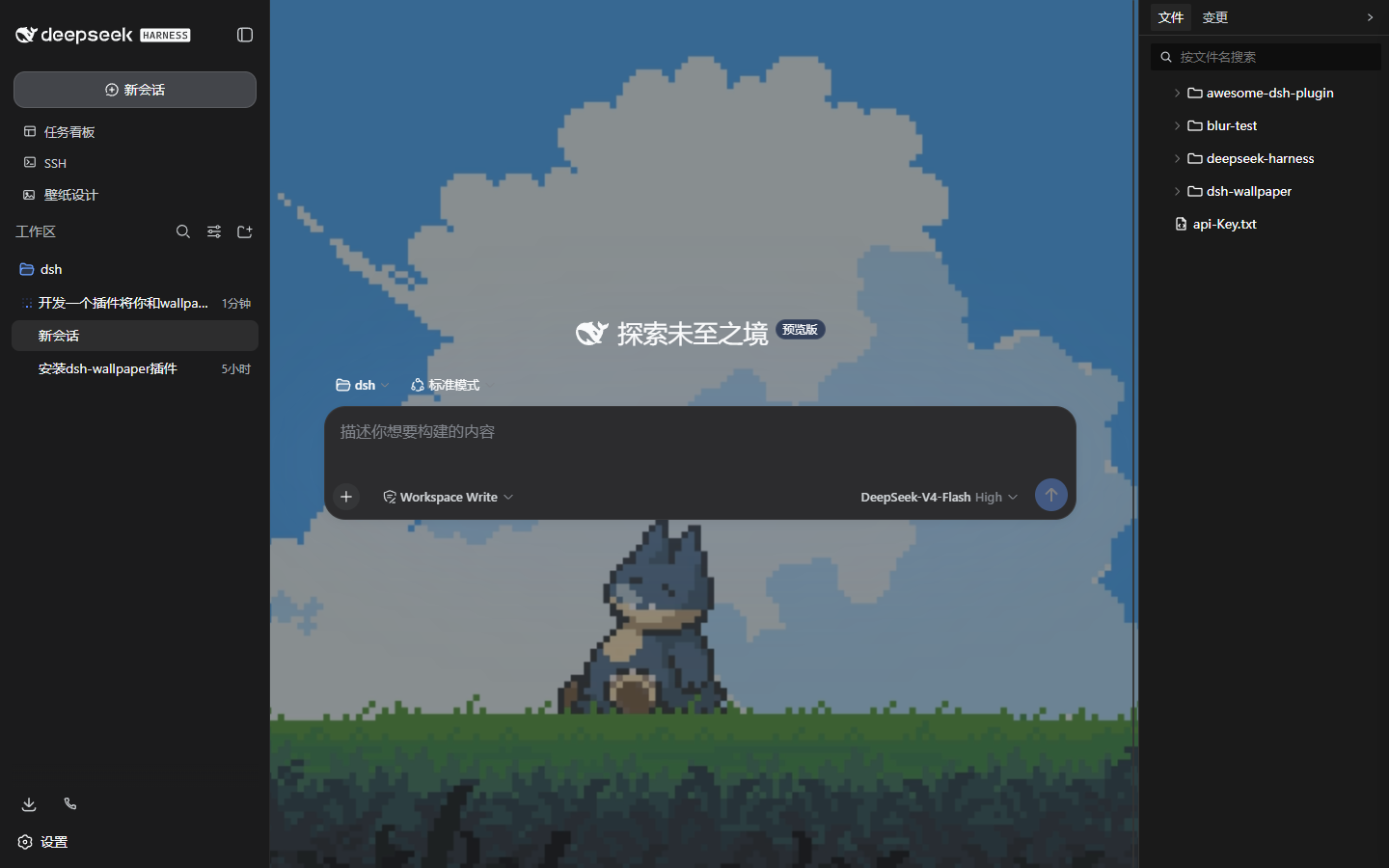 | 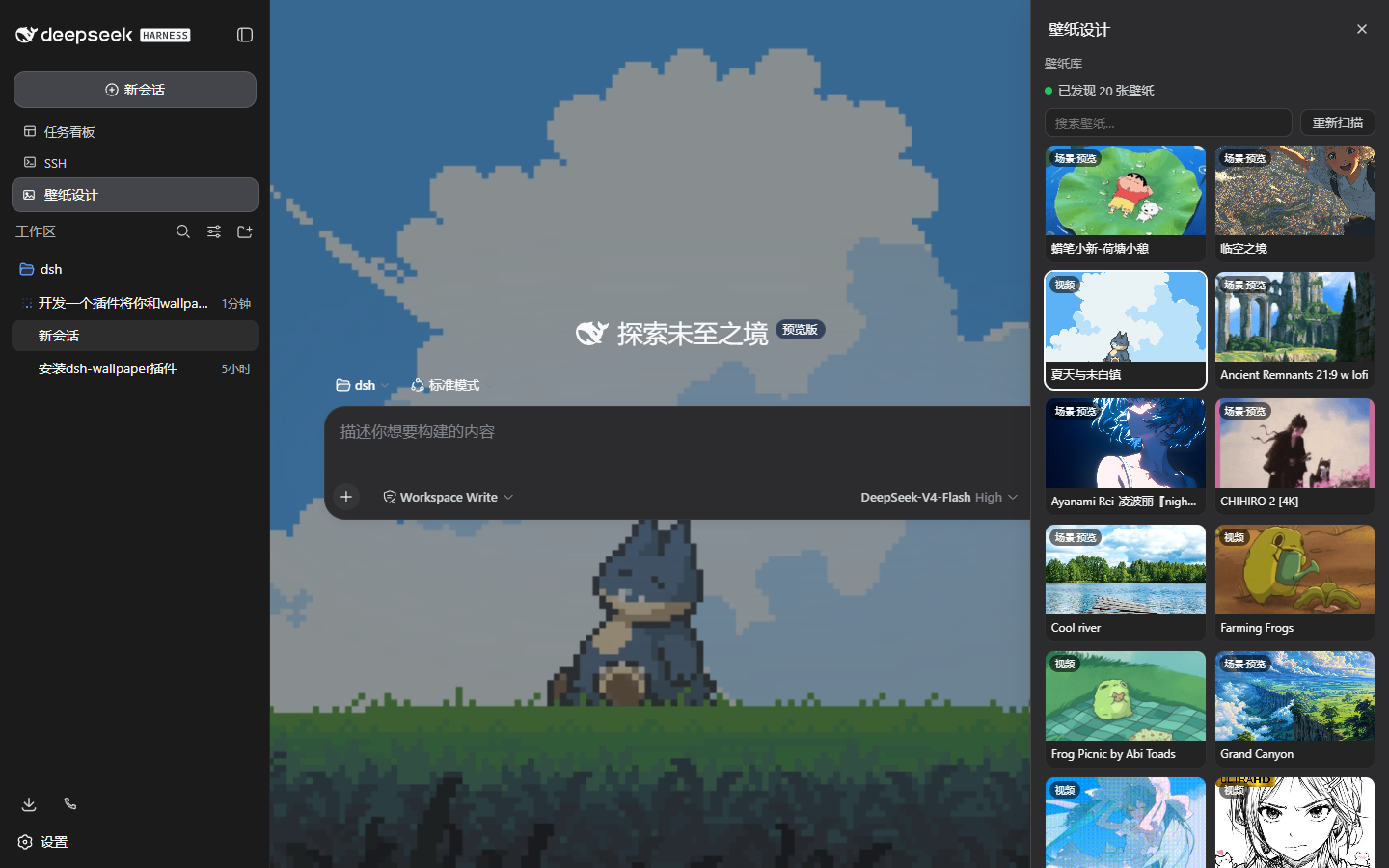 | 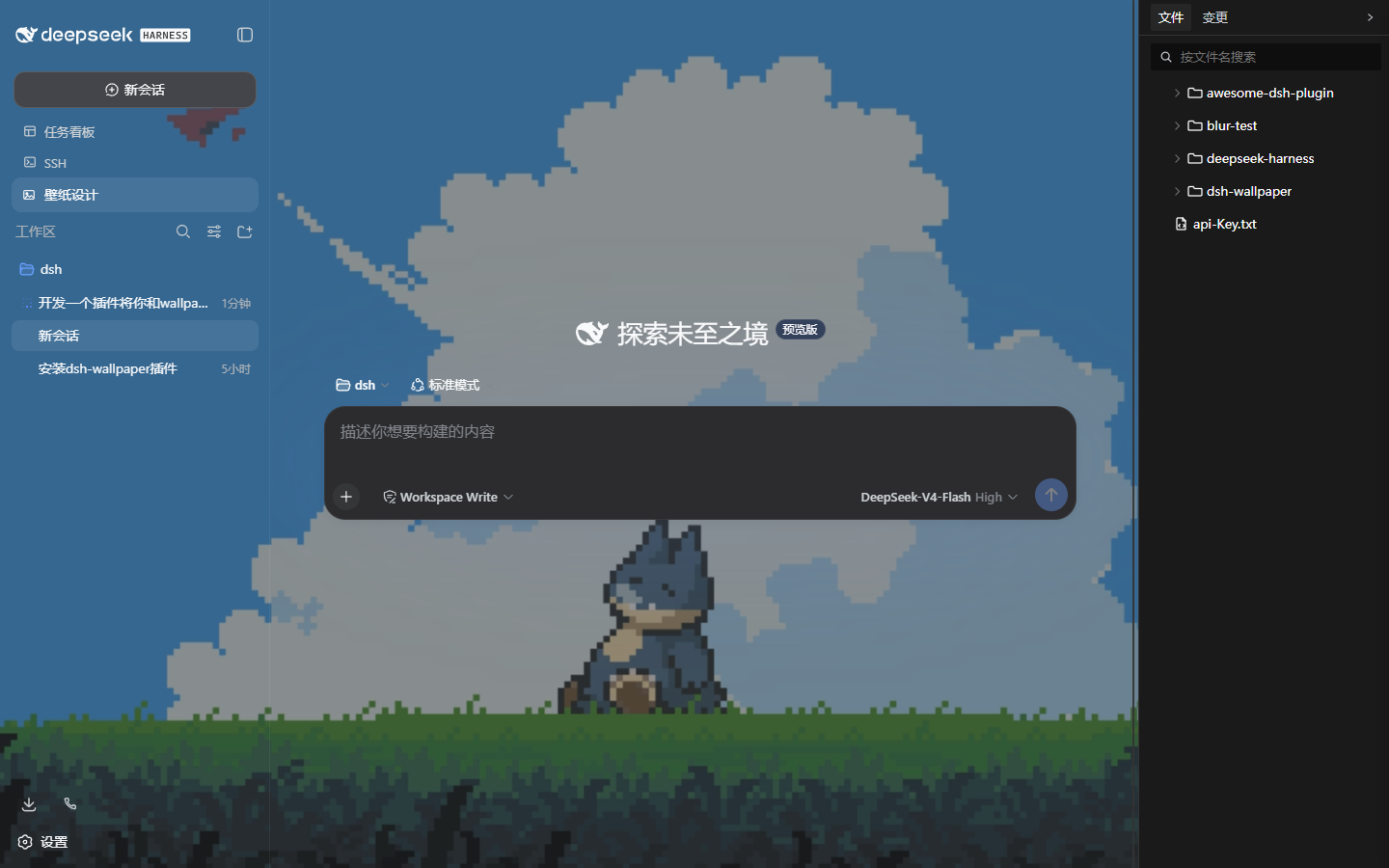 |
功能
- 壁纸库:扫描 Steam 创意工坊
431960与本地projects,解析project.json(无则按扩展名识别),标记 WE 当前壁纸 - 渲染:图片原图填充;视频自动静音循环(支持 Range 拖动);网页壁纸 iframe 加载并透传
ws/fps/resolution;场景壁纸柔化静态预览(优化开关:模糊 + 降不透明度 + 暗角) - 壁纸设计面板:不透明度、作用范围(整页 / 主内容区)、填充模式、高斯模糊、暗角遮罩、帧率限制、失焦暂停、鼠标视差、点击穿透、多壁纸轮播、主题联动;设置存
localStorage自动恢复 - Agent 工具:
wallpaper_scan/wallpaper_list/wallpaper_set/wallpaper_config
安装
dsh plugin --profile web add dsh-wallpaper
重启 dsh web 后,侧边栏出现「壁纸设计」入口;点击选择壁纸即应用,面板内可实时调节全部效果。自定义 WE 安装路径:面板「壁纸来源路径…」或 wallpaper_config(持久化到 ~/.dsh/dsh-wallpaper.json)。
Agent 工具
| 工具 | 说明 |
|---|---|
wallpaper_scan | 重新扫描壁纸库 |
wallpaper_list [query] | 列出壁纸(id / 标题 / 类型 / 来源 / 当前 / 分辨率) |
wallpaper_set <id> [opacity] [scope] | 设置 GUI 期望壁纸(浏览器下次加载应用) |
wallpaper_config | 指定 Steam 根目录 / WE 安装目录 |
限制
- 壁纸只作用于本机 GUI 页面(API 均为 loopback-only),不改变 Windows 桌面壁纸
- 场景壁纸的粒子 / 特效无法移植到网页,降级为预览图
- 视频壁纸播放原始文件,帧率限制作用于视差 / 轮播等效果循环
English
dsh-wallpaper lets the DSH web GUI use your local Wallpaper Engine library as a page background. Image / video / web wallpapers render natively; scene wallpapers degrade to a softened static preview. A sidebar 壁纸设计 panel tunes opacity, scope (whole page vs main column), blur, vignette, fps, parallax, carousel and theme linkage; agent tools wallpaper_scan/list/set/config are included. Install: dsh plugin --profile web add dsh-wallpaper.