dsh-skills-manager
ctl456/dsh-skills-manager
非公式のDeepSeek Harnessプラグイン。Webの設定ページまたはチャットからAgent Skillsを追加・編集・削除・有効化・無効化し、Harness自身のskill toolで読み込めます。
インストール
dsh plugin --profile web add github:ctl456/dsh-skills-managerREADME
dsh-skills-manager
English | 中文
An unofficial plugin for DeepSeek Harness that manages
agent skills: add, edit,
enable and remove them from a Web settings card or from chat, and the harness
loads each one with its own built-in skill tool.
This project is not affiliated with, endorsed by, or supported by DeepSeek. See NOTICE.md for attribution and LICENSE for terms.
What it does
- Keeps one list of skills and publishes them through a single
ctx.skillsprovider, the same seam the shipped filesystem provider uses. - Makes every enabled skill loadable by the harness's own
skilltool — the model sees it in the session catalog and reads its body exactly as it would aSKILL.mdon disk. A skill added from the page is a first-class skill, not a private list entry. - Adds, edits, removes, enables and disables skills without editing YAML and without restarting the host.
- Imports a whole skill collection from a GitHub link or a
.ziparchive: it shows what the source offers, and installs only what you tick. - Gives beginners a form in the Web UI instead of a configuration file.
Requirements
- A DeepSeek Harness install with the
dshCLI, version0.1.5-rc.2or compatible. The plugin declares the harness packages it plugs into as peer dependencies (@deepseek-ai/dsh-skill,dsh-settings,dsh-tools,dsh-util-values,dsh-home-paths,@deepseek-ai/cordis); the profile you install into must already provide them, which the shippedwebprofile does. - Network access while installing, so npm can resolve those peers.
Install
dsh plugin --profile web add @ctl456/dsh-skills-manager
dsh --profile web
Any profile works; web is the one with the Web UI. Remove it with:
dsh plugin --profile web remove @ctl456/dsh-skills-manager
To install a packed tarball or a checkout instead of the registry:
npm pack                                   # produces dsh-skills-manager-<version>.tgz
dsh plugin --profile web add file:/abs/path/to/dsh-skills-manager-0.2.0.tgz
Use it in the Web UI
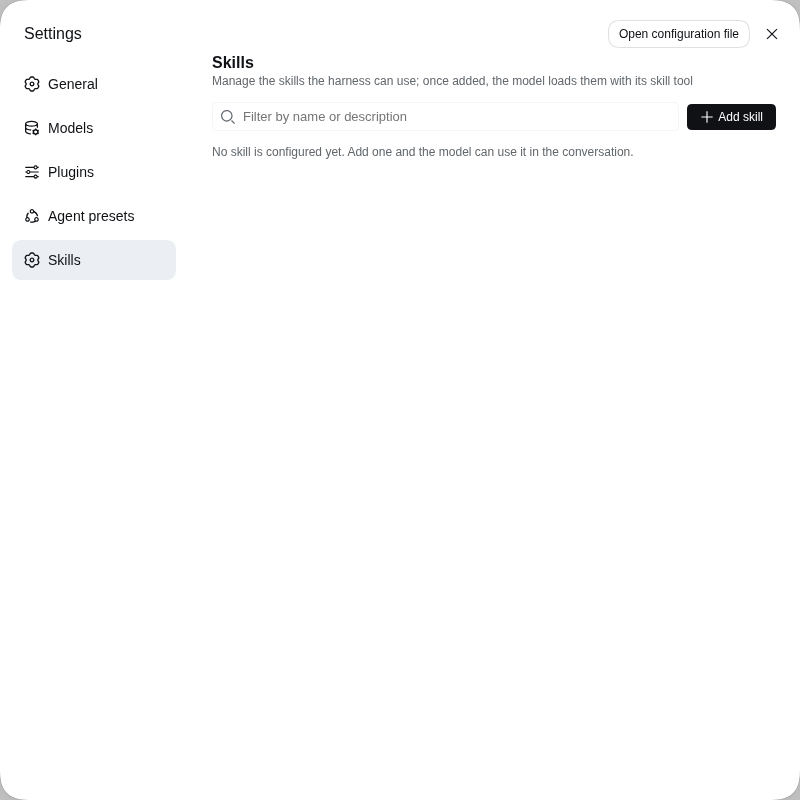
Open Settings → Skills — its own page in the settings nav, below Agent presets.
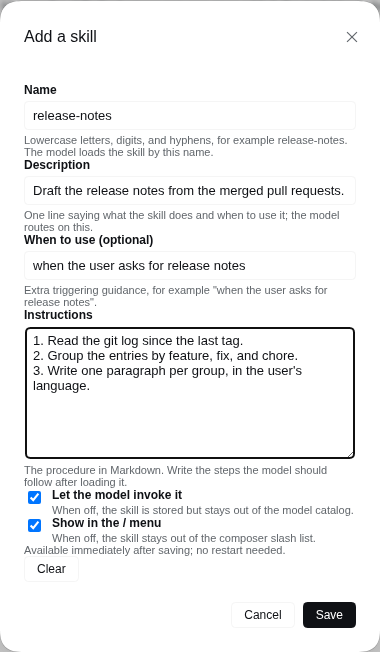
| Field | Meaning |
|---|---|
| Name | The skill's identifier: lowercase letters, digits and single hyphens, up to 64 characters. The model invokes the skill by this name. |
| Description | One line saying what the skill does and when to use it; the model routes on this text. |
| When to use (optional) | Extra triggering guidance, for example "when the user asks for release notes". |
| Instructions | The procedure in Markdown. Write the steps the model should follow after loading it. |
| Let the model invoke it | When off, the skill is stored but stays out of the model's skill catalog. |
| Show in the / menu | When off, the skill stays out of the composer's slash list. |
Add skill opens a dialog. Filling it in and pressing Save publishes the skill immediately — no restart.
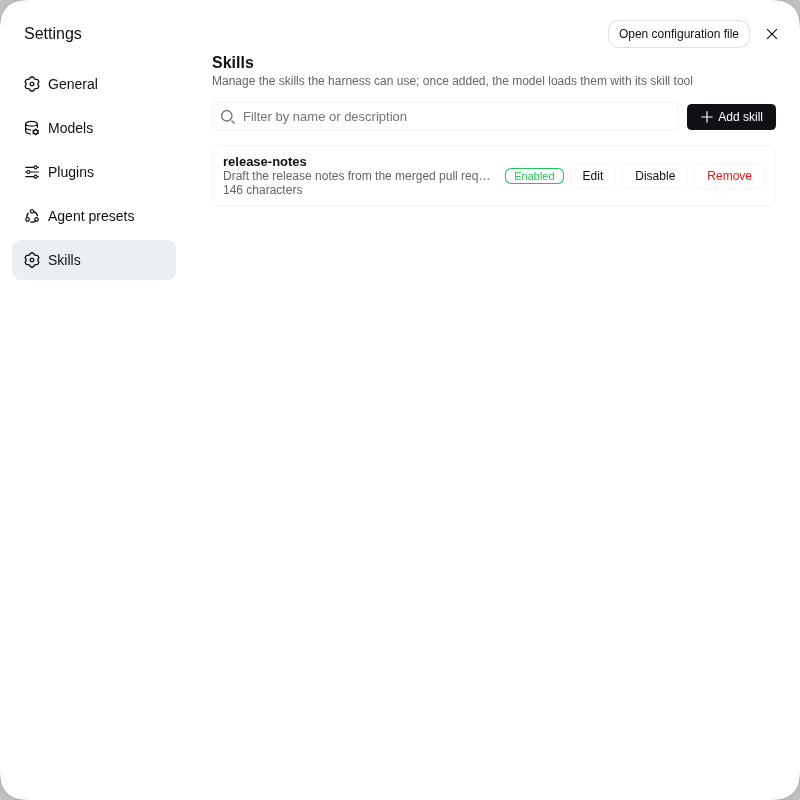
The page lists every configured skill with its description, size, enabled state and Edit, Enable/Disable and Remove controls. A name that already exists replaces that entry. The list pages five skills at a time, and the filter box matches on both the name and the description.
Import skills you did not write
Most published skills live in a repository or a .zip, not in a form. Import
skills in the toolbar reads one without writing anything first, then installs
the part you choose.
Give it one of:
- A repository address:
https://github.com/owner/repo. - A link to a directory inside one:
https://github.com/owner/repo/tree/main/skills/my-skill. - The shorthand
owner/repo. - A local
.zip, up to 8 MB, if the source is not on GitHub at all. A single wrapping folder inside the archive is removed automatically.
Preview reads the source and lists every skill it offers, with the description, file count and size the install would write. A skill the host cannot install is listed with the reason and cannot be ticked.
Tick what you want — everything installable is ticked for you, so a repository with a single skill needs no second click — and press Install. The dialog confirms what landed, and the list behind it refreshes.
A source is read by its shape: one SKILL.md at the root is one skill; a
skills/<name>/SKILL.md container or a <name>/SKILL.md collection is read as
that set of skills; a /tree/<ref>/<dir> link is read as exactly that
directory. Two directories that resolve to the same skill name install once, and
the skipped one is reported rather than silently overwritten.
When GitHub answers with a truncated listing for a very large repository, use Limit to a directory to narrow the read.
Manage skills from chat
skills_manager_list reads the current list; skills_manager_add,
skills_manager_remove and skills_manager_set_enabled change it.
skills_manager_import reads a source the same way the dialog does: called with
a source alone it previews, and called with names as well it installs them, so
the model can search a collection before committing to it. Every call returns
the fresh list with each skill's invocation flags and validation problems, so
you can ask the model to add a skill instead of filling the form.
Where the configuration lives
The card and the tools edit the same skills-manager section of
$DSH_HOME/settings.yaml. The skills array in cordis.patch.yml seeds the
composition base layer, so a profile or --patch overlay can preconfigure
skills, while the settings document stays the value that wins.
The plugin's composition entry also takes these options:
| Option | Default | Meaning |
|---|---|---|
skills | [] | The seeded skill list; the settings document wins over it. |
providerName | skills-manager | The name registered on ctx.skills. |
rank | the manager's own rank | Discovery order. |
tools | true | Whether to register the skills_manager_* tools. |
githubToken | none | Bearer token for the GitHub reads an import performs. |
githubToken is only needed for imports. GitHub answers anonymous API requests
60 times an hour per address, which one preview of a large collection can
exhaust, and a token is what reaches a private repository. Reads are anonymous
when it is absent.
Limitations
- One managed skill is one Markdown body. Bundled resources (scripts, templates,
reference files) are not part of this registry — use a
SKILL.mddirectory on disk for those. - Instruction bodies are stored as plain settings values, so keep secrets out of
them. An imported skill's
SKILL.mdbody becomes one, so importing a skill that carries a secret in its instructions writes that secret to$DSH_HOME/settings.yaml. - An import writes files, never a live link: the copy does not follow later commits in the source repository. Importing the same source again over an existing name replaces that skill, which is how a version is updated.
- One import is capped at 400 files, 2 MB per file and 24 MB per skill, so a skill whose value is a large dataset or a binary asset is not a good fit.
Rebuilding the bundled artifacts
lib/ and src/ are built inside a DeepSeek Harness checkout, because the
upstream build chain is workspace-coupled: the host bundle comes from the
repository-root tsdown config plus the Typert codegen plugin, and the browser
bundle from packages/client/tsdown.client.ts and its helpers. Building this
package standalone is therefore not supported.
git clone https://github.com/deepseek-ai/deepseek-harness
cd deepseek-harness && pnpm install && pnpm run build
cd /path/to/dsh-skills-manager
scripts/sync-from-harness.sh /path/to/deepseek-harness
The script refreshes lib/, src/ and cordis.patch.yml, re-applies this
repository's package name, and rewrites PROVENANCE.md with the harness version
and commit.
That checkout has to carry the manager package already, which upstream DeepSeek Harness does not — docs/harness holds the integration patch that puts it there.
Verify before publishing
npm run verify:install
It packs the tarball, checks the payload, installs it into a throwaway profile
with dsh plugin add file:<tarball>, and asserts that the composed profile tree
contains the skills-manager row. That is the gate that separates "works from a
checkout with link:" from "works the way a user installs it".
Releasing
The version in package.json, the v<version> git tag and the top section of
CHANGELOG.md move together; pushing the tag runs
.github/workflows/release.yml, which publishes the version to npm when it is
new and opens the GitHub Release. The full runbook — tag rules, the release
checklist and the npm token setup — is in RELEASING.md.
Licence
MIT, with the upstream copyright notice retained — see LICENSE and NOTICE.md.