dsh-workbuddy
faide-cyber/dsh-workbuddy
Bring WorkBuddy's free and paid models (domestic and international) into DSH — no WorkBuddy desktop app required.
インストール
dsh plugin --profile web add github:faide-cyber/dsh-workbuddyREADME
DSH WorkBuddy
Bring WorkBuddy's free and paid models (domestic and international) into DeepSeek Harness — no WorkBuddy desktop app required.




English · 中文
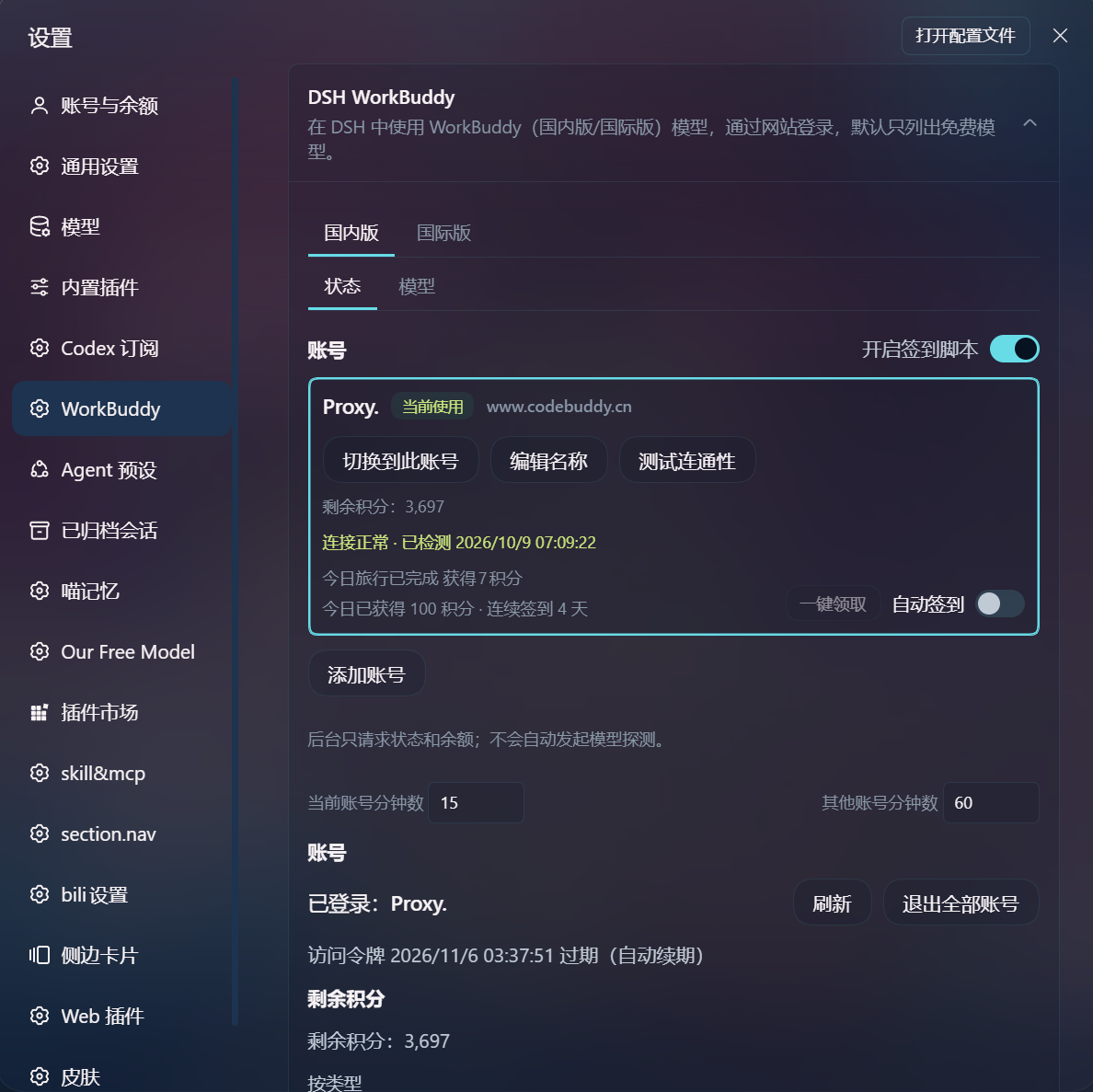
- Sign-in: per-region browser OAuth, no desktop sign-in at all; a credential from an installed desktop app can still be imported read-only
- Accounts: region-isolated multi-account list, explicit switching, credit display and warnings; accounts can be given their own names; the plugin's copies are kept apart from the desktop auth files
- One-click check-in: daily check-in, the cat's growth trip and every growth-center task (签到 / 猫猫旅行) collected in a single action; auto check-in is available and off by default
- Device isolation: each account's credential, its model catalog and its credit balance stand apart; switching accounts never touches in-flight requests
- Works out of the box: install it, enable it, and use it from DSH — no extra configuration; DSH 0.2.0-rc.2 desktop is supported today
Quick start
- Node 22+, with DSH installed.
- Install the plugin and start:
dsh plugin --profile web add github:Faide-cyber/dsh-workbuddy
dsh web
- Open Settings → Plugins → DSH WorkBuddy, click Connect, and sign in on the WorkBuddy page that opens.
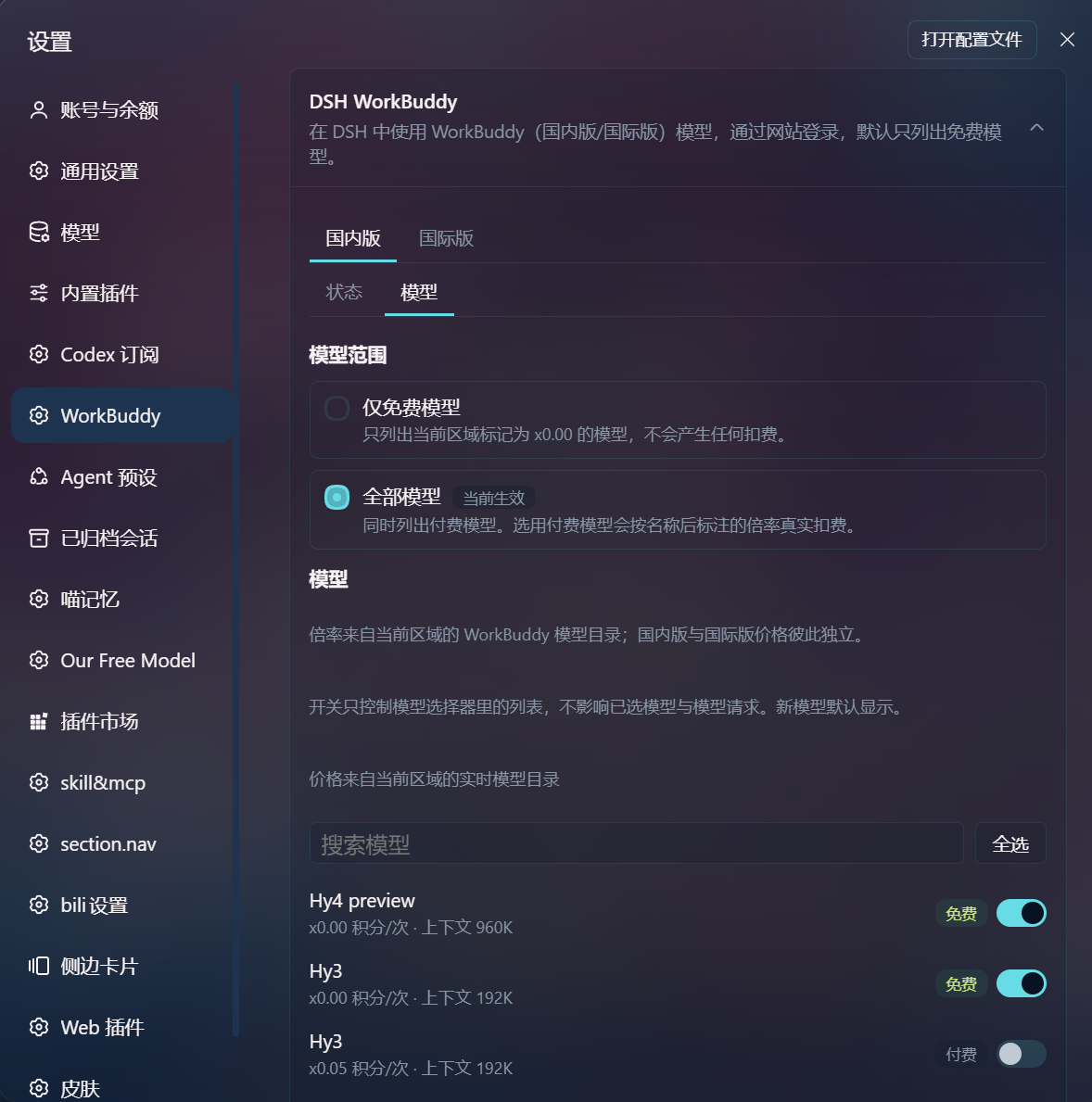
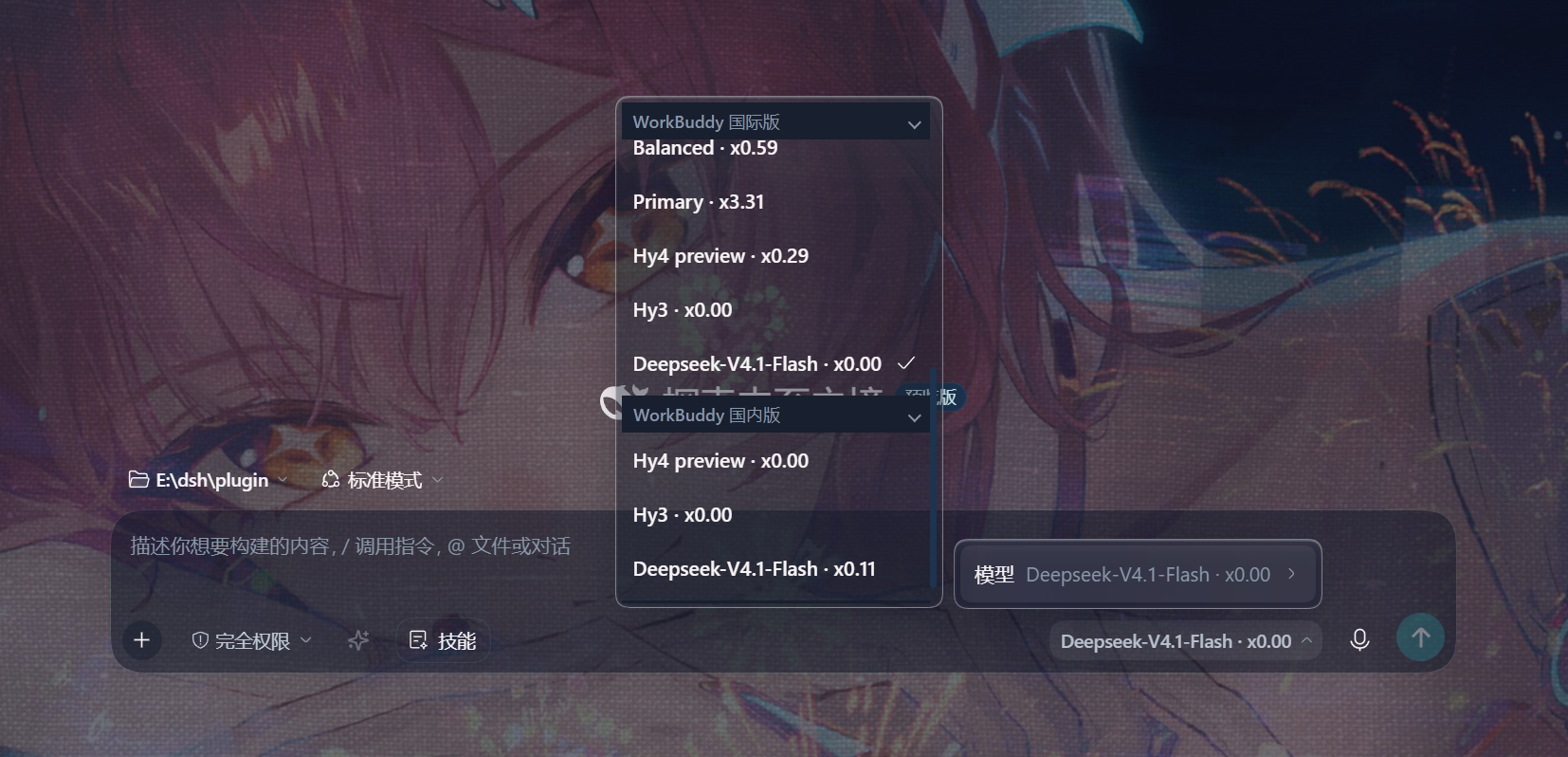
- Pick a WorkBuddy model in the model selector — with the default free models only scope, the list is exactly what that region's catalog prices
x0.00right now.
You can also sign in from a terminal:
dsh plugin --profile web exec dsh-workbuddy login
Restart dsh web after installing, updating, or signing in. Refreshing the browser is not enough — Node modules stay in memory.
The default model can be set in ~/.dsh/settings.yaml:
agent-default-model:
  provider: workbuddy-ai
  model: hy3
  reasoningEffort: high
Use an id the region actually lists: the model list is whatever that region's live catalog returns, so a pinned default can become stale. hy3 is free in both regions at the time of writing.
How sign-in works
Each region uses the official CLI auth endpoints independently:
POST /v2/plugin/auth/state?platform=CLI&nonce=(internationalwww.workbuddy.ai, domesticcopilot.tencent.com)- Open the returned
authUrl - Poll
GET /v2/plugin/auth/token?state=(upstream returns11217while still pending) - The token is written to the region's plugin copy: international
$DSH_HOME/.workbuddy-ai-auth.json, domestic$DSH_HOME/.workbuddy-cn-auth.json
The desktop app's workbuddy-desktop-ai.info (international) and workbuddy-desktop.info (domestic) are read-only — the plugin never writes them. It only stores its own per-region credential copies obtained through OAuth.
The settings card lists every imported account. Switching only affects subsequent requests; in-flight requests keep using the original account, and bulk credit/check-in operations do not change the current selection.
Disconnect / logout only deletes that region's own plugin credentials; the desktop app is untouched.
Configuration
Settings → Plugins → DSH WorkBuddy:
- Connect / Disconnect: per-region browser sign-in, or delete that region's plugin credentials
- Domestic/international account lists, explicit switching, remaining credits, and a connectivity test
- Tick domestic accounts, auto check-in (off by default)
- The active account refreshes read-only every 15 minutes and others every 60 minutes by default — configurable
- Free models only (default) / All models
Or configure it in the profile's cordis.patch.yml:
- id: llm-workbuddy
  config:
    modelScope: free          # international: or all
    cnModelScope: free        # domestic: or all
    probeConsent: false       # real model probing off by default
    autoCheckin: false        # domestic auto check-in off by default
    refreshActiveMinutes: 15
    refreshInactiveMinutes: 60
    # Hosts used to reach DSH Web over the LAN (do not add these to LOOPBACK)
    # allowedHosts: ["192.168.1.10"]
    # authFile / cnAuthFile: rarely needed; only for a non-default desktop credential path
Environment variables:
| Variable | Effect |
|---|---|
DSH_WORKBUDDY_AUTH_FILE | Override the international desktop credential path (OAuth credentials still go to the plugin's own file) |
DSH_WORKBUDDY_CN_AUTH_FILE | Override the domestic desktop credential path |
CLI
dsh plugin --profile web exec dsh-workbuddy login
dsh plugin --profile web exec dsh-workbuddy status
dsh plugin --profile web exec dsh-workbuddy doctor
dsh plugin --profile web exec dsh-workbuddy logout
status / doctor accept --json. logout only deletes $DSH_HOME/.workbuddy-ai-auth.json.
Troubleshooting
| Symptom | Fix |
|---|---|
| No card in settings / no WorkBuddy in the model list | Restart dsh web; refreshing the browser is not enough |
dsh web exits after clicking Connect | On headless Linux without xdg-open, update to a build with spawn error handling; use the sign-in link on the card |
403 request-not-trusted when opening the card over a LAN IP | Add that IP/hostname to allowedHosts; do not put it in the loopback list |
| Signed in but no models | The region's catalog request failed or returned nothing — check connectivity and whether the token is still valid; the list stays empty rather than borrowing the other region's models |
doctor says signed-out | Run login first, or confirm the international desktop app is signed in |
| Want paid models | Switch the scope to "All models" on the settings card — credits will be burned |
dsh plugin --profile web exec dsh-workbuddy doctor
Disclaimer
For personal learning and research only, driving your own WorkBuddy account on your own machine. Follow the WorkBuddy terms of service. This project is not affiliated with Tencent, WorkBuddy, or DeepSeek.