F
dsh-capability-hub
fengguanghuai/dsh-capability-hub
Unified capability hub for organizing MCP servers, tools, and skills into switchable suites with per-session injection.
インストール
dsh plugin --profile web add github:fengguanghuai/dsh-capability-hubREADME
@fengguanghuai/dsh-capability-hub



English | 简体中文
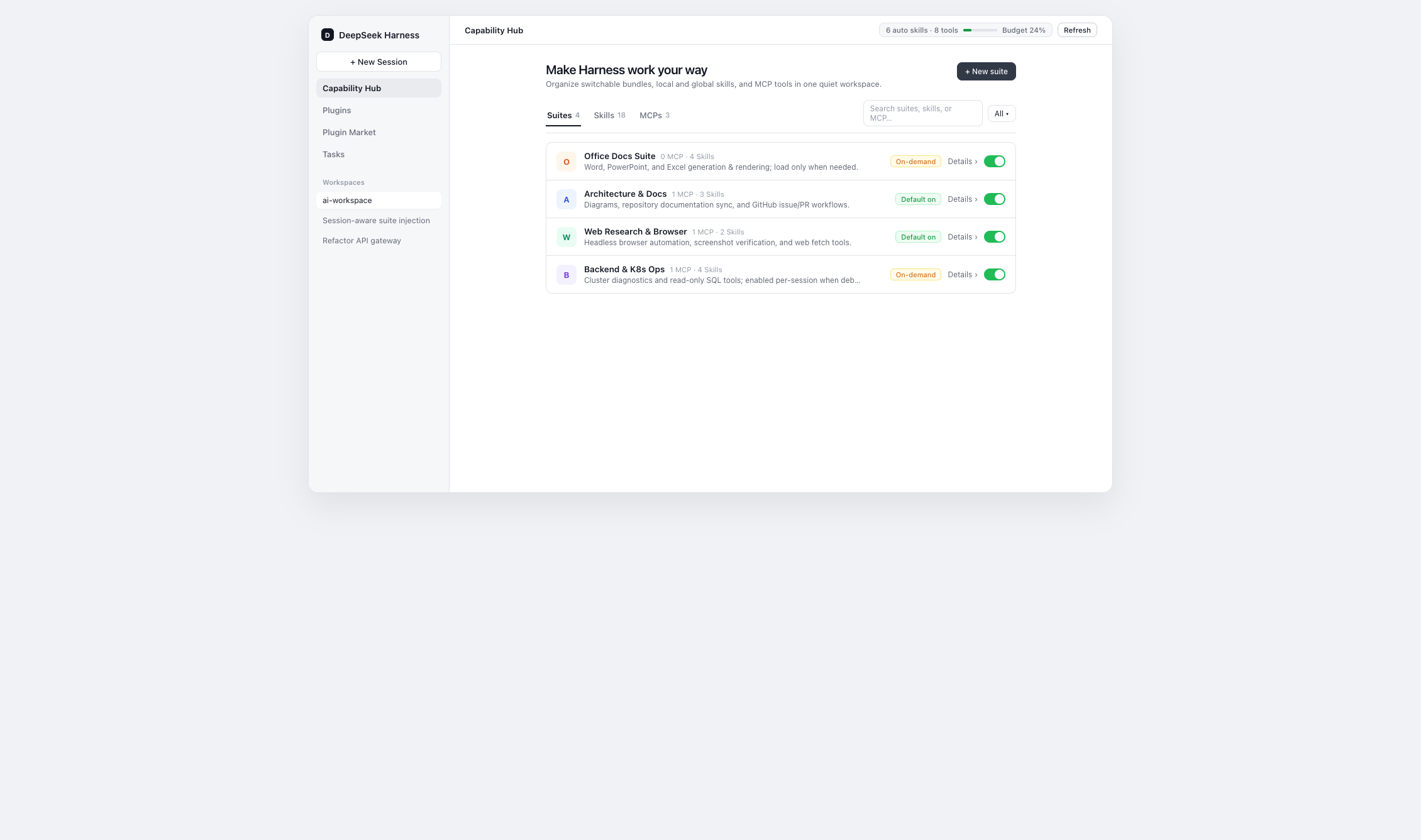
A unified capability hub for DeepSeek Harness (DSH) that lets you organize Skills and MCP servers into switchable suites, control per-session capability injection from the chat composer, and manage local skills end-to-end without cluttering your context window.
Preview
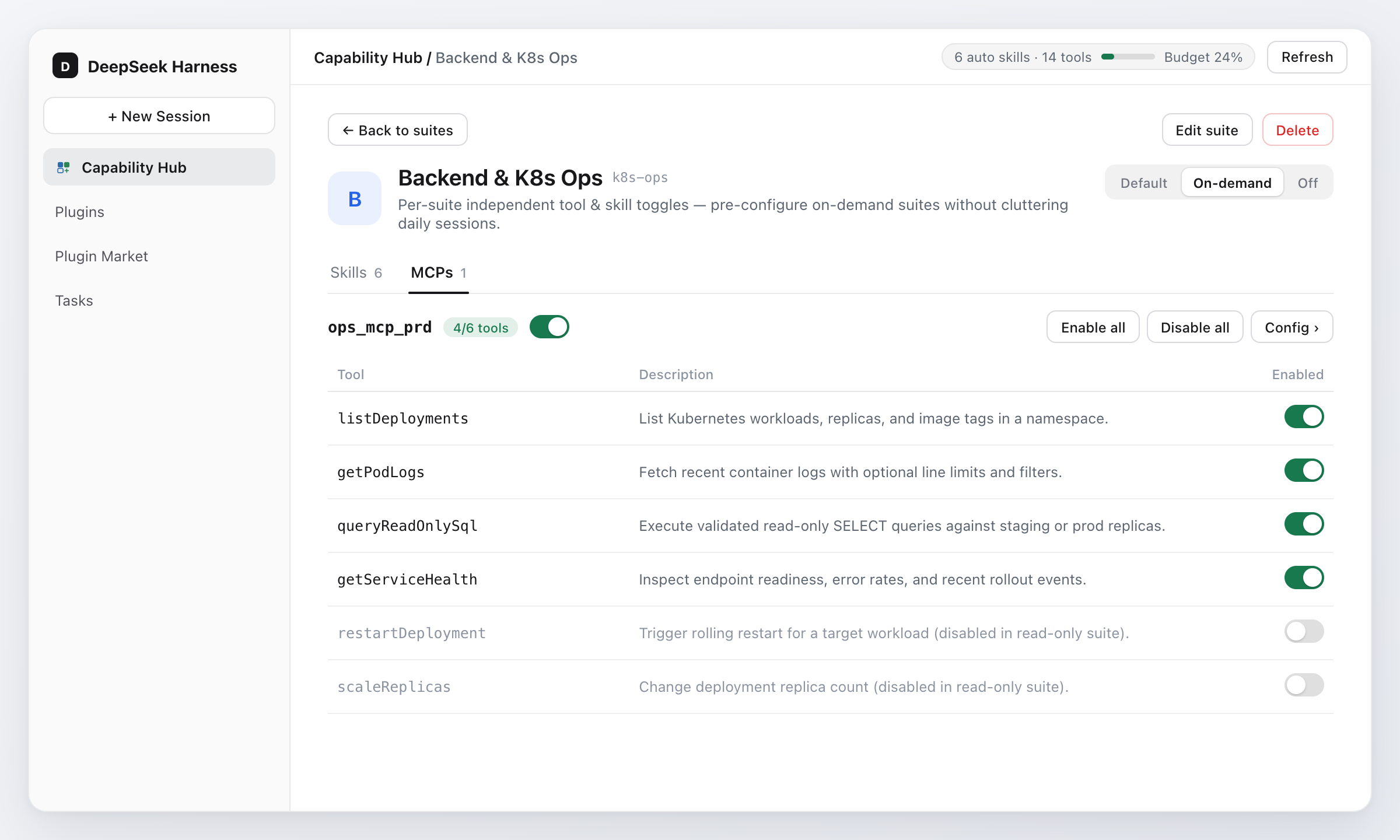
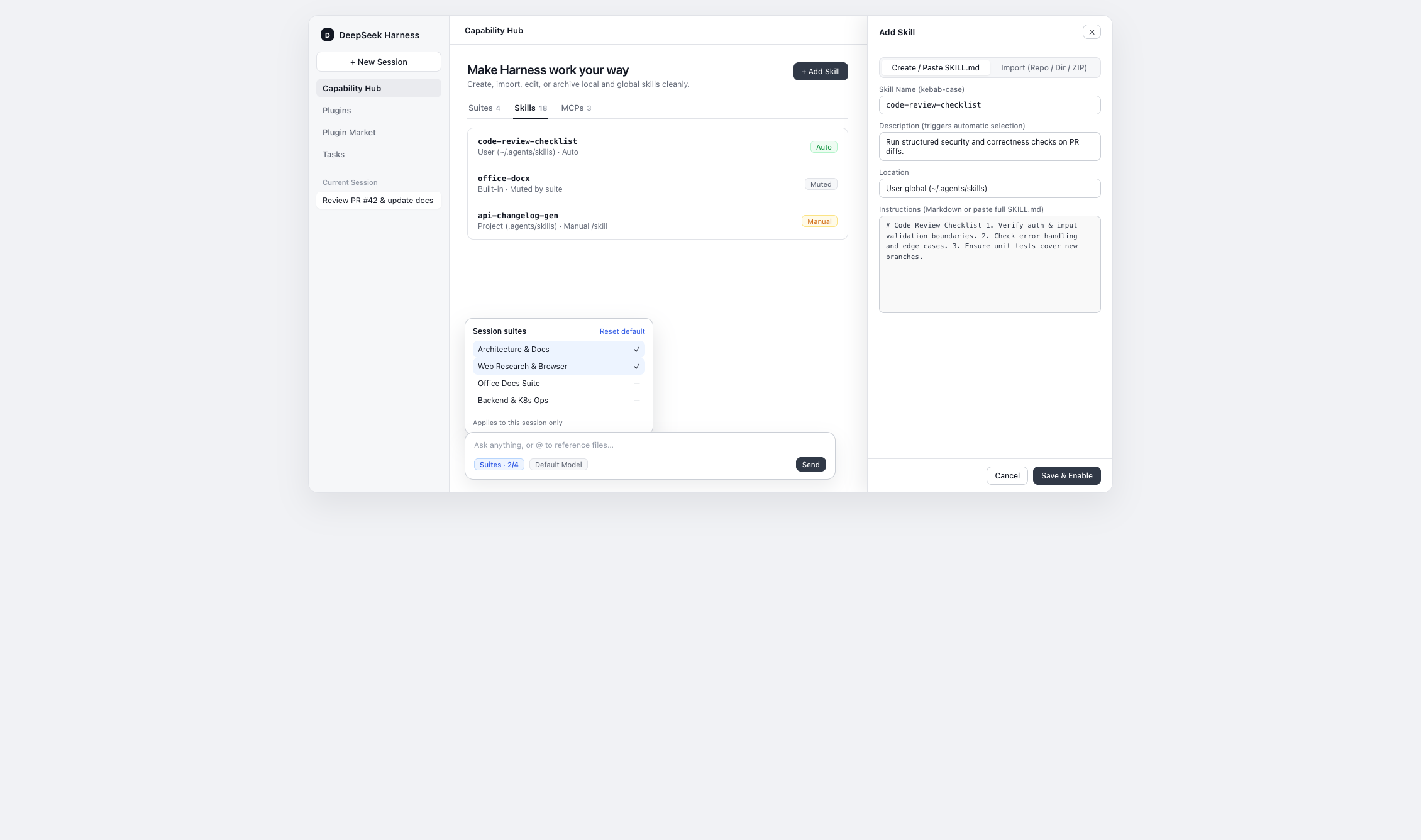
| Suites & Budget Overview | Per-Suite MCP & Skill Controls | Skills & Per-Session Composer |
|---|---|---|
 |  |  |
Key Features
- Switchable Capability Suites: Group related MCP servers and Skills into scenario suites (e.g., Office docs, architecture/artifacts, media workflows) and toggle them with one click.
- Per-Session Injection (Composer Popover): Pick which suites are active for the current session directly from the chat composer without affecting global defaults or other sessions. Subagents inherit their parent session's active suites automatically.
- Non-Destructive Skill Policy: Override Skill invocation between
auto,manual(/skill-only), andmutedin memory—never dirtyingSKILL.mdfiles on disk. - Full Skill Lifecycle:
- Create / Paste: Write or paste a
SKILL.md(with automatic frontmatter parsing) into user (~/.agents/skills,~/.dsh/skills) or project (.agents/skills,.dsh/skills) directories. - Import: Install from a repository (
npx -y skills add), import from a local directory, or upload a.ziparchive (with path-traversal protection). - Edit & Safe Uninstall: Edit writable
SKILL.mdfiles in place, or remove them by archiving to~/.agents/skills-disabled/or permanently deleting them (while cleaning up suite references). Built-in/bundled skills remain read-only.
- Create / Paste: Write or paste a
- Granular MCP Control: Toggle individual
mcp__<server>__<tool>tools, reconnect servers, or add customstdio/streamable-httpMCP servers. - Agent Tool (
capability_hub): Exposes status inspection, suite/skill/MCP toggling, and skill management directly to the agent.
Installation
Via CLI (Recommended)
# Install from npm into the web profile
dsh plugin --profile web add @fengguanghuai/dsh-capability-hub

# Or without a global dsh install
npx @deepseek-ai/dsh plugin --profile web add @fengguanghuai/dsh-capability-hub

# Or install directly from GitHub
dsh plugin --profile web add github:fengguanghuai/dsh-capability-hub
Restart
dsh web(or reopen the desktop app) after installing if the sidebar entry does not appear immediately.
Via DeepSeek Harness UI
Open Plugins → Add plugin and enter either:
@fengguanghuai/dsh-capability-hubgithub:fengguanghuai/dsh-capability-hub
Update & Uninstall
# Update to the latest version
dsh plugin --profile web update @fengguanghuai/dsh-capability-hub

# Remove the plugin
dsh plugin --profile web remove @fengguanghuai/dsh-capability-hub
Disabling or removing this bundle immediately restores default tool and skill visibility.
Quick Start
- Open Capability Hub from the top-left sidebar.
- Switch between the Suites, Skills, and MCPs tabs—the top-right action button adapts automatically (
+ New Suite/+ Add Skill/+ Connect MCP). - Create a suite by selecting related MCP servers and Skills.
- In any chat session, click the Suites pill in the chat composer to override active suites for that session only (subagents inherit the selection automatically).
Architecture
flowchart TB
  subgraph UI["Web UI (client.js)"]
    Sidebar["Sidebar Entry (Capability Hub)"]
    Hub["Main Panel (Suites · Skills · MCPs)"]
    Drawer["Right Drawer (Inspect · Create · Import · Edit)"]
    Composer["Chat Composer Pill (Per-Session Suites)"]
  end

  subgraph Core["Cordis Plugin Runtime (index.js)"]
    API["HTTP API (/api/capability-hub) and Agent Tool (capability_hub)"]
    State["State Store (~/.dsh/capability-hub/state.json)"]
    SkillPolicy["Skill Policy Provider (in-memory auto / manual / muted)"]
    ToolFilter["Session Tool Filter (per-session and subagent inheritance)"]
    SkillFS["Skill Lifecycle Manager (save · import repo/local/zip · archive/delete)"]
    McpMgr["Custom MCP Manager (stdio · streamable-http)"]
  end

  subgraph Disk["Runtime and Local Storage"]
    AgentCtx["Live DSH Sessions and Subagents"]
    SkillDirs["Skill Directories (~/.agents/skills, .agents/skills)"]
    ArchiveDir["Archive (~/.agents/skills-disabled/)"]
  end

  Sidebar --> Hub
  Hub --> Drawer
  Hub --> API
  Composer --> API
  API --> State
  State --> SkillPolicy
  State --> ToolFilter
  API --> SkillFS
  API --> McpMgr
  SkillPolicy --> AgentCtx
  ToolFilter --> AgentCtx
  SkillFS --> SkillDirs
  SkillFS --> ArchiveDir
Data, Permissions & Safety
- Local State: Persists suite definitions, skill policy overrides, and custom MCP metadata in
~/.dsh/capability-hub/state.json. - Skill Files: Reads/writes user-managed skills under
~/.agents/skills,~/.dsh/skills,.agents/skills, and.dsh/skills. Archiving moves skills to~/.agents/skills-disabled/. Built-in skills remain read-only, and skill policy overrides (auto/manual/muted) stay in memory without modifyingSKILL.md. - External Commands: Importing a skill from a Git repository invokes
npx -y skills add. - Exposed Surfaces: Registers the local HTTP endpoint
/api/capability-huband thecapability_hubagent tool. - Privacy: Runs entirely locally with no telemetry or external data collection.
Development & Testing
node --check index.js
node --check client.js
node test.mjs