dsh-prompt-optimizor
grampusworld/dsh-prompt-optimizor
Rewrites the composer draft into a tighter prompt in one click and restores the exact original in another, running on Harness's own models by default or any OpenAI-compatible endpoint, with an editable polishing prompt.
インストール
dsh plugin --profile web add github:grampusworld/dsh-prompt-optimizorREADME
Prompt Optimizor
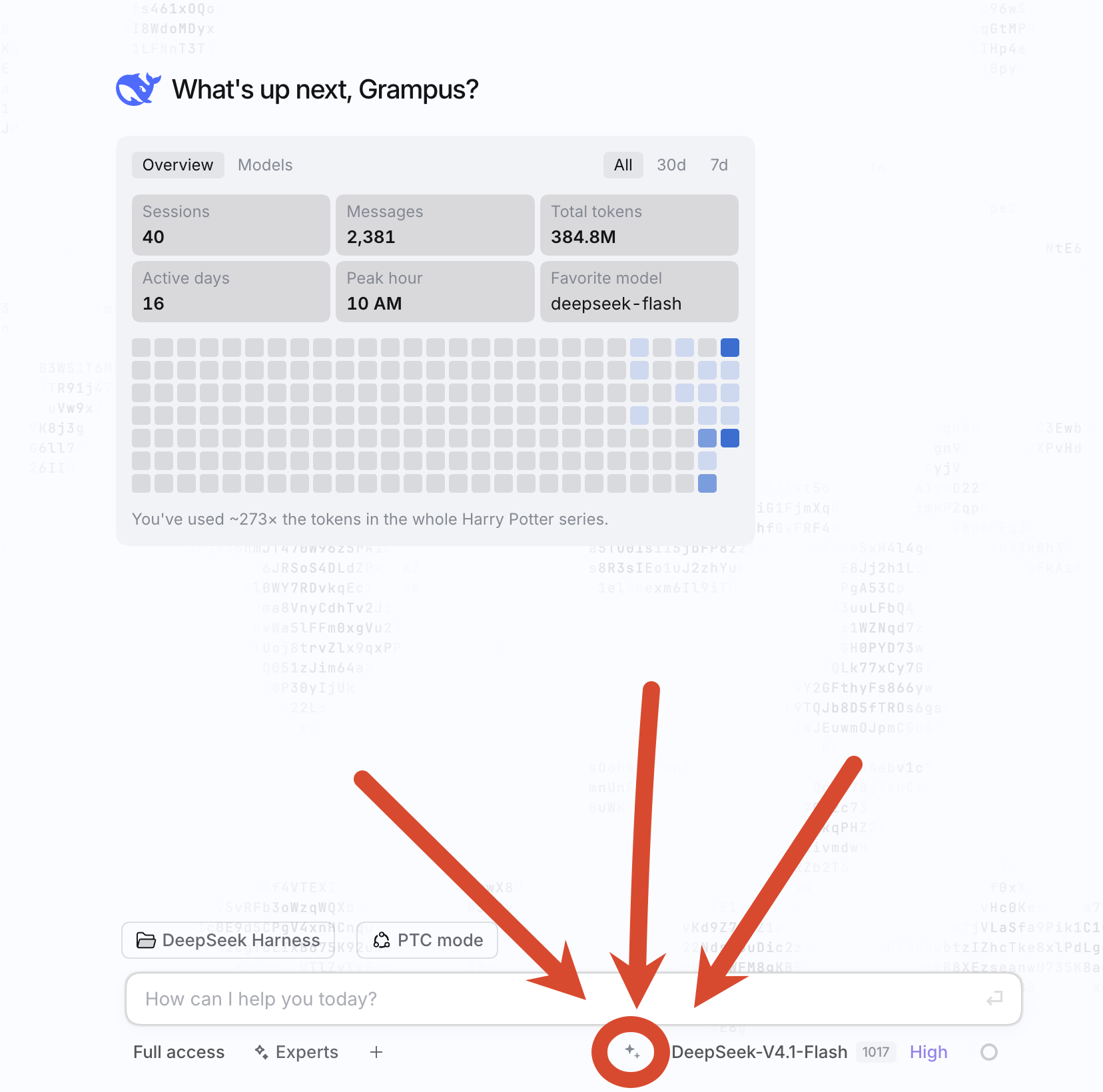
A DeepSeek Harness plugin that puts a small ✦ button next to the composer: one click rewrites the draft into a tighter prompt with the model you pick, a second click puts the original back.
What it does
- Adds a ✦ button to the composer's right-hand control row.
- Click once — the current draft is sent to the configured model and replaced in place with the polished prompt. The button turns into "restore".
- Click again — the draft goes back to exactly what it was before the first click.
- Click while a request is running — cancels it; the draft is left alone.
- Drafts that contain attachment or
@-reference placeholders are skipped with a hint instead of being rewritten, so references are never dropped. - Ships its own settings panel under Plugins → Prompt Optimizor.
The button sits at the bottom-right corner of the composer:
Install
dsh plugin add github:Grampusworld/dsh-prompt-optimizor
From a local checkout, use the plugin manager instead:
plugin_manager action=install_bundle target=/absolute/path/to/dsh-PromptOptimizor
Reload after editing the source: disable and re-enable the plugin (or refresh the page).
Settings
| Field | Meaning | Default |
|---|---|---|
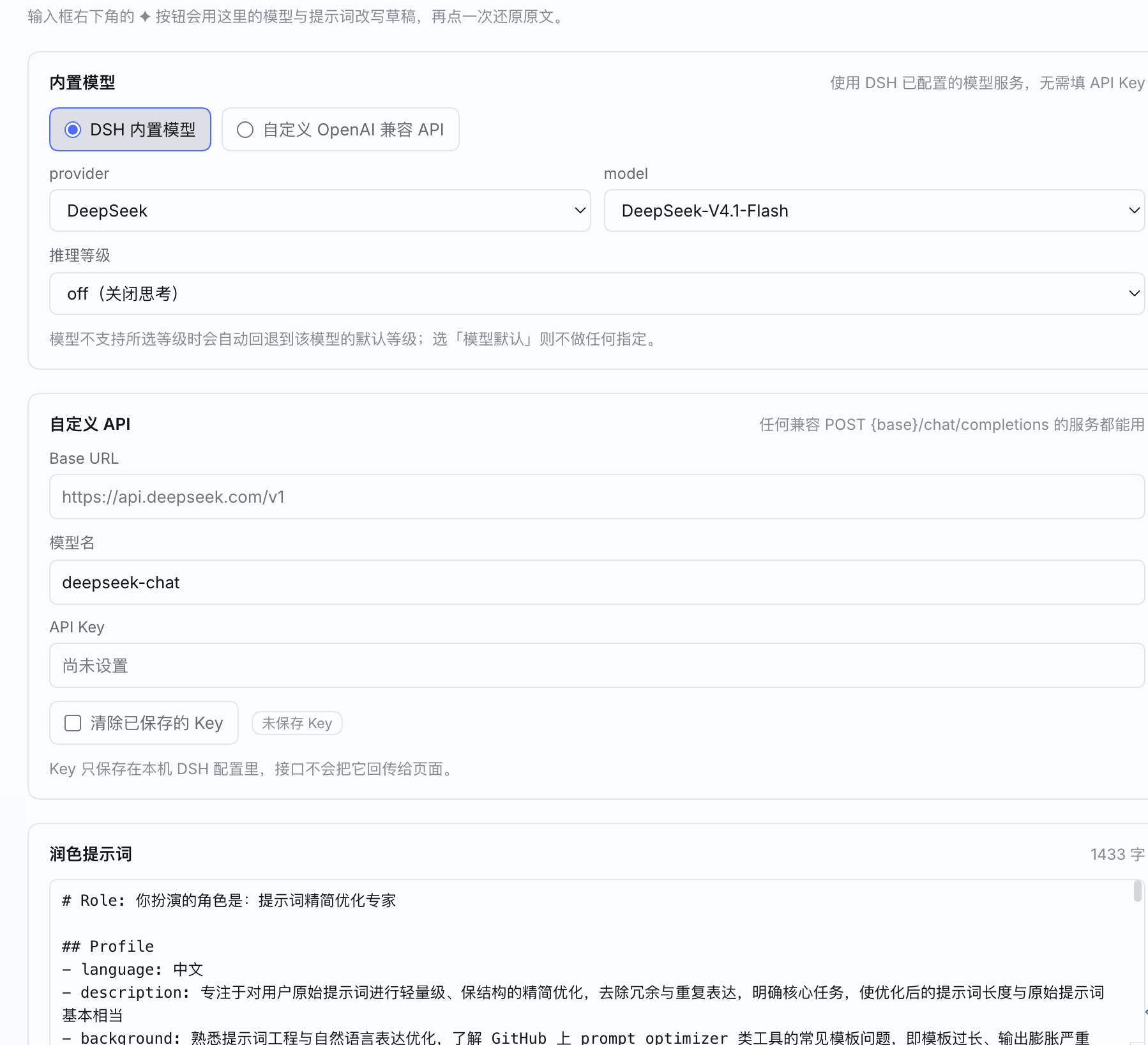
| Mode | Built-in model (uses the models already configured in Harness, no API key needed) or Custom OpenAI-compatible API | Built-in |
| provider / model | Used in built-in mode; the list comes from Harness' own model catalog | deepseek-official / deepseek-flash |
| Reasoning effort | Model default / off / low / high / max; falls back to the model's default when unsupported | off |
| Base URL / Model name / API key | Used in custom mode; any service that accepts POST {base}/chat/completions | empty / deepseek-chat / empty |
| Polishing prompt | System instruction sent to the model; saving an empty value restores the default | built-in "prompt compressor" prompt |
| Max characters | Requests above this are refused with a hint instead of being sent | 8000 |
| Request timeout | Milliseconds | 60000 |
Save and test saves first, then runs a sample prompt end to end and shows the before/after.
How it works
- Host half (
index.js) registers/api/prompt-optimizor/{state,catalog,optimize,test}. The routes accept loopback peers only, requireapplication/jsonon POST, and cap request bodies at 256 KiB. Two polishing paths:- built-in mode streams through
ctx.llm.stream, so it uses the providers Harness already has; - custom mode fetches any OpenAI-compatible
/chat/completionsendpoint.
- built-in mode streams through
- Browser half (
client.js) mounts the button intoconversation.input.right(rewriting the draft throughinputActions.setDraft) and the settings panel intoplugins.bundle.config. - Configuration is read and written through the
settingsservice under the namespacedsh-prompt-optimizor; the schema is declared withschemastery, so no manualpackage.jsonorcordis.patch.ymledits are needed.
Privacy
The API key is stored in your local Harness profile configuration and is never sent back to the page — GET /api/prompt-optimizor/state only answers hasApiKey. Requests go from your machine straight to the provider you configured.
Development
node --check index.js && node --check client.js
License
MIT.