dsh-ui-shadow-token
haoliangwu/dsh-ui-shadow-token
インストール
dsh plugin --profile web add github:haoliangwu/dsh-ui-shadow-tokenREADME
dsh-ui-shadow-token
DSH web chat token badge — shows each assistant message's input/output token usage in a small pill at the message's top-right corner.
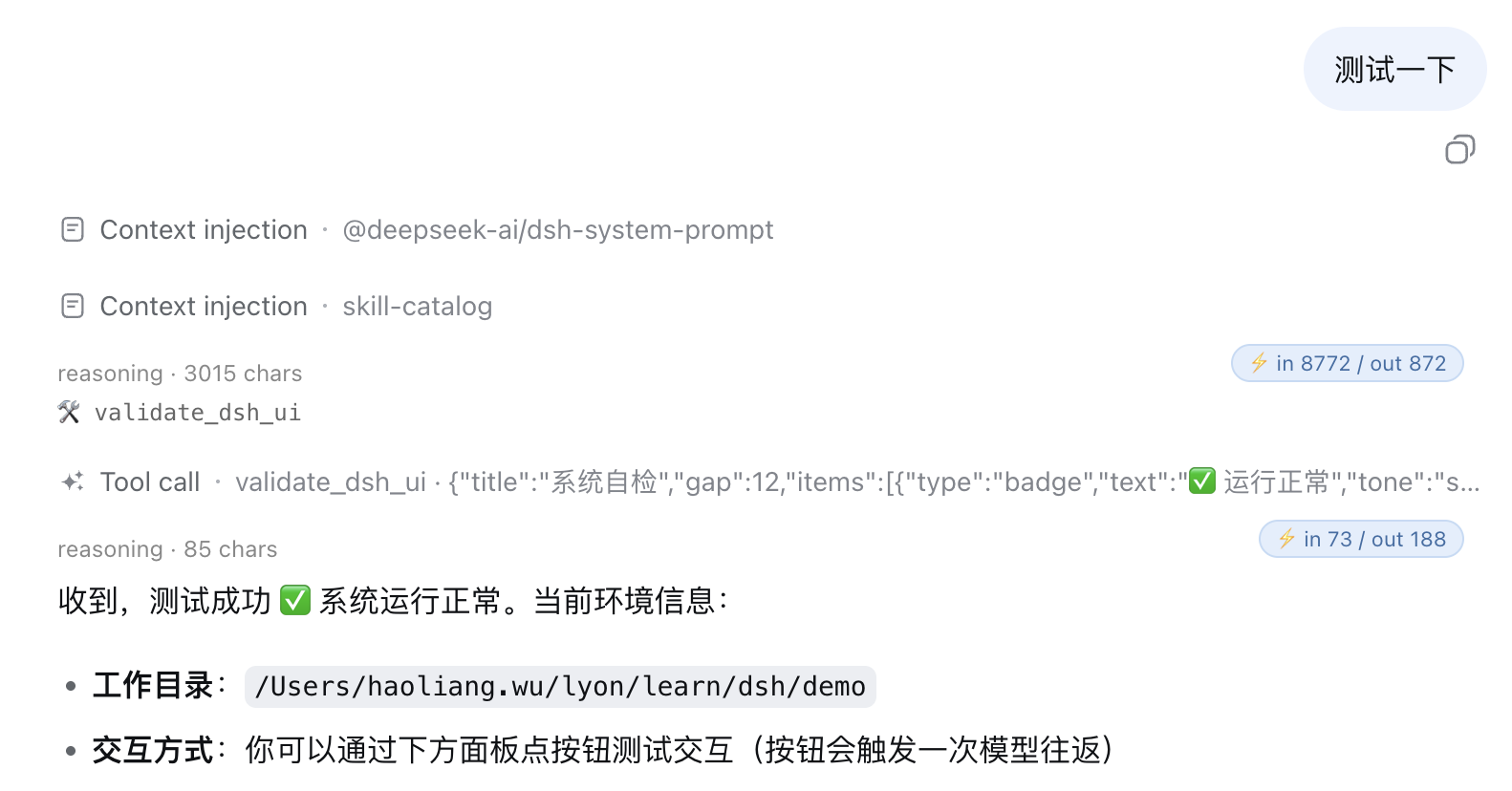
A web client plugin for DeepSeek Harness. It shadows the keyed conversation.chat.node slot's assistant-step entry at slot priority -1, so every assistant message renders the stock content plus a ⚡ in {input} / out {output} badge in its top-right corner.
The badge reads the finalized message's usage payload (input/output/cache/reasoning tokens) with the same defensive narrowing the in-repo turn-metrics uses; while a message is still streaming and has no settled usage, the badge stays hidden. The stock assistant rendering — markdown, reasoning, tool rows, images — is untouched; only the pill is added.
Install
dsh plugin --profile web add github:haoliangwu/dsh-ui-shadow-token
Built lib/ is committed, so the git install is one line — no prepare script, no allowBuilds permission. Restart dsh --profile web after install (bundle layer stacks compose at boot).
Why slot priority -1
The conversation.chat.node slot is keyed by the node's kind: entryKey = routedNode.kind. The default assistant-step entry registers at priority 0. Keyed slot occupancy throws on same-key same-priority duplicates (fail loud), while a lower absolute priority shadows the default — the ledger sorts ascending and the lowest renders. Our entry registers the same key at priority: -1:
- every
assistant-steprender resolves to this plugin's component; - the default renderer stays in the ledger as an inert fallback (upstream upgrades keep working; the default simply never renders);
- any other kind (
user,tool,turn-tail, …) is untouched — the default turn-tail footer (Ran for …,TTFT …,tok/s) still renders under the badge.
This is the client-slot alternative to disabled: true + re-registration: the slot declaration, seat dispatcher, and business-node state machines all stay in ui-conversation; the plugin only contributes one keyed renderer.
How it works
- The badge is pure client rendering. The node half is an empty
apply; all behavior lives in./client, registered as adsh.clientweb platform package. No host service, no RPC channel, no model-visible input, no session-log events. - Usage is read defensively from the node data.
AssistantMessageNode.usageis typedunknownand carries aTokenUsageat runtime (inputTokens/outputTokens/cacheReadTokens/cacheWriteTokens/reasoningTokens). The component narrows it the same way the in-repoturn-metrics.tsdoes, so a future shape change degrades to a hidden badge, never a crash. - The badge text comes from a locale namespace.
shadow-token(zh/en) interpolates{input}/{output}placeholders; thelocaleseat is provided automatically by the registration (PropsLocalemechanism). - The bundle id equals the row name. client-modules keys browser registration by the client row's
name; the tsdown bundle id andcordis.patch.ymlrow name are bothdsh-ui-shadow-token, or the browser shell throws "loaded without registering".
Build from source
pnpm install
pnpm build         # emits lib/index.js, lib/invariant.js, lib/client.js + sourcemaps
pnpm typecheck     # tsc --noEmit (types resolve via tsconfig paths to the local dsh profile)
lib/ is committed to the repo so git installs work without a build step. After changing source, run pnpm build and commit the updated lib/.
License
MIT