qiaomu-home-dsh
joeseesun/qiaomu-home-dsh
セッション検索、最近の会話、毎日のタスク、集中タイマーを備えたHarnessスタートページを追加します。
インストール
dsh plugin --profile web add github:joeseesun/qiaomu-home-dshREADME
乔木 Home · DeepSeek Harness 起点页
v0.3.3:DeepSeek Harness 0.2.2-rc.1 兼容更新。本次验证范围。
中文 · English
每天打开 DeepSeek Harness,先看见该继续的事:找回会话、记下今日重点,然后开始工作。
A calm home for DeepSeek Harness: find a conversation, choose today's priorities, and get going.



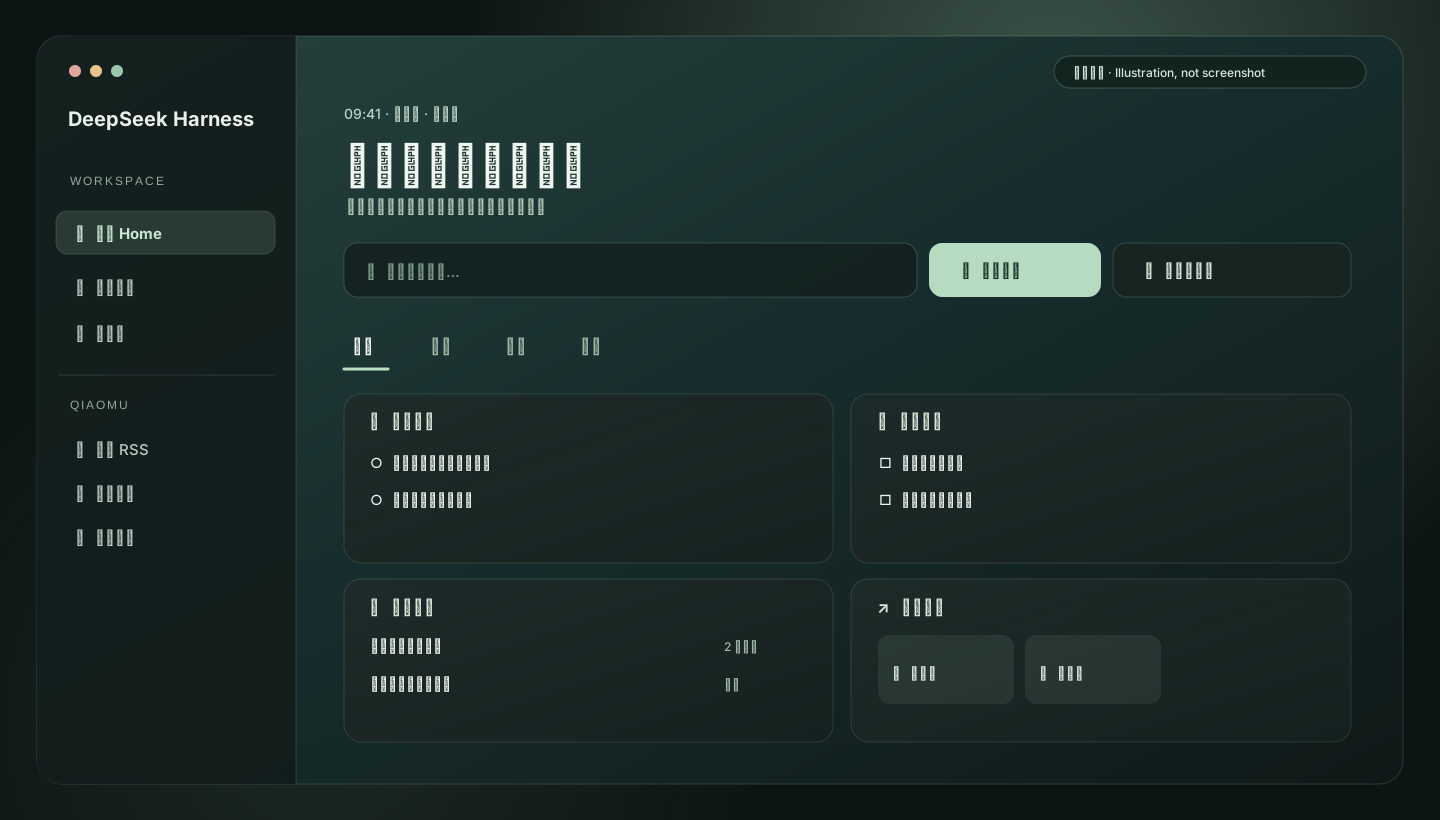
图为按当前组件结构绘制的界面示意,并非运行截图。 本仓库提供源码与本地安装方式;尚未发布到 DSH 插件市场。v0.3.3 已在独立 rc3 profile 验证真实主页和待办交互,详见本次验证记录。
为什么做这个插件
DeepSeek Harness 的会话、工作区和插件入口散落在不同位置。乔木 Home 给它们一个安静的起点:常用动作放在前面,记录和专注工具按需切换。它源自 Obsidian 版乔木 Home 的产品思路,为 DSH 重新实现。
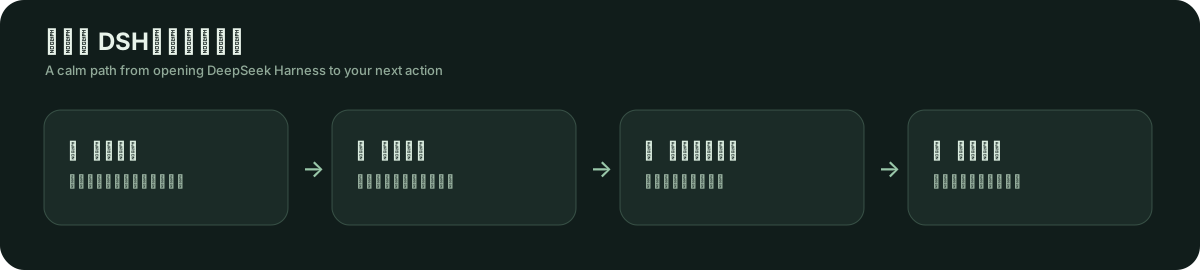
你可以做什么
| 页面 | 日常动作 | 具体能力 |
|---|---|---|
| 主页 | 找回工作、确定今天要做什么 | 会话全文搜索、最近会话、最多三项今日重点、待办、常用入口 |
| 记录 | 留住临时想法 | 快速记录并复制为 Markdown、便签、每日一问、会话活动热力图 |
| 专注 | 开始一段不受打扰的工作 | 专注计时、白/粉/棕噪音、习惯打卡、时间进度、世界时钟 |
| 探索 | 查资料、看一眼外部信息 | 分组多站搜索(网页、书籍、视频、音乐、AI 学习、论文、词典、翻译、GitHub)、自定义搜索站点、每日一句、任意城市天气、日期倒计时 |
页面顶部支持精选壁纸、每日更换和纯渐变;可自定义问候文案(Tab 栏右侧的「外观」)。卡片按各自高度紧密排列(masonry 布局)。组件与 Tab 的布置交互对标 Obsidian 版:
- 组件库(Tab 栏右侧按钮):弹窗内搜索、带数量的分类芯片(方向键切换)、只看未添加,按分类分组;每个组件显示真实内容预览、一句话说明和「也在哪些 Tab」,一键添加或移除,也可切换目标 Tab。
- 布置模式(齿轮按钮):拖动卡片或 Tab 调整顺序,拖到边缘自动滚动,落点有标记线;键盘可用
Alt+↑/↓。 - 卡片
⋯菜单:组件设置(显示数量 1–6;多站搜索可选「回车打开全部/只开第一个」)、移到其他 Tab、前移/后移、移除。移除、删除 Tab、移动、重置都可撤销。 - 快捷入口分组:每个分组是一张独立的卡片,可新建、重命名、删除(可撤销)、跨 Tab 移动;条目可添加、编辑(名称、网址、站点图标或内置图标)、前移后移、移除,布置模式下拖动排序;组件库里可把浏览器导出的书签 HTML 预览后导入为一个新分组(最多 50 个不同的 http(s) 网址,文件需小于 2 MB)。
- Tab:
+新建(空白或 7 种模板:主页、工作台、专注、记录、阅读、节奏、探索),右键或⋯打开菜单:重命名、复制、前移/后移、恢复默认布局、删除(带确认);主页固定在首位。Tab 是标准标签页,支持←→HomeEnd。
组件内容在各 Tab 之间共享,旧版隐藏设置会自动迁移。界面文案提供中文和英文,跟随 DSH 语言。
与 Obsidian 版的功能取舍见 组件能力对照。
用起来是什么样
- 从 DSH 侧栏打开 乔木 Home。
- 在顶部搜索框查会话内容;按
↑/↓选择,Enter打开,Esc清空。 - 写下最多三件今日重点。未完成的重点会结转到第二天。
- 需要专注时切到「专注」,选 15 / 25 / 45 / 60 分钟计时。
- 点击 Tab 栏右侧的「组件库」添加组件,或点齿轮进入布置模式拖动排序;也可用
+从模板新建 Tab。
安装
下载 v0.3.3 预构建包 中的 tgz 和 SHA256SUMS,校验后执行:
shasum -a 256 -c SHA256SUMS
dsh plugin --profile desktop add /absolute/path/qiaomu-home-dsh-0.3.3.tgz
Web 用户将 desktop 换成 web,随后重载对应 profile。下面是开发者源码安装方式。
前提: 已安装 DeepSeek Harness,且可以在本地 profile 中安装 bundle。这个仓库是源码仓库,不是 npm 发布包。
git clone https://github.com/joeseesun/qiaomu-home-dsh.git
cd qiaomu-home-dsh
npm ci
npm run build
npm test
随后在 DSH 的插件管理工具中使用 install_bundle,把 target 指向克隆目录的绝对路径,再重启 DSH。安装成功后,侧栏应出现「乔木 Home」入口。不要把下面的工具调用示意当成终端命令:
plugin_manager install_bundle
  target=/absolute/path/to/qiaomu-home-dsh
手动配置本地 desktop profile
在 profile 的 package.json 中,将 qiaomu-home-dsh 加入 dsh.profile.bundles,并加入依赖:
{
  "dependencies": {
    "qiaomu-home-dsh": "file:/absolute/path/to/qiaomu-home-dsh"
  }
}
在该 profile 目录执行 pnpm install,然后重启 DSH。若采用此方式,请确认 profile 的插件配置启用了 qiaomu-home。路径需按你的机器修改。
数据与联网边界
- 待办、重点、习惯、记录、便签、回答、快捷入口和页面设置保存在当前 DSH 浏览器环境的
localStorage,键为dsh-qiaomu-home:v1。包名调整后仍沿用此键,以保留已有数据;这些内容目前不会自动同步到其他设备或工作区。 - 会话搜索使用 DSH 的本地会话服务;本插件不提供账号或遥测。
- 选择壁纸时,图片从
images.unsplash.com加载,并在界面显示摄影师署名。快捷网址的图标来自icons.duckduckgo.com,会向该服务发送站点域名。 - 天气仅在搜索或选择地点后请求
geocoding-api.open-meteo.com与api.open-meteo.com;多站搜索仅在用户提交时打开目标网站。白噪音在本机生成。
开发与验证
npm ci
npm run build  # 生成并自检 client.js
npm test       # 纯逻辑、组件渲染和插件注册测试
npm run harness 会在 http://localhost:8765/index.html 起一个浏览器测试页(真实 React、同一份源码,桩掉 DSH 服务;加 ?w=420 看窄宽度)。清空 localStorage 并刷新后,在控制台执行 await (await import('/checks.js')).run(),会跑一遍真实 DOM 交互检查:组件库、菜单、拖拽、撤销、快捷入口、书签导入,每行以 PASS 或 FAIL 开头。它补的是渲染测试覆盖不到的事件行为,不能替代在真实 DSH 里的验证。
client.js 是 DSH 加载的构建产物,应与源码一起提交。index.js 是宿主入口;src/client/ 包含页面、卡片、状态、字典和样式;cordis.patch.yml 声明宿主插件行。CI 在 pull request 和 main 推送时运行构建与测试。
验证范围: v0.3.3 通过构建和 50 项测试,并在独立 rc3 profile 完成主页与待办交互验收。移动端和跨设备同步未验证。详见 rc3 验证记录。
参与和许可
欢迎通过 Issues 反馈真实工作流中的问题。代码贡献请看 CONTRIBUTING.md,安全问题请看 SECURITY.md。
本项目采用 GPL-3.0-only,与 Obsidian 版一致。精选壁纸通过 Unsplash 图片地址加载,图片仍受各自作者及平台条款约束。
English
Qiaomu Home brings a quiet starting point to DeepSeek Harness. Search past conversations, reopen recent work, choose up to three priorities for today, and start a focus session when you are ready. It is a DSH implementation inspired by Qiaomu Home for Obsidian.
The illustration above follows the current component layout; it is not a runtime screenshot. This is a source repository, not a DSH marketplace listing or an npm release.
| Tab | What it helps you do |
|---|---|
| Home | Search conversations, reopen recent sessions, manage priorities and tasks, launch frequent actions |
| Notes | Capture quick notes, edit a scratchpad, answer a daily question, inspect session activity |
| Focus | Use a timer, locally generated ambient noise, habits, progress bars, and world clocks |
| Explore | Search grouped sites (web, books, video, music, AI learning, papers, dictionaries, translate, GitHub), add custom search sites, check the weather anywhere, read a quote, and track a date countdown |
Layout editing follows the Obsidian edition: a widget library dialog (search, category chips with counts, live content previews, add/remove, target-tab switcher); an edit mode with drag-and-drop for widgets and tabs (drop markers, edge auto-scroll, Alt+↑/↓ from the keyboard); a per-widget ⋯ menu (settings such as item count, move to another tab, reorder, remove); and tabs you can create from blank or seven templates, rename, duplicate, reorder, restore to defaults, or delete with confirmation. Remove, delete, move and reset all offer Undo. Cards pack tightly in a masonry layout, so uneven heights leave no gaps. Shortcut groups are independent cards you can create, rename, delete, move between tabs, edit item by item (name, URL, site or built-in icon) and drag to reorder; the library can preview an exported browser-bookmarks HTML file and import up to 50 unique http(s) links as a new group. Home stays fixed first. Existing hidden-widget preferences migrate to the per-tab layout without deleting widget data.
Install from source
You need a local DeepSeek Harness profile that supports bundles. Clone this repository, then run:
npm ci
npm run build
npm test
In DSH, ask its plugin manager to run install_bundle with the clone's absolute path as target, then restart DSH. The sidebar should show Qiaomu Home. The expandable manual-profile example above is another option.
Privacy and verification
Personal Home data stays in this DSH browser environment's localStorage under the retained key dsh-qiaomu-home:v1; it does not sync across devices or workspaces. Conversation search uses DSH's local service. Wallpapers contact Unsplash, shortcut favicons contact DuckDuckGo Icons, and weather contacts Open-Meteo (geocoding and forecast) only after you search for or pick a place. External searches open only when submitted. Ambient noise is generated locally.
Local verification covers the build, automated tests, and installation into a desktop profile. Version 0.3.3 also verifies the real Home screen and task interaction in an isolated rc3 profile. Mobile behavior remains unverified. See Contributing, Security, and the GPL-3.0-only license.
0.3.0:原版 Home 插件联动
通过 Harness 原生 qiaomuHome 服务接入原版 v1 provider 数据协议。来源卡片直接沿用原 Home 列表结构、缩略图、进度与操作样式;卡片在组件库中添加,来源暂时离线时保留布局。搜索同时包含来源结果,快捷操作进入原版分体按钮的下拉菜单。
已与 qiaomu-ui-learn-dsh 验证最近设计、全局检索和原版详情跳转;其他插件提供相同协议即可接入。独立来源超时或出错不会阻断主页。新增协议和渲染检查后,共 50 项测试通过。
Native integrations register a provider using ctx.inject(['qiaomuHome'], ctx => ctx.effect(() => ctx.qiaomuHome.register('my-plugin', provider))). The provider follows the original qiaomu-home v1 sections/actions/search contract. An optional subscribe(listener) returns its cleanup function. Registrations and subscriptions are removed with their owning plugin; saved card IDs remain available for reconnection.
Harness 0.2.2-rc.1 适配与实测边界见 兼容验证记录。