dsh-rainbow-activity
nzlov/dsh-rainbow-activity
Adds ordered colour strips and step counts to native DSH Web activity summaries without changing messages or folding.
インストール
dsh plugin --profile web add github:nzlov/dsh-rainbow-activityREADME
dsh-rainbow-activity
Author: nzlov
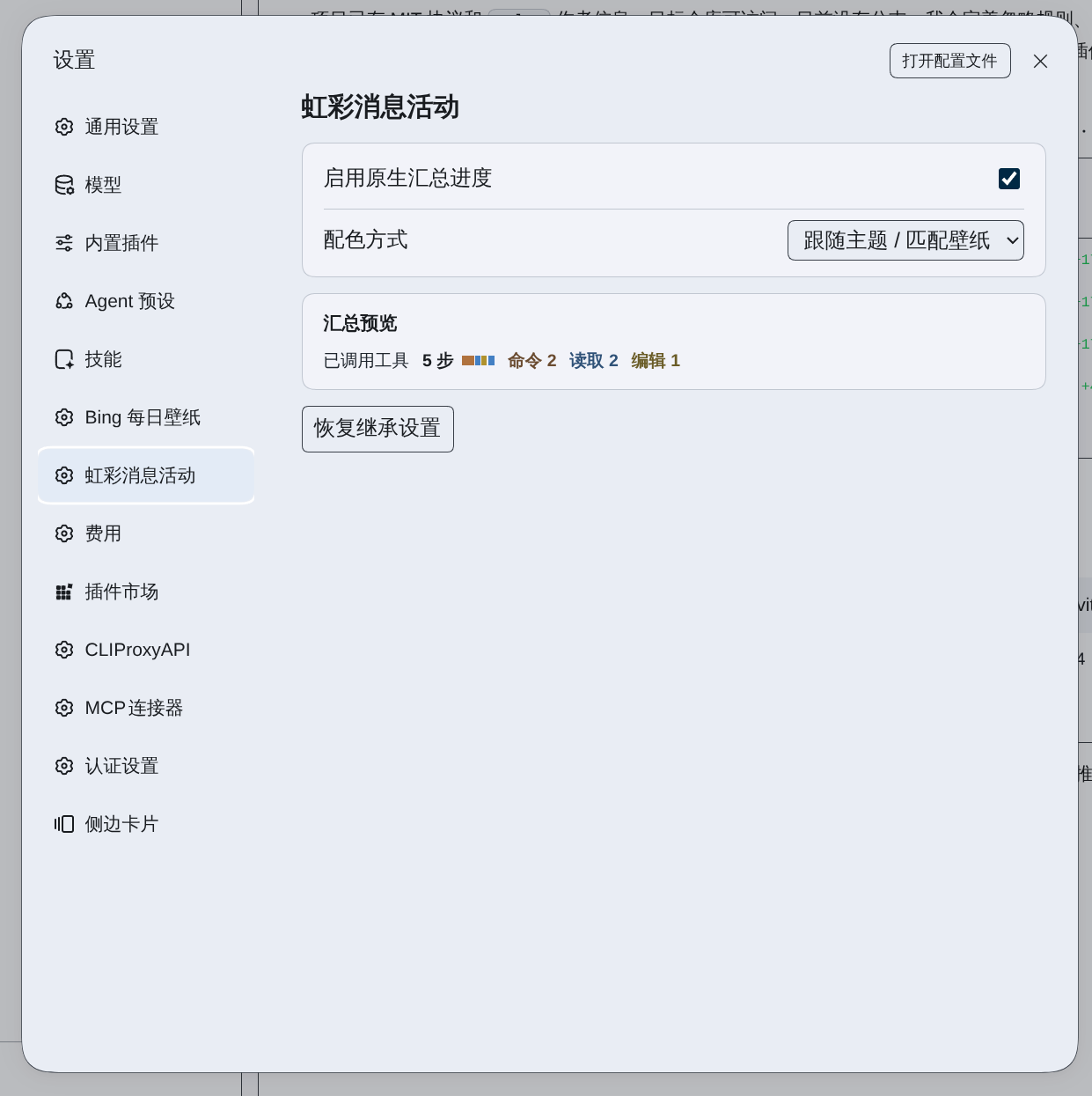
Adds step counts, an execution-order colour strip, and a category legend to DSH Web’s native turn, analysis, and tool summaries. Adjacent steps of the same category share one colour block. Native messages and expand/collapse behaviour remain unchanged.
Installation
Requires DSH Web >=0.2.2-rc.4 <0.3.0.
Run either command on the DSH host. Replace web with the name of your profile if you use a different one.
From npm:
dsh plugin --profile web add dsh-rainbow-activity
From the GitHub main branch:
dsh plugin --profile web add 'git+https://github.com/nzlov/dsh-rainbow-activity.git#main'
If DSH Web is already running, restart it and refresh the page, then choose a palette in Settings → Rainbow Activity.
You can also open Plugins → Add plugin in the DSH sidebar, enter the npm package name or the GitHub address above, and click Enable now after installing.
From a local package
git clone https://github.com/nzlov/dsh-rainbow-activity.git
cd dsh-rainbow-activity
npm pack
Enter the generated .tgz file's absolute path in Add plugin. If the browser is on a different machine, use a path accessible to the DSH host.
Colours
Choose preset category colours, nine custom accents (thinking, read, search, write, edit, command, web, agent, and other), or theme matching. The native activity kinds map to these accent families. Theme matching mixes category colours with DSH's public semantic accent while preserving differences between categories.
Theme matching also follows the wallpaper when dynamic colours from @nzlov/dsh-bing-wallpaper are active. Otherwise it uses the standard DSH theme.
Development
Build and check from the project root:
npm run build
npm run check
Run the build after changing client sources to regenerate client.js.
Tests reuse a compatible DSH installation. On Linux or macOS, if the project does not already have node_modules/@deepseek-ai:
DSH_DIR="${DSH_INSTALL_DIR:-$(npm root -g)/@deepseek-ai/dsh}"
test -d "$DSH_DIR/node_modules/@deepseek-ai" && \
  mkdir -p node_modules && \
  ln -s "$DSH_DIR/node_modules/@deepseek-ai" node_modules/@deepseek-ai && \
  npm test
Set DSH_INSTALL_DIR to the DSH package directory if it is installed elsewhere. If the dependencies are already linked, run npm test directly. The dependency link is neither committed nor packaged.
MIT License · Copyright © 2026 nzlov.