dsh-mobi-web
rainfish-home/dsh-mobi-web
Phone-first web client for DeepSeek Harness whose /m/ page serves a compact mobile UI instead of proxying the full desktop UI, with approvals staying on the phone when the phone started the turn and Mermaid rendered on the device.
インストール
dsh plugin --profile web add github:rainfish-home/dsh-mobi-webREADME
dsh-mobi-web

A phone-first web client for DeepSeek Harness, served by a sidecar gateway that runs inside the harness process.
Not
dsh-mobile-gateway. There is an unrelated npm package by that name ("scan a QR code + settings page + live sync"). This one is different: a 32 KB page instead of a proxied UI, approvals that stay on the phone when the phone started the turn, and Mermaid rendered on the device. Package, repo and checkout directory are alldsh-mobi-web.
phone browser ──HTTPS──▶ Cloudflare tunnel / Tailscale ──▶ 127.0.0.1:3083 (this plugin) ──▶ harness host services
Read this first: what you are exposing
Holding the login token means operating this machine through the harness. The gateway proxies the whole harness, not just chat:
- send prompts, and read every session on the machine (history included)
- approve tool calls — including shell commands — and answer "yes" on your behalf
- with approvals, run anything the harness itself could run
So: put it behind Tailscale (a private tailnet) rather than a public tunnel unless you know what you are doing, use a token you generated for this and nothing else, and never reuse a password from another service. The token is stored in $DSH_HOME/dsh-mobi-web-token (mode 0600) and the log prints only its path.
What it looks like
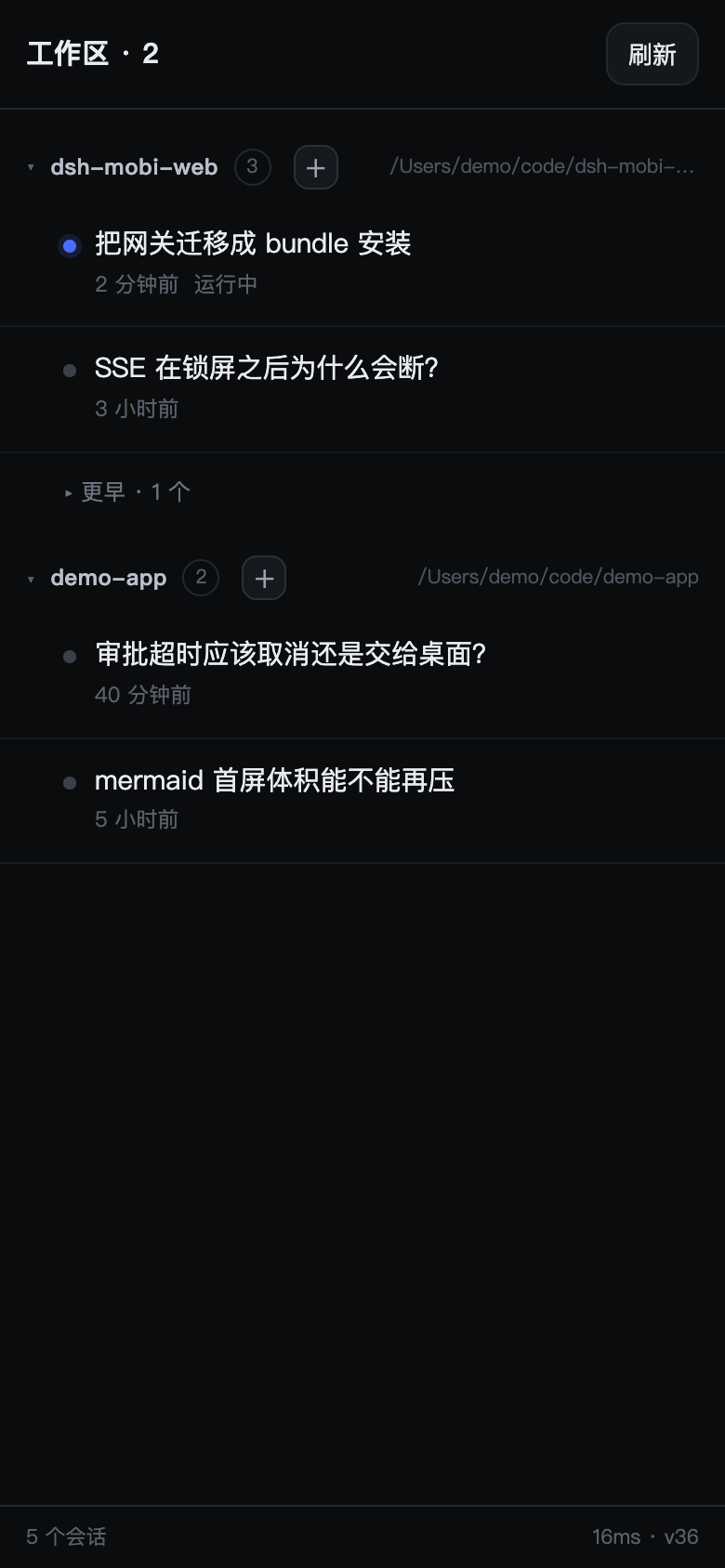
Sessions grouped by workspace, the running one marked, anything older than 24 h folded away, archived ones hidden.
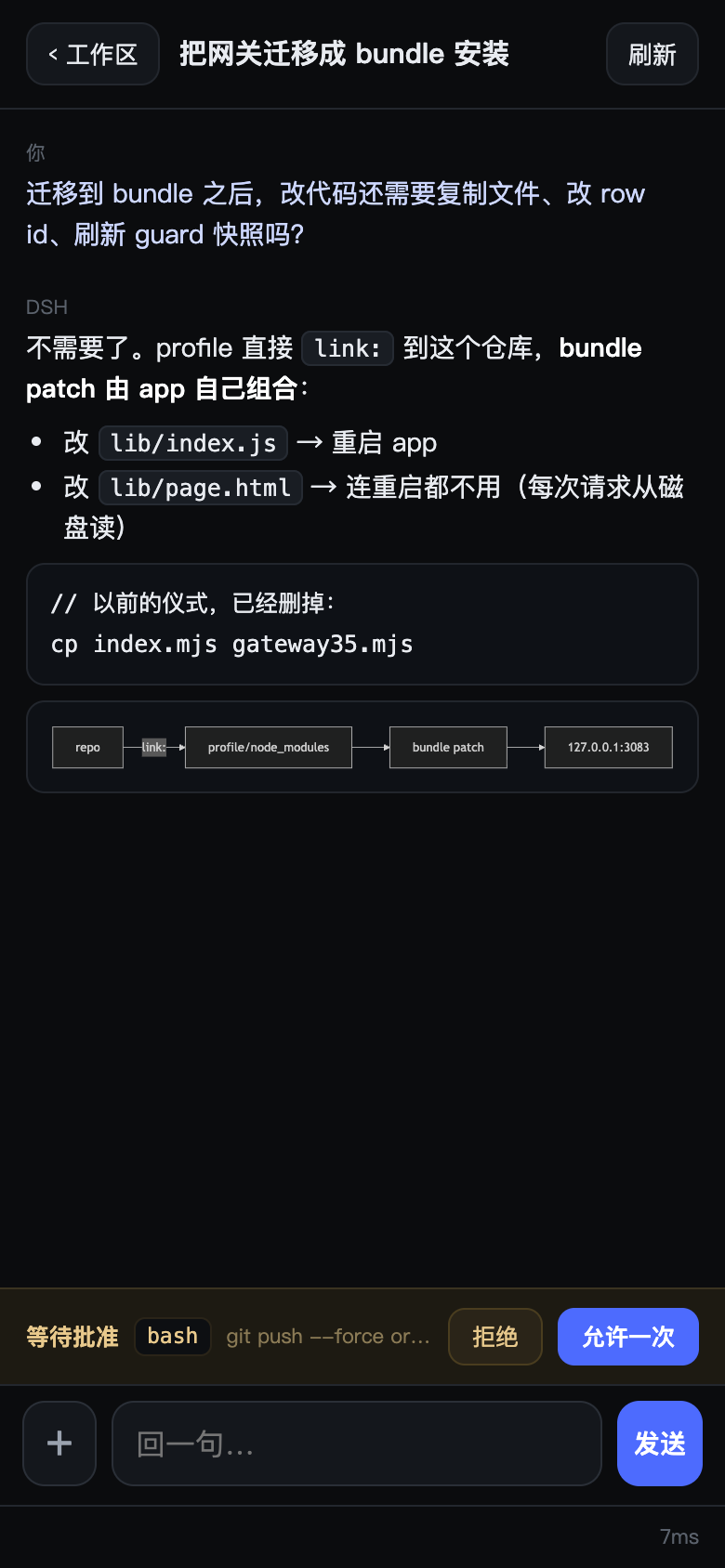
A conversation: Markdown, a Mermaid diagram rendered on the device, and an approval card waiting at the bottom — the one the desktop never sees, because the phone started this turn.
Why this exists
The official web UI ships ~4.6 MB of JavaScript. Over a relayed mobile link (0.4 MB/s in practice) that is ten-plus seconds of white screen, and the layout assumes a trackpad. This gateway serves a ~32 KB page instead and talks to the same host services in-process, so it can do things a proxied UI cannot — like holding an approval the desktop never sees.
What you get
Browse
- Sessions grouped by workspace, newest activity first (same
SessionSummary.updatedAtthe desktop orders by) - Split into active (running, or touched within 24 h) and older (collapsed, remembered per workspace)
- Archived sessions are filtered out; workspace collapse state persists
Read
- Markdown: headings, lists, tables, blockquotes, links, inline code, fenced code
- Mermaid fenced blocks render as SVG; tap one to open it full-screen (pan + pinch), tap again to close
- Long messages fold to ~460 px with "展开全文"
- Live token streaming: the reply grows word by word
Do
- Send multi-line text (Enter inserts a newline; the send button is the only way to send)
- Send images (up to 4, inline base64, 4 MB each)
- Stop a running turn
- Create a session in any workspace (
+on the workspace header) - Jump back to the newest message
Approve
- Approval requests arrive as cards over SSE
- Origin affinity: if the phone started the turn, the approval stays on the phone. It waits up to 15 minutes, then cancels — it never falls back to a desktop nobody is sitting at. Desktop-origin turns keep the old behaviour (20 s grace, then hand back).
- Desktop-owned approvals are visible, not silent: when the desktop is the one waiting, the phone shows a read-only “PC is waiting for approval · ” banner (and a marker on the session row), so a phone that is not the owner no longer looks stuck. If the gateway's grace window hands a phone card back to the desktop, the stale card is dismissed and the banner replaces it.
Stay up
- SSE with exponential-backoff reconnect (2 s → 30 s) and a 6 s poll as fallback
- The gateway lives inside the harness process, so it starts and stops with it — no separate daemon to supervise
Install
The plugin is a DSH bundle: it ships its own cordis.patch.yml, so no profile file is edited by hand. There are two install paths, because the desktop profile is special.
Web / other profiles — the npm CLI:
dsh plugin --profile web add dsh-mobi-web     # from npm
dsh plugin --profile web add link:/path/to/dsh-mobi-web   # from a checkout
link:records an absolute path. It is meant for a throwaway development profile, not for the profile your phone talks to: if you move the checkout, the link dangles, the bundle silently stops mounting, and/m/disappears with no error. Re-run theaddafter a move. For an unpublished build on your daily profile,npm packand install the tarball — that is a copy, not a link.
The desktop profile — desktop is reserved for the Electron-owned profile, and the npm CLI refuses to manage it. Install through the app's plugin manager, or with the Desktop-installed command (dsh inside the app bundle):
dsh plugin --profile desktop add dsh-mobi-web
Either way, after add the package is in package.json → dsh.profile.bundles (the CLI reconciles that list by inspecting each dependency's dsh.bundle declaration). A new bundle only mounts on restart — adding it changes nothing until the app or dsh starts again.
Then expose the port:
tailscale serve --bg 3083          # phone on the same tailnet
# or a Cloudflare tunnel ingress: host → http://127.0.0.1:3083
Open https://<your-host>/m/.
The password. If you do not set token in the patch config, one is minted on first start and written to $DSH_HOME/dsh-mobi-web-token (mode 0600). The startup log prints where it is, not the token itself — cat that file to read it. (The token is echoed only when the file could not be written, i.e. when that process holds the only copy.) Set token: '…' to choose your own, or token: false to disable the gate — only on a network you fully trust.
To override anything, add a row to your profile's cordis.patch.yml. A patch replaces the row's whole config object, so restate every non-default value:
- id: dsh-mobi-web
  config:
    listenHost: '127.0.0.1'
    listenPort: 3083
    blockPaths: ['/dsh-whale/']
Configuration
| key | default | meaning |
|---|---|---|
listenHost | 127.0.0.1 | never bind wider; a tunnel does the rest |
listenPort | 3083 (bundle patch; the code default is 3080) | |
token | auto-minted file | password for the cookie gate; false disables it |
allowTokenUrl | false | accept ?t=… links (leaks via history, off by default) |
blockPaths | [] | path prefixes answered 204 to keep the page light |
approvalPriority | 'phone-first' | 'desktop' disables interception entirely |
pwa | true | inject manifest + icon into the proxied UI |
brotli | true | recompress JS for the proxied UI |
Routes
| route | what |
|---|---|
GET /m/ | the mobile page (cookie-gated) |
GET /m/api/sessions | workspace-grouped list (10 s cache) |
GET /m/api/session?id= | messages (newest 40 / 120 k chars) + pending approvals |
GET /m/api/events?session= | SSE: state, message, astart, adelta, aend, tool, approval, approval-done |
POST /m/api/prompt | {id, text, images[]} — verifies the message actually landed |
POST /m/api/cancel | interrupt the running turn |
POST /m/api/create | {cwd} → new session |
POST /m/api/approve | {id, decision} |
GET /__gw/health | unauthenticated liveness |
GET /__gw/stats | counters + approval diagnostics (cookie-gated) |
Design notes
- No
0.0.0.0.dshrefuses to start on a non-loopback host, so a sidecar proxy is the only option; the tunnel terminates TLS outside. - Cookie minting happens server-side. Letting the launch-token flow redirect through
303dropped theSameSite=Strictcookie on iOS, producingERR_TOO_MANY_REDIRECTS. - Every request handler is wrapped in try/catch. dsh treats an uncaught exception as fatal; a sidecar must never crash the host.
- The profile links the checkout. Editing
lib/index.jsand restarting is the deploy;lib/page.htmlis read per request, so it needs no restart at all.
Limits worth knowing
- Single user, single host. No account model beyond one shared token.
- No push notifications: if the phone is asleep, an approval waits for you (up to 15 min) rather than pinging you.
- Images inside historical messages render as
[图片]— only the fact they existed is kept. - Mermaid is vendored (857 KB brotli), lazy-loaded on the first diagram.
- Sessions cannot be moved between workspaces — DSH derives membership from the session's
cwdat creation. - Compatibility: verified on DSH
0.2.2-rc.1. The gateway reads host services throughctx.get('sessionQuery')and friends — private API, not a stable contract. A dsh upgrade may break it; the page and the HTTP layer would keep working.
Repo layout
lib/index.js      the gateway plugin (single file on purpose)
lib/page.html     the mobile page, served from disk on every request
assets/           vendored mermaid (js + gz + br) and the app icon
cordis.patch.yml  bundle patch — the install declaration
test/             34 tests, fake host services, no network
Tests
node --test test/*.test.mjs # 34 tests, no network, fake host services