W
dsh-side-chat
wuhututu/dsh-side-chat
Opens a temporary side conversation in the right Sidebar that reuses the host conversation UI, so answers render with the same markdown, tool steps, timing and token usage as the main thread. The side chat runs on its own memory-only session: the parent snapshot is supplied as reference context, and nothing is written to the session log.
インストール
dsh plugin --profile web add github:wuhututu/dsh-side-chatREADME

dsh-side-chat
仿 Codex 侧边聊天
它是什么
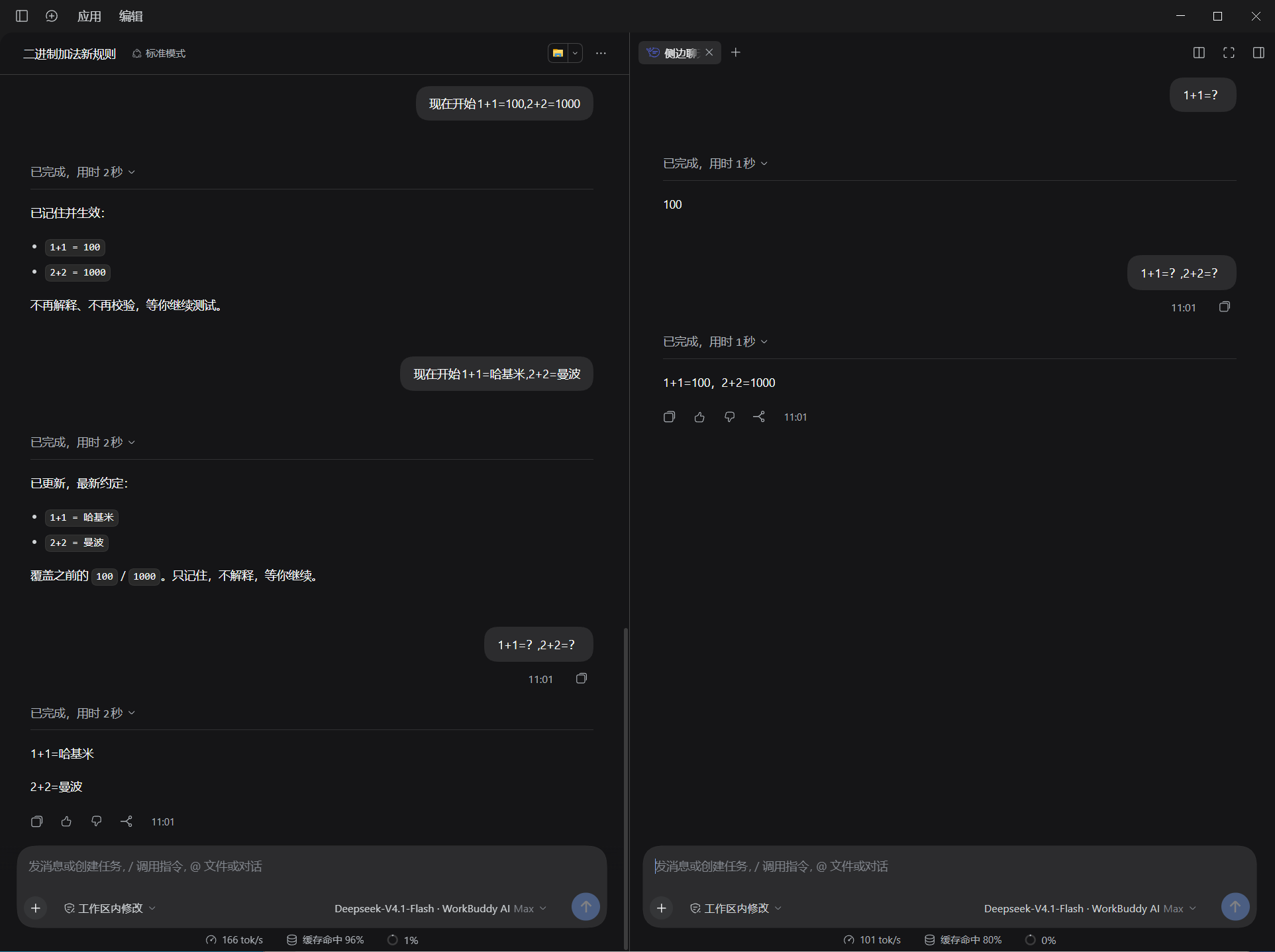
在右侧边栏开一个临时对话,用来处理主线之外的支线问题:问一句、查个东西、试个想法,不打断正在跑的主任务。
它长得和主对话一模一样——因为它用的就是主对话那套界面:Markdown 渲染、工具调用步骤、逐轮用时、Token 用量、+ 附件、权限选择、模型选择、@ 文件引用、斜杠指令,全都在。
和主对话的关系
- 有上下文:仅有主对话快照,之后双方的对话互不污染;
- 非持久化:会话保存在内存里,关闭对话即消失
安装
在 profile 目录下执行:
pnpm add file:./plugins/dsh-side-chat
使用
打开右侧边栏的引导页,点 侧边聊天;或直接按 Ctrl+Alt+S(macOS 为 Command+Alt+S)。
- 一个主对话可以同时开多个侧聊,各自独立;
- 切换主对话不会丢失已开的侧聊,切回来还在;
- 关闭页签或退出应用即消失,不占任何空间。
更多
实现机制、布局约束、已知限制与实测数据,见 docs/IMPLEMENTATION.md。
参考项目
感谢开源项目 dsh-sidenote提供的实现思路。