dsh-ivory
zjuzhiyucai/dsh-ivory
DSH Web 向けの温かみのあるライト/ダークテーマ:レスポンシブレイアウト、二言語設定、安全な Markdown プレビュー、ブロックごとのコピーコントロール、テレメトリーなし。
インストール
dsh plugin --profile web add github:zjuzhiyucai/dsh-ivoryREADME
Ivory for DSH
A calm, warm-neutral interface for DeepSeek Harness.
Light and dark. Desktop and mobile. English and Chinese. Zero telemetry.



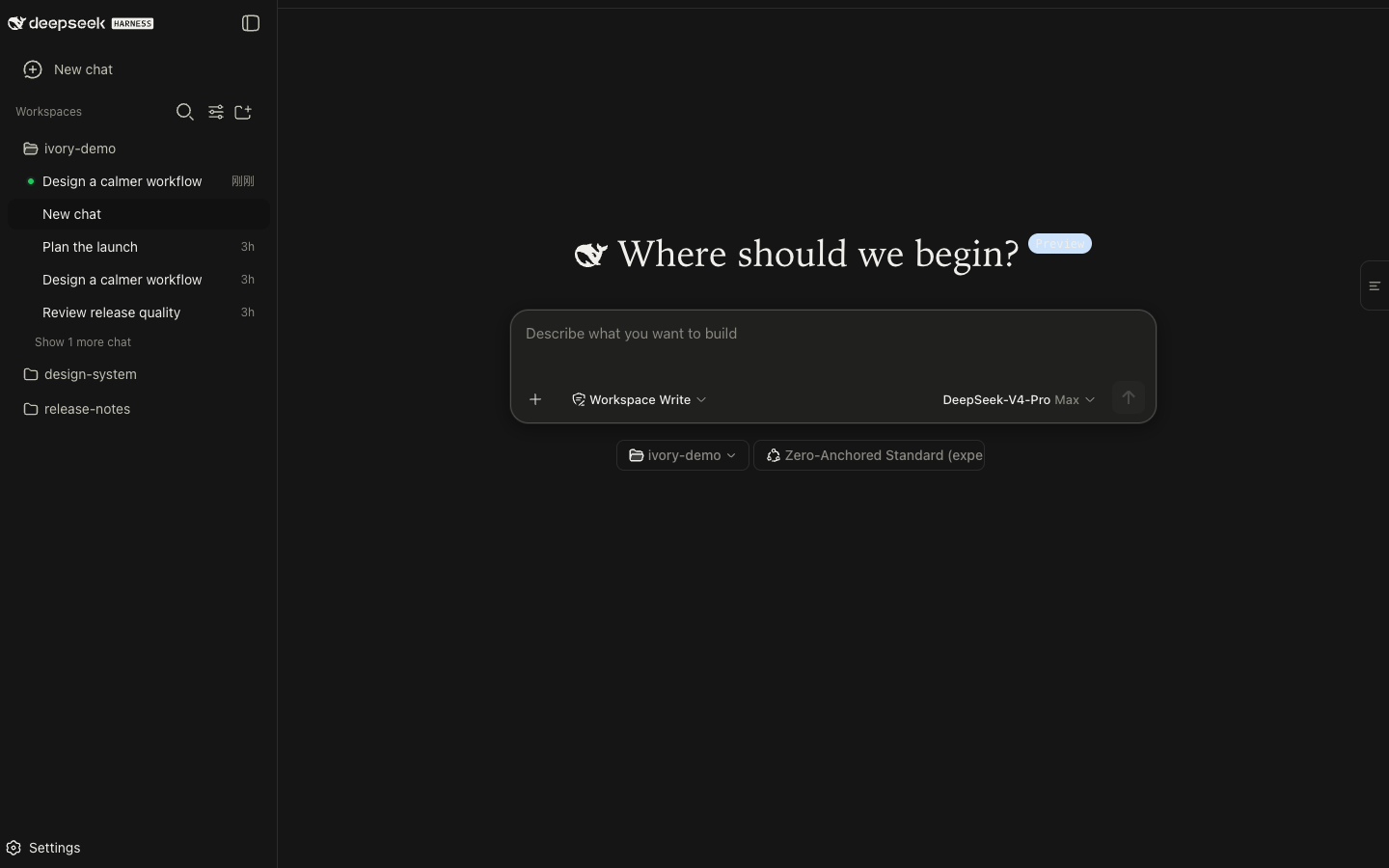
Ivory gives the DSH web interface a quieter reading rhythm without changing how the harness works. Warm neutrals replace cold grays, editorial type improves long responses, and the conversation stays usable from a narrow phone window to a wide desktop. DeepSeek branding and every native DSH capability remain in place.
Quick start
dsh plugin --profile web add dsh-ivory
dsh web
Hard-refresh the page with Cmd/Ctrl + Shift + R, then open
Settings → Ivory Theme. The main theme is enabled by default; the optional
focus mode stays off until you choose it.
Pin a release or uninstall
Install the exact GitHub release without using npm.
dsh plugin --profile web add github:ZJUZhiyuCai/dsh-ivory#v0.2.14
Remove Ivory and return to the native DSH interface.
dsh plugin --profile web remove dsh-ivory
Made for everyday DSH
| Area | What Ivory changes |
|---|---|
| Appearance | A complete warm-neutral palette for light and dark mode, with restrained shadows, corners, and editorial typography. |
| Responsive layout | Host-adaptive, drag-resizable conversation geometry tested at 375, 768, 1,440, and 1,920 pixels. |
| Reading and copying | Independent controls for prose, user bubbles, and code blocks, plus a small end-of-response marker. |
| Markdown documents | A bounded, DOM-built preview for .md output with source view always available and HTTP(S)-only links. |
| Accessibility | Keyboard focus, reduced-motion behavior, forced-colors fallbacks, and WCAG AA muted text contrast. |
| Compatibility | Structural styling degrades to stable theme tokens when the verified DSH selector contract changes. |
A closer look
 |
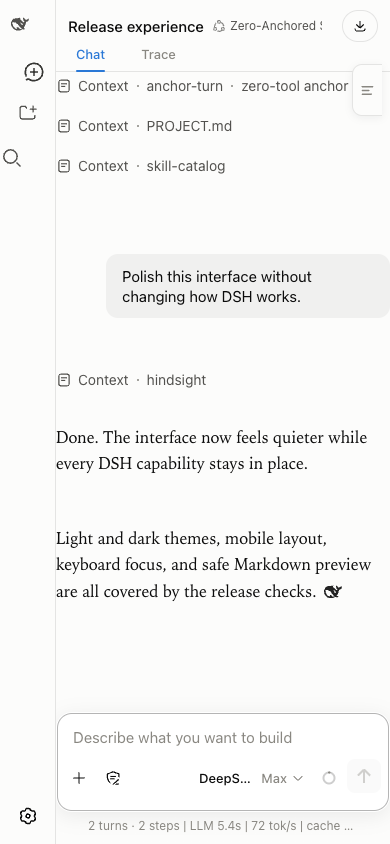 |
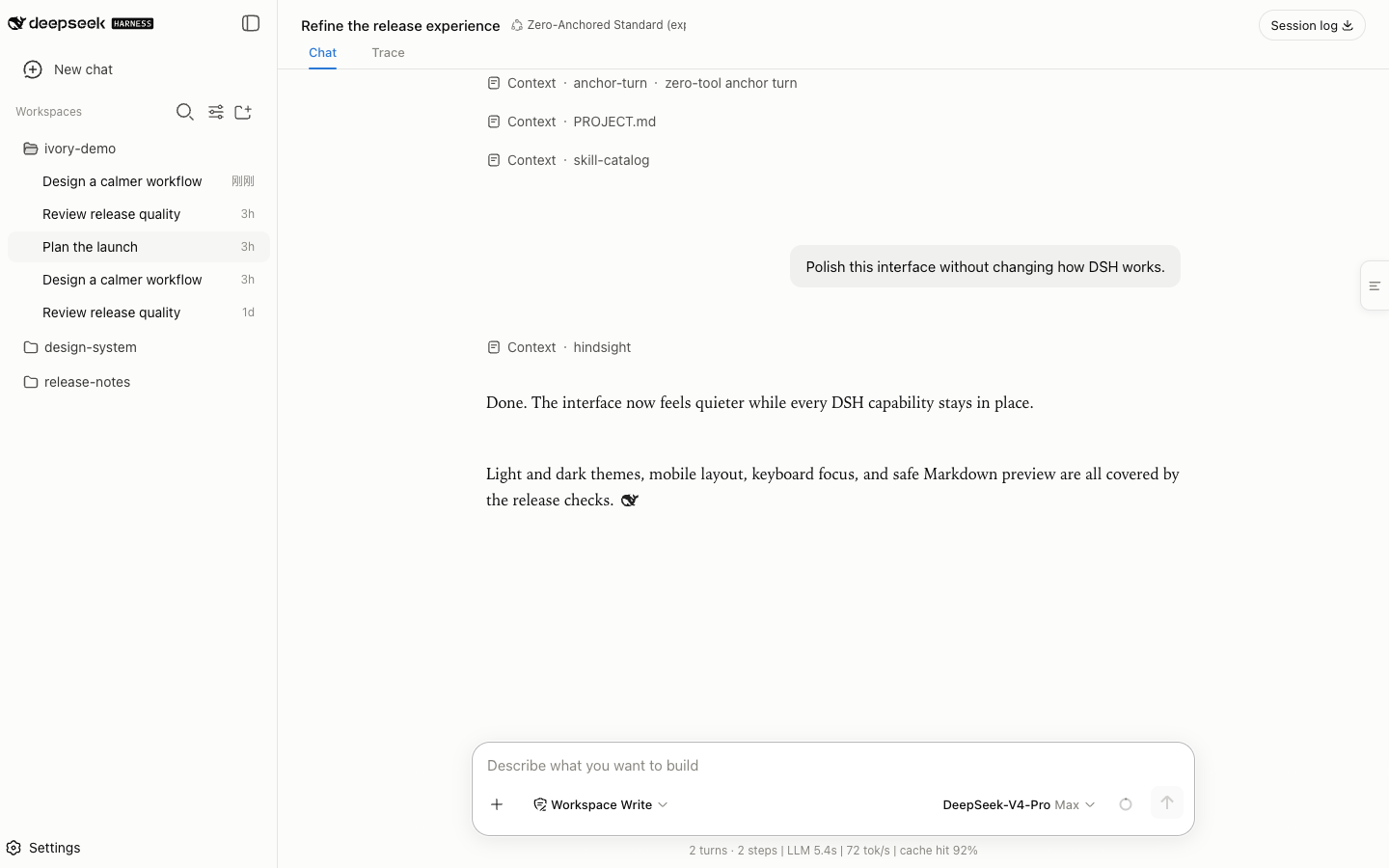
| Focused desktop conversation | 390 px mobile layout |
Quiet by design
Ivory is a browser-only visual plugin. Its host entry point is intentionally inert.
| Boundary | Ivory behavior |
|---|---|
| Bundled runtime dependencies | None. DSH client modules and React are peers. |
| Filesystem and process access | None. |
| Network requests and telemetry | None. |
| Persistent data | Two local preference flags in localStorage. |
| User content | Presented in the browser; copied only after an explicit click. |
| Third-party branding | No Anthropic fonts, logos, icons, or application code. |
The npm package contains eight allowlisted files and is checked on every CI run. Read the full security policy, architecture boundary, and third-party notices.
[!NOTE] DeepSeek Harness is in developer preview and may make breaking UI changes. Ivory 0.2.14 is verified against DSH Web 0.1.5-rc.1 and desktop 0.2.0-rc.2. Other host builds may use token-level fallback. When Ivory cannot prove the current structural contract, it keeps token-level theming and releases the host layout back to DSH.
The desktop 0.2.0-rc.2 port re-derived every aliased CSS-module class; see
src/host-selectors.json for the verified map. Run
npm run build && npm run test:desktop for isolated regressions
using styles read from the installed app (no account or model calls).
DSH_DESKTOP_CLIENT_DIR can point to extracted client bundles plus the frontend
index-*.css on other systems. DSH_WEB_PACKAGE_DIR selects the installed
@deepseek-ai/dsh package used for the separate Web stylesheet tests.
Quality and release checks
npm ci
npm test          # renderer/host-contract unit tests, build, release gates, publint, and package checks
npm run test:desktop  # 94 checks with installed desktop and Web styles
npm run qa:r2     # browser regressions; missing optional-plugin targets report skips
npm run qa:adversarial  # 34 stress checks: reconciliation safety, toggle/resize storms, degraded mode
npm run qa:activity     # 26 checks for thinking/tool-call rows, icons, and terminal polish
npm run qa:micro        # 28 Vision Toolkit/Ivory micro-component checks; set DVT_CLIENT_JS if the toolkit is not installed in the DSH web profile
npm run qa:host         # 13 checks against the live host: contract health, sidebar/composer/settings surfaces, both themes
npm run qa:contract     # diagnostic probe (no pass/fail): self-diagnosis channel plus a live selector inventory
npm run derive:host     # re-derive the desktop CSS-module alias table from the installed DSH; run after every host upgrade
npm run snapshot:host   # compare committed module snapshots with both installed hosts
npm run test:runtime    # isolated browser regressions; no DSH server or token required
derive:host previews a mapping resolved by package, CSS module and member name.
Use npm run derive:host -- --check to fail on drift, or
npm run derive:host -- --write to save a complete result. Missing or ambiguous
modules fail without writing a partial table. Update the recorded host versions,
peer range and any desktop-only selectors when adapting a new host release.
Then run npm run snapshot:host -- --write to extract matching module exports
from both installed hosts. The default tests and release gates compare the actual
alias table with these versioned snapshots, including component identity.
npm test includes isolated browser checks for content replacement, bounded
Markdown rendering, copy-button ownership, storage failures and drift diagnostics.
Install its browser once with npx --no-install playwright-core install chromium,
or set DSH_QA_CHROMIUM to an existing browser. CI installs Chromium automatically.
Complex Markdown retains the complete source when its render budget is exceeded.
Preference changes work for the current session even when storage is unavailable.
The live browser entries require DSH_QA_TOKEN from the dsh web URL.
Every qa:* entry point is documented here and checked by the release gate.
The browser suite covers responsive layout, composer focus, dark mode, Markdown injection attempts, streaming state, lifecycle cleanup, block-copy payloads, plugin coexistence, long tables, reduced motion, and forced colors.
Releases use npm Trusted Publisher with GitHub OIDC. The repository stores no long-lived npm publish token, and future CI releases receive npm provenance automatically.
Development
npm ci
npm run build

dsh plugin --profile web add link:$PWD
dsh web
Edit src/skin.css, src/client.template.js, or src/markdown.js, then run npm run build.
The generated lib/client.js is committed so GitHub installs need no build
permission.
src/skin.css             theme and compatibility styles
src/client.template.js   client lifecycle and optional enhancements
src/markdown.js          capped DOM-built Markdown preview renderer
scripts/test-markdown.mjs  renderer unit tests (node --test)
lib/client.js            deterministic generated browser bundle
lib/index.js             inert host entry point
cordis.patch.yml         DSH bundle registration
scripts/                 build and verification gates
See CONTRIBUTING.md before opening a pull request.
Independent community project
Ivory is unofficial and is not affiliated with, endorsed by, or sponsored by Anthropic or DeepSeek. Claude is a trademark of Anthropic PBC. DeepSeek and DeepSeek Harness may be trademarks of their respective owners.
Released under the MIT License.