moa-plus
burns1028/moa-plus
DeepSeek Harness용 멀티 에이전트 협업입니다. 에이전트 지속성, 지식 공유, 직접 통신, 독립 검토를 지원합니다.
설치
dsh plugin --profile web add github:burns1028/moa-plusREADME
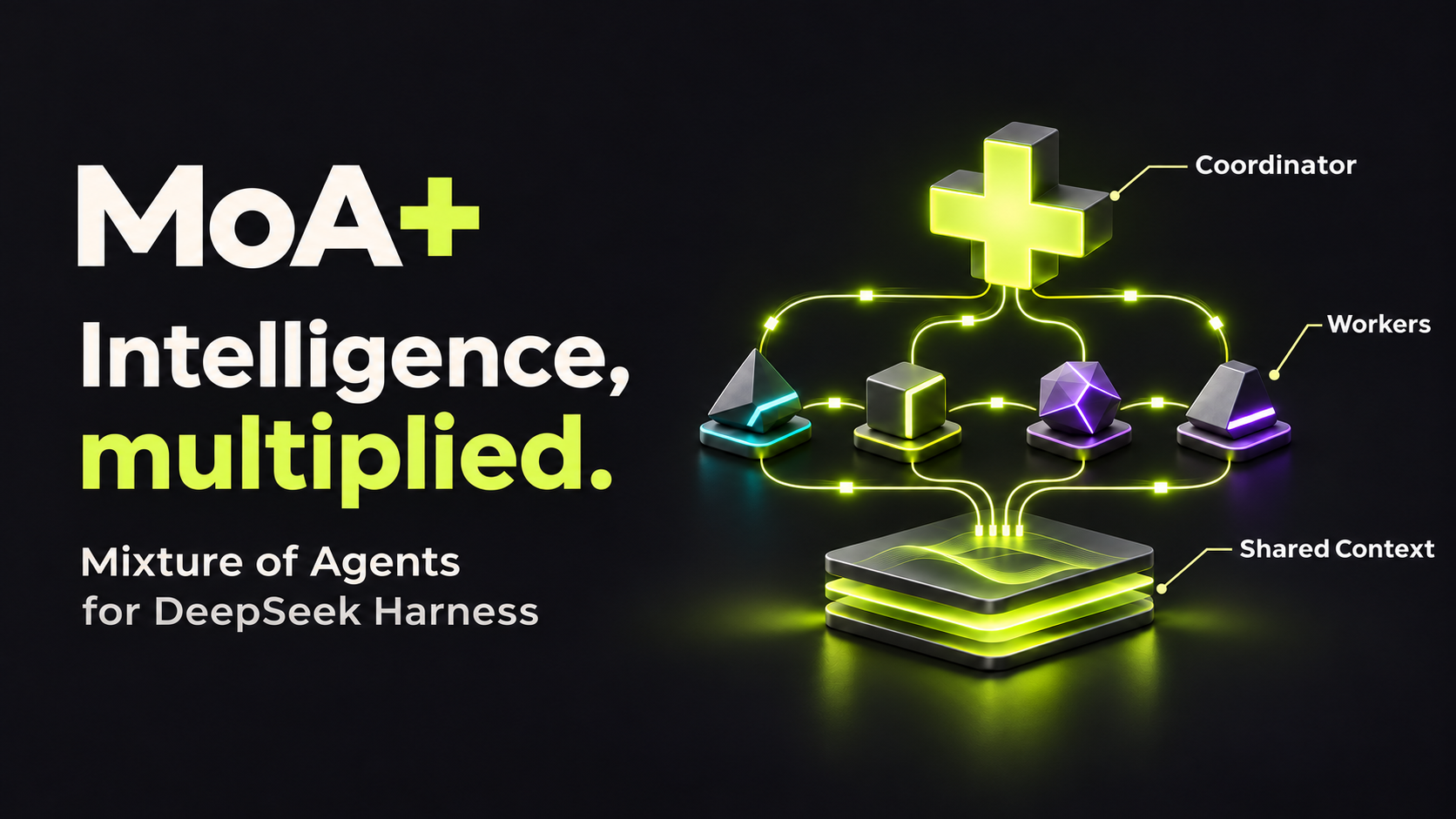
MoA+
Advancing intelligence through agent collaboration.
Watch two Workers build a CLI together, exchange messages directly, and bring a human change back to the Coordinator.
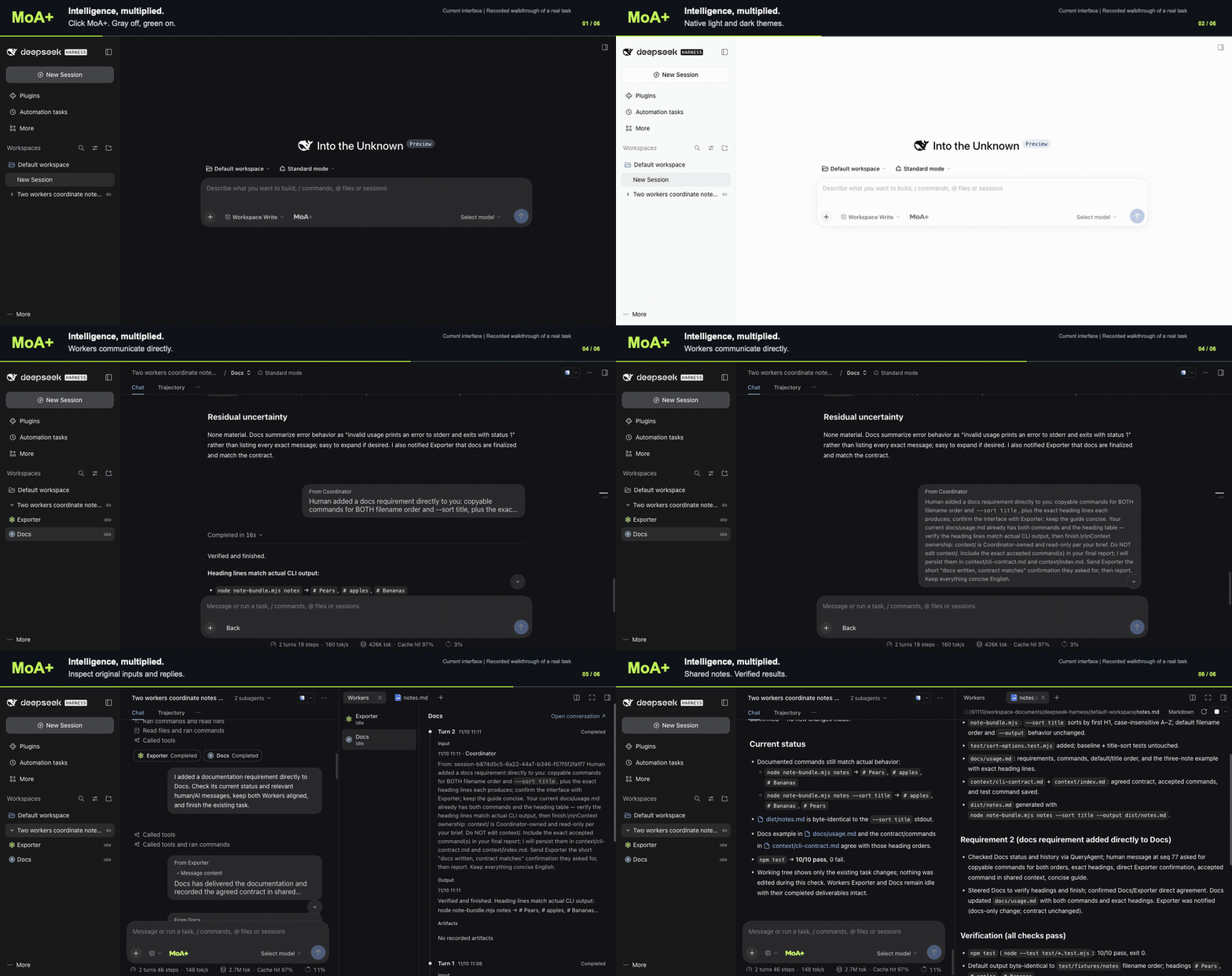
Watch the MP4 · Reproduce this task. Newly recorded in the native DSH interface, revisiting a completed real team task. Recording details.
MoA+ is a Mixture of Agents collaboration plugin for DeepSeek Harness. It connects persistent agents through independent contexts, direct communication, and shared knowledge, with the goal of expanding what the whole system can accomplish together.
A Coordinator keeps the goal and overall direction in view. Workers investigate, build, challenge, and review in their own conversations, remaining available for the next assignment. The team can explore different approaches, work in parallel, and carry its findings into later tasks.
English | 简体中文
Quick start · How it works · Demo · Documentation
Quick start
This checkout documents the MoA+ v0.2.8 development candidate (unreleased). The latest published stable tag is v0.2.7.
The candidate uses the audited DSH 0.2.1-rc.3 and DSH 0.2.2-rc.1 / DSH Next 2.0.22-next compatibility profiles. The rc.3 profile extends 22 native packages across 50 file paths. Keep the plugin and its matching profile from the same release; a stock or differently prepared runtime cannot substitute for it. See native compatibility profiles for Desktop preparation and the exact supported artifacts.
Requires Node 24.9+, npm, and Git. The isolated Web launcher below prepares the pinned rc.3 runtime; Desktop Next uses the separate matching profile.
The updated rc.2 Desktop Next profile supports protected Workers through native nonpersistent PowerShell, and Bash where installed, on Windows. It preserves existing records across Coordinator atomic updates and requires native Windows Job containment. Persistent terminals and unadapted process providers still refuse protected use. The rc.3 profile retains its macOS Seatbelt/Linux bubblewrap requirement; it does not include this Windows extension. See backend requirements for the supported policy and filesystem scope.
The commands below follow the main development branch. For the published stable version, clone v0.2.7 and follow that tag's documentation.
Clone the project and prepare a separate Web runtime:
git clone --branch main --single-branch https://github.com/Burns1028/moa-plus.git
cd moa-plus
npm ci
node scripts/apply-native-compat.mjs --dry-run
node scripts/apply-native-compat.mjs --backup "$PWD/.superpowers/native-backup"
npm run build
node scripts/project-mode.mjs setup --dir /absolute/empty-moa-runtime
node scripts/project-mode.mjs start --dir /absolute/empty-moa-runtime
The compatibility command backs up the changed files before extending this checkout's dependencies. Setup prepares an isolated runtime with its own home, configuration, documents, and native backups; it leaves your personal Desktop app and ~/.dsh profile untouched. Use an empty directory outside the checkout and reuse the same --dir for subsequent commands.
Configure the model in native settings, create a conversation, and select MoA+ before its first message. Mode identity stays fixed after starting. Use a Git workspace for isolated Workers; choose shared when they should work directly in the parent's directory. The first-run guide covers model setup, doctor, and recovery; compatibility covers manual setup and rollback.
For the earlier published Project Mode, follow the v0.1.23 installation instructions. That tag uses the Project label and the earlier three-extension runtime.
How it works
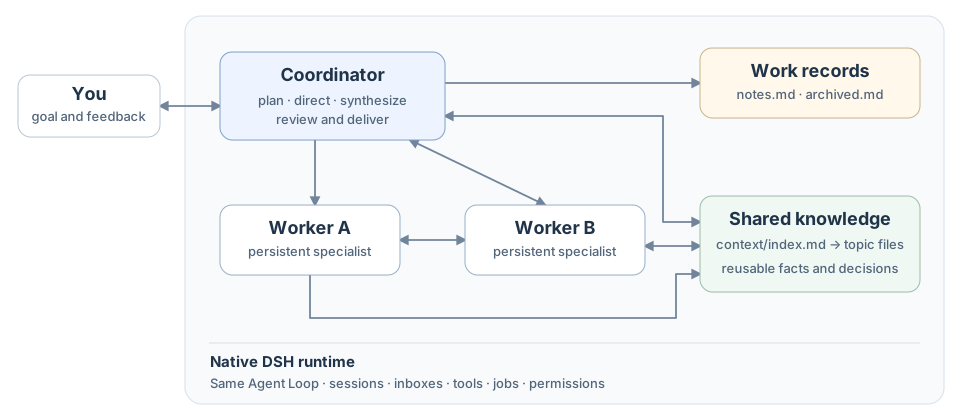
Independent work, direct communication
Coordinator and Workers use the same native Agent Loop, with different identities, tools, and delegated permissions. moa_dispatch starts a specialist with a fresh context; moa_branch branches selected committed history. Independent Git worktrees separate parallel changes, while an explicit shared workspace lets Workers use the parent's directory.
moa_message lets agents notify peers, steer work, queue instructions, or ask a blocking question that waits for an explicit reply. moa_observe inspects state and selected history, or waits for progress. moa_stop stops execution and waits for resources to exit. Slow tools can run in the background and return their results automatically.
When a Worker turn finishes, its complete final AI message returns automatically to its designated reporting Agent. The Coordinator can review the result, continue with that Worker, or change direction. Retained conversations and workspaces let the team continue across assignments.
自适应协调与可选编排
The default Coordinator guidance keeps simple work direct. For delegated work, the Coordinator prefers moa_message to reuse a suitable Worker, moa_branch when committed history helps a new branch, and a fresh moa_dispatch when clean context matters. It starts independent ready branches within native capacity, unlocks dependent work as results arrive, and uses native moa_observe waits when waiting is useful. When no actionable goal or unfinished concrete work exists, a brief acknowledgement or ordinary chat clarification can complete the response without ceremonial tools, memory updates, or blocking questions.
An enabled MoA+ Coordinator also offers five bundled @ prompts: 并行攻坚 for independent slices, 多方会审 for a disputed decision, 协同探索 for tangled exploration, 迭代精修 for iterative artifact review, and 统筹推进 for a task with several collaboration phases. Type @ and select the Chinese-named candidate by click, Enter, or Tab. The prompt expands into editable composer text; add the task and send normally. Workers and ordinary conversations do not offer these packs.
These are local prompt texts using the existing tools and role presets. Native sending, file references, uploads, queue, and steer retain their usual behavior. See the orchestration guide for pattern boundaries and examples.
Shared knowledge, independent review
The Coordinator maintains notes.md and archived.md; each inference receives one current full notes snapshot. Superseded copies stay in audit history without accumulating in model input. Coordinator and Workers contribute reusable findings through context/index.md, then read relevant files as needed. Isolated Workers access the same shared knowledge, so later work can build on confirmed findings without copying every execution detail into the main conversation.
By default, the Coordinator decides whether a task benefits from independent acceptance and requests it when useful. Ordinary conversation can finish directly, without creating acceptance helpers or making an extra model call just to classify the task. Once requested, a Rubric Builder derives criteria from original requirements and an Outcome Verifier checks actual deliverables with native tools. Verification is bound to that task; the next task starts on demand again. See roles and common flows, the code architecture, and the Tool API for the full contracts.
See it in action
Select the compact MoA+ wordmark before the first message: gray is off and green is on. A started MoA+ conversation keeps it as its fixed identity. The transparent control follows light and dark themes, including while hovered.
MoA+ keeps collaboration in the native DSH interface. Capsules are child conversations: click one to open its Worker, or find the same Worker beneath the Coordinator in the sidebar. You can give the Worker instructions directly and use Back to return to the Coordinator. Capsules stay with the turn or message segment where the Worker participated.
An opening Coordinator task remains visible as input in its Worker conversation. Later internal communication appears in compact cards during execution and folds after completion. Cards retain full Markdown and a separate thinking disclosure. New user input remains responsive while the team works.
The closable Workers tab shows a chronological timeline. Each turn contains just input, output, and artifacts. All inputs for that turn stay together; expand a text preview to read the complete Markdown. File links open native attachments and artifacts. The read-only panel uses no model summaries; the notes.md tab keeps current work records nearby.
The demo starts with the wordmark's off/on states and theme adaptation, then opens the retained Note Bundle task to show capsules, Worker conversations, original Agent messages, the Workers timeline, notes, and results. In that real run, Exporter implemented title sorting, Docs wrote the guide, a human added instructions inside Docs, and the Coordinator checked the Worker history before verifying the result. The recording revisits that execution without starting a new model task. See the task and actual checks or runtime verification. The earlier Project Mode recording remains in the v0.1.23 demo archive.
Documentation and contribution
- Roles, lifecycle, and common flows
- 自适应协调与可选编排
- Code architecture and Tool API
- First-run guide and compatibility / rollback
- Verification records
- Build, tests, and contribution guide
- Report a trial or installation problem
MoA+ is an unofficial DSH plugin. The package name dsh-plugin-project-mode and saved protocol identifiers remain compatible with existing data.
MIT. See LICENSE and third-party notices.