dsh-rider-mcp
chongyugit/dsh-rider-mcp
Connects DeepSeek Harness to the MCP server built into JetBrains Rider, adding a per-session project picker, a connection badge and the mcp__rider__* tools.
설치
dsh plugin --profile web add github:chongyugit/dsh-rider-mcpREADME
dsh-rider-mcp
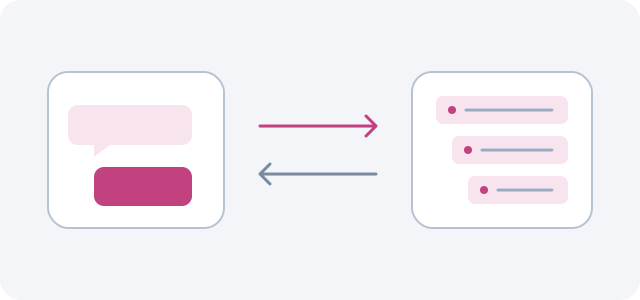
Connect DeepSeek Harness (DSH) to the MCP server built into JetBrains Rider: every DSH conversation gets its own Rider connection, a project picker, and a live connection badge in the composer.
Unofficial community plugin. Not affiliated with, endorsed by, or supported by JetBrains or DeepSeek. "JetBrains" and "Rider" are trademarks of JetBrains s.r.o.


Features
- One connection per conversation. Each DSH session mounts its own MCP client under the server
name
rider, somcp__rider__*can target project A in one session and project B in another. - Project picker. By default no project is pinned: each tool call names the open Rider project
through its
rootFolderargument (usually the session workspace path). You can pin one project per session instead. - Connection badge. The badge above the composer shows the live state (connected, connecting, reconnecting, failed, disconnected), the tool count, and the project this conversation last worked on. Click it to choose a project, disconnect, or reconnect.
- Per-session persistence. Choices are stored per session and survive a restart without
rewriting
cordis.patch.ymlor reloading the plugin. - Long calls allowed. Tool calls such as builds get a five-minute timeout.
- Local only. Speaks streamable HTTP to
127.0.0.1; no telemetry and no other network access.
Requirements
- Rider 2025.3 or later with the bundled MCP Server plugin enabled. The default endpoint is
http://127.0.0.1:64482/stream. Rider must be running; while it is closed the connection is unavailable. - DSH 0.2.2-rc.x (tested with 0.2.2-rc.5).
engines.dshrequires>=0.2.2-rc.1. - Node.js 22+ only for development. The published bundle has no runtime dependencies and no build step.
DSH's MCP client speaks streamable HTTP only, so Rider's SSE endpoint (/sse) is not used.
Install
From npm
Install the bundle with DSH's plugin manager, passing the package name:
plugin_manager → install_bundle → target: dsh-rider-mcp
In DSH Desktop, Plugins → Add plugin works too when your build accepts an npm spec. Open a new session afterwards so the tools are mounted.
From a local clone
git clone https://github.com/ChongYuGit/dsh-rider-mcp.git
Then Plugins → Add plugin and choose the cloned directory, or pass its absolute path to
plugin_manager → install_bundle. A local directory is linked, not copied, so edits are live
after a DSH restart.
Usage
-
Start Rider, open the project(s) you want, and enable its MCP server (it ships as the MCP Server plugin; check Rider's settings if the endpoint is not on port 64482).
-
Open a DSH session. Rider tools appear as
mcp__rider__*. -
Call a tool with
rootFolderset to the project path, or click the badge above the composer and pin a project for this session:- Per call — no project header; each call selects through
rootFolder. - An open project — discovered from Rider, pinned for this session with the
IJ_MCP_SERVER_PROJECT_PATHheader. - A typed path — the same pin for a project Rider does not report.
- Per call — no project header; each call selects through
-
Disconnect revokes only this session's registration and removes its tools; Connect restores them. Other sessions keep their own project and state.
The dot on the badge stays amber until a project is known and turns green afterwards. Hovering
shows the last tool call's rootFolder.
Configuration
The bundle row's config sets defaults:
url: http://127.0.0.1:64482/stream
projectPath: ''        # empty: choose per tool call; else pin this project
toolCallTimeoutMs: 300000
url— Rider's streamable HTTP endpoint. Change it if you moved Rider's MCP port.projectPath— default pinned project. Empty sends noIJ_MCP_SERVER_PROJECT_PATHheader.toolCallTimeoutMs— per-call timeout; the default is five minutes.
Each session's own choice is stored in rider-mcp.sessions.json beside the active DSH profile and
overrides these defaults for that session.
How it works
| File | Role |
|---|---|
index.js | Host entry: mounts one mcp-client Fiber per Agent under the name rider, serves the badge routes under /rider-mcp, and remembers each session's last rootFolder. |
session-runtime.js | Shared per-Agent runtime: creates, restarts, pauses, and persists one MCP client Fiber per session. |
client.js | Web entry: registers the composer badge and panel, polls /rider-mcp/status every two seconds, and posts project/connection changes with ?session=<SessionId>. |
cordis.patch.yml | Inserts the plugin row and its default config. |
locale/*.json | Localized title, description, and detail document for Plugin Manager. |
The HTTP routes exist only inside DSH's own web server, and every request passes the
composition's connection service first (requestRejection): the same Host/Origin fence and
browser-session credential that guard every other Host route. A composition that mounts no
connection service falls back to a same-origin header check. Rider is contacted over streamable
HTTP; the plugin reads Rider's open projects through the get_all_open_file_paths tool of a
throwaway session.
Limitations
- A session can use one Rider connection at a time; the server name
rideris fixed, so another plugin registering the same name conflicts. - Project discovery depends on Rider's
get_all_open_file_paths; if it reports nothing, type the path manually. - No TLS or authentication: the endpoint is assumed to be
127.0.0.1. - The session state file contains local project paths; it never leaves your machine.
- Disabling or removing the bundle removes the tools.
Troubleshooting
| Symptom | Cause and fix |
|---|---|
| Badge shows failed or unreachable | Rider is closed, its MCP server is disabled, or the port differs. Start Rider, enable the server, and correct url. |
| Badge stays amber | No project is known yet. Pin one from the panel, or pass rootFolder in the call. |
No mcp__rider__* tools | Open a new session; check that the bundle row is enabled in Plugins. |
access-denied | The request failed DSH's Host/Origin check, or came from another origin. Use the DSH interface; the guard is intentional. |
unauthenticated | The browser session credential is missing or expired. Reload the DSH page. |
| A build times out | Raise toolCallTimeoutMs. |
| Tools vanish after Disconnect | Expected: only this session's registration was revoked. Click Connect or reopen the session. |
Development
git clone https://github.com/ChongYuGit/dsh-rider-mcp.git
cd dsh-rider-mcp

node --check index.js
node --check client.js
node --check session-runtime.js
node scripts/check.mjs
npm pack --dry-run
node scripts/check.mjs validates the manifest, the client module id (it must equal the package
name), the loader patch, exported assets, locale metadata, and the packaged file list. There is no
build step and no dependency to install.
When changing behavior, keep these invariants: one MCP client Fiber per session, no process-global
Rider registration, routes scoped by ?session=, and matching keys in locale/en.json and
locale/zh.json.
See CONTRIBUTING.md for the pull-request checklist and CHANGELOG.md for releases.
Security
The plugin only talks to the configured Rider URL and does not collect or send telemetry. Badge
routes ask DSH's connection service before answering, so they inherit its Host/Origin fence and
browser-session authentication; without that service they reject cross-origin requests on their own.
Session state stays in the local DSH profile. If you expose DSH beyond localhost, review that threat
model before enabling this bundle.
License
MIT © 2026 ChongYuGit.