dsh-skill-map
kissfirembx/dsh-skill-map
Sorts every loaded skill into one or more user-owned workspaces in a right-sidebar tab: each workspace is its own category list plus where every skill sits, categories are created, renamed, reordered and deleted in place, and skills are dragged or picked between them. A first run can let the profile model build the first classification, or place skills into categories the user built first; clicking a row copies its /skill-name and hovering unfolds the description the skill ships.
설치
dsh plugin --profile web add github:kissfirembx/dsh-skill-mapREADME
dsh-skill-map
English | 中文
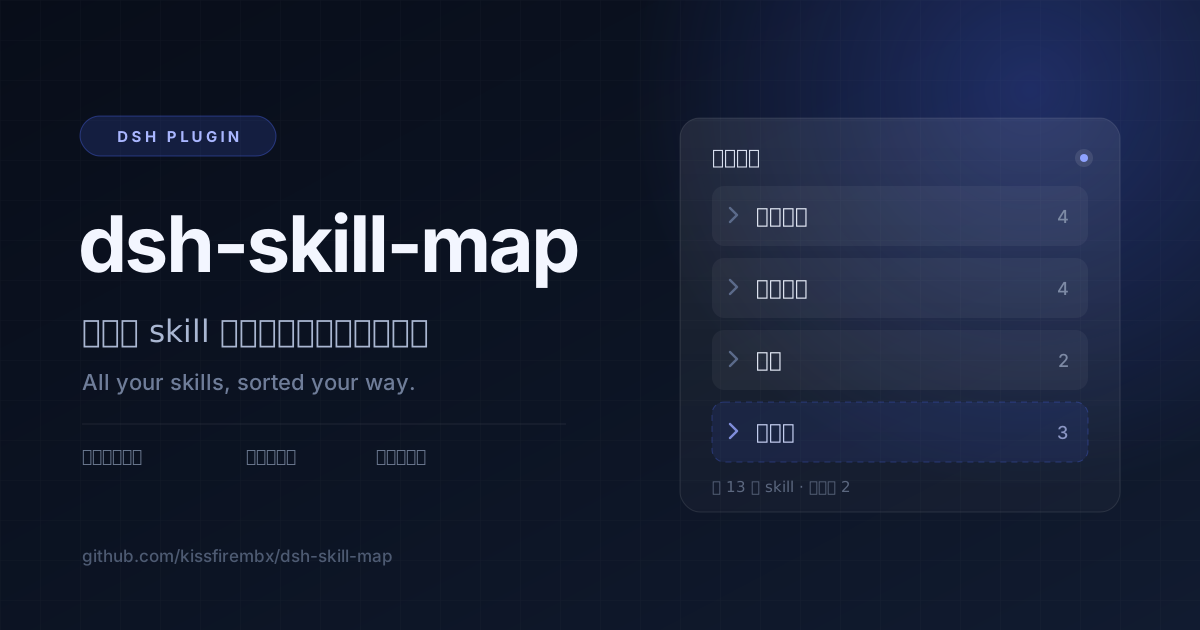
It sorts all your skills, so you can find the right one fast.
Once you have installed a lot of skills in DSH, the names stop telling you which one does what. This plugin (a small add-on for DSH) puts them on one page in the right sidebar, and you group them your own way. Code in one pile, docs in another, spreadsheets in a third — or often used and rarely used.
What you sort is saved on your own computer, so a new version of the plugin will not wipe it.
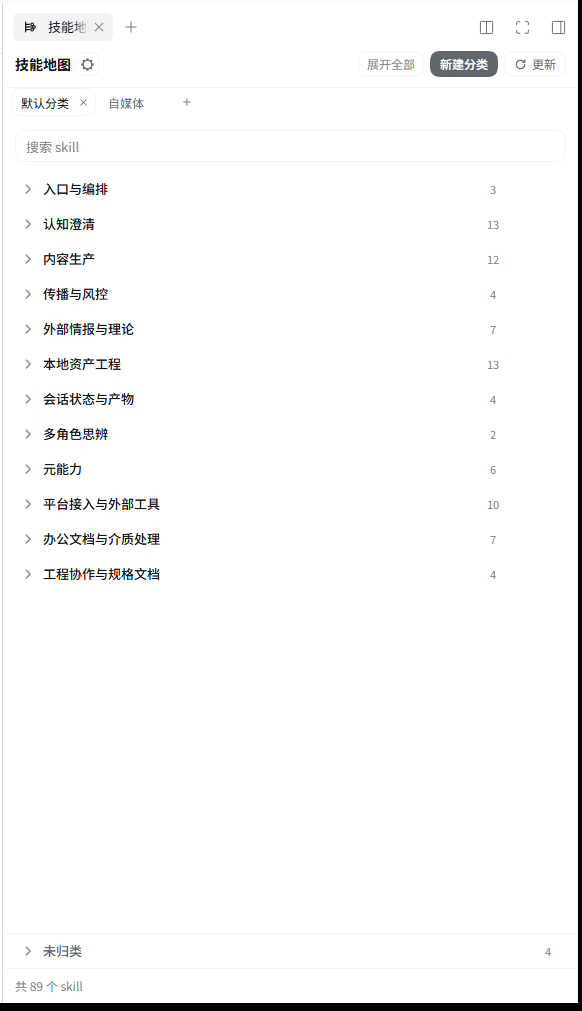
What it looks like
What it does
- One more page in the right sidebar, just for skills.
- One workspace is one way of sorting. Click the little tab on top to switch to another way.
- Want to keep another way of sorting? Click "+" to make one; double-click a tab to rename it, click "×" to delete it (it asks first).
- On first open, you can let AI sort everything for you once.
- Or make your own categories first, then let AI put the skills that are still loose into them. Anything you placed stays where you put it.
- Categories can be renamed, dragged into a new order, or deleted. Drag a skill and it moves to another category.
- Each skill is one line: the name, then one sentence about what it does. Hover over the line to see which GitHub project it came from and a longer description.
- The search box finds skills by name and by those descriptions.
- Click a line and
/skill-nameis copied, ready to paste into the composer. - Not sure where a skill goes yet? Drop it in "Unassigned" at the bottom of the list.
- If a description looks thin, press Update and let AI write more. AI never overwrites a line you wrote yourself.
Install
Install DSH first. Then paste this line into a terminal and press Enter:
dsh plugin --profile web add @kissfire/dsh-skill-map
Restart dsh web, and the right sidebar gets one more tab: "Skill Map".
If that does not work, download the ready-built package instead. The link never changes and always points at the newest release:
dsh plugin --profile web add https://github.com/kissfirembx/dsh-skill-map/releases/latest/download/kissfire-dsh-skill-map.tgz
License
This project is licensed under the MIT License.
For more detail
The fine print, for people who want it. Click to open.
Where it shows up, where the file lives, changing the language
- With
dsh-better-sidebarinstalled it is a tab in that sidebar; without it, a tab in the official right Sidebar (@deepseek-ai/dsh-client-ui-sidebar-right), opened once on first load. - When neither right sidebar is running it falls back to a central panel and adds an icon in the sidebar's panel list, so there is always a way in.
- Everything you sort lives in
$DSH_HOME/skill-map/map.json. If the file is missing or broken it goes back to "no workspace yet" instead of planting a classification you never confirmed. - The gear in the header switches the description language: the skill's own text, or a translation cache in
$DSH_HOME/skill-map/descriptions.<lang>.json. A skill with no row in the cache keeps its own text.
Config
| Key | Type | Meaning |
|---|---|---|
enabled | boolean | Master switch for the host routes. |
customSkillDirs | string[] | Extra skill roots to scan besides the official ones. |
dshHome | string | DSH home override; the workspace document lives under it. |
agentsHome | string | Agents home override (~/.agents). |
syncModel | string | Model route (provider/model) used by Update and auto classify. Defaults to the model this profile's agent runs. |
Routes
| Route | Method | Meaning |
|---|---|---|
/api/dsh-skill-map/list | GET | Every skill, plus each workspace with its placements resolved. |
/api/dsh-skill-map/save | POST | Writes the whole workspace document. |
/api/dsh-skill-map/workspaces/auto | POST | Classify with the model: propose a scheme for an empty workspace, place only the unassigned skills in one that already has categories. |
/api/dsh-skill-map/health | GET | Health check carrying the skill and workspace counts. |
/api/dsh-skill-map/sync | POST | Asks the model for the missing and changed copy. |
Security and limits
- At most 20 workspaces, and at most 200 categories per workspace; categories are flat, with no nesting.
- Every route is loopback-only (or a paired device), and skill roots are read-only; the plugin writes only its own files under the DSH home directory.
- The workspace document is written atomically and parsed defensively; a broken file degrades to the blank state.
- Update and auto classify need an
llmservice in the profile; without one they report it as unavailable, and a scheme proposal falls back to the built-in table. - The browser half sends one anonymous install heartbeat per UTC day (random id plus package name): src/client/telemetry.ts.
Development and release
pnpm install && pnpm typecheck && pnpm test && pnpm build
To ship: bump version in package.json, run pnpm publish:npm, then attach the npm pack artifact to a GitHub release.