dsh-native-browser
longmiaoo/dsh-native-browser
DSH용 브라우저 플러그인입니다. 로그인된 Chrome을 네이티브 방식으로 제어하며 부드러운 가상 커서, 의미 기반 페이지 읽기, 폼 입력, 스크린샷, 전달 기능을 제공합니다. Browser 사이드바에서 설정합니다. macOS와 Google Chrome 125+가 필요하고 동봉된 unpacked MV3 extension을 한 번 로드해야 합니다. Edge, Windows, 완전한 Linux 설치는 실험 단계입니다.
설치
dsh plugin --profile web add github:longmiaoo/dsh-native-browserREADME
dsh-native-browser

Native browser control for DSH, inspired by Codex workflows. Smooth virtual-cursor feedback in the Chrome you already use.


English · 简体中文 · Try it · Contribute · Share feedback
Like this direction? Star the project and build with us. Real-task feedback, reproducible issues, docs, demos and code contributions are welcome.
Quick start: connect Chrome after installing
Upgrading to 0.2.3? Update the plugin, reload DSH, run Set up Chrome to synchronize the Broker and extension files, then Reload the extension in Chrome and restart the Broker (the new 5-minute lease needs the new extension and Broker together). This release removes the private-address navigation block, makes downloads ask nothing, and allows uploads from your home folder (each upload still asks).
For macOS + Google Chrome. Install in the DSH app you actually use. No terminal command or Profile name is needed.
- Install and enable: DSH → Plugins → Plugin market, search
dsh-native-browser, install and enable it. Reload if DSH asks. - Open setup: use Browser in the sidebar, or Plugins → the top-level Installed tab → dsh-native-browser details. Use DSH’s top-level Installed tab, outside Plugin market’s own installed list. Click Set up Chrome to open Chrome extensions and its folder.
Missing those entries? Published
0.1.6and earlier use the full fallback path: bottom-left More → Settings → Browser setup → Set up Chrome. Version 0.1.7 added plugin-detail and sidebar entries; 0.1.8 fixes their cold-boot registration; older hosts can continue using Settings. - Load the extension once: in
chrome://extensions, enable Developer mode and click Load unpacked. Copy the extension path from setup; in the folder picker press Command + Shift + G, paste it, press Return and select the entirechromefolder. If already loaded, click Reload on its extension card instead. - Check and chat: return to setup and click Check connection. Once Chrome is connected, open an ordinary webpage in Chrome and paste this into DSH:
Use native_browser tools to read the title and main content of my current Chrome page, then hand control back to me.
After setup, ask for tasks directly in chat. After upgrading the plugin, rerun setup to sync its extension, then click Reload on the Chrome extension card.
Chrome Web Store distribution is pending, so the initial Load unpacked confirmation remains. Setup opens the relevant Chrome page automatically. A public README cannot link to every user's authenticated local DSH; the in-app entry uses the DSH instance you are running.
See it in action
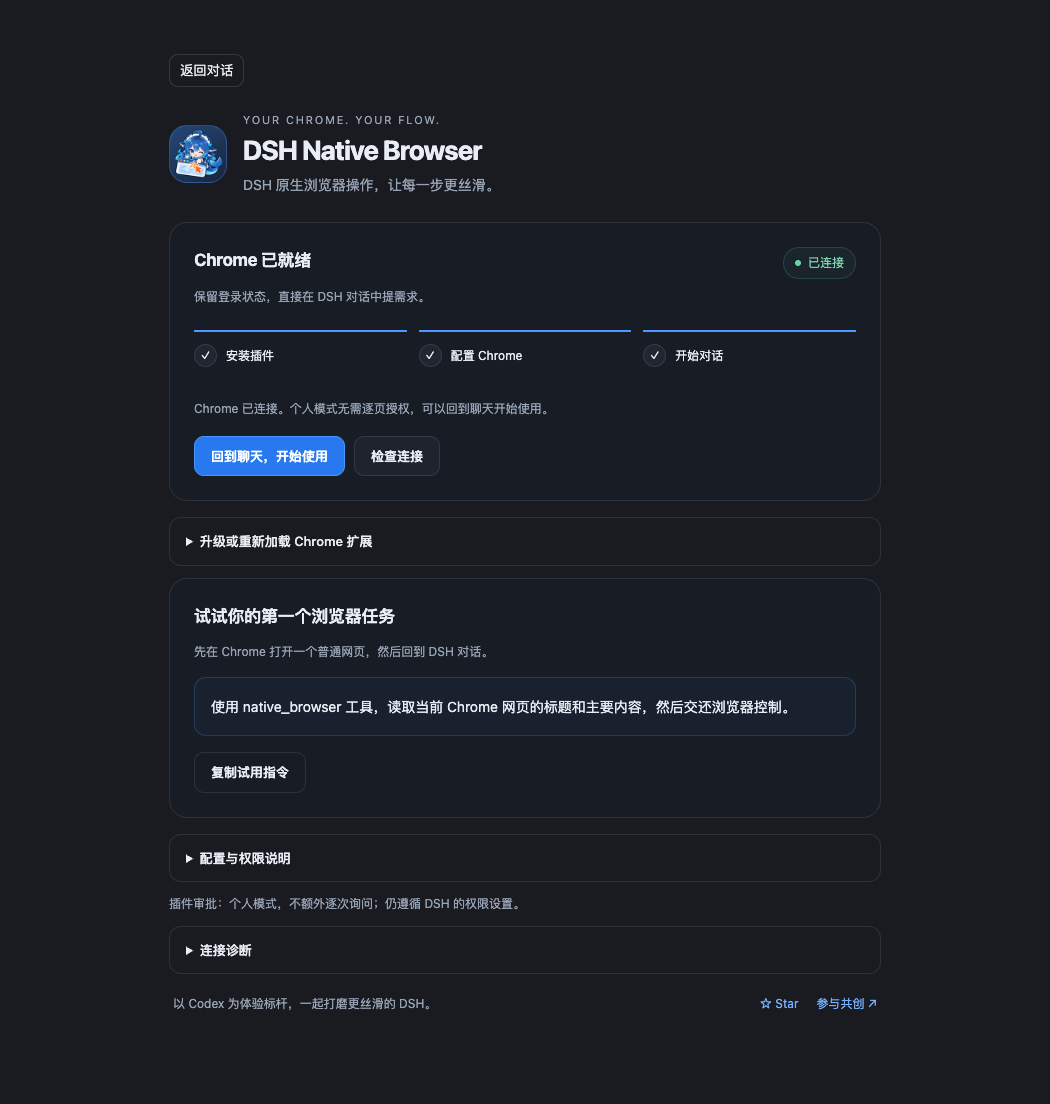
Actual setup component: connection status and your first task in one place.
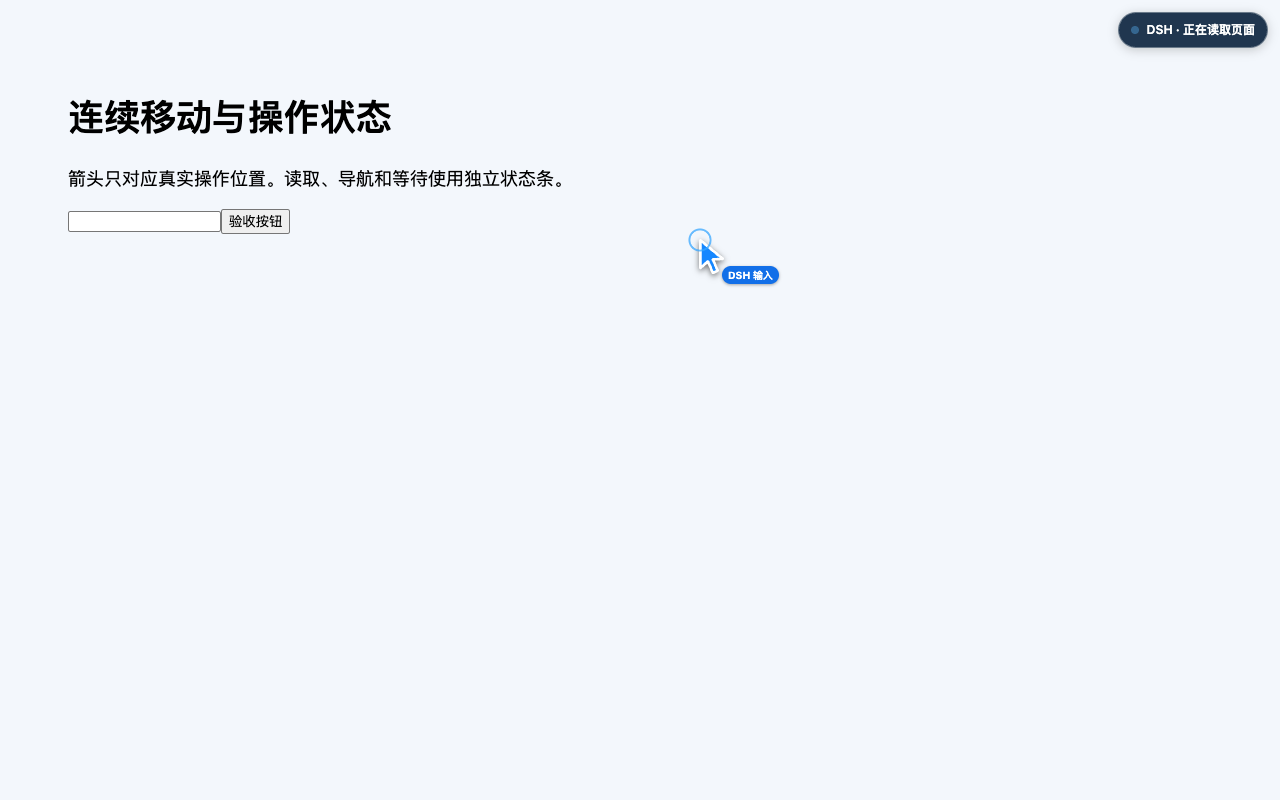
Actual cursor and status feedback on an isolated test page. Motion follows dispatched actions; page reads use a separate status indicator.
Let DSH work in the Chrome you already use—with your existing tabs, signed-in sessions and extensions. Ask it to read pages, fill forms and work through browser tasks, with visible actions and explicit handoff when you need control.
Our experience benchmark is Codex: we want people moving from Codex to DSH to find browser work just as natural and continuous. Version 0.1.0 focuses on macOS and Chrome; improving real-task fluency remains an ongoing goal.
We want browser work to feel smooth enough that you choose to delegate more of it. Bring a real task, show us where the experience breaks down, and help improve the next step.
The experience we are building
| What matters to you | What the project works on |
|---|---|
| Work in a familiar browser | Connect to existing Chrome tabs, logins and extensions. |
| Keep actions connected | Preserve browser connections; use semantic observations, scoped reads, incremental results and bounded batches. |
| See what the agent is doing | Show smooth cursor motion for dispatched clicks, scrolling and typing, plus a separate control/read/navigation/wait indicator. |
| Take control when needed | Release control through the extension Stop button or explicit handoff. Switching DSH conversations also revokes the previous conversation's control. |
| Recover without guessing | Check actionability and distinguish verified results from unknown outcomes, avoiding blind duplicate actions. |
“Native” means integration with DSH sessions, tools and approvals, together with direct control of existing Chrome. The plugin runs in DSH; Codex is the experience reference.
Tasks to try
After installing and authorizing the relevant sites, ask DSH:
Read the documentation page I specify, summarize the key steps and caveats,
then release browser control.
Fill this test form with the details I provide. Check every field,
then hand control back to me before submitting.
Read the reference pages I specify and build a comparison table.
Keep the relevant pages open and release control when finished.
Results depend on the page, model and permission configuration. Start with the public-page task below, then try familiar sites.
Try it
Version 0.2.3 supports macOS + Google Chrome. You need a working DSH installation. CLI/Web setups require Node.js ≥ 22.19 and pnpm 11; Desktop setup uses its verified built-in runtime. The declared DSH range is >=0.1.5-rc.1 <0.3.0; recorded host-component checks cover 0.1.5-rc.1 and 0.2.1-rc.3. Chrome's manifest minimum is 125; see the release acceptance record for tested versions. Edge and complete Linux/Windows installation remain experimental.
Recommended: setup inside DSH (0.2.3)
Version 0.2.3 keeps the Browser sidebar entry available after reload and provides setup directly in Plugins → top-level Installed → dsh-native-browser details. Install or update in the DSH app you use, reload as instructed, then click Set up Chrome. Older hosts retain More → Settings → Browser setup. No Profile name is needed. It provides connection checks, path copying and a button to reopen Chrome. Desktop reuses its verified built-in runtime without a separate Node installation.
The extension is not on the Chrome Web Store yet, so initial unpacked loading remains. A future store release can replace directory selection with the user's Add to Chrome confirmation and automatic extension updates; that distribution path has not shipped. See the setup design and validation.
CLI installation (advanced CLI/Web usage)
Paste this entire line into a terminal:
dsh plugin --profile web add dsh-native-browser@0.2.3 && dsh plugin --profile web exec dsh-native-browser install --browser=chrome
Use this only for a known CLI/Web profile such as web or browser-lab, with the same name in both places. web is not a universal default. Desktop users should manage plugins through the Desktop plugin market, not substitute desktop into the public CLI, which restricts management of Desktop-owned profiles. Installing into a different profile does not register tools in the current chat.
The installer stages the extension in a stable private directory, registers Native Messaging, starts and checks a macOS background Broker, and opens Chrome extensions plus Finder. The service continues after you close the terminal.
2 Confirm the extension once in Chrome
Open chrome://extensions, enable Developer mode, and choose Load unpacked. In the directory picker press Command + Shift + G, paste the full extension path printed by the installer, press Return, then Select. This also locates hidden directories.
The extension is currently distributed unpacked through npm; Chrome Web Store distribution is not included.
3 Connect and ask DSH
Reload the DSH environment where you installed the plugin. Check the connection in Browser setup, open a normal webpage in Chrome, and ask DSH. Default personal mode needs no per-tab popup consent:
Use the native_browser tools to read the title and main content of the Chrome page I have open, then hand browser control back to me.
DSH should return the page contents and leave the tab open. Version 0.2.3 defaults to personal mode. Installation does not change host-wide DSH permissions. Screenshot understanding depends on your selected model; Vision Router is optional.
Approval modes
Since 0.1.2: the adapter now defaults to personal, matching the standard installer. Ordinary pages need no per-tab popup consent and the plugin adds no per-action approval prompts. Explicit per-action, per-lease and trusted configurations remain effective. Stop, handoff, conversation switching, lease checks and DSH's own permissions still apply.
Upgrade existing installations to 0.2.3, rerun setup to update the staged extension and Broker, reload the extension in Chrome, and reload DSH. Existing explicit approval settings take precedence. A personal Broker is required for personal mode.
For one confirmation per tab claim, add this to the existing plugin entry in your actual profile and restart it:
- id: native-browser
  config:
    approvalMode: per-lease
For ordinary personal browsing, explicitly choose approvalMode: personal. The installer already provides a matching personal Broker. After the extension connects, personal mode can discover and claim ordinary HTTP(S) tabs in that Chrome instance. Enable it only for a personal browser whose pages you intend to make available. Stop, handoff, foreground conversation changes and lease expiry revoke control. During active personal-mode browser work, control renews automatically. Turn end, handoff, Stop, conversation switching and disconnect stop maintenance; ten minutes without browser-tool activity also stops it. Older peers retain the fixed deadline until updated. The plugin cannot reliably identify every consequential business action; let a human handle payment, publishing and irreversible operations. See approval modes.
Upgrade, diagnose and uninstall
Run the installation line again, reload the extension in Chrome, and restart the DSH profile. The staged extension path stays stable across package upgrades. When migrating from an older Alpha, remove the extension loaded from node_modules or a checkout, load the new stable directory once, and authorize the tab again.
If an old manual Broker is still running, stop it with Ctrl+C in its terminal before installation. The background service and a manual Broker must not compete for the same runtime.
Replace web consistently when diagnosing:
dsh plugin --profile web exec dsh-native-browser doctor --browser=chrome
dsh plugin --profile web exec dsh-native-browser service-status
ready confirms local registration and browser connectivity, not tab authorization or model-task success. If the browser is missing, check extension loading and popup consent. If tools are missing, verify the profile and restart DSH. Detailed recovery steps: installation guide.
Before removing the package, run:
dsh plugin --profile web exec dsh-native-browser uninstall --browser=chrome
Then remove the Chrome extension and uninstall the DSH plugin using the plugin manager. This stops the service belonging to the selected runtime and unregisters the browser Host; local state, the staged extension and user tabs are preserved.
Current capabilities and limits
Version 0.1.3 adds task lifecycle and status: explicit page-purpose marks, cleanup of still-controlled temporary tabs on confirmed completed turns, conversation action cards, and settings controls. Temporary pages are cleaned only while control is valid; retained and user-owned pages remain open. Use explicit finish when the Host ending is unknown; mark unfinished multi-turn pages for handoff.
0.1.0 includes semantic reads, clicks, text entry, scrolling, checkbox/radio actions, batches, multiple tabs, screenshots, guarded visual clicks, and actions for uploads, downloads and native dialogs. See the changelog and that version's bundled documentation for exact conditions. The implementation inventory describes the development version, which can contain changes that have not shipped.
- Cross-origin iframe content and actions remain bounded. Discovering a frame does not authorize reading it.
- Visual clicks require a screenshot and suitable model understanding. The plugin does not run a vision model itself.
- Explicit Stop and handoff are implemented. Recognizing arbitrary human intervention and resuming seamlessly still needs work.
- Edge has early compatibility evidence; formal support and complete validation on other operating systems remain work in progress.
- First-time Chrome extension loading requires manual confirmation. The installer handles the local components; store distribution and automatic extension updates remain future work.
The control connection runs locally. Page text and screenshots may be sent through DSH to your configured model; choose content according to your DSH and model provider's data policies.
Contribute
The most useful feedback starts with: “This task stopped feeling smooth here.” You can help by trying, recording and reproducing a problem before deciding whether to change code.
| How you want to help | A useful contribution |
|---|---|
| Try an everyday task | Explain the goal, the step that stalled and the behavior you expected. |
| Bring experience with Codex | Identify a concrete gap in initial response, pauses between actions, page feedback or handoff. |
| Improve docs or translations | Clarify installation, errors, task examples and English or Chinese documentation. |
| Build tests or web interfaces | Turn a failing step into a small public page and reproducible case. |
| Work on browsers or systems | Improve reconnection, semantic observation, action waiting, compatibility or installation. |
Start with existing issues or propose a concrete improvement. If there is no suitable task, describe the scenario you want to improve. Discuss protocol, permission or large architectural changes before implementation to reduce rework.
Report a rough edge
Include what you can safely share:
Task goal:
OS, Chrome, DSH and plugin versions:
Model, web/desktop profile and approval mode:
Step that stalled or behaved unexpectedly:
Expected behavior / actual behavior:
Minimal reproduction or public test page:
Optional: redacted recording, diagnostics, timing
Keep cookies, tokens, account details and private screenshots out of public issues. Follow the security reporting policy for vulnerabilities.
Start a code contribution
From a local checkout:
pnpm install
pnpm check
pnpm typecheck
pnpm test
Start with a focused change and read the contribution guide. Browser behavior changes also need appropriate real-Chrome verification; performance changes should include reproducible before/after results. Recordings, documentation and reproductions are valuable contributions in their own right.
What to improve next
- Make first connection, installation and upgrades easier.
- Reduce idle gaps, repeated observations and unnecessary model round trips.
- Improve action feedback, stopping, handoff and continuation.
- Validate fluidity and compatibility on more real-site tasks.
- Expand validation across DSH Desktop, Web and browser versions.
These directions welcome proposals; use discussions in concrete issues and reproducible tasks to define the work. See the roadmap for the broader plan.
Tool names and coexistence
The stable version registers 14 native_browser_* tools, including native_browser_claim, native_browser_observe, native_browser_act and native_browser_handoff. The dedicated prefix avoids name collisions with plugins using browser_*. Old aliases are opt-in through legacyToolNames: true; occupied aliases are skipped. Use the canonical names for new tasks.
Source development, manual Broker setup and experimental features are documented in development.md.
Technical foundations and evidence
Semantic observations describe the page, actionability checks confirm targets, the local runtime preserves connection and session state, and the virtual pointer shows dispatched actions. Version 0.1.6 adds smooth motion between actual targets and a separate indicator for reads, navigation, screenshots and waiting; read-only work never invents a mouse target. Animation does not add browser input or delay dispatch, and respects reduced-motion preferences. Reducing repeated reads and model round trips is an important part of making tasks feel continuous.
Existing executor tests and local benchmarks validate these foundations. Complete model-driven tasks, real sites and sustained use need broader evidence as we work toward the Codex experience benchmark.
Implementation · Benchmarks · Security model · Architecture plans
Documentation map
- Installation, configuration and diagnostics
- Current implementation and implementation progress
- Benchmarks and security model
- Roadmap and architecture plans
- Browser plugin comparison and Codex experience plan
- Architecture background, protocol and Chrome integration research
- Chrome-first decision
A Chrome DevTools MCP provider remains planned. Current browser work uses the native Chromium path.
Acknowledgements and license
Thanks to DeepSeek Harness, Chrome DevTools Protocol, the Chrome Extensions platform and the browser-agent community. Codex provides an experience reference. This is an independent implementation with no OpenAI affiliation or endorsement.