dsh-plugin-center
max-null/dsh-plugin-center
DeepSeek Harness용 플러그인 센터: 설치된 플러그인 메타데이터, 별 및 버전이 있는 커뮤니티 마켓, 원클릭 설치 및 업데이트, 새로운 기능 대화 상자
설치
dsh plugin --profile web add github:max-null/dsh-plugin-centerREADME
dsh-plugin-center
This plugin belongs to the @max-null/* family — a set of plugins that together form the SSID (思灵 · Seek Soul in Darkness) desktop experience. SSID is the box that bundles them all: dsh-capture · dsh-chat-rail · dsh-chinese-thinking · dsh-draft-polish · dsh-guardian · dsh-habit · dsh-memory · dsh-node-appearance · dsh-plugin-center · dsh-quick-toolbar · dsh-skill-mcp-center · dsh-ssid-panels · dsh-ssid-zh-ui · dsh-achievements · dsh-allostasis · dsh-skills · dsh-ssid-env · dsh-ssid-pwsh-retry · dsh-tone-layer.
本插件属于 @max-null/* 插件系列——这一系列共同构成 SSID(思灵 · Seek Soul in Darkness) 桌面体验。SSID 是整合它们的盒:dsh-capture · dsh-chat-rail · dsh-chinese-thinking · dsh-draft-polish · dsh-guardian · dsh-habit · dsh-memory · dsh-node-appearance · dsh-plugin-center · dsh-quick-toolbar · dsh-skill-mcp-center · dsh-ssid-panels · dsh-ssid-zh-ui · dsh-achievements · dsh-allostasis · dsh-skills · dsh-ssid-env · dsh-ssid-pwsh-retry · dsh-tone-layer。
Plugin center for DeepSeek Harness (dsh) — browse, install, and update community plugins from inside the Web UI.
插件管理中心:在 DSH Web 界面里管理已安装插件、浏览社区市场、一键安装与更新。
Features / 功能
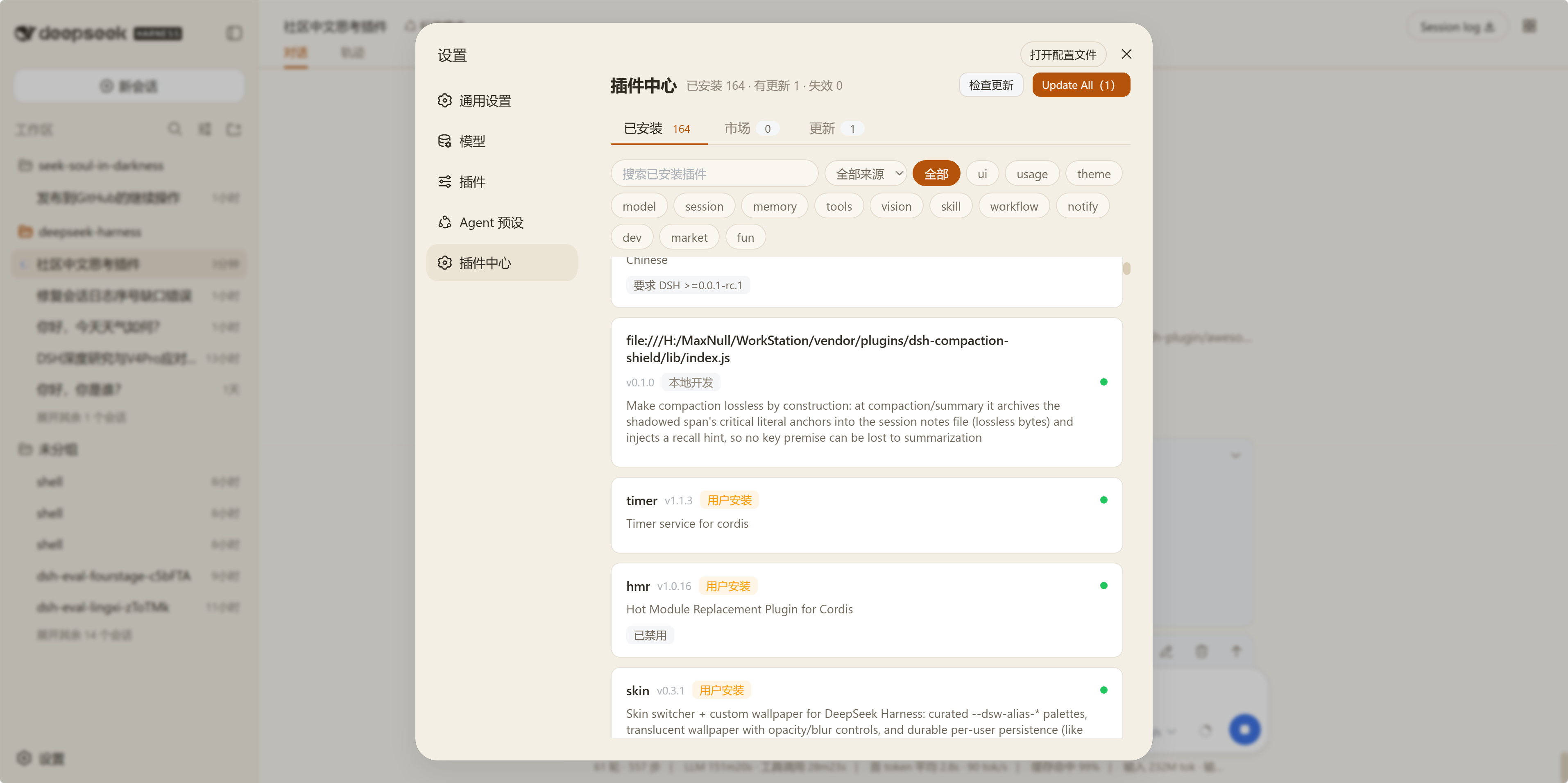
- Installed plugins / 已安装插件 — metadata with provenance (official / user-installed / local / builtin), categories, and DSH compatibility range.
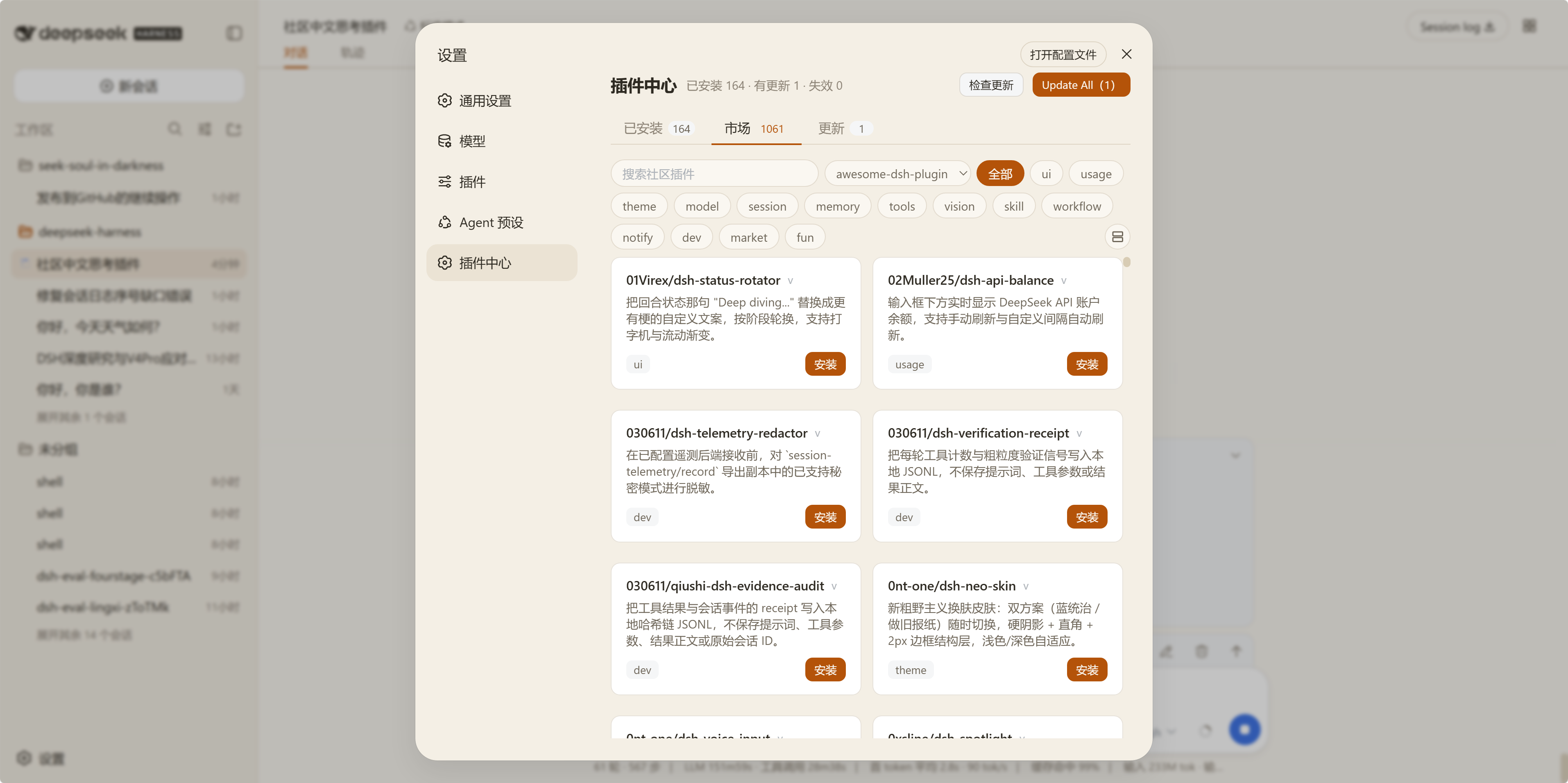
- Community market / 社区市场 — browse awesome-dsh-plugin, Oh-My-DSH, and dsh-market by category, with stars and npm versions.
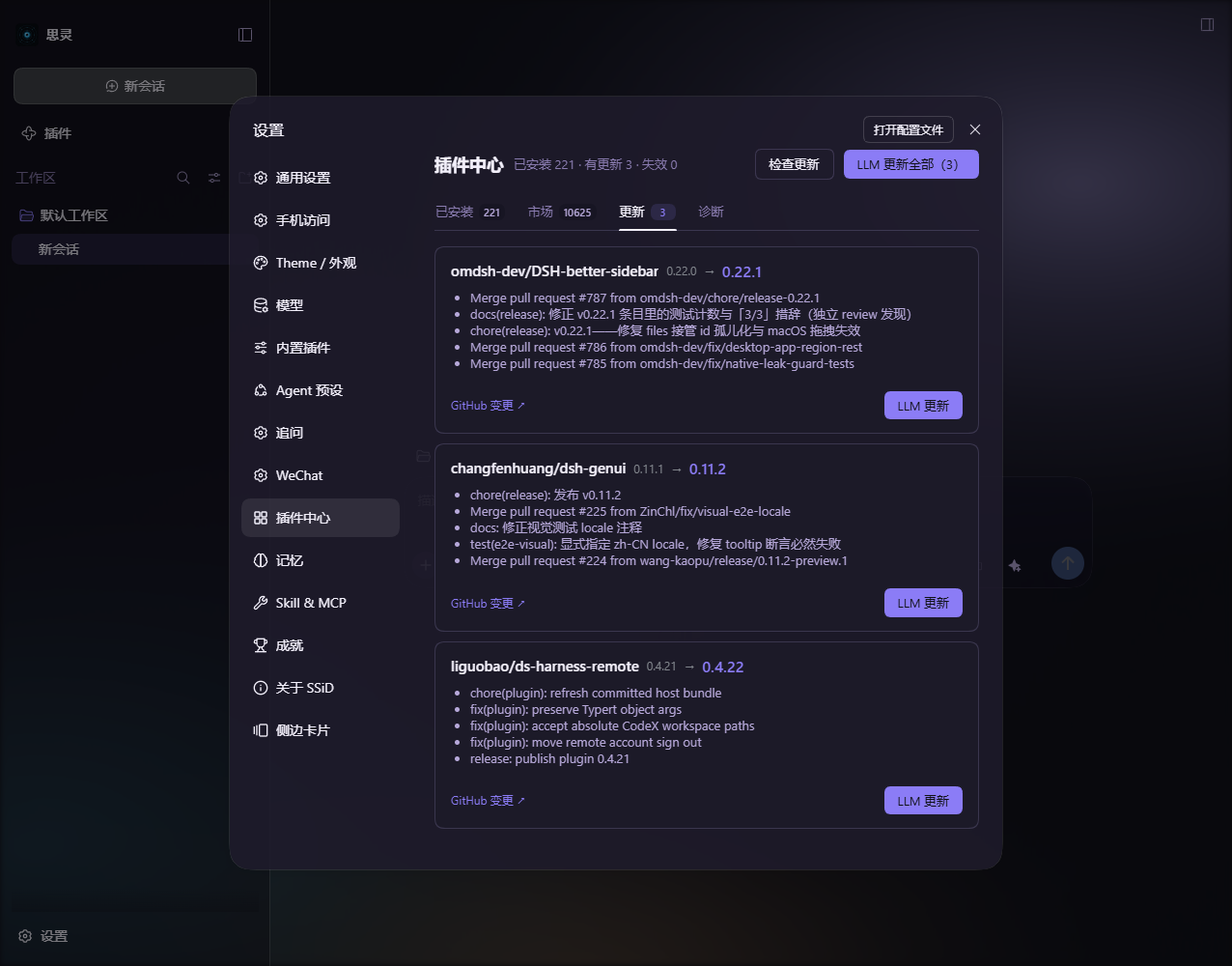
- One-click install & update / 一键安装与更新 — install from the market, detect updates, update one or all.
- What's New / 更新提示 — startup dialog listing plugins with new versions since you last looked.
- DSH compatibility / 兼容性检查 — flags plugins whose peer range does not match the running DSH.
- Skin-compatible / 皮肤兼容 — every color uses
var(--dsw-*)tokens, so skin plugins restyle this UI too. - Packaged upgrade skill / 自带升级技能 — the
dsh-plugin-upgradeskill ships inside this package and is served by a packagedSkillProvider(rank 550), so the LLM update flow can load it on a clean machine — no manual copy into~/.dsh/skills.
Screenshots / 截图
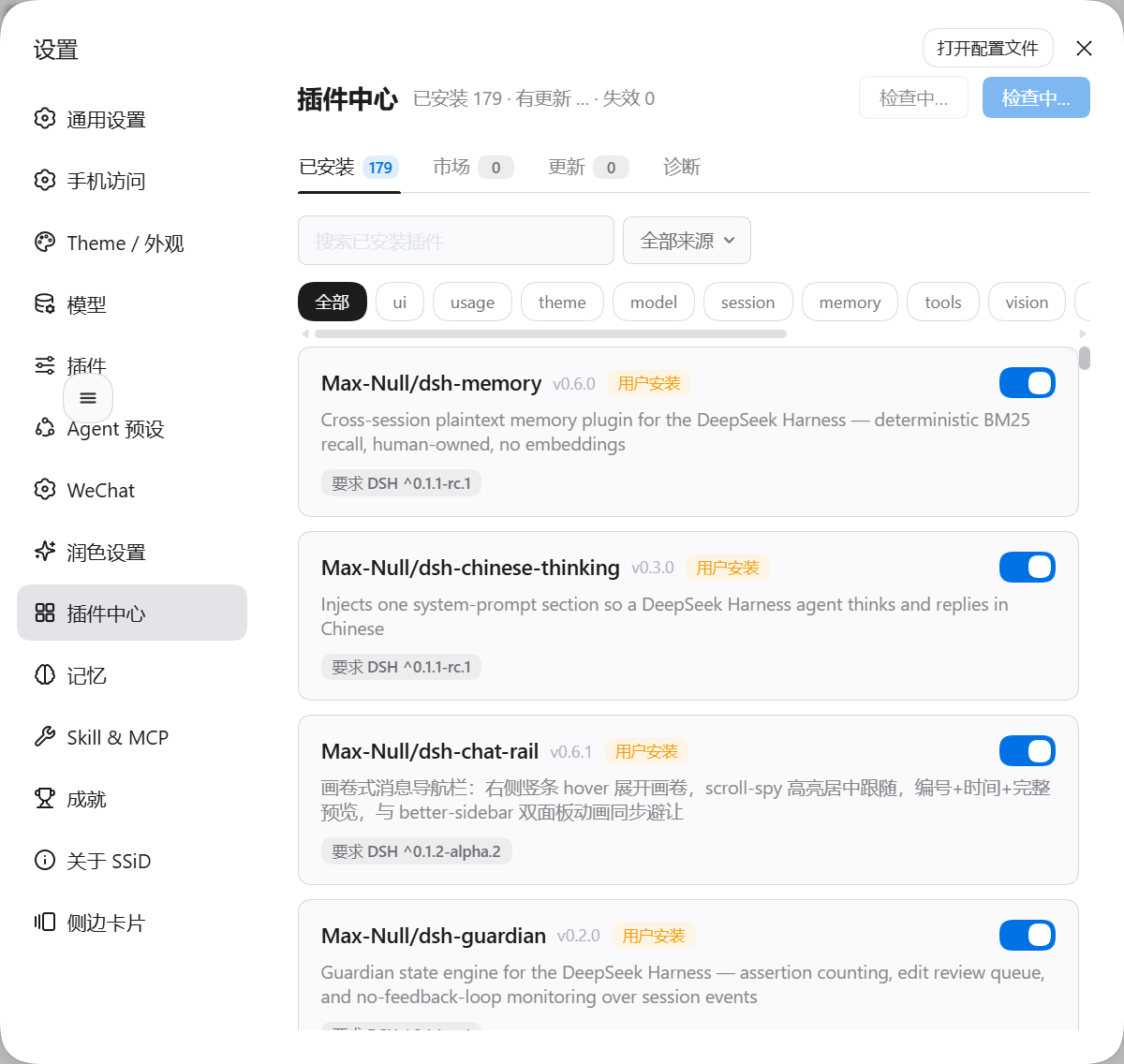
装完后在设置里多出「插件中心」一项;也可从顶栏右上按钮直接打开。
入口 / Entry: 设置 → 插件中心(或顶栏右上按钮)
| 设置入口与面板 | 已安装 / Installed | 社区市场 / Market |
|---|---|---|
 |  |  |
| 更新检测 / Updates |
|---|
 |
Install / 安装
A dsh installation keeps one profile per surface, and a plugin is visible only in the profile it was installed into. Installing into the wrong one is the usual reason an install looks like it did nothing.
dsh 的每种使用形态各有一个 profile,插件装进哪个 profile,就只有那个 profile 看得见它——「装完没反应」通常就是这个原因。
| DSH | Profile | Command |
|---|---|---|
dsh web (CLI + browser) | web | dsh plugin --profile web add @max-null/dsh-plugin-center |
| Official desktop app / 官方桌面应用 | desktop | dsh plugin --profile desktop add @max-null/dsh-plugin-center |
From the GitHub source, replace the package name with github:Max-Null/dsh-plugin-center。从 GitHub 源码安装时把包名换成 github:Max-Null/dsh-plugin-center。
Restart DSH, then open the plugin center from the header button (top-right) or Settings → 插件中心. 重启 DSH 后,从顶栏右上按钮或 设置 → 插件中心 打开。
Requirements / 前置条件:DSH runtime within >=0.1.1-rc.1 <0.3.0 (the @deepseek-ai/dsh-* peer range). A runtime outside it makes DSH skip this bundle silently — no error, no entry. 内核须落在 >=0.1.1-rc.1 <0.3.0 内;范围外 DSH 会静默跳过这个 bundle,不报错也不出现条目。
Uninstall / 卸载
dsh plugin --profile <your profile> remove @max-null/dsh-plugin-center
The built-in Plugins page / 官方自带的「插件」页
If the sidebar Plugins page shows 本部署没有可管理的 profile,无法安装或启停插件。, that message is the DSH kernel's own and does not come from this plugin. DSH renders it whenever the host has no pluginManager service (packages/boot/plugin-inventory/src/index.ts), and that service is gated in packages/bundle/base/cordis.patch.yml by a single disabled: !!js "!ctx.get('profileContext')" row. This plugin declares inject: ['loader'] and contributes one entry row; it neither provides nor affects pluginManager.
侧栏「插件」页出现 本部署没有可管理的 profile 时,那句话来自 DSH 内核,不是本插件。DSH 在宿主没有 pluginManager 服务时就会显示它,而该服务在 packages/bundle/base/cordis.patch.yml 里只由一行 disabled: !!js "!ctx.get('profileContext')" 决定。本插件声明的是 inject: ['loader']、只贡献一个条目行,既不提供也不影响 pluginManager。
Two checks / 两条自查:
-
Remove this plugin, restart, and reopen the page. If the message is still there, this plugin was never the cause. 卸掉本插件、重启,再看那一页——若那句话仍在,就与它无关。
-
Look in
~/.dsh/profiles/<your profile>/cordis.patch.ymlfor a row that switches the manager off, and delete that row:- id: plugin-manager disabled: true在
~/.dsh/profiles/<你的 profile>/cordis.patch.yml里找有没有把管理器关掉的条目(形如上),删掉它即可恢复官方插件页。
Development / 开发
pnpm install
pnpm build   # tsc (host) + esbuild (browser bundle)