dsh-phone
opentandem/dsh-phone
Adds a Phone page to dsh web that shows a QR code; scan it, sign in to OpenTandem on the phone and tap Allow, then send tasks to this computer's dsh from OpenTandem. Installs the OpenTandem command line and a background Runner on first use.
설치
dsh plugin --profile web add github:opentandem/dsh-phoneREADME
dsh-phone
Use DeepSeek Harness (dsh) from your phone. Scan a QR code in dsh web, sign in to OpenTandem on the phone, tap Allow, and send tasks to the computer that runs dsh. Your existing dsh sessions show up on the phone, and the phone and the computer continue the same session.
Install
From npm:
dsh plugin --profile web add dsh-phone
From GitHub:
dsh plugin --profile web add github:opentandem/dsh-phone
You can also open Plugins → Add plugin in dsh web, enter dsh-phone, install it and press Enable now. If the Phone entry does not appear in the sidebar, refresh the page once.
Use
-
Click Phone in the
dsh websidebar and press Show QR code.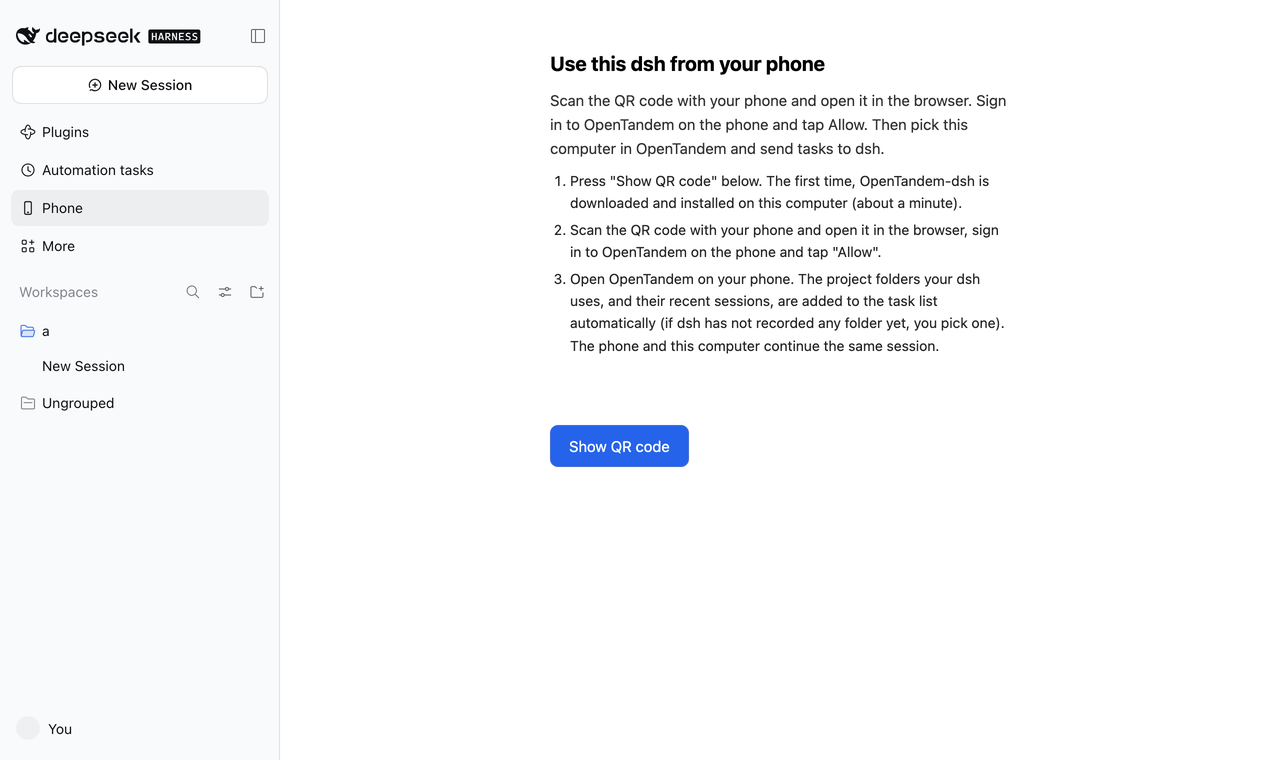
-
Scan the code with your phone and open it in the browser.
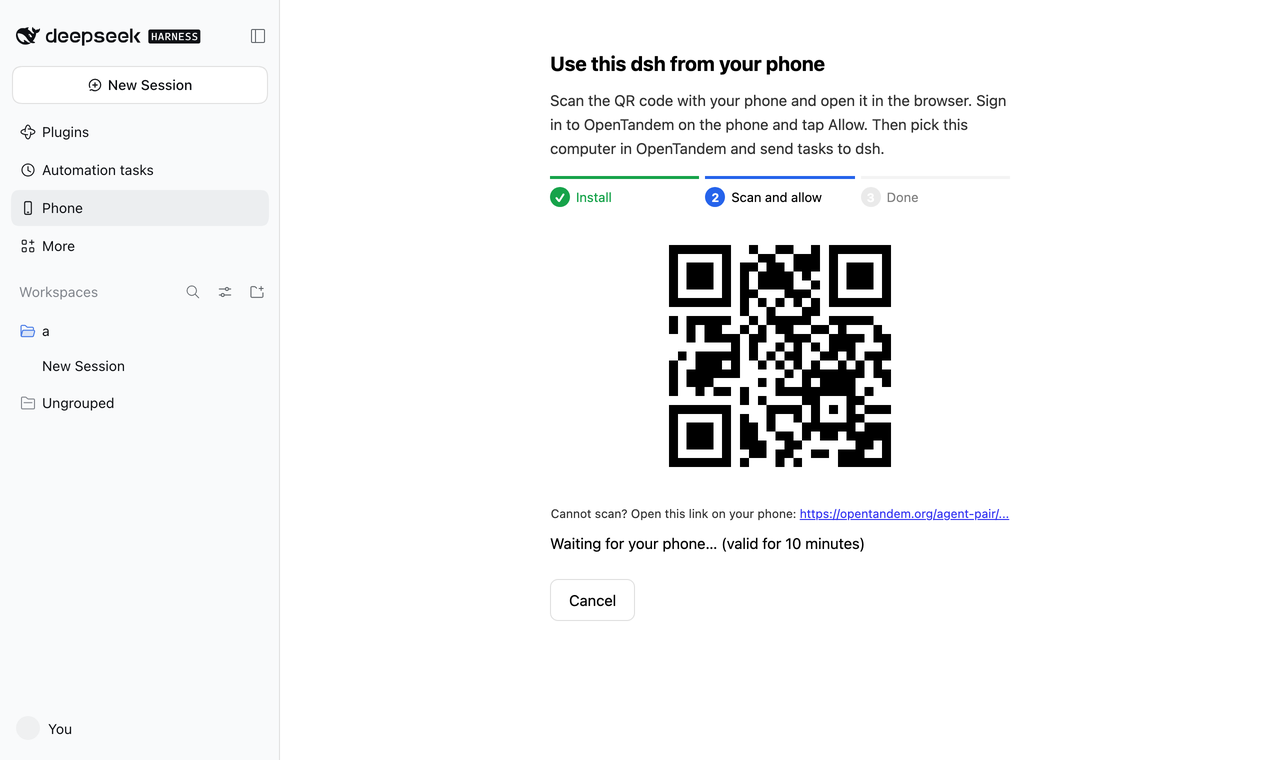
-
Sign in to OpenTandem on the phone and tap Allow.
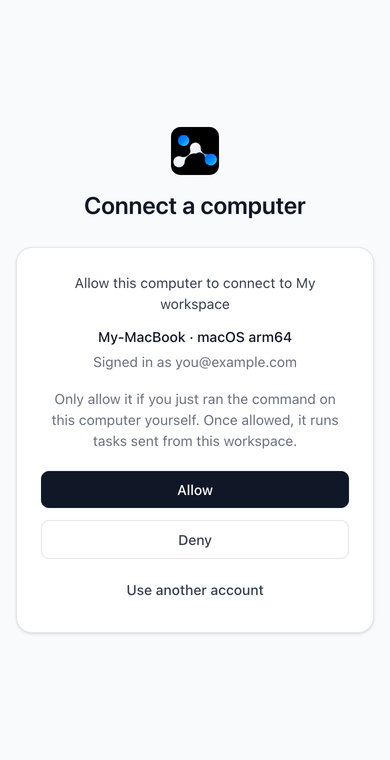
-
The page in
dsh webshows that the computer is connected.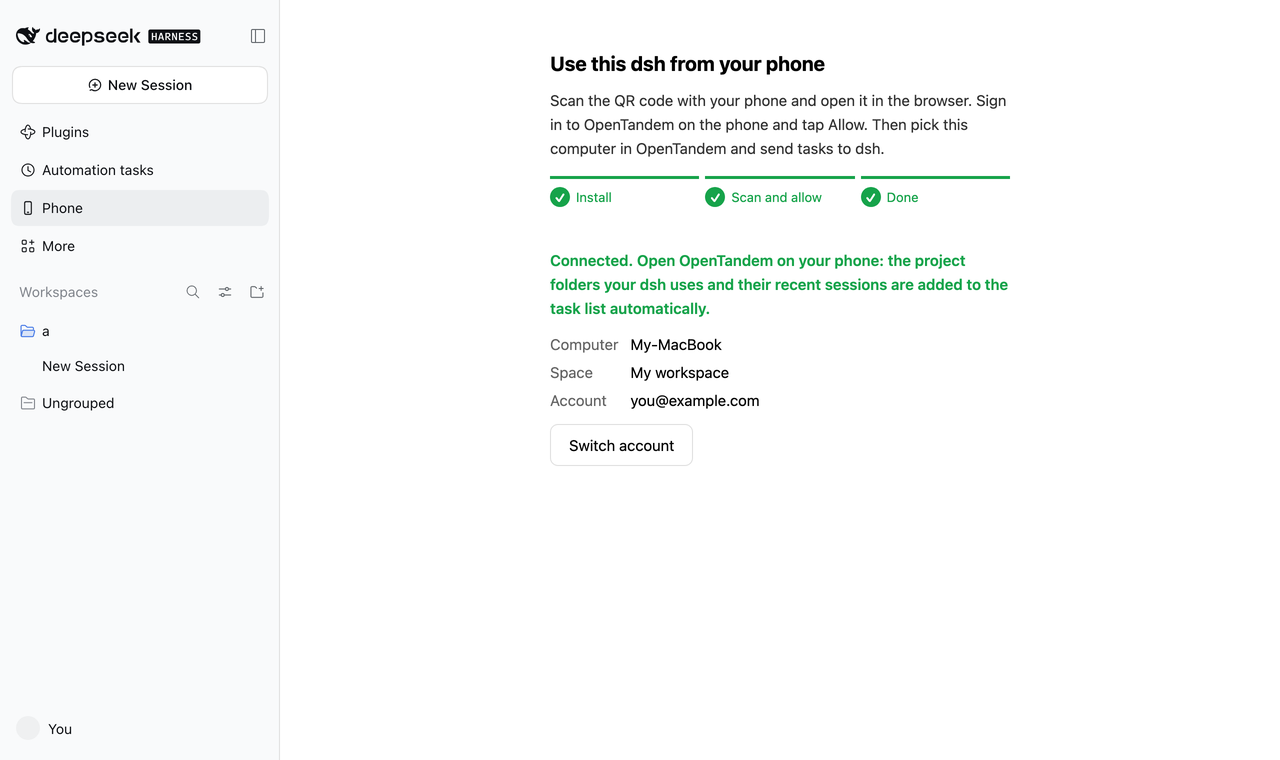
-
Open OpenTandem on the phone. The project folders that
dshuses and their recent sessions are added to the task list, and you can continue them or start new ones.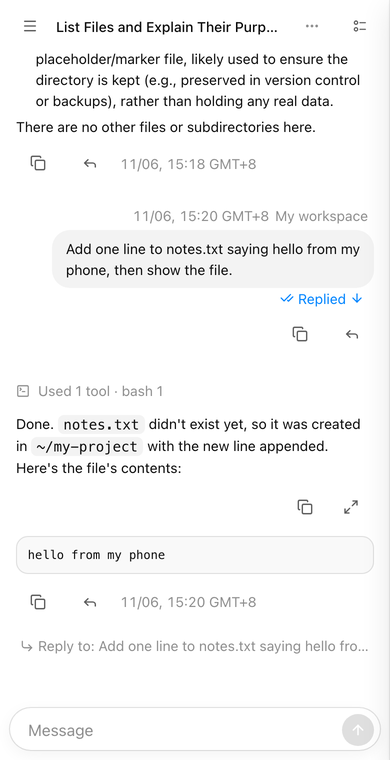
To connect another account, press Switch account on the page. The current connection stays until you tap Allow on the phone.
What it installs and sends
This plugin is a small page and a pairing step. The part that keeps the phone connected is the OpenTandem command line, which is a separate program, so you should know what it does before you press Show QR code:
| What | Details |
|---|---|
| Download | The first time, the plugin downloads the launcher from https://opentandem.org/api/cli-script?file=launcher.mjs to ~/.opentandem-dsh/ and runs it on the Node.js that runs dsh. The launcher installs the OpenTandem command line, which takes about a minute. |
| Background service | The command line starts a background Runner that stays installed, so the phone can reach this computer after dsh web is closed. Remove it with opentandem uninstall, or remove the computer in the OpenTandem settings. |
| What the phone can do | After you tap Allow, tasks sent from that OpenTandem account run on this computer through dsh. Allow it only if you started the pairing yourself. |
| Accounts | You sign in on the phone, so this plugin never sees your OpenTandem account or password. It does not use your DeepSeek account. Tasks use the models you have already set up in dsh. |
| Connection check | Every route of this plugin sits behind the connection check that dsh uses for its own APIs, and the POST routes only accept application/json. |
The source of the OpenTandem Runner and command line is public under AGPL-3.0.
Configuration
| Environment variable | Meaning |
|---|---|
OPENTANDEM_CLI | Use this launcher or opentandem executable instead of downloading one. |
OPENTANDEM_SERVER | The OpenTandem server to download from and pair with. The default is https://opentandem.org. |
Compatibility
This plugin has been tested on macOS with dsh 0.2.1-rc.2 and 0.2.2-rc.1. Windows and Linux have not been tested yet.
About OpenTandem
OpenTandem is a unified workspace for individuals and teams that manages multiple AI coding agents, with mobile access. One workspace, all your machines, with agent switching, model routing, live quota tracking, and team collaboration.
License
MIT. The OpenTandem command line and Runner are separate AGPL-3.0 programs that this plugin only starts as a child process, and none of their code is bundled here.