dsh-todo
polunzh/dsh-todo
待办清单与番茄钟:Todoist 式的今天/即将到来/收件箱/项目视图,TickTick 式的任务番茄钟与统计;侧边栏入口、主面板页面、智能体可读写同一份任务。 Todo list and pomodoro timer for DeepSeek Harness: Todoist-style Today/Upcoming/Inbox/Project views, TickTick-style task-bound pomodoro with stats, plus an agent tool over th
설치
dsh plugin --profile web add github:polunzh/dsh-todoREADME
English | 简体中文
dsh-todo

A full-featured to-do list and Pomodoro timer plugin for DeepSeek Harness. Combines the core workflow of Todoist (Today, Upcoming, Inbox, Projects, Priorities, Natural-Language Quick Add) with the focused timeboxing of TickTick (Pomodoro timer bound to tasks, 25/5/15 cycles, and 7-day stats).
Runs entirely local: tasks, projects, settings, and Pomodoro sessions are saved to $DSH_HOME/storages/todo/state.json via atomic file writes. DeepSeek Harness agents can read and write the exact same task database via the built-in todo tool.
Interface
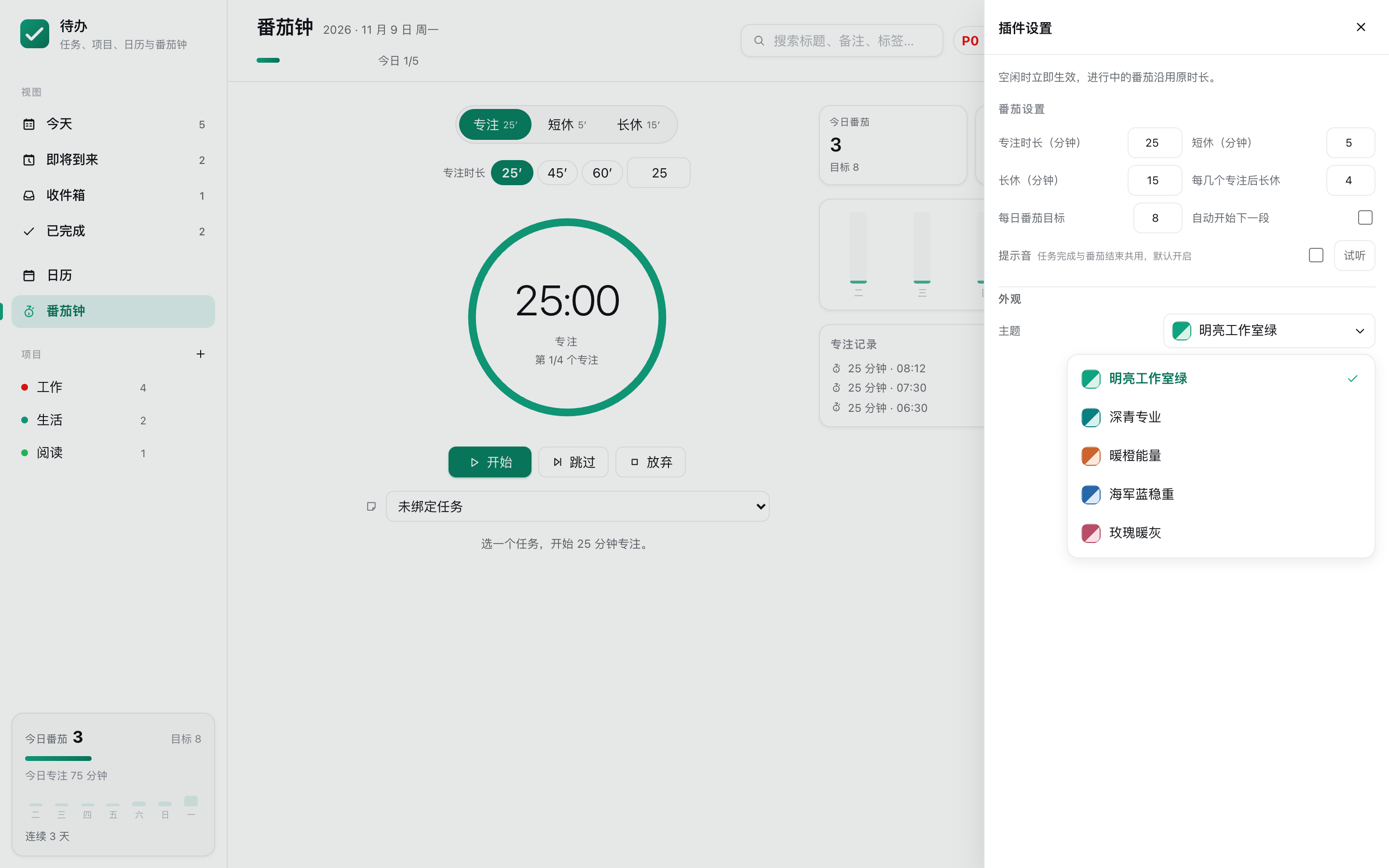
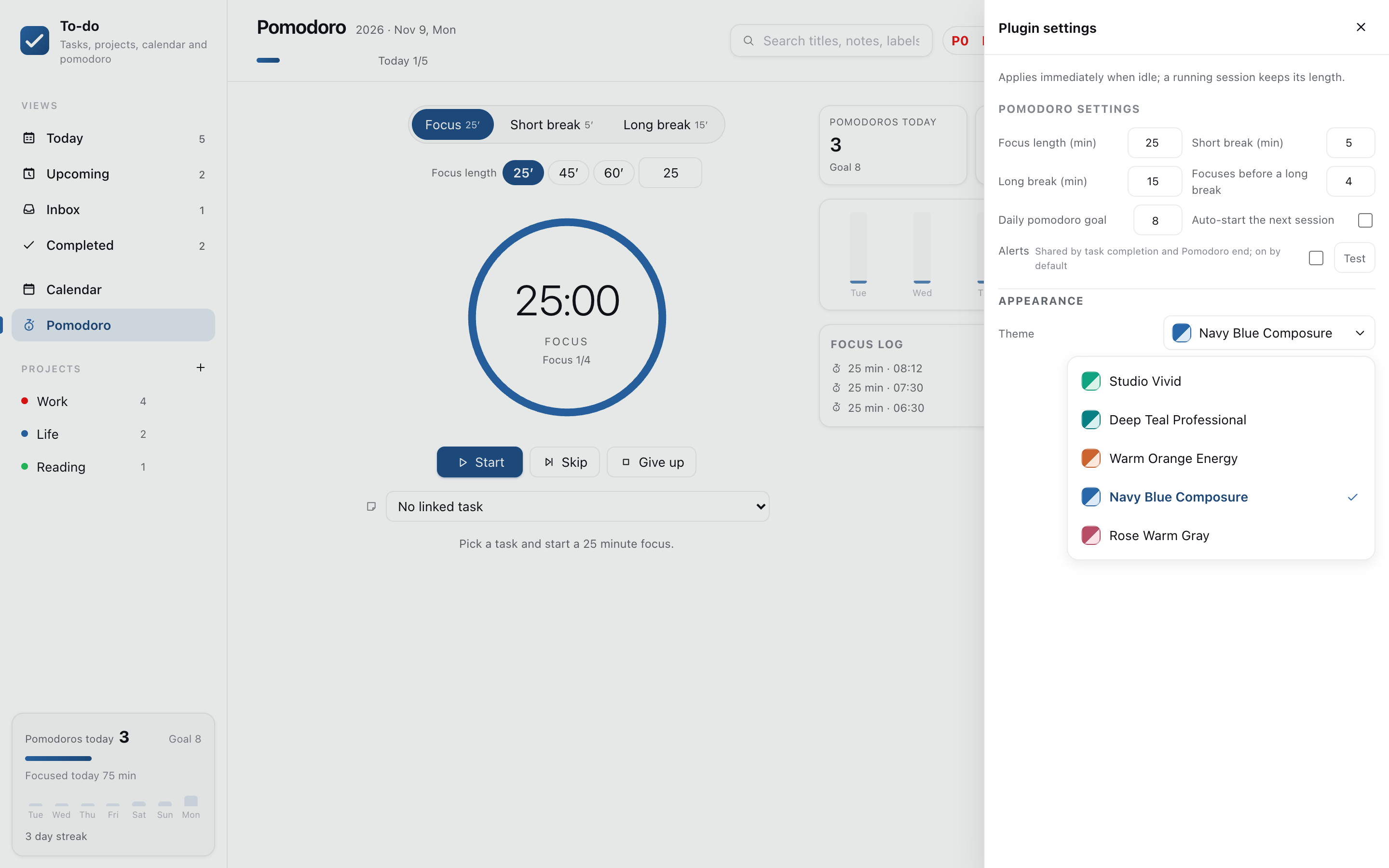
Studio Vivid green is the default brand accent. Five persistent themes—Studio Vivid, Deep Teal Professional, Warm Orange Energy, Navy Blue Composure, and Rose Warm Gray—share the same semantic priority colors, 4/8 spacing rhythm, radii, elevation, light/dark parity, and persistent right-side context rail.
Screenshots
Today View (Light & Dark)
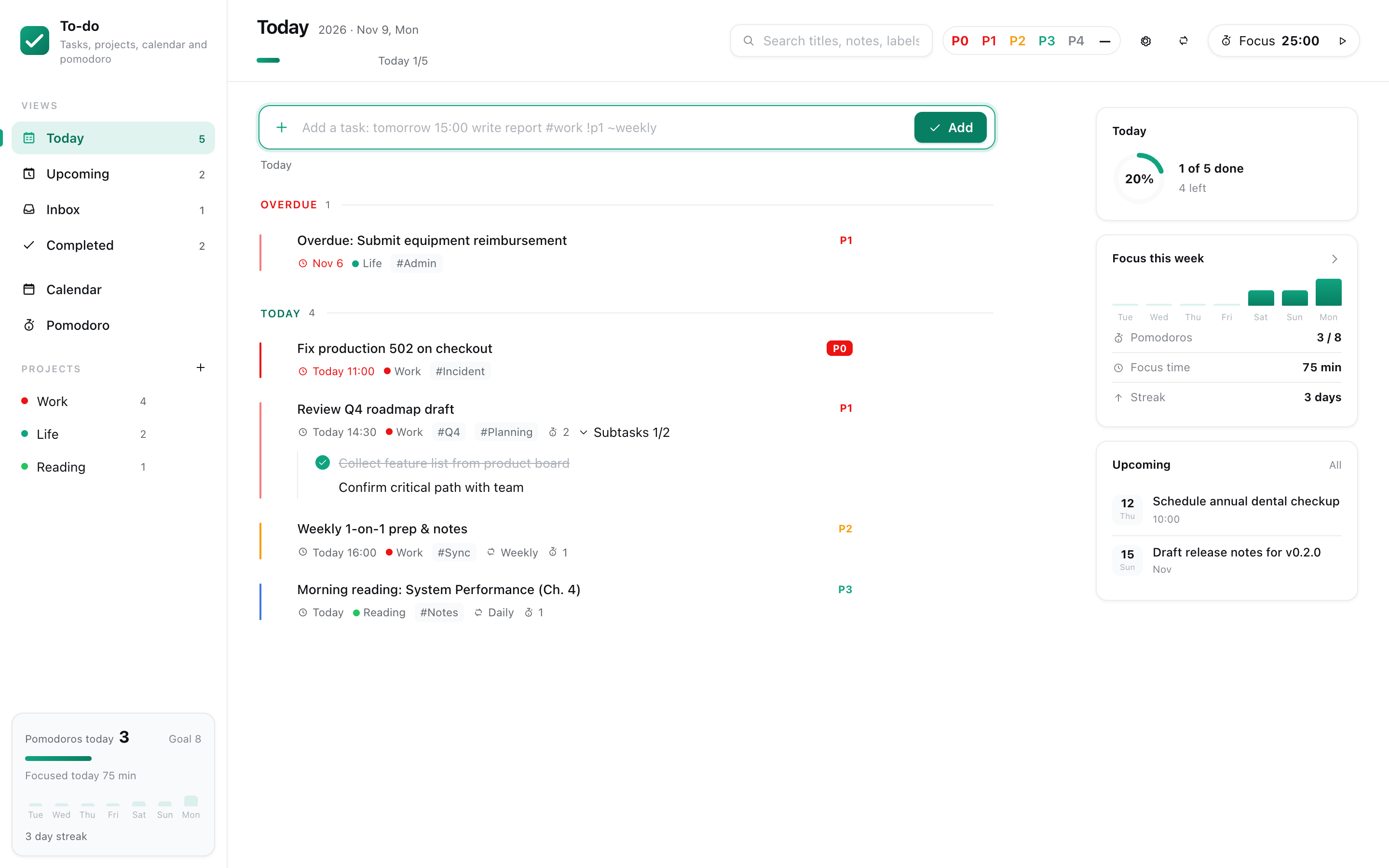
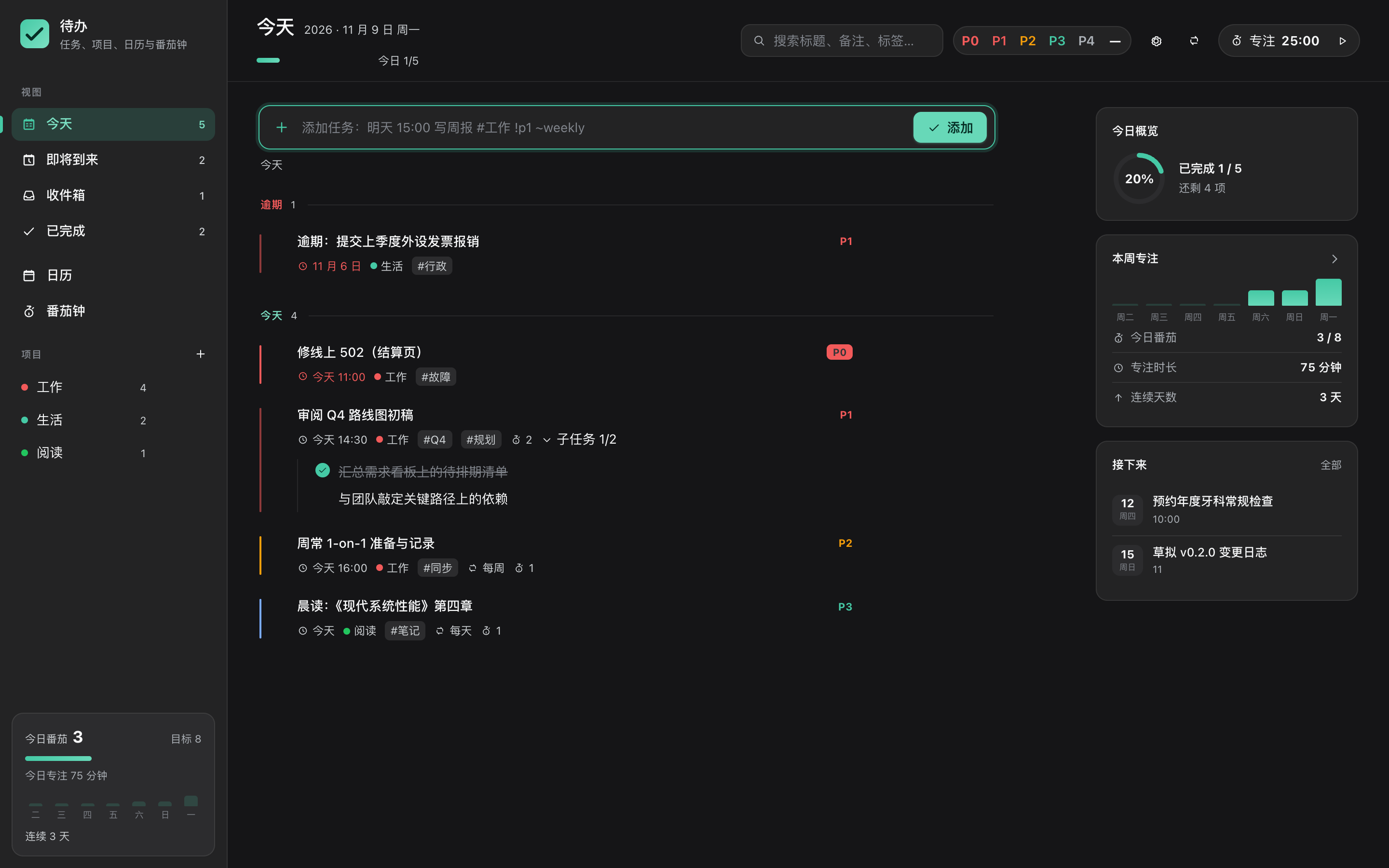
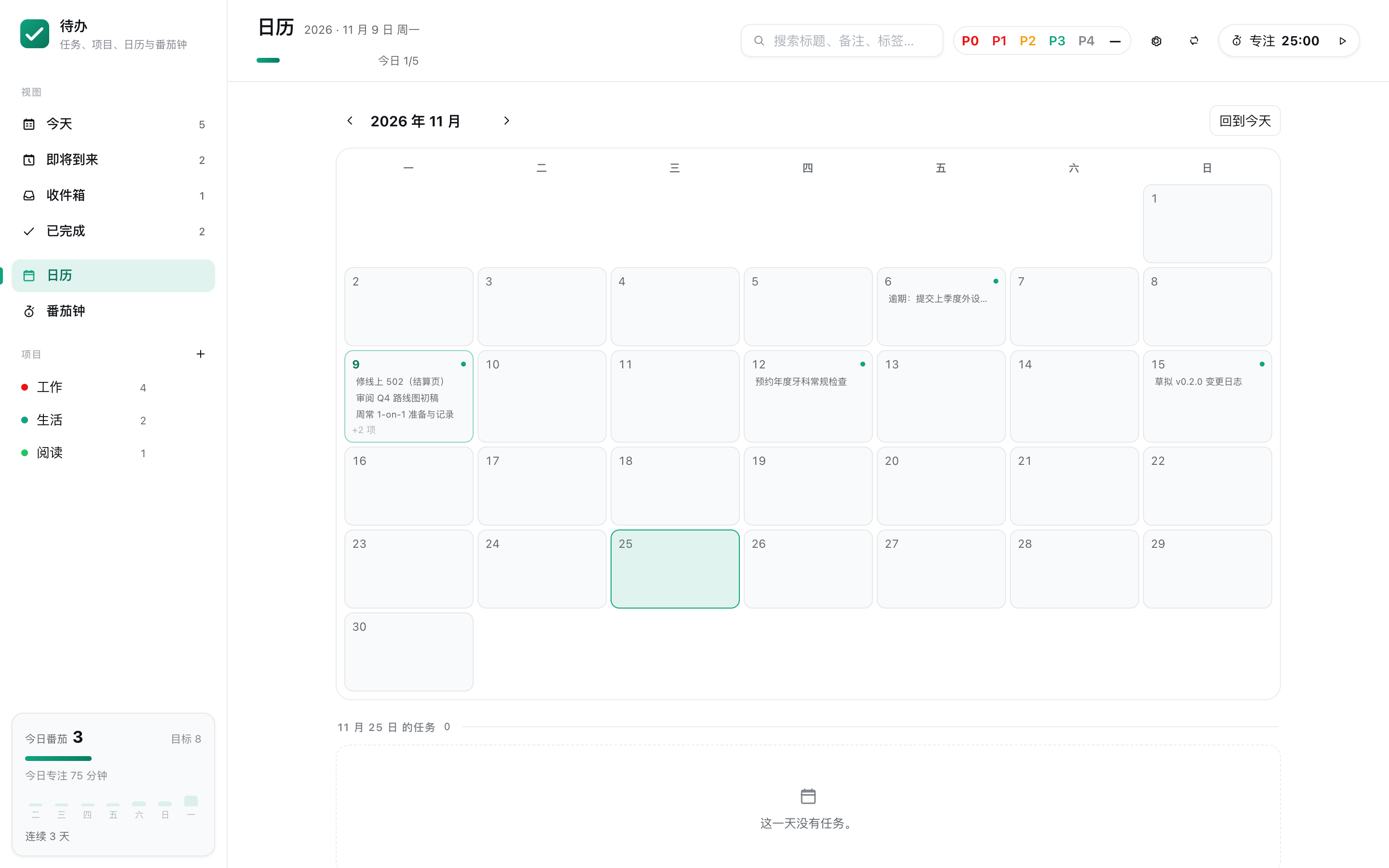
Calendar View
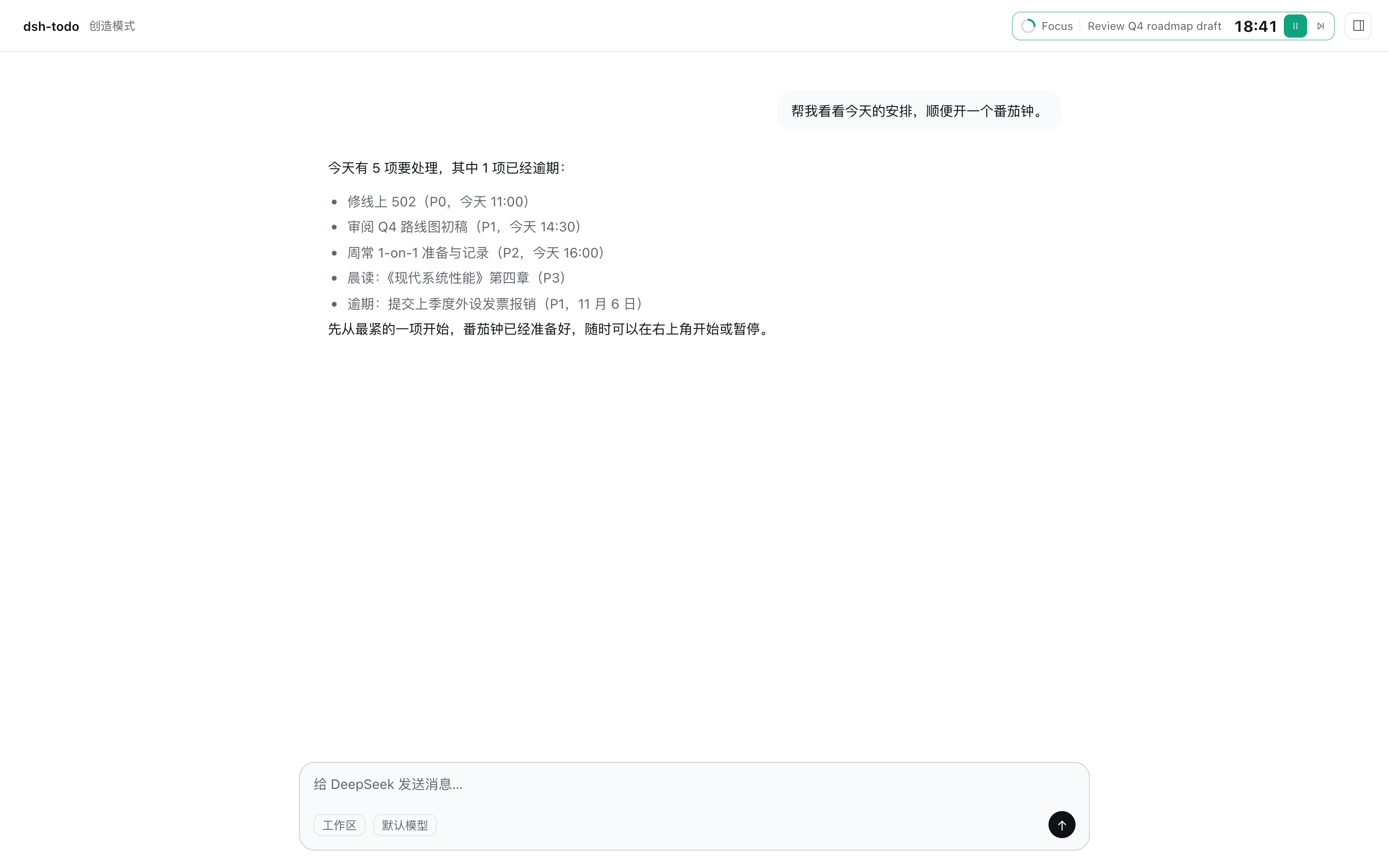
Always-visible timer in the conversation header
The timer sits at the top right of every conversation, just before the host sidebar control: its second-precision countdown stays legible while the bound task, pause and skip remain within view as you chat.
Second-precision countdown on the sidebar icon
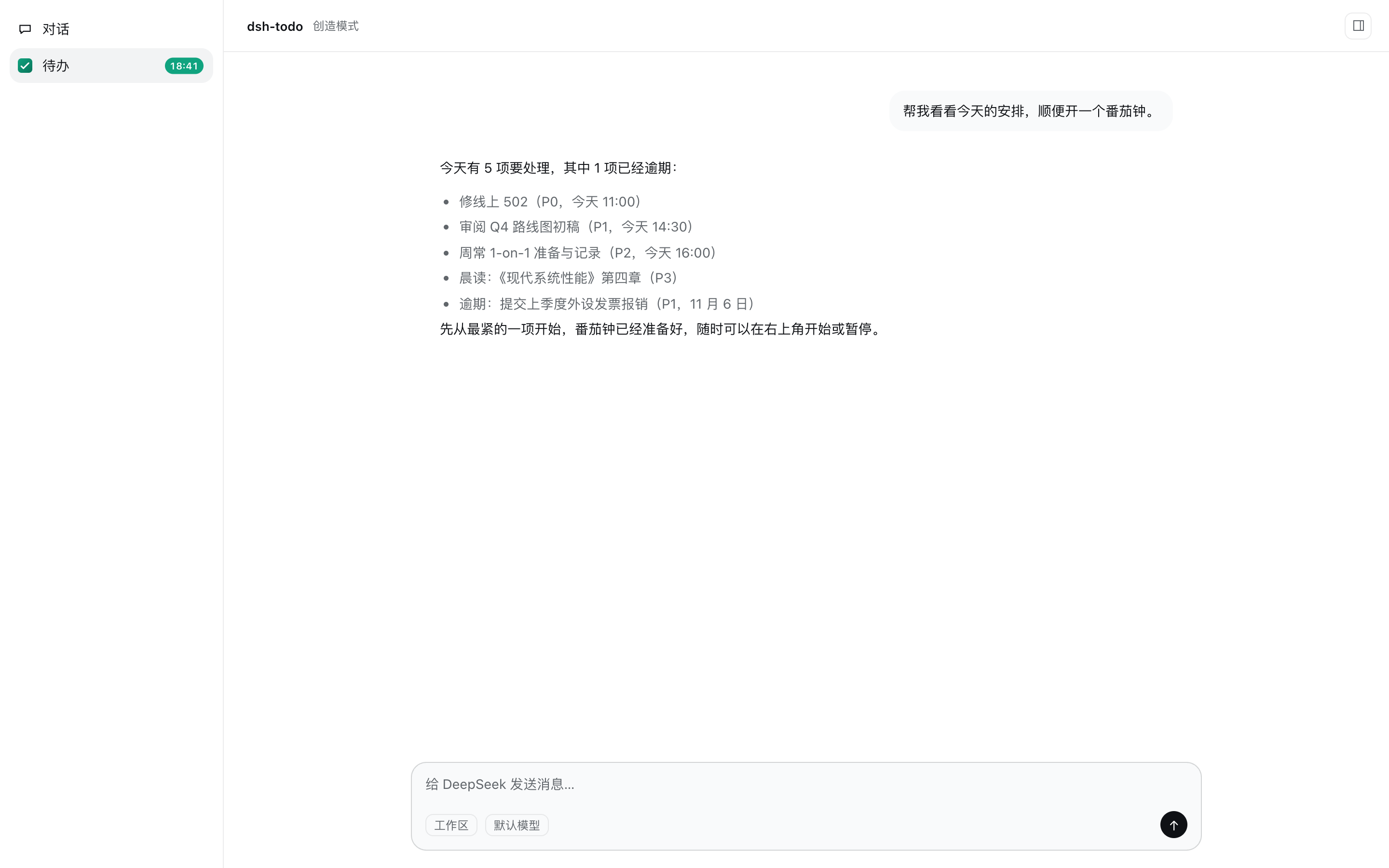
The remaining time sits under the to-do icon and ticks every second, so the logo stays fully visible while the sidebar is collapsed.
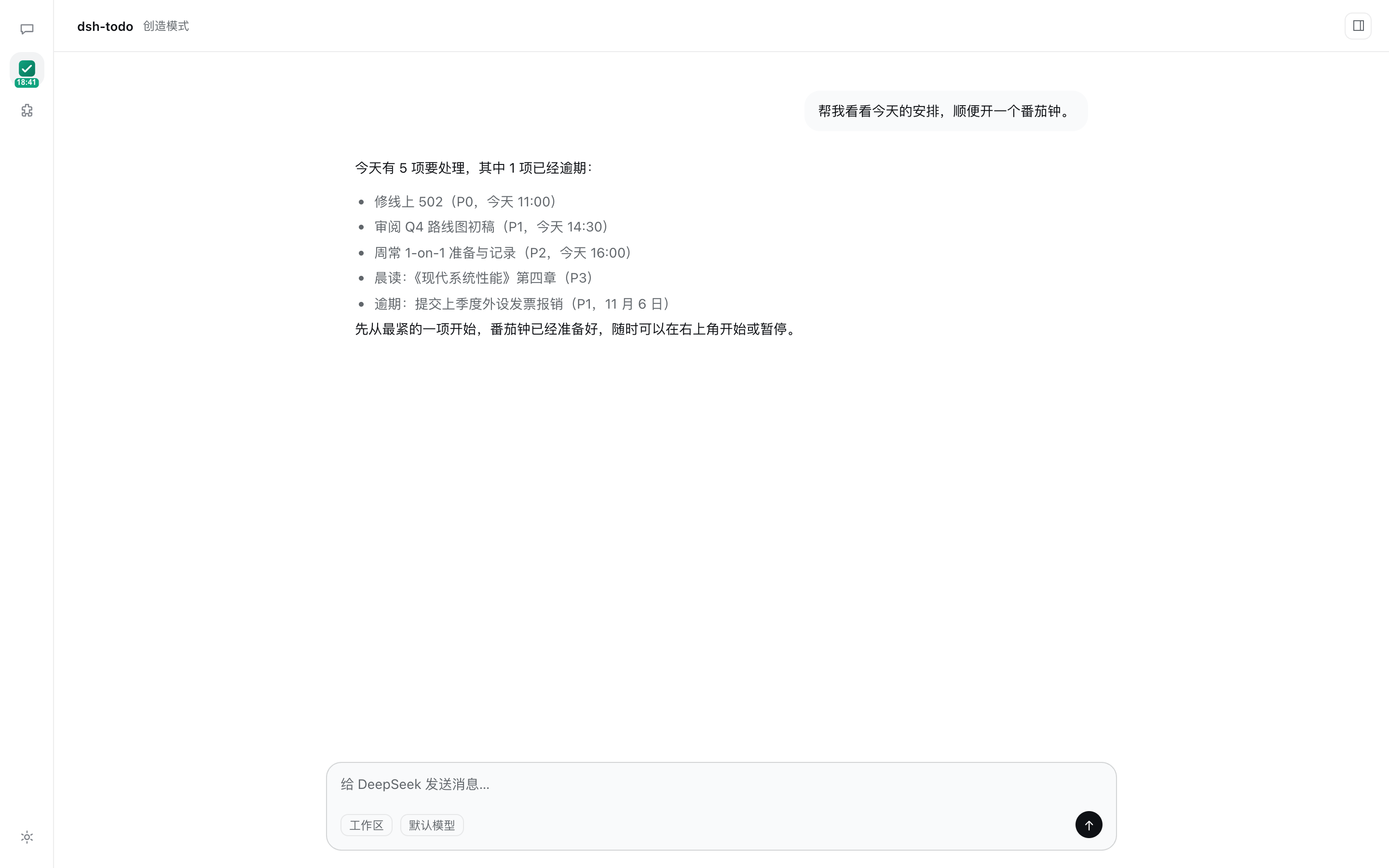
With the sidebar expanded, the countdown sits at the end of the row, right after the panel name, and steps aside when a pin button occupies the row tail.
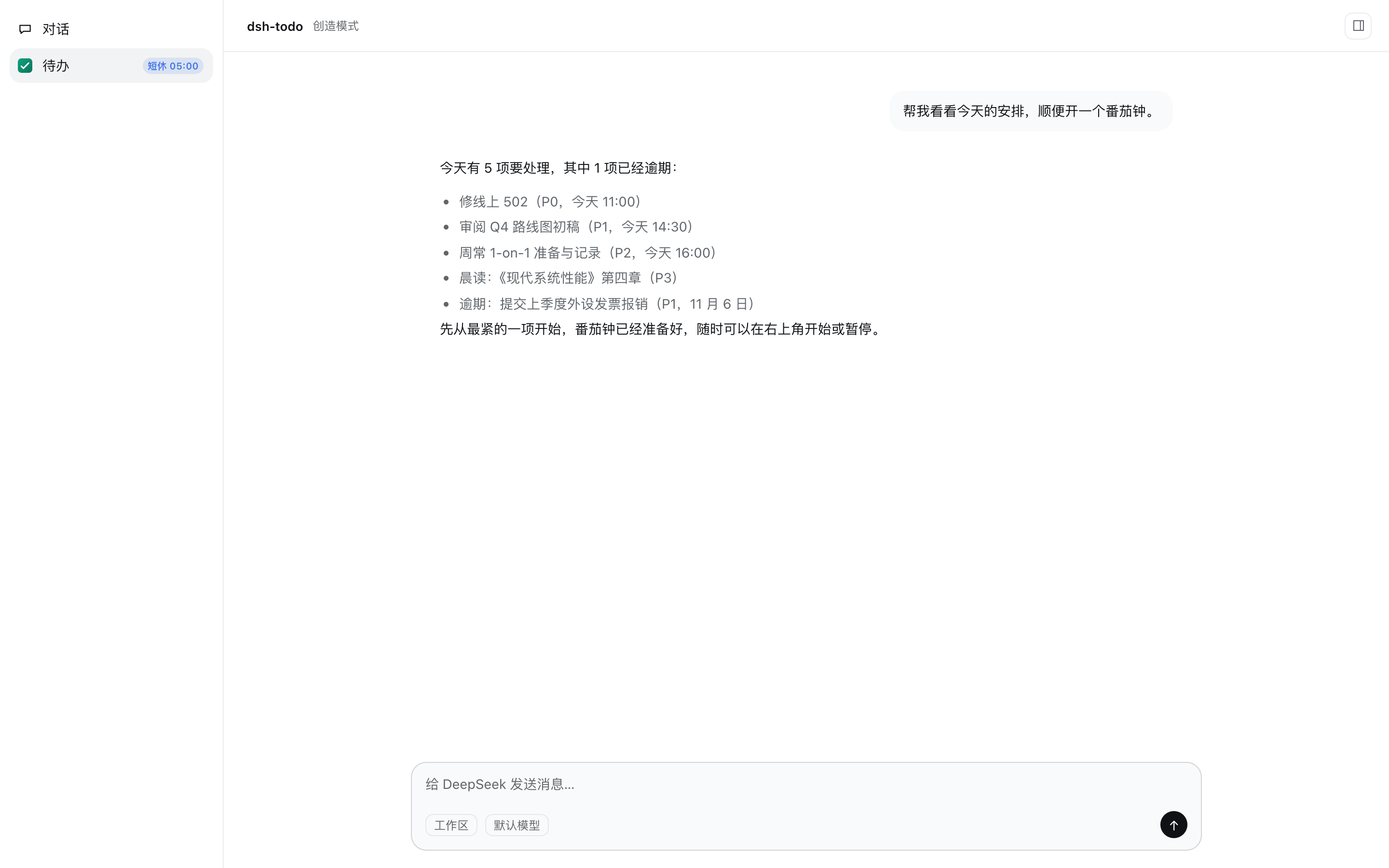
An unstarted focus stays quiet; a short or long break shows as soon as it becomes the current mode, labelled with the mode name (Short break 05:00) and tinted blue to separate it from focus.
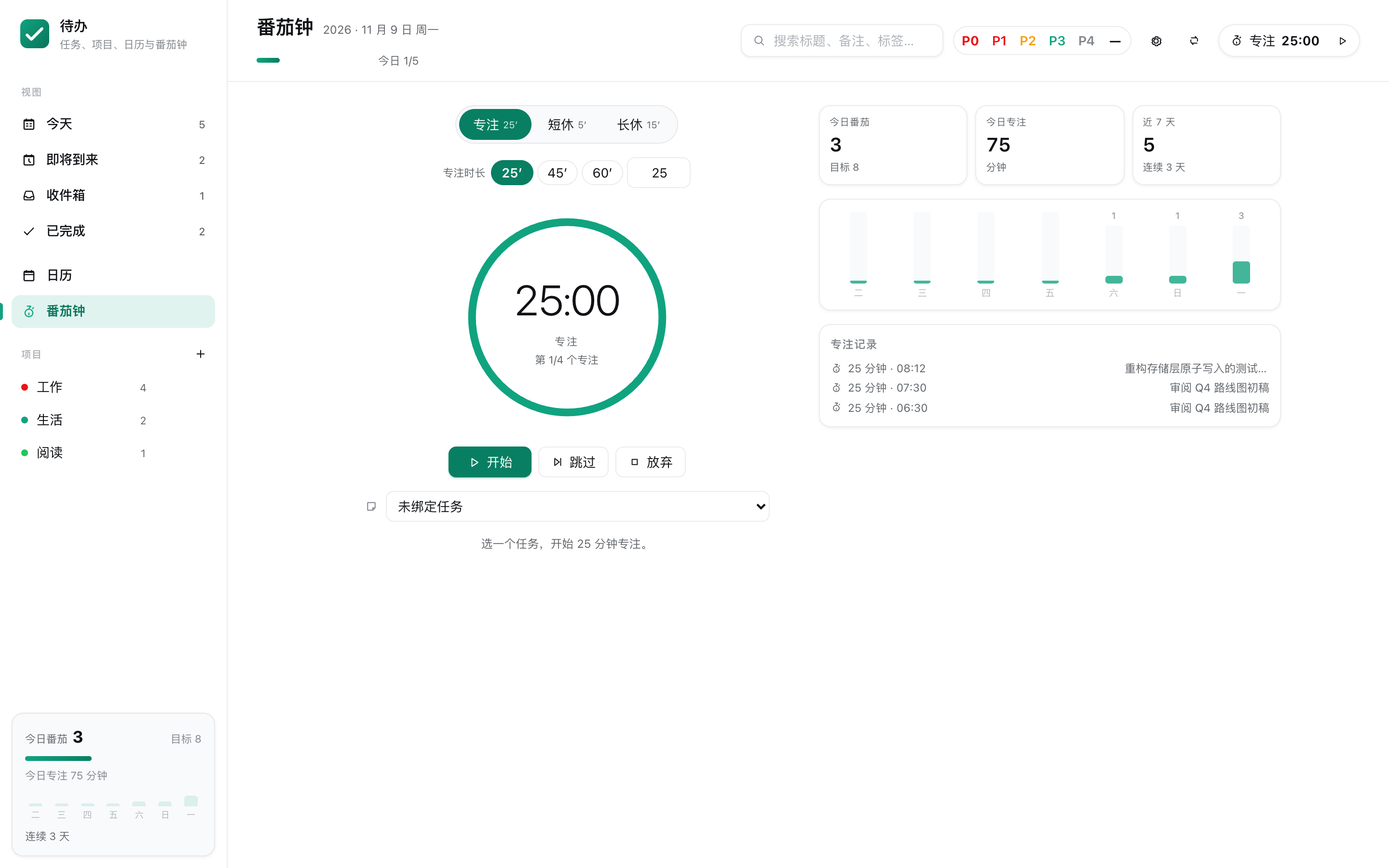
Pomodoro Timer & 7-Day Stats
Theme picker
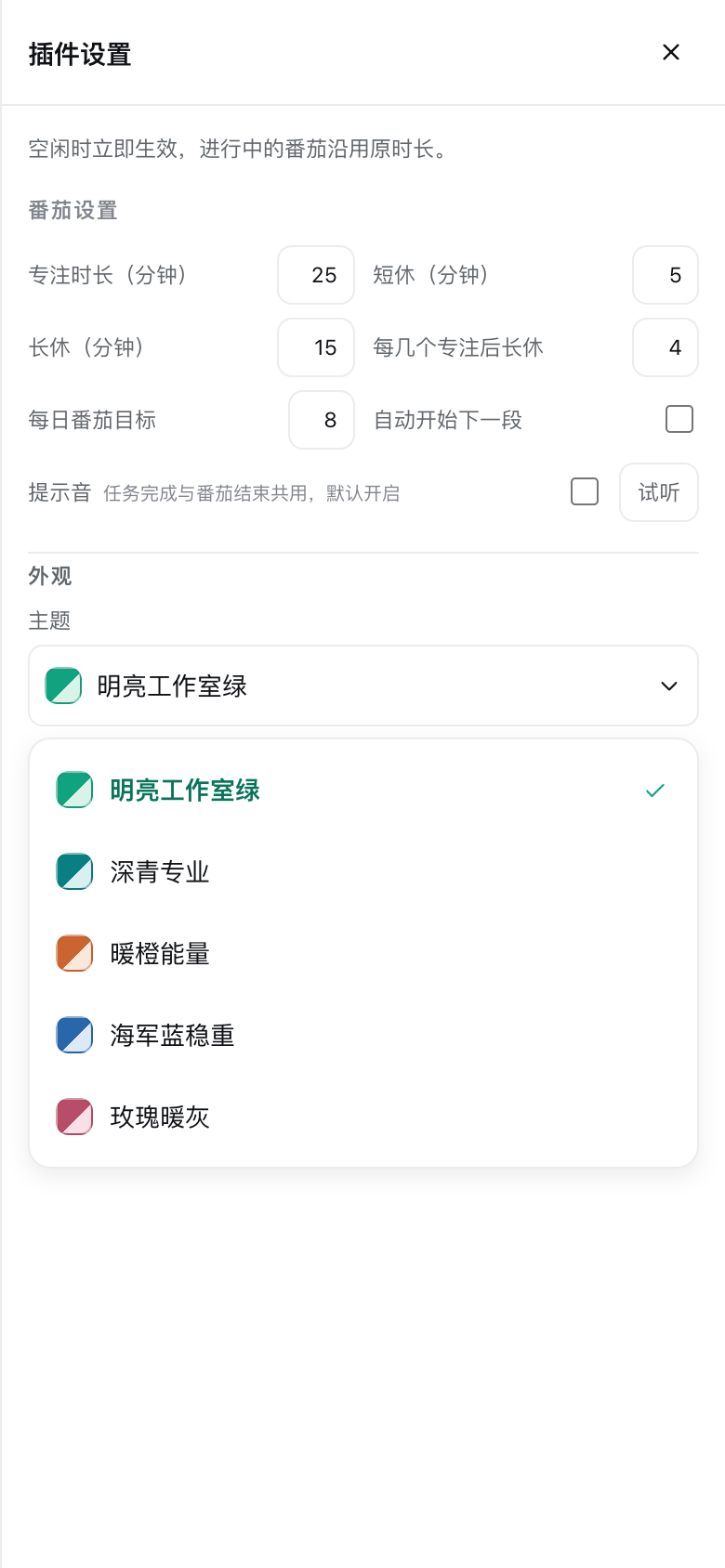
Use the top-right Plugin settings → Appearance → Theme control. It applies immediately, persists locally, supports keyboard navigation, and follows the host light or dark mode.
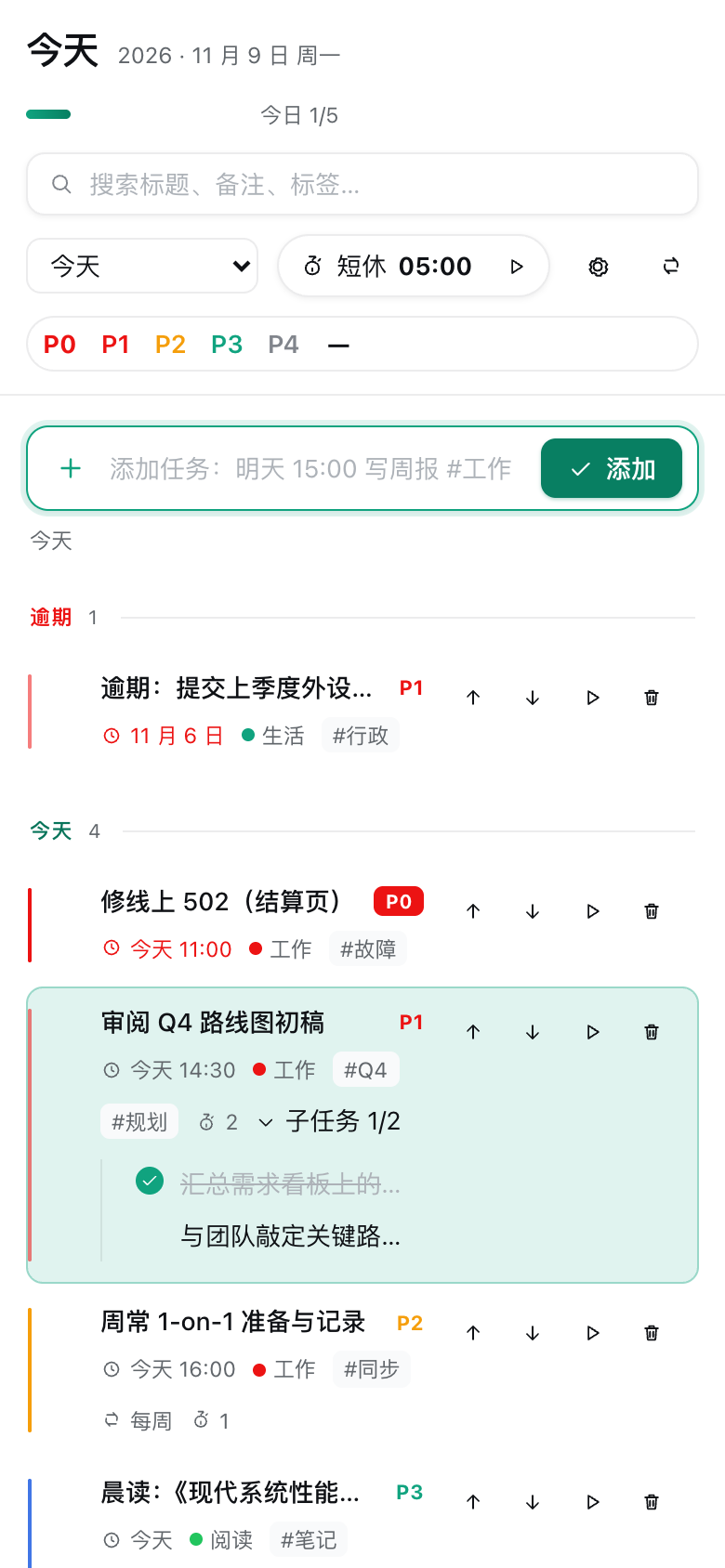
Mobile & Responsive Layout
Features
Task Management
- Views: Today (split into Overdue and Today), Upcoming (grouped by date), Inbox, Completed, Projects, Calendar, and Pomodoro.
- Natural-Language Quick Add: Type
Tomorrow 3pm review roadmap #work !p1 ~weeklyto parse due dates, times, projects, priorities, and recurrence rules into structured fields automatically. - Task Hierarchy: One-level subtasks with progress tracking (
1/2 completed), cascade completion, and cascade deletion with full undo support. - Recurring Tasks: Supports
daily,weekday(skipping weekends),weekly(optionally on multiple weekdays such as Mon/Wed/Fri),monthly(same day, last day of month, or the Nth weekday), andyearly, with catch-up logic. Marking a recurring task complete archives the current occurrence and immediately spawns the next one with fresh subtasks. - Priorities & Labels: P0 (Critical, filled red), P1 (Urgent, red), P2 (High, orange), P3 (Medium, blue), P4 (Low, gray); quick add accepts
!p0–!p4, plus arbitrary#projectand@taglabels. - Calendar Grid: Interactive monthly grid displaying task count dots; clicking any date filters tasks for that specific day.
- Search & Filter: Real-time keyword search across titles and notes, combined with multi-select priority filters.
- Confident completion & editing: The task drawer keeps autosave and adds an explicit Save button (
⌘/Ctrl+Enter). Completing a task gets a focused confirmation with its title, a six-second Undo action, and the next date for recurring tasks; Today pairs a compact progress ring with completed/total counts.
Pomodoro Timer
- Work Cycles: 25-minute focus, 5-minute short break, 15-minute long break every 4 focus sessions. Pick the focus length right on the timer (25 / 45 / 60 or custom) or fine-tune every duration in settings; changes apply immediately when idle and never cut a running session short.
- Task Binding: The play button on each task row starts a focus session for that task directly; completing it increments the task's Pomodoro counter.
- Conversation-header timer: A compact timer sits at the top right of every session — idle shows the configured focus length, running shows the countdown with the bound task and pause/skip controls. The sidebar icon mirrors the countdown as mm:ss, labelled with the mode while on a break.
- Persistent Countdown: Timer state is preserved in browser storage (
localStorage) with absolute timestamps, surviving page refreshes without drifting. - Audio & Visual Alerts: One Alerts setting, enabled by default for new users, covers both task completion and Pomodoro endings. Task completion uses a brief ascending two-note confirmation; Pomodoro keeps its three-note chime. Existing saved choices remain unchanged, and the Test button plays the Pomodoro chime immediately. With the notification center plugin (
@polunzh/dsh-task-notifier) installed, Pomodoro endings are published there and it owns the system notification and chime; dsh-todo's own notification is the fallback when the notification center is absent. - Plugin settings & themes: One top-right Plugin settings panel contains Pomodoro timings, alerts, goals, and the single Appearance control for five locally persisted themes. Studio Vivid green is the default; the picker works with keyboard navigation, click-outside dismissal, and host light/dark mode.
- Statistics: Today's Pomodoros vs daily goal, focus minutes, cumulative totals, current streak (in days), and a 7-day bar chart.
Keyboard shortcuts
| Action | macOS / Windows |
|---|---|
| Start or pause the pomodoro | ⌘⌥P / Ctrl+Alt+P |
| Open the to-do panel | ⌘⌥J / Ctrl+Alt+J |
Both are editable in the host's own shortcut settings and fall back to the next free combination when another plugin already owns it.
Agent Tool (todo)
Autonomous agents can inspect, organize, and update your task database using the registered todo tool:
{
  "action": "list",
  "view": "today"
}
Supported actions:
list: Filter by view (today,upcoming,inbox,completed,all), project, or search query.add: Create tasks with title, due date/time, priority, project, and recurrence.update: Modify title, note, due date, priority, or project.complete: Toggle task completion and generate recurring occurrences.delete: Remove tasks and their child subtasks.stats: Retrieve today's completed task count, focus minutes, and Pomodoro counts.project: Create a new project.settings: Adjust Pomodoro focus/short/long lengths, long-break interval, auto-start, sound, daily goal, and the theme (studio-vivid,deep-teal,warm-orange,navy-blue, orrose-warm-gray).
Installation
Install from npm once published, or from a local checkout:
npm i -g @polunzh/dsh-todo # or point the plugin manager at the folder
Inside DeepSeek Harness, open the Plugin Manager and install from a local directory:
/path/to/dsh-plugins/dsh-todo
Or clone into your local plugin folder and mount via cordis.patch.yml:
- insert:
    - id: todo
      name: dsh-todo
Refresh the DeepSeek Harness Web GUI to see the Todo entry in the left sidebar.
Development & Testing
Run the full test suite (146 unit and integration tests across storage, recurrence rules, HTTP routes, agent tool, natural language parsing, Pomodoro state machine, settings persistence, and bilingual dictionaries):
npm test
Start the standalone local preview server:
npm run preview
Generate fresh headless Chrome screenshots:
npm run screenshot
License
MIT © 2026 polunzh