dsh-lingualab
tecfancy/dsh-lingualab
Intensive-listening practice for media already in the workspace: sentence-by-sentence drills with speed, looping, shadowing and recording, kept sentences with three grades, and a notes.md per episode written back to disk. Its HTTP routes have no DSH access check, so a web page open in your browser could call them.
설치
dsh plugin --profile web add github:tecfancy/dsh-lingualabREADME
dsh-lingualab
English | 简体中文
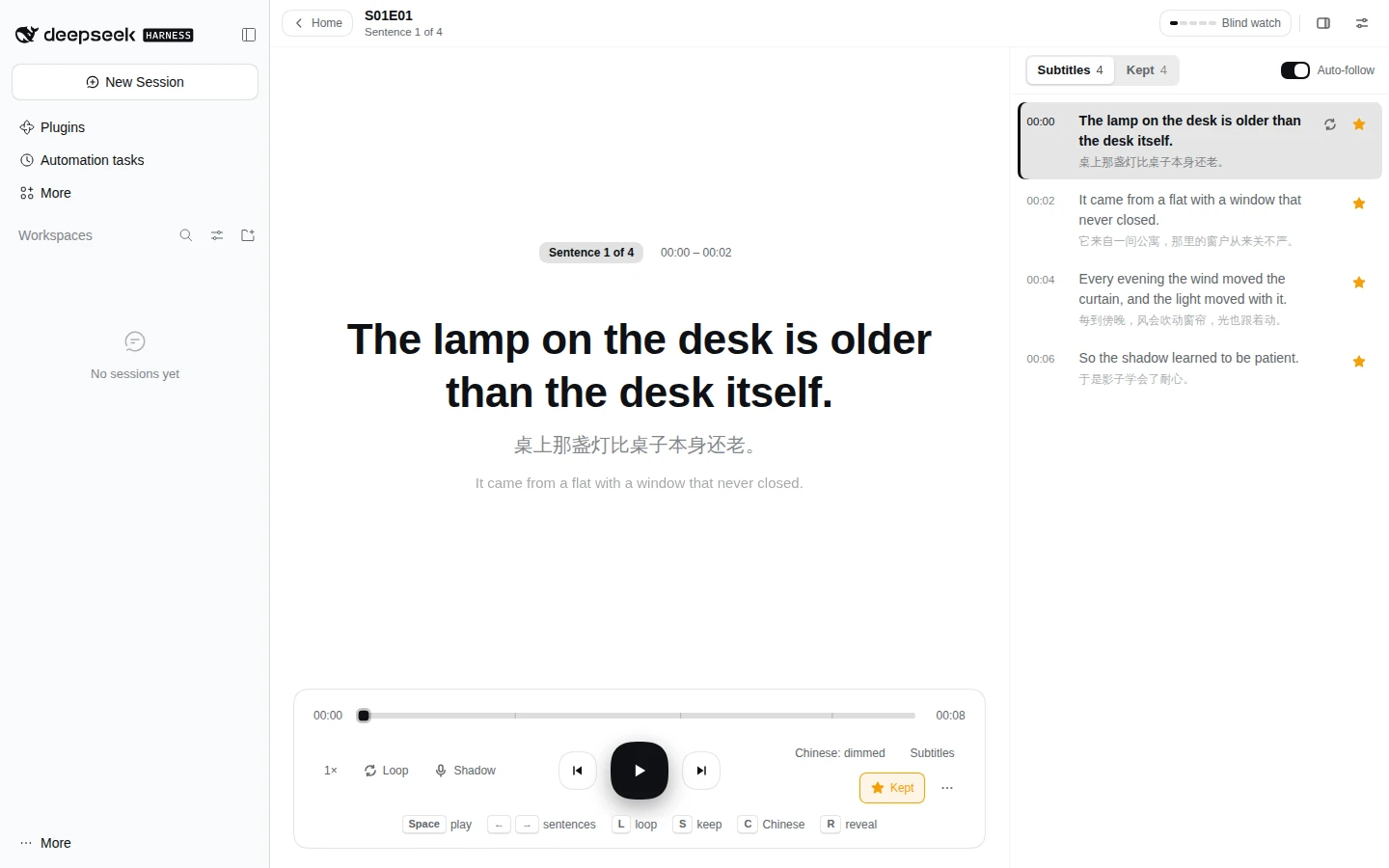
The LinguaLab panel is one row in the left rail's 「更多」 menu, opening a whole page in the centre column, leaving the current Session untouched. It turns media that already sits in the workspace into intensive-listening practice: one episode at a time, sentence by sentence, with the notes written back to disk where the agent can read them.
Install
Requires a DeepSeek Harness install with a Web profile, and Node 22.19 or newer. ffmpeg and ffprobe are only needed to prepare video episodes.
dsh plugin --profile web add dsh-lingualab
Replace web with your own profile name. To pin a version:
dsh plugin --profile web add dsh-lingualab@0.21.3
Then open the left rail's 「更多」 menu and pick LinguaLab. Drop an audio file and its subtitles onto the page to start.
Usage statistics are off by default. Turning them on sends one pseudonymous ping a day to
t.hi-ruofei.com; see Anonymous usage statistics for the exact payload and how to switch it on.
What it does
- The home offers the episode to resume, the rest of the library and a drop target. Opening an episode switches to practice, and the back button returns home.
- Adding material is dropping it. Audio, video and subtitles pair by file name; several episodes can arrive together, and existing files are never overwritten. An empty library is just the drop target.
- One folder is one episode, and several audio files in it become segments. Video can supply a segment's picture and sound, with direct playback, one-time preparation and a lower-bandwidth smooth version; a local file can play without an upload.
- Practice works sentence by sentence, with speed, looping, subtitles, shadowing, recording and saved progress. Stars collect sentences for graded review, and notes stay on disk for the agent.
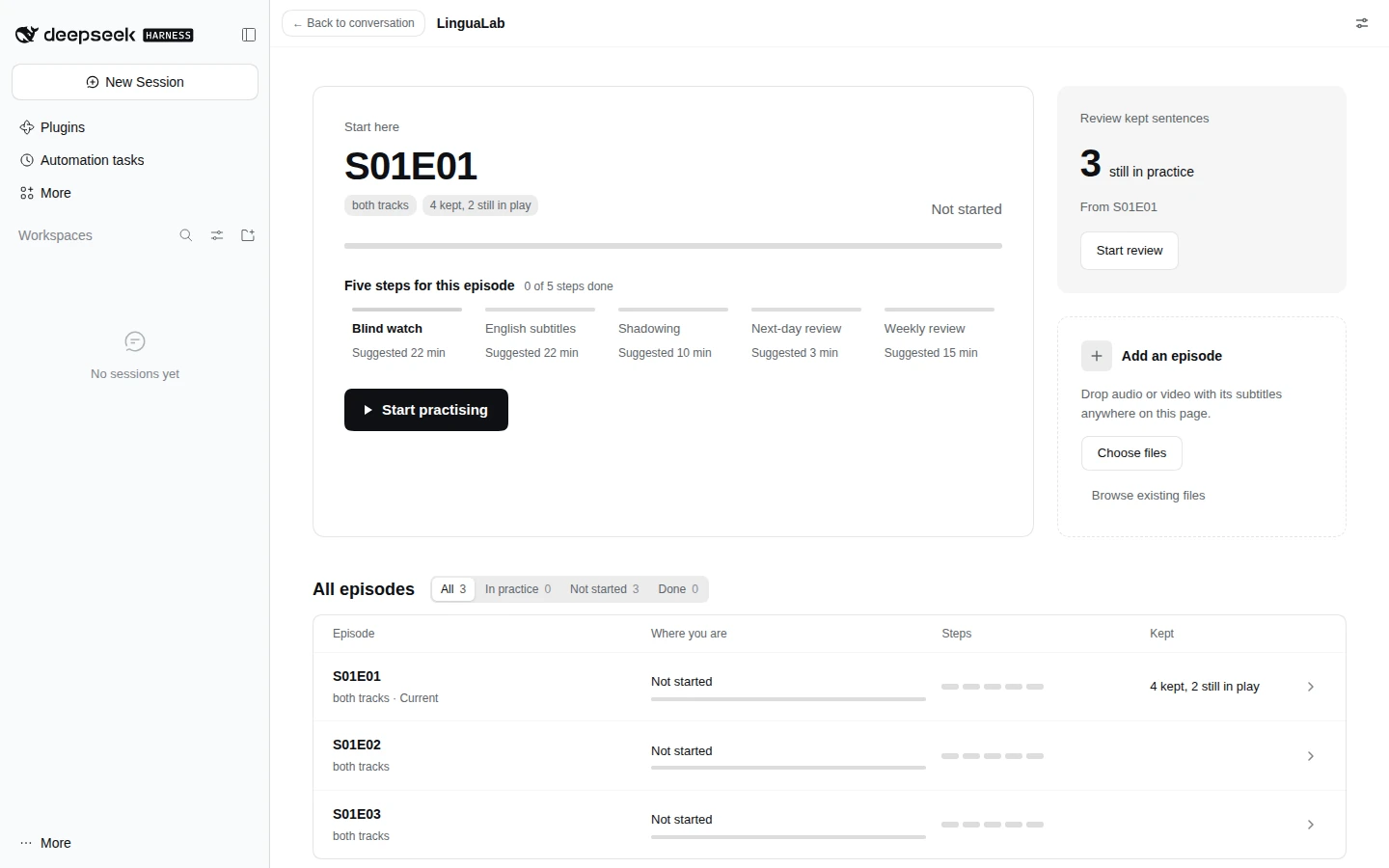
See Usage for the library layout, pairing rules, video formats and preparation settings, every practice control, notes, review and settings.
Status
Both halves are written. The host provides the library scan, import route, media routes with Range support, browsable picker, notes read/write path and review list; the client provides the home, practice view, kept-sentences column and review, plus the browsing and media-folder layers.
The page has no rail row of its own, and no card on the 「应用」 page either. It is registered as a main panel under the key lingualab, and the entry is the first row of the left rail's 「更多」 menu. This plugin registers that row into sidebar.panellist.actions itself, and selecting it calls layout.selectPanel('lingualab'). The rail still does not grow a row per plugin, and the entry now belongs to the plugin, so it no longer depends on dsh-apps-panel being installed.
It is developed on development and released by pulling into main, which tags the version and publishes it to npm.
Documentation
| Doc | What it covers |
|---|---|
| Usage | The home, adding material, episodes and segments, video, practice, notes and review, settings |
| Anonymous usage statistics | What the daily ping contains, what it never contains, how to turn it off |
| Releasing | ship, the pull request into main, the tag, deploy |
| Host routes | Every route the host registers and what it answers |
| Repository layout | What lives in each directory |
Design
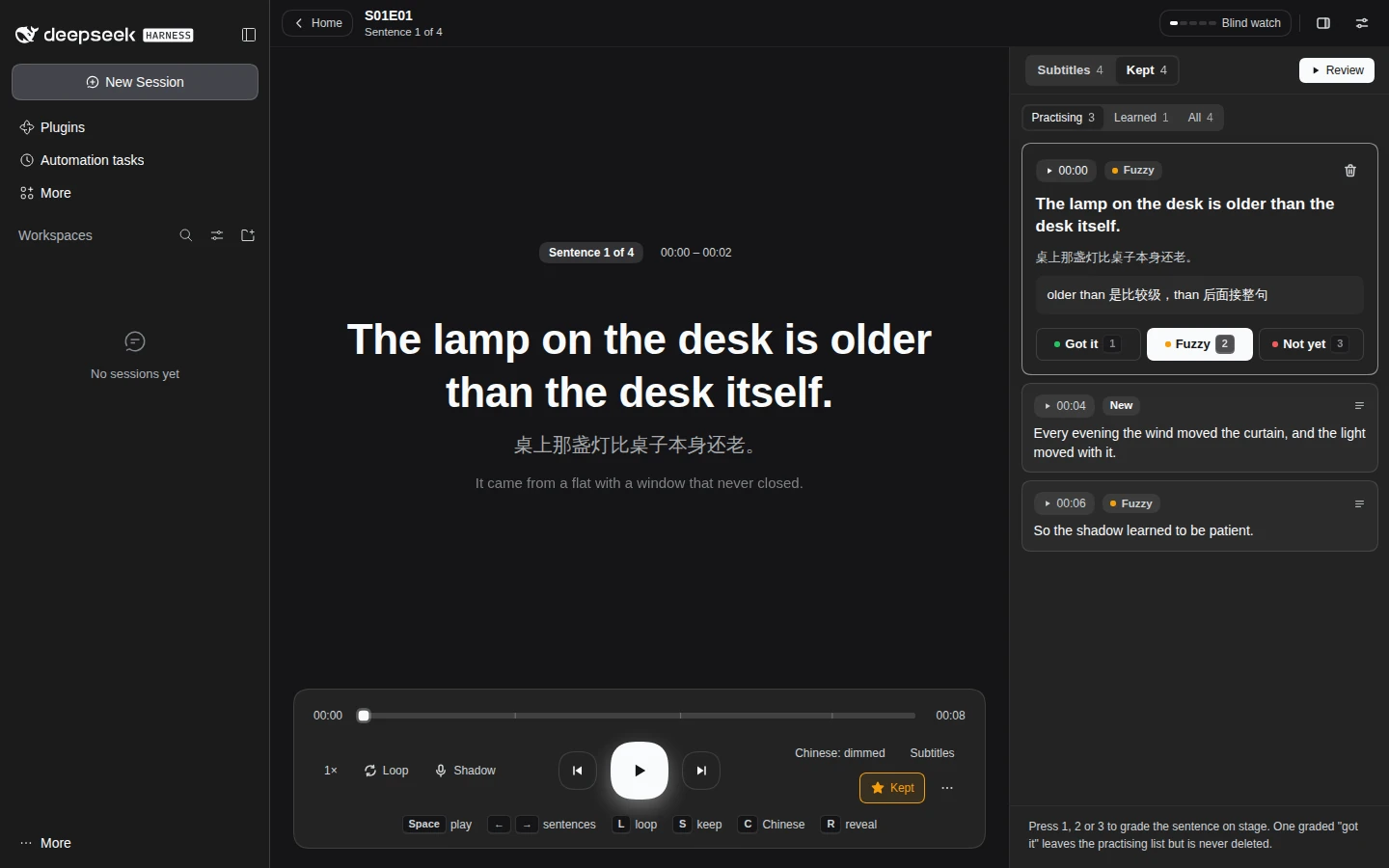
The layout, colours and interaction of the home, the practice view and the notes and steps drawers are drafted in Figma: LinguaLab redesign. The frames are Practice / Light and Practice / Dark, Home / Light and Home / Dark, Notes / Light and Five steps / Light.
The file is the reference for proportions and hierarchy, not for values: it hardcodes hex colours and the Inter font, while the page reads the host's --dsw-alias-* tokens and font so it follows the theme. A theme chosen in the settings overrides those same tokens on the page's root element and nowhere else.
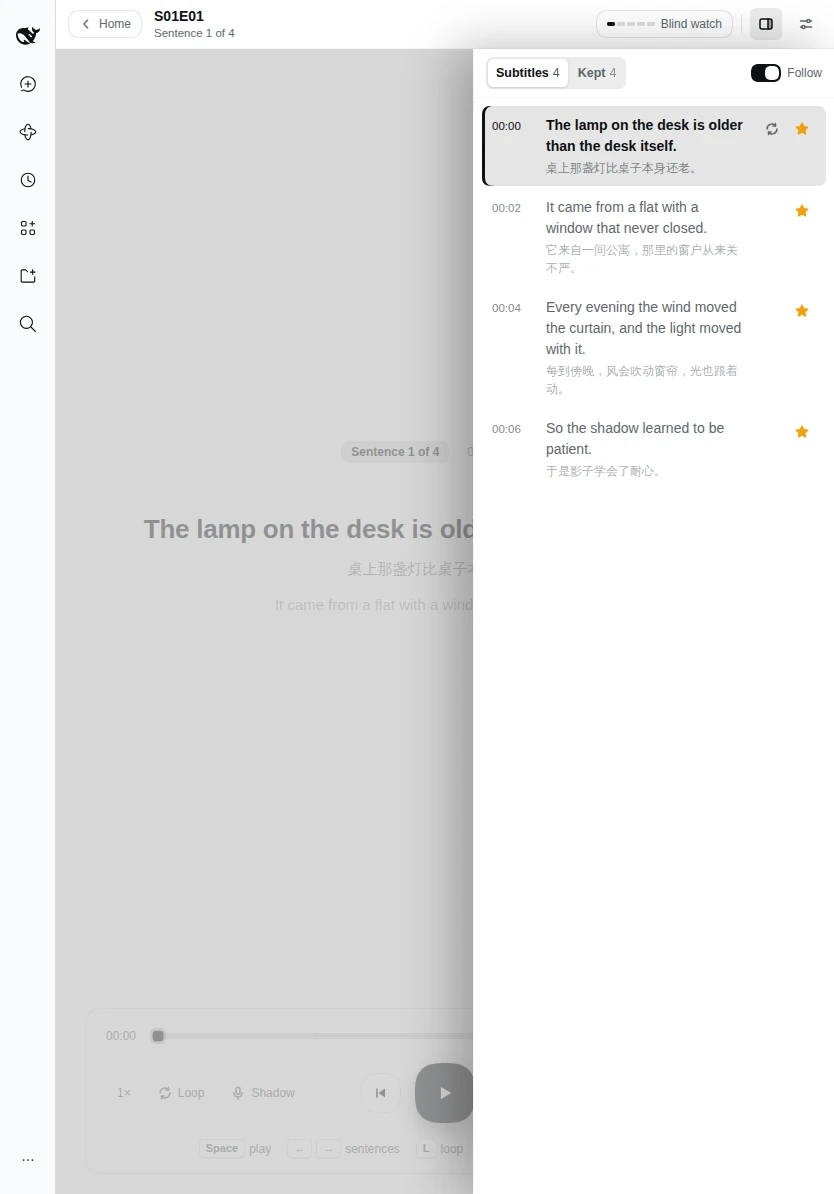
On a narrow screen the right column becomes a drawer over the stage instead of a column beside it:
Anonymous usage statistics
The ping is off by default. When it is on, each running host process sends at most one ping a day, only after the host has admitted a request; nothing is sent at start or when the ping is off.
It sends only the payload version, package name and version, a random install id, the Node major version, OS and architecture, an episode-count bucket and whether ffmpeg is available.
It never sends file names, folder paths, episode titles, notes, subtitles, user names, email, tokens, session ids, host names or IP addresses.
To turn it on, set telemetry to true in the plugin's profile entry (the Plugins page or cordis.patch.yml). While it is off, no id is generated, the library is not listed and no request is made.
See Anonymous usage statistics for the complete payload, delivery behavior and install-id rules.
License
MIT — see LICENSE.