Y
dsh-decision-split
yuanbaoerer/dsh-decision-split
DSH 웹 UI용 결정 분할 뷰: 메인 윈도우의 결정 요약 카드와 독립적으로 스크롤 가능한 사이드 패널의 전체 플랜으로, 결정을 작성하면서 전체 플랜을 리뷰하고 원클릭으로 에이전트에 다시 전송할 수 있습니다.
설치
dsh plugin --profile web add github:yuanbaoerer/dsh-decision-splitREADME
dsh-decision-split
DeepSeek Harness Web UI 的分屏阅读插件:把 agent 消息放到右侧详情栏独立滚动展示。
功能
- 入口按钮:每条已完成轮次的含文本 agent 消息尾部显示「在侧栏查看全文」按钮(回复生成结束后出现,进行中的轮次不显示);
- 右侧详情栏:展示该条消息的完整 markdown(表格、代码块、行内 code),独立滚动,标题自动取该消息首个标题;
- 开合:侧栏正在展示该条消息时再点同一按钮(此时显示「收起侧栏」)即收回;点击其它消息的按钮切换展示目标;侧栏右上角 × 收起;
- 与 harness 动作共存:按钮注册在
conversation.chat.assistant-actions,与 harness 自带的「产物」「反馈」等消息动作并排显示,互不抢占; - 详情栏宽度:使用 harness 默认宽度(早期版本曾固化为 480px;当前 harness 已不存在
layout.attachPanels/setDetails公开接口,详情栏宽度为瞬时面板偏好、无公开 setter,因此改用默认值); - 不含决策输入:无内嵌输入框、无决策回传;决策与提问使用 harness 原生
ask_user_question。
效果图
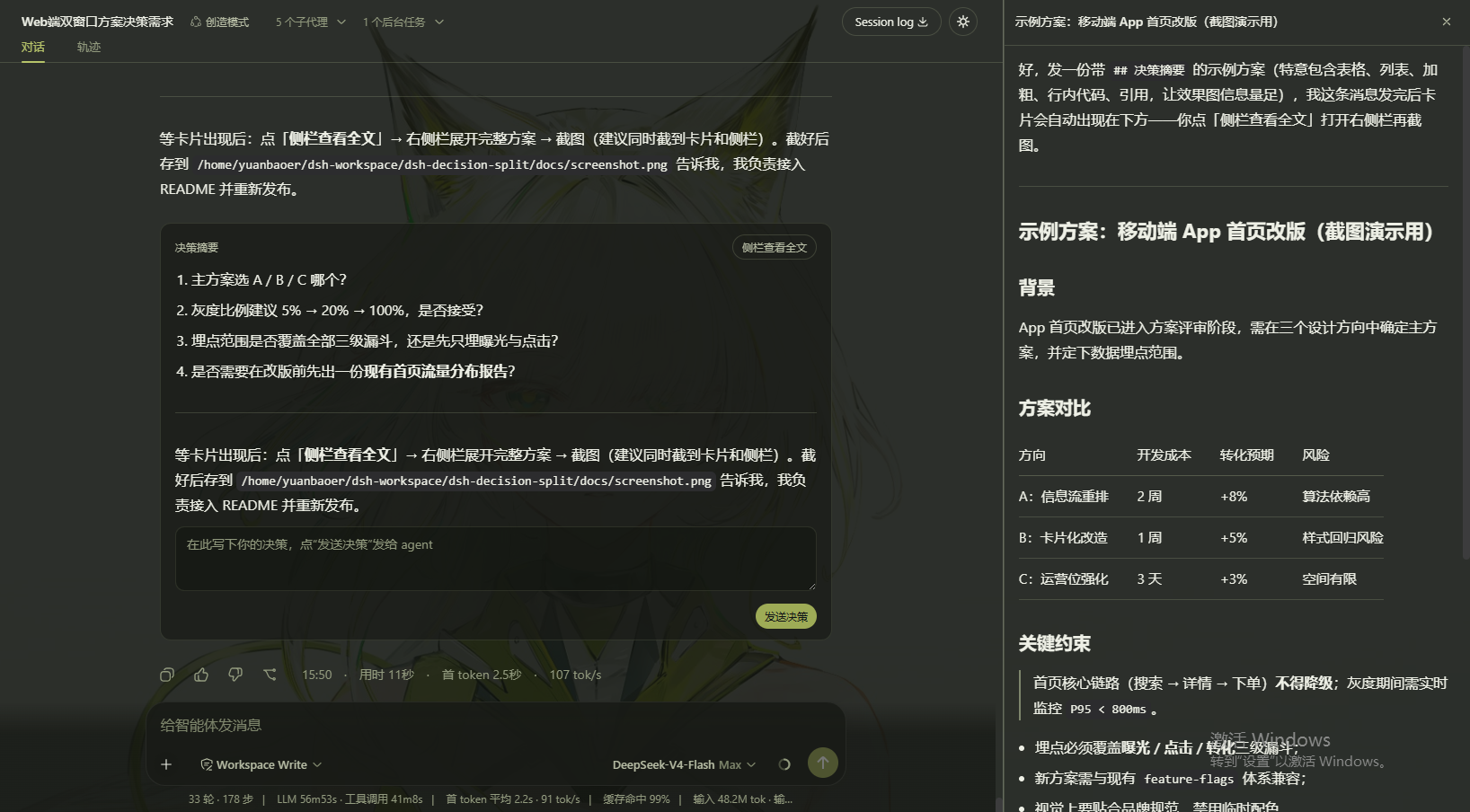
消息尾部的「在侧栏查看全文」入口(打开时显示为「收起侧栏」),以及右侧详情栏(480px)的完整内容展示。
安装
从 npm 安装(推荐):
dsh plugin --profile web add dsh-decision-split
或从 GitHub release 安装(资产名中的版本号跟随最新 release):
dsh plugin --profile web add https://github.com/yuanbaoerer/dsh-decision-split/releases/latest/download/dsh-decision-split-0.2.4.tgz
安装后重启 dsh web 生效。
使用方式
装上即用,无需配置。已完成轮次的含文本 agent 消息尾部会出现「在侧栏查看全文」按钮,点击即在右侧详情栏阅读该条消息的完整内容;再点同一按钮或侧栏 × 收起。
License
MIT
开发与发布说明见 docs/DEVELOPMENT.md。