dsh-as-macOS
yue-lyu123/dsh-as-macos
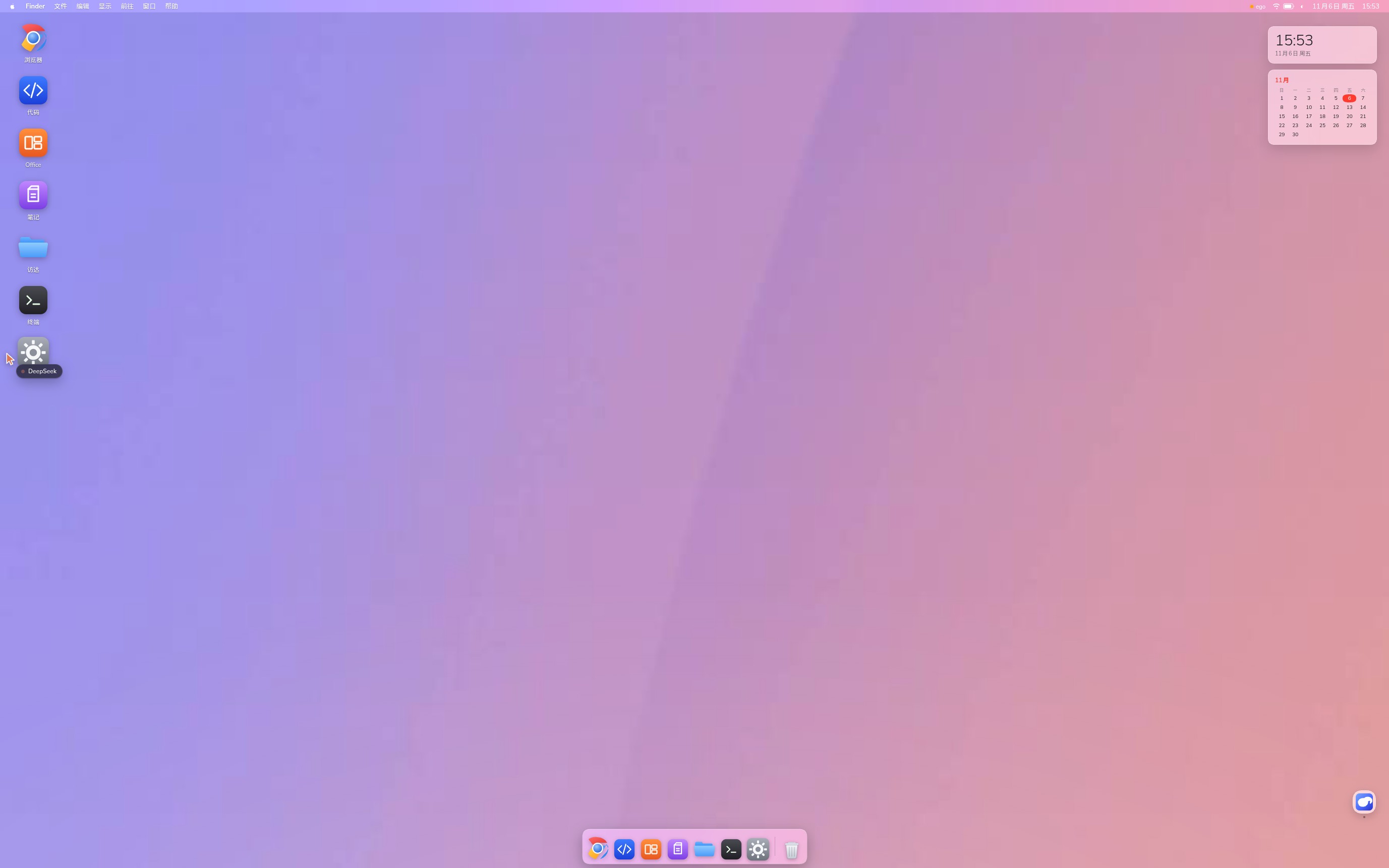
Turns the DSH Web UI into a macOS-style desktop with the chat parked behind it: Sonoma wallpaper, menu bar, magnifying Dock, F4 Launchpad, ⌘Space Spotlight, Control Centre, clock/calendar widgets, F3 Mission Control and a desktop orb that floats the native conversation back up. Finder, Terminal (a /bin/bash session) and Settings ship with the plugin; the Browser, Code, Office and Notes windows are unlocked by separate companion plugins (dsh-ego-browser, dsh-code-workbench, dsh-univer-office, dsh-obsidian-notes) and show a placeholder until installed, and the Browser window also launches a headless Chromium (found under /usr/bin, or set DSH_MACOS_CHROME). The agent can drive the desktop through /api/macos-desktop/* routes and window.__macos.
설치
dsh plugin --profile web add github:yue-lyu123/dsh-as-macosREADME
Agent OS — a macOS desktop inside DeepSeek Harness
Most agent products give the model tools. This one gives it a desk.
DeepSeek Harness already mounts every plugin into the session context. So we stopped pretending the agent lives in a chat box and gave it the machine instead: a macOS desktop where all seven apps are real plugins, and you and the agent edit the same thing at the same time.
Screenshots
A desktop, with real software on it
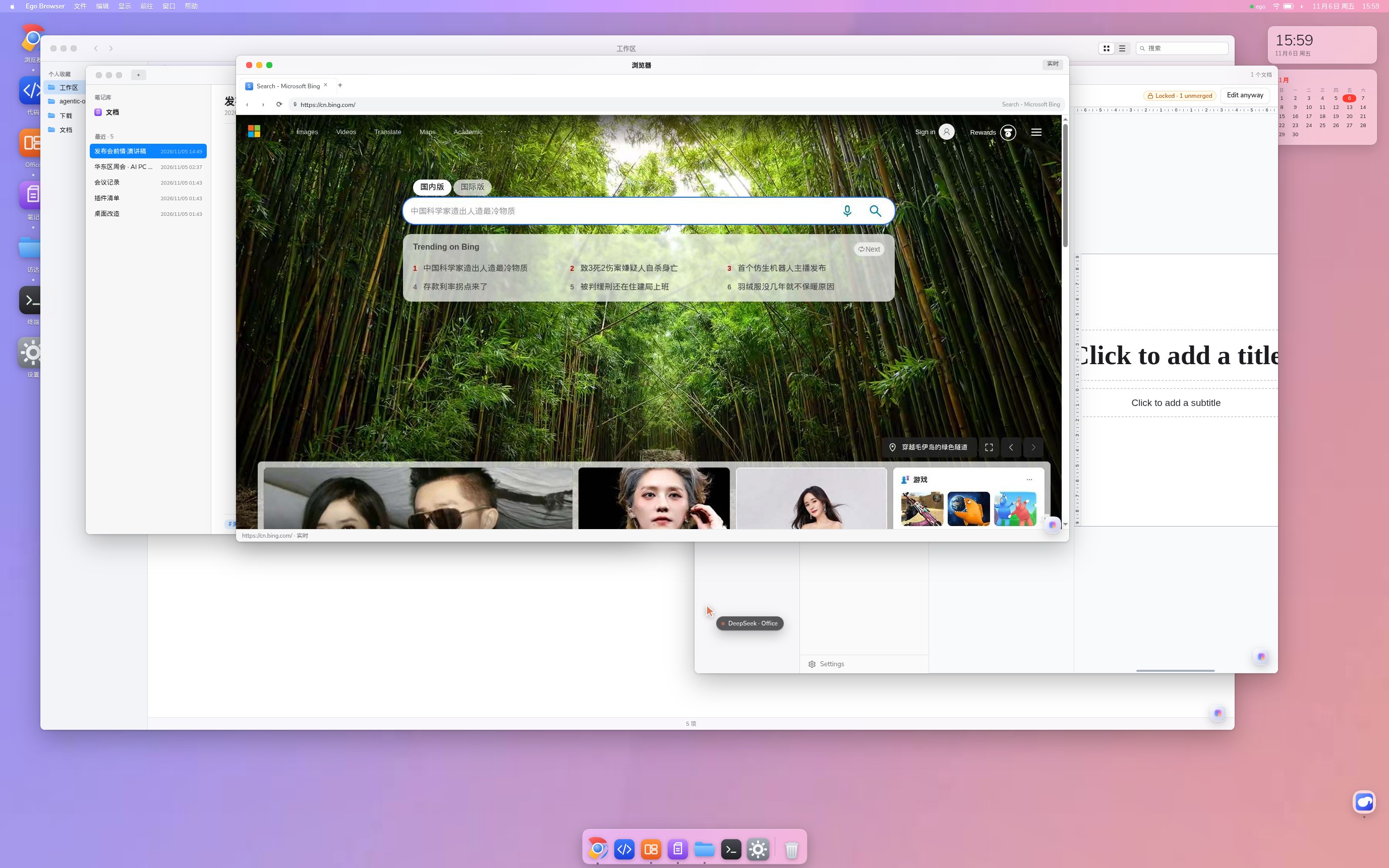
Windows stack like a real machine — browser in front, notes and Office behind, Finder underneath
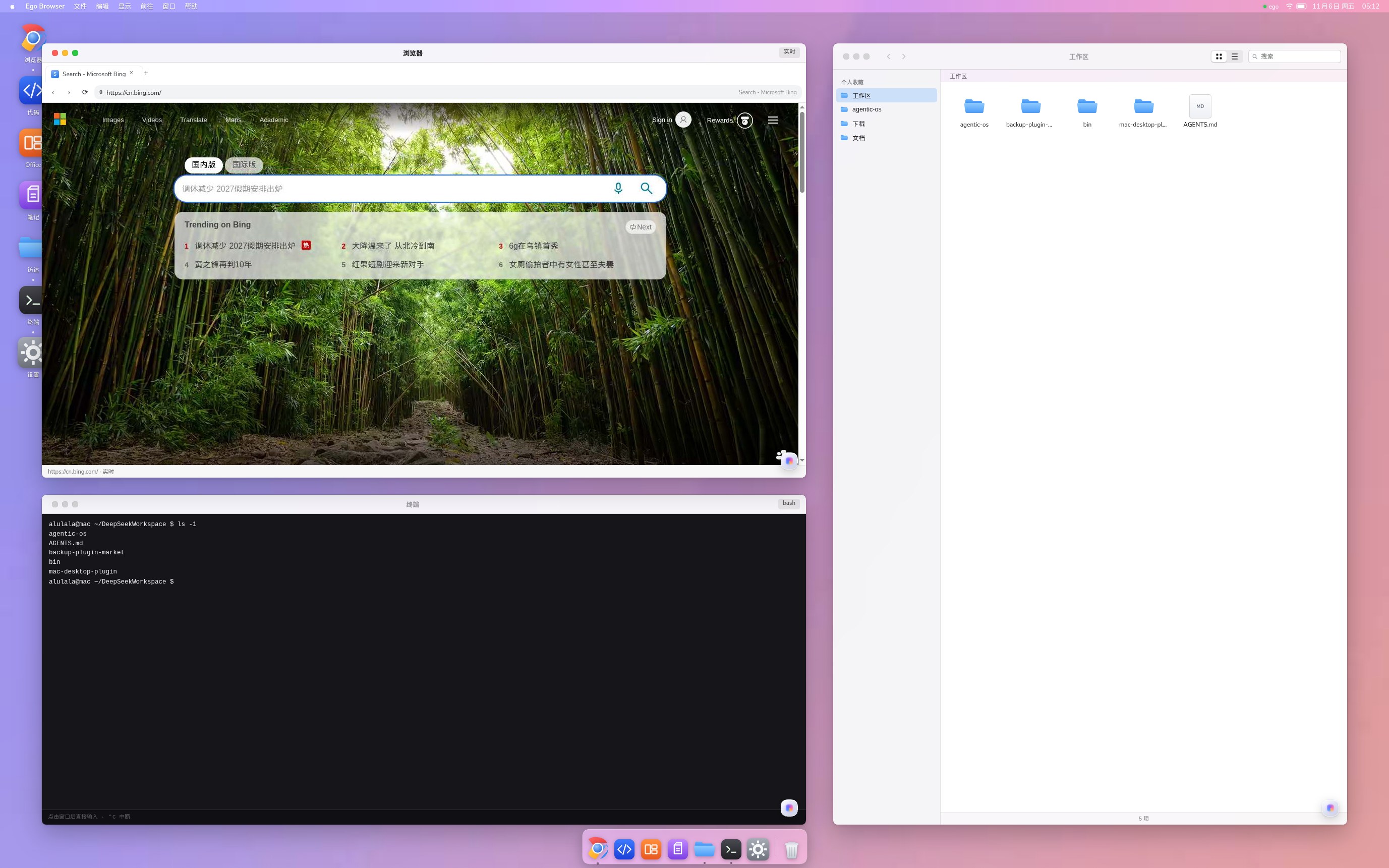
Not mock-ups: a live Bing page, a real ls in the terminal, your own workspace in Finder
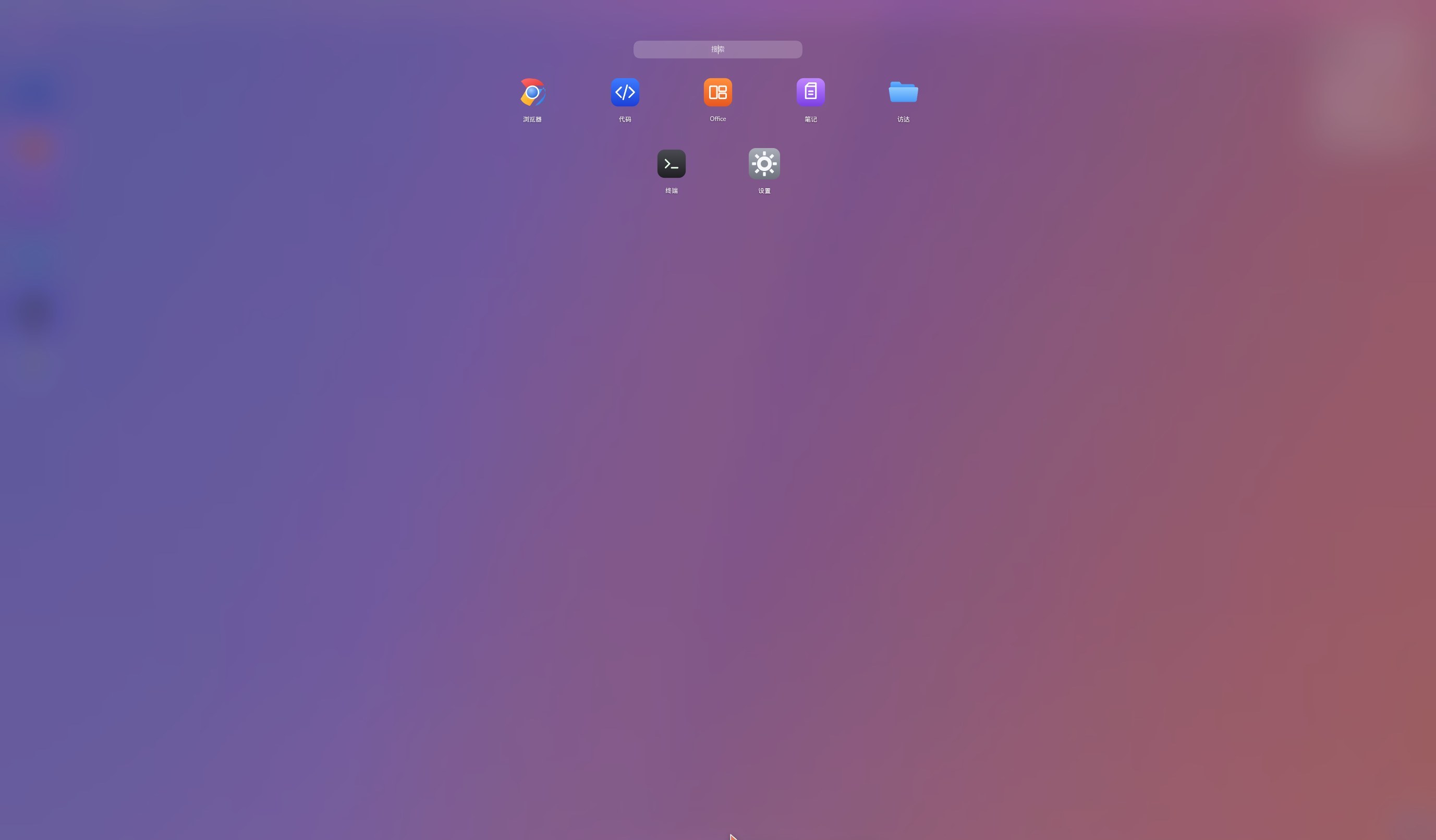
Launchpad: every app, one blurred grid.
Why this is an OS, not another tool call
MCP servers and "call this API" integrations share three structural limits:
| API / MCP tool call | Plugin inside the DSH context | |
|---|---|---|
| Where state lives | behind the tool; the model gets a summary | in the context; the model sees the same bytes you see |
| Who else can touch it | only the holder of the credential | you — in the real app, at the same time |
| Can it see your work? | no, your edits are invisible | yes — your edit is the next state it reads |
| Parallelism | one call at a time, serialized by the client | many windows, many tabs, many plugins at once |
| Peripheral vision | only what it called | what's open, what changed, what you're doing |
That gap is the product. The agent isn't calling out to software from a chat window — it sits in the same session, on the same files, in the same apps. You type in a cell, it reads that cell. It writes a note, you watch it appear. Nothing is exported and re-imported, and nobody has to hand off control.
Plugins are mounted into the session rather than proxied behind an endpoint, so a desktop is simply the most honest UI for what is already true.
What you get
| App | What it really is |
|---|---|
| Desktop | Sonoma wallpaper, menu bar with a live clock, magnifying Dock, desktop icons, draggable & resizable windows with traffic lights |
| Browser (浏览器) | a real headless Chromium driven over CDP: parallel tabs, real mouse/keyboard, your existing logins |
| Code (代码) | the dsh-code-workbench Monaco panel, promoted to a window |
| Office | the editable Univer gateway (127.0.0.1:9080) — click a cell, change a cell |
| Notes (笔记) | your own Obsidian vault (~/Documents), rendered and editable |
| Finder (访达) | your workspace: grid/list views, breadcrumbs, text preview |
| Terminal (终端) | a persistent bash session with a blinking cursor |
| Settings (设置) | wallpaper, light/dark, Dock order, browser start page, "About This Mac" |
| Desktop assistant | a floating orb at the bottom-right opens the native DSH conversation as a floating panel (⌘J, Esc to close) |
Launchpad (F4) | every installed app in one blurred grid, with search |
Spotlight (⌘Space) | search apps and workspace files; Enter opens |
| Control Centre | menu-bar ◐: Wi-Fi / Bluetooth / Do Not Disturb tiles, brightness (really dims the desktop) and volume |
| Desktop widgets | Sonoma-style clock and month calendar, top right |
Mission Control (F3) | shrink all windows into a grid, press again to restore |
Every window carries a floating assistant orb: leave it closed and the app behaves like normal software; open it and you ask a question about that app's state.
Technical notes — what we hid, and what we turned into what
The desktop is one shell.overlay plugin plus one host service. It does not fork the
Harness and does not ship Electron. Everything below is a deliberate substitution.
1. The conversation is hidden on purpose
A chat transcript is the one thing a desktop must not show — it breaks the illusion and eats the largest surface on screen. In desktop mode:
- the conversation column and the workspace sidebar are parked (still mounted, moved
out of view —
display:nonebreaks plugin lifecycles), - input goes through window orbs and the menu bar instead of a transcript,
- the native right panel is parked, and un-parked only when a window explicitly owns it.
2. Each plugin became a desktop application
| Plugin | Before | In the desktop |
|---|---|---|
dsh-ego-browser | a right-sidebar live panel mirroring whatever tab ego had focused | Browser: we stopped mirroring. The host reads the browser's CDP port from browser.json and captures a specific target, so the window shows its own tab while the agent drives others in parallel. ego's tab strip and toolbars are suppressed inside the window. |
dsh-univer-office | read-only reviewer iframe (View only) | Office: the host asks /univer-api/state for the gateway URL (:9080) instead of the viewer, so the window is the editable app. A sandbox without allow-popups stops it spawning a stray window. |
dsh-code-workbench | right-bar tab | Code: the same panel component hosted in a floating window, native tab strip hidden. |
dsh-obsidian-notes | shell.overlay panels floating over the chat | Notes: we read the vault path from ~/.dsh/dsh-obsidian-vault.json and render the Markdown ourselves (headings, tables, task lists, #tags) — plain files both sides edit. |
| — | — | Finder / Terminal / Settings are written for this desktop: the host exposes /api/macos-desktop/{files,read,write} and a persistent /api/macos-terminal/session. |
3. Why the browser window is not an iframe
Two measured facts on this platform:
- A same-origin iframe pointing at the SPA entry never commits (
about:blank,contentDocumentstays empty); only cross-origin frames navigate. "One iframe per app" cannot work. - ego captures the visible viewport of one browser. Mirroring its own panel inside the page made the desktop film itself — windows inside windows, forever.
The fix is structural: the browser window is a CDP client of a separate Chromium
(Page.captureScreenshot + Input.dispatchMouseEvent), not a mirror of the shell's page.
Frames arrive at the window's exact content size (Emulation.setDeviceMetricsOverride
keeps page pixels == window pixels), so nothing is letterboxed or cropped.
4. The agent's control surface
No screen-scraping. The agent gets first-class handles:
// in-page, from any tool or eval
window.__macos.state()                        // windows, focus
window.__macos.open('office')                 // open an app
window.__macos.rect('notes', {x, y, w, h})    // place it exactly
window.__macos.layout('stack')                // three-layer demo stage
# a CLI the agent can call as a tool
macos-browser tabs                  # what the human has open
macos-browser new "https://cn.bing.com/search?q=..."
macos-browser read 0 1 2            # innerText of three tabs at once
macos-browser click 1 420 380       # real mouse inside a tab
Host routes (all require the dsh-auth cookie):
/api/macos-desktop/{window,files,read,write,univer,system,apps,assist},
/api/macos-terminal/session.
5. Deliberate limits
- Parallelism is per-window, not per-panel. Panel-type plugins (Code, Office) share a single right-bar instance, so one window hosts them at a time; everything else opens in parallel.
- Not real-time. Neither side pushes. The agent sees your edit the next time it reads
(verified: type in a cell →
univer_inspectreads your value back). - Single-user, local. The desktop is a browser session against your own Harness.
Install
dsh plugin add dsh-as-macos

> npm package not published yet? Install straight from GitHub — same bundle, no registry needed:

```sh
dsh plugin add github:Yue-Lyu123/dsh-as-macOS
Open the Web GUI and click the **桌面** capsule in the bottom-right corner, or run
`window.__macos.desktop(true)`.

Optional companions, each unlocking one app:

| App | Needs |
|---|---|
| Browser | `dsh-ego-browser` |
| Code | `dsh-code-workbench` |
| Office | `dsh-univer-office` |
| Notes | `dsh-obsidian-notes` |

A missing companion shows a "正在接入" placeholder instead of breaking the desktop.

## Security

The desktop is as powerful as a desktop. With a valid `dsh-auth` cookie these exist:

- `/api/macos-terminal/*` — **arbitrary shell commands**
- `/api/macos-desktop/{read,write}` — **read/write** your workspace and `~/Documents`
- `/api/macos-desktop/window` — spawn a headless Chromium and `eval` inside its pages
- `/api/macos-desktop/ego` — CDP against your logged-in browsing session

They are local-only and cookie-gated, but treat the plugin the way you'd treat a
terminal. Set `DSH_MACOS_BROWSER_PROXY` if your network needs a proxy; no proxy is
assumed otherwise.

## License

MIT © 2026 [Yue-Lyu123](https://github.com/Yue-Lyu123). See [LICENSE](LICENSE).