dsh-preview-market
439436269-ctrl/dsh-preview-market
A vertical preview market for DeepSeek Harness: discover preview plugins, inspect the installed inventory, and install, enable/disable or configure them through dsh-market or the dsh CLI. One-click install and enable/disable need dsh-market; without it each card only shows a copyable install command.
Install
dsh plugin --profile web add github:439436269-ctrl/dsh-preview-marketREADME
dsh-preview-market
A vertical preview market for DeepSeek Harness. A top-level settings section (and a Settings → Plugins tab) lists the preview plugins that exist for DSH, shows which ones the active profile already has, and hands installs/updates to dsh-market or the official dsh plugin command.
It is not a general plugin market, and it does not implement previews itself: every preview plugin stays an independent Loader entry with its own repository, version and settings. The market only provides the catalog, the installed view and the entry points.
Install
dsh plugin --profile <profile> add dsh-preview-market
Open Settings → Preview market (the same panel is also under Settings → Plugins).
Upgrading from dsh-media-preview / dsh-blend-preview / dsh-stl-preview? See MIGRATION.md.
What it does
- Catalog — first-party preview plugins with their formats, host requirements and versions.
- Installed view — reads the active profile's
package.json, matching catalog names by default and honouring a package'sdsh.previewmanifest when present; never imports child plugin code. - Install / update — delegates to
dsh-marketwhen it is present. Without it, the card shows the exactdsh plugin --profile <profile> add <package>@<version>command to copy. - Independent plugins — media, Blender and STL remain separate packages; this page has no renderer and does not merge their code.
Screenshots
Preview market
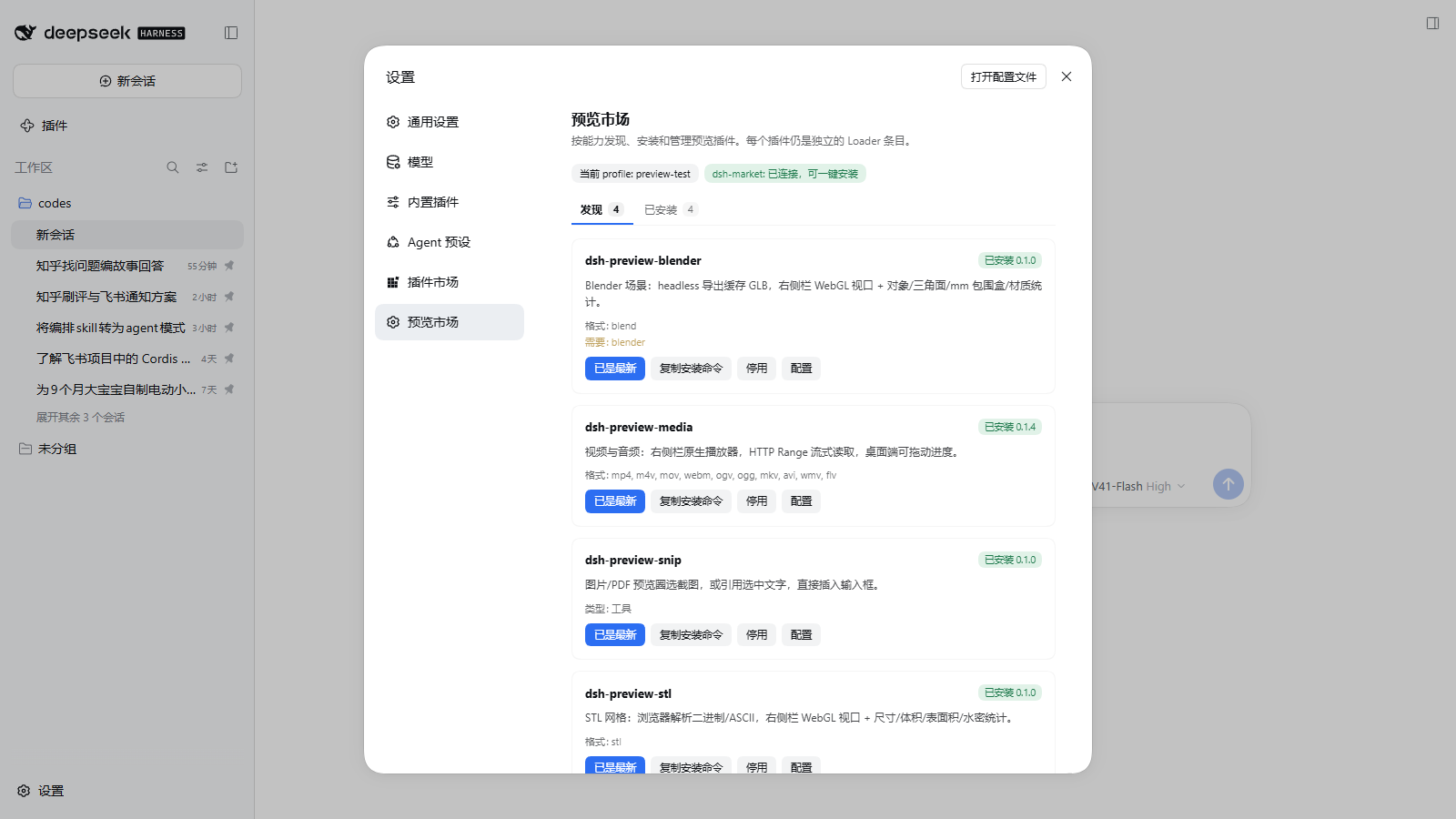
The top-level Settings → Preview market section, next to dsh-market, with the Discover / Installed tabs and the current four entries:
Installed cards and controls
Each installed entry keeps the same controls: status, copyable install command, enable/disable through dsh-market, and a Configure entry.
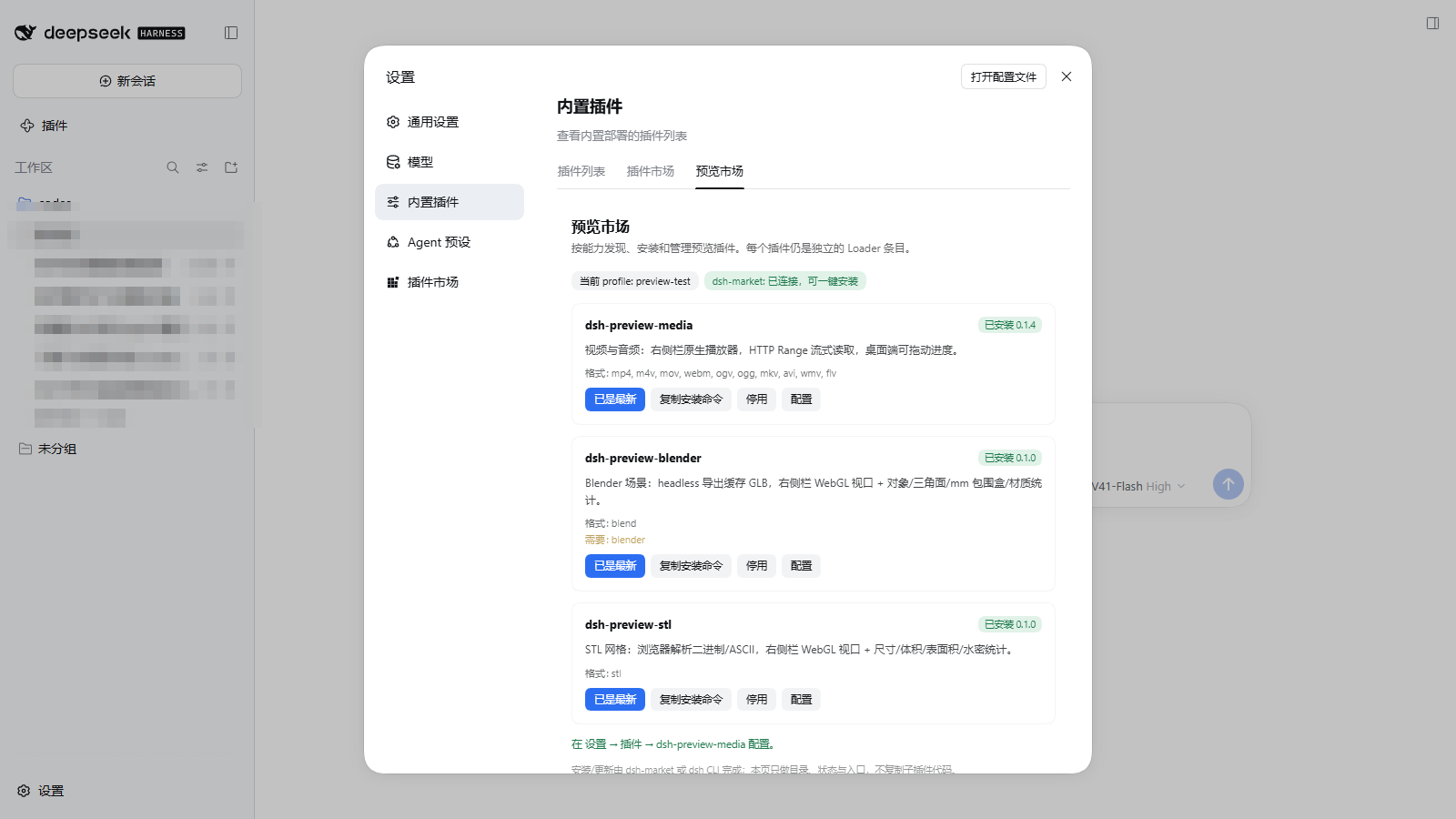
Current preview plugins
| Plugin | Opens | Formats | Host requirement |
|---|---|---|---|
dsh-preview-media | Video and audio | mp4/mov/webm/mkv + mp3/flac/wav/… | — |
dsh-preview-blender | Blender scenes | .blend | Blender 3.6+ |
dsh-preview-stl | STL meshes | .stl | — |
dsh-preview-snip | Tool: circle a region or quote text | no file extension | — |
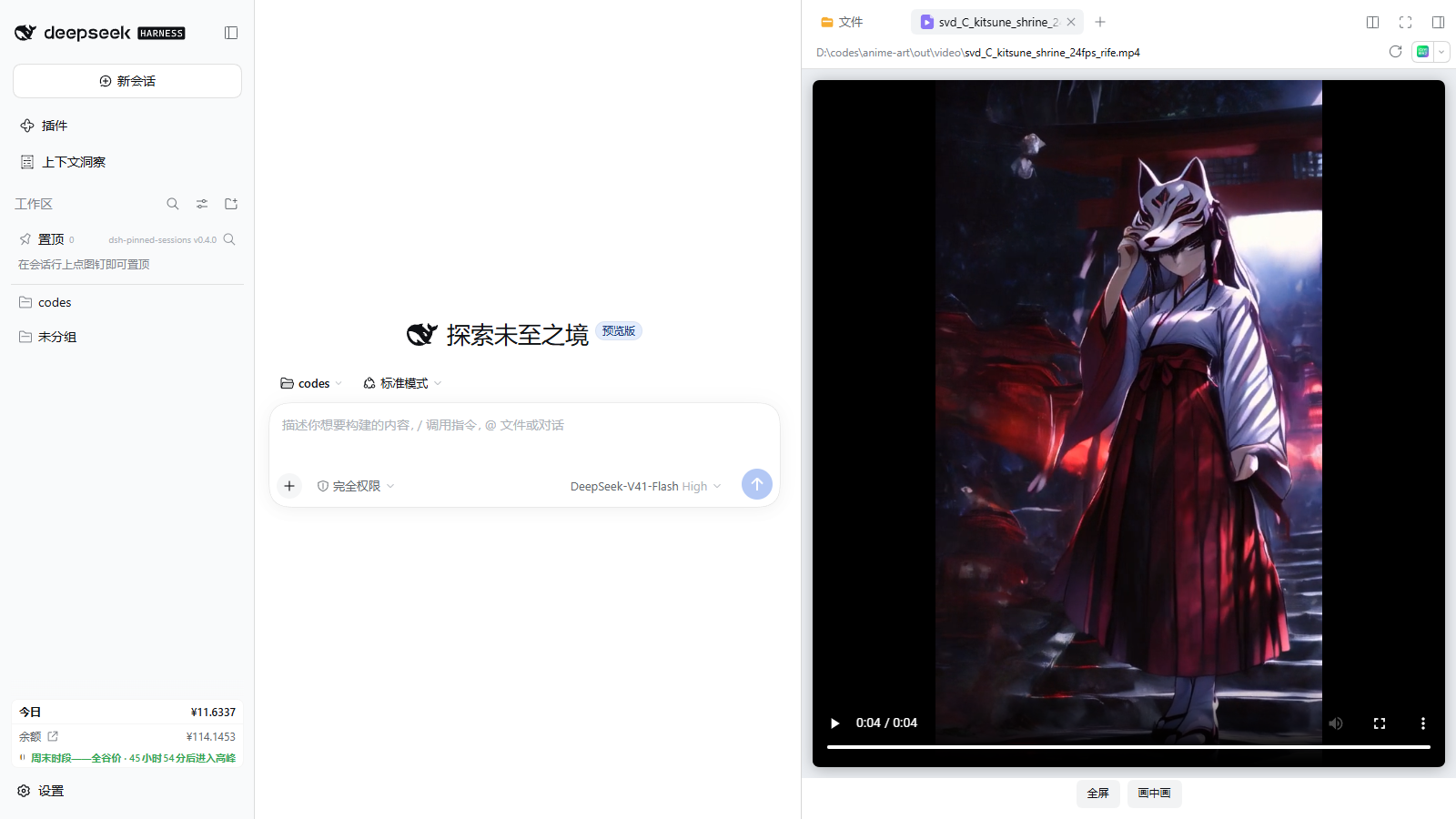
dsh-preview-media
Play video/audio in the right-Sidebar document preview, streamed over an authenticated HTTP Range route. Desktop seeking uses the token-guarded loopback origin; 0.1.5 also retries the authenticated route when the loopback reports a code-4 media error.
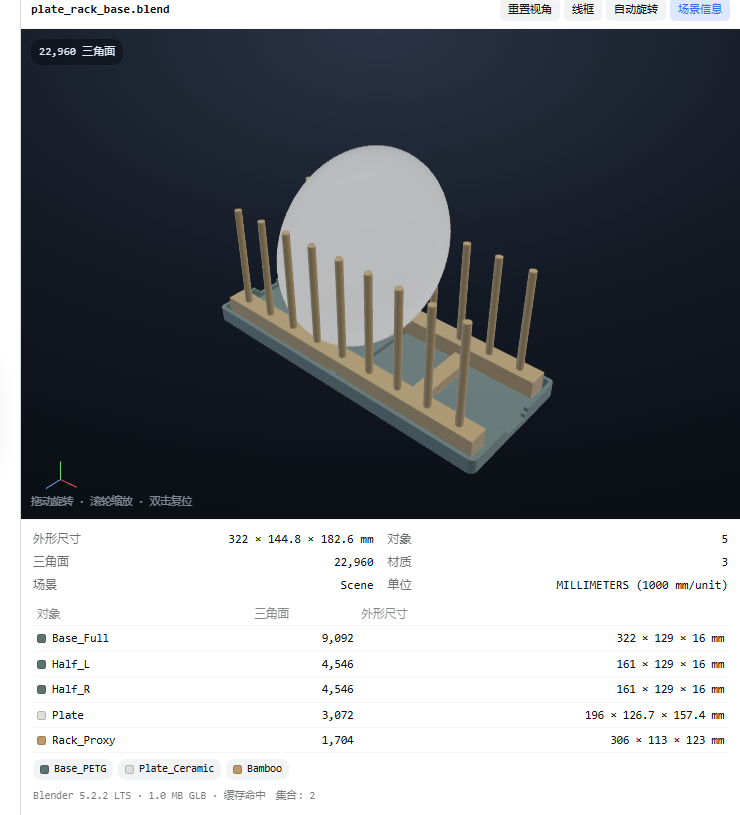
dsh-preview-blender
A .blend file is exported to a cached GLB by Blender headless, then rendered in a dependency-free WebGL viewport with scene statistics.
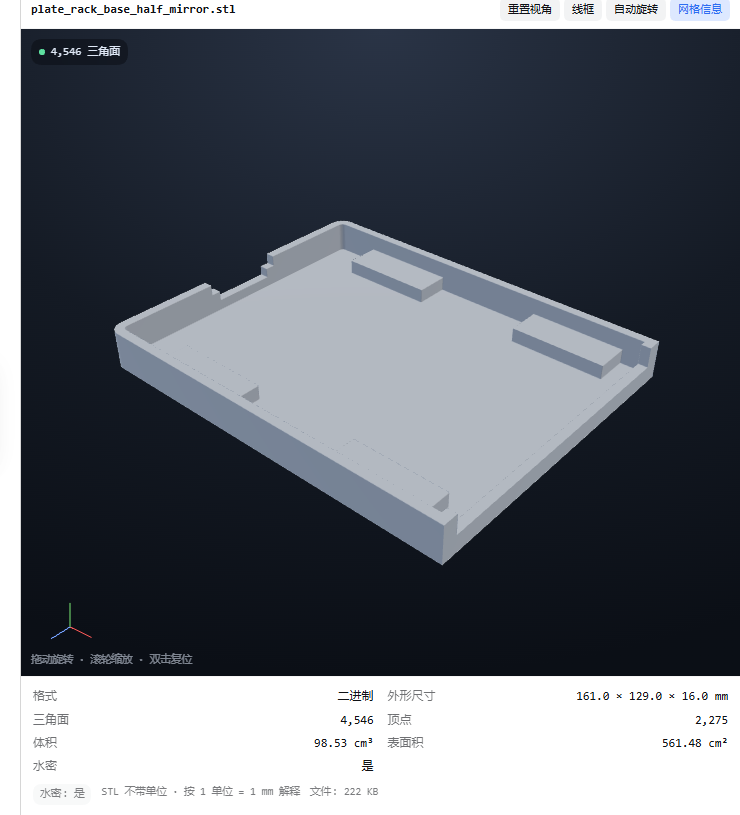
dsh-preview-stl
STL is parsed in the browser; the viewport reports size, volume, surface area and watertightness without uploading the mesh.
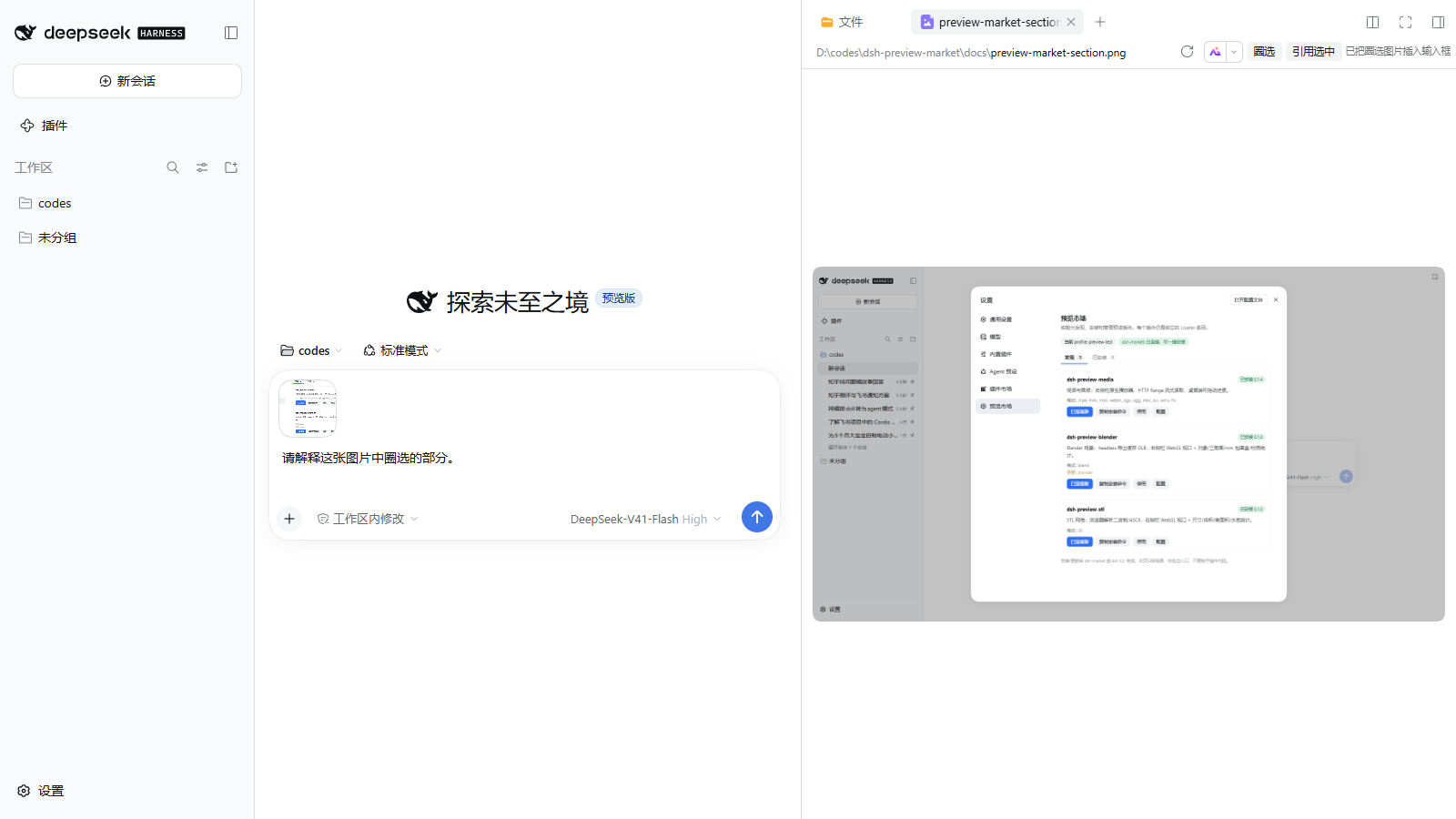
dsh-preview-snip
A preview-header tool: drag a rectangle over an image/PDF to attach a PNG, or quote selected text into the composer.
Catalog (0.1.10)
Every plugin is one file under catalog/plugins/, named <owner>__<repo>.json. A third-party submission adds exactly one file plus the regenerated catalog.json snapshot — no market code change. The Host loads, validates and merges all files at startup; the format and PR steps are in catalog/README.md.
Preview entries use kind: "media" or "three" and declare their extensions; dsh-preview-snip uses kind: "tool", which has no file extensions and is displayed as a tool card.
Configuration
Settings → Plugins → Preview market (namespace preview-market):
| Key | Default | Meaning |
|---|---|---|
enabled | true | Register the routes, the top-level section and the Settings → Plugins tab. |
routeRoot | /api/preview-market | Authenticated route root; must stay under /api. |
profileDir | "" | Profile to inspect. Empty uses the Host profileContext, then $DSH_HOME/profiles/desktop. |
debug | false | Reserved for request diagnostics. |
Examples
examples/profile-overrides.yml— a safe starting point for per-profile overrides (media chunk size, Blender path, STL unit scale).catalog.json— machine-readable snapshot of the shipped catalog, enforced by a unit test.
Development
node --test test/*.test.js
catalog.json is a machine-readable snapshot of the shipped catalog; regenerate it with npm run catalog:write and keep it in sync (a test enforces this).
Settings-section end-to-end (requires a running host with the plugin installed):
node scripts/e2e-section.mjs --base http://127.0.0.1:<port> --token <token>
Settings-tab end-to-end (requires a running host with the plugin installed):
node scripts/e2e-settings.mjs --base http://127.0.0.1:<port> --token <token>
Fallback install/copy check (requires a profile where one catalog entry is not installed):
node scripts/e2e-fallback.mjs --base http://127.0.0.1:<port> --token <token>
Toggle/configure check (requires dsh-market and an installed STL preview):
node scripts/e2e-toggle.mjs --base http://127.0.0.1:<port> --token <token>
The client bundle is lib/client.js (classic __ModuleLoader__.load factory, no build step).
Status
0.1.10 — top-level Settings → Preview market section with Discover / Installed tabs, plus the Settings → Plugins tab. The catalog is one file per plugin under catalog/plugins/ (preview plugins and tool entries such as the preview snip), so third-party entries are a one-file PR. Enable/disable goes through dsh-market. One-click install requires the package in the connected dsh-market registry; otherwise use the copyable command. Configuration stays in each child plugin's own Settings → Plugins page.
Related plugins
deepseek-harness
deepseek-ai/deepseek-harness
dsh-web (dsh-plugin-manager)
zhu1090093659/dsh-web
dsh-market
dsh-market/dsh-market
dsh-web
zhu1090093659/dsh-web