dsh-image-gen
adithyanraj03/dsh-image-gen
Multi-provider image generation and editing for DeepSeek Harness (OpenAI-compatible relays with custom /v1/images/generations endpoints, Gemini, Seedream, DashScope, Grok, GLM, local ComfyUI, subscription accounts), an Excalidraw MIT infinite-canvas studio with click-to-place and selection-to-edit references, and a pro viewer with zoom/pan/pinch, region notes and a markup mode that bakes marks into the pixels and sends normalized coordinates to the model.
Install
dsh plugin --profile web add github:adithyanraj03/dsh-image-genREADME

dsh-image-gen
English | 中文





Custom multi-provider image generation, editing, and interactive canvas studio plugin for DeepSeek Harness (DSH), with native support for custom /v1/images/generations and /v1/images/edits endpoints.
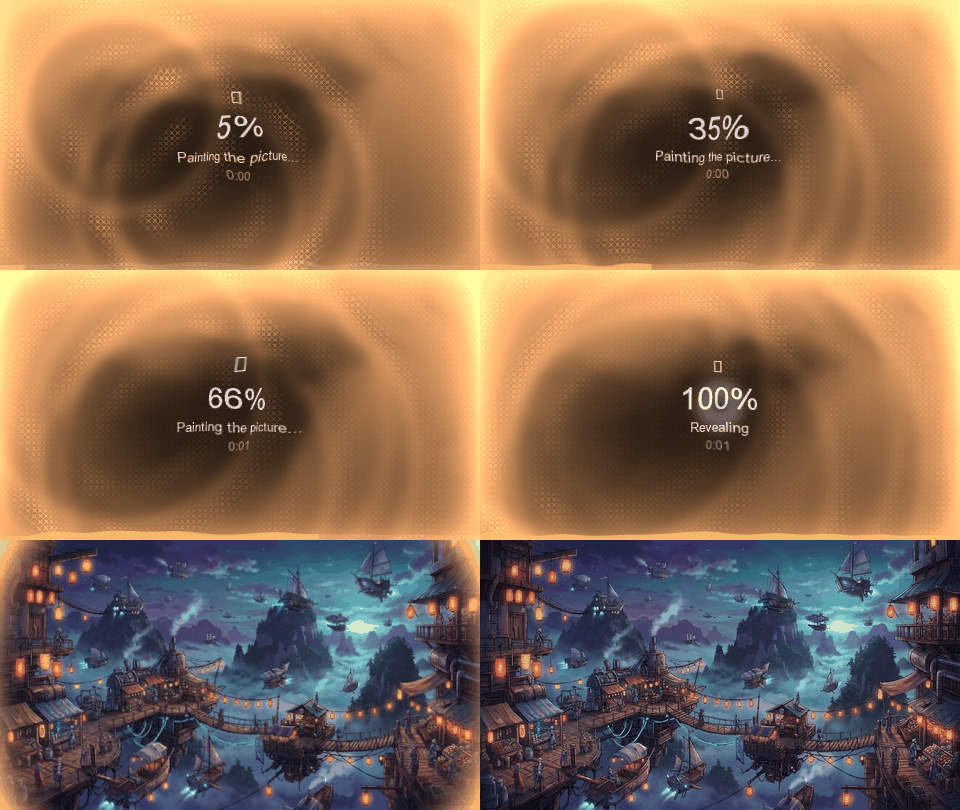
Features
- Custom
/v1/images/generationsEndpoint Support: Configure any OpenAI-compatible gateway, reverse proxy, or self-hosted server (vLLM, LiteLLM, OneAPI, NewAPI, LocalAI, SGLang) using either the/v1base URL or the full/v1/images/generationsendpoint URL. - Multiple Named Relay Channels: Add and switch between multiple independent OpenAI-compatible endpoints, each with its own API key, base URL, model catalog, quality tiers, and extra JSON payload fields.
- Multi-Provider Support:
- OpenAI & OpenAI-Compatible Relays (
/v1/images/generations,/v1/images/edits) - Google Gemini (
interactionsand nativegenerateContent) - ByteDance Seedream (Volcengine Ark)
- Aliyun DashScope (Qwen Image / Wanx)
- xAI Grok Imagine
- Zhipu GLM-Image
- Local ComfyUI (custom API workflow JSONs)
- Subscription Accounts (ChatGPT, Grok, Google Antigravity)
- OpenAI & OpenAI-Compatible Relays (
- Agent Tools:
generate_image: Single text-to-image generation.generate_images: Sequential batch generation (up to 10 prompts per call).edit_image: Image-to-image editing, restyling, and multi-reference composition.find_inspiration: Prompt template search across bundled style and layout catalogs.canvas_state&view_canvas: Live infinite canvas inspection and sketch-to-image workflows.
- Interactive Workbench: Gallery, Studio, Multi-Model Comparison, and an Excalidraw-based Infinite Canvas (MIT, no watermark) directly inside the DSH Web GUI.
- Pro Image Viewer: Fullscreen lightbox with pointer-anchored zoom, drag-pan, touch pinch, double-click 100%, keyboard navigation, and region annotations that bake numbered markers into a PNG and drop it (plus your notes) into the composer draft without sending.
Screenshots
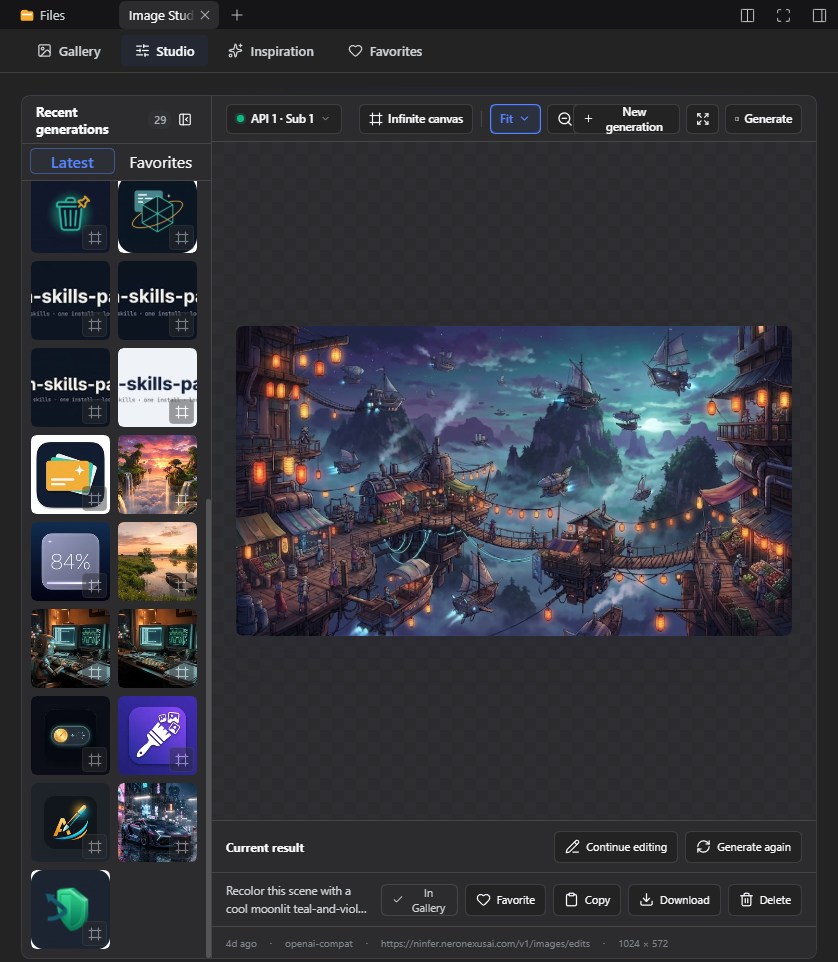
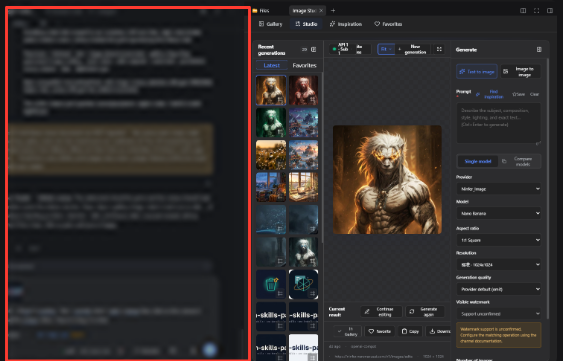
Studio preview — the recent-generations rail beside a fit-to-window preview of the current result.
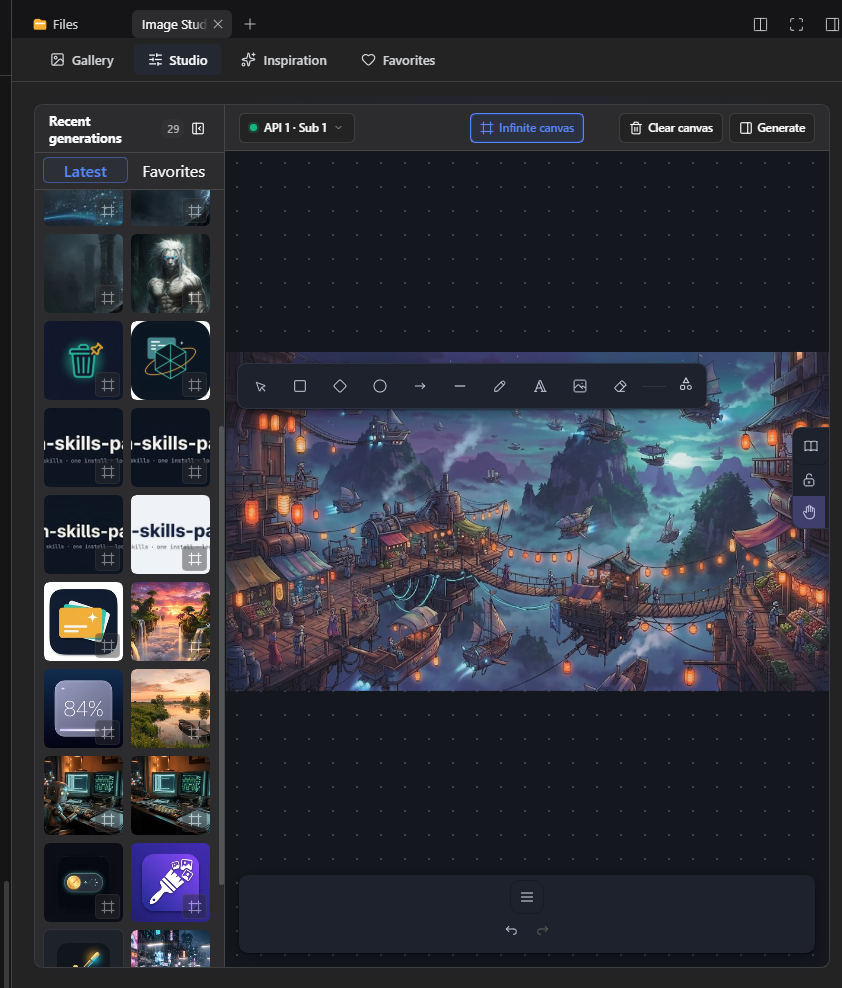
Infinite canvas (Excalidraw) — the MIT-licensed sketch surface (dark skin, dot grid, tool strip). Select a rail image and click the canvas to place it, or drag thumbnails straight in; select shapes and feed them to edit_image as original-resolution references.
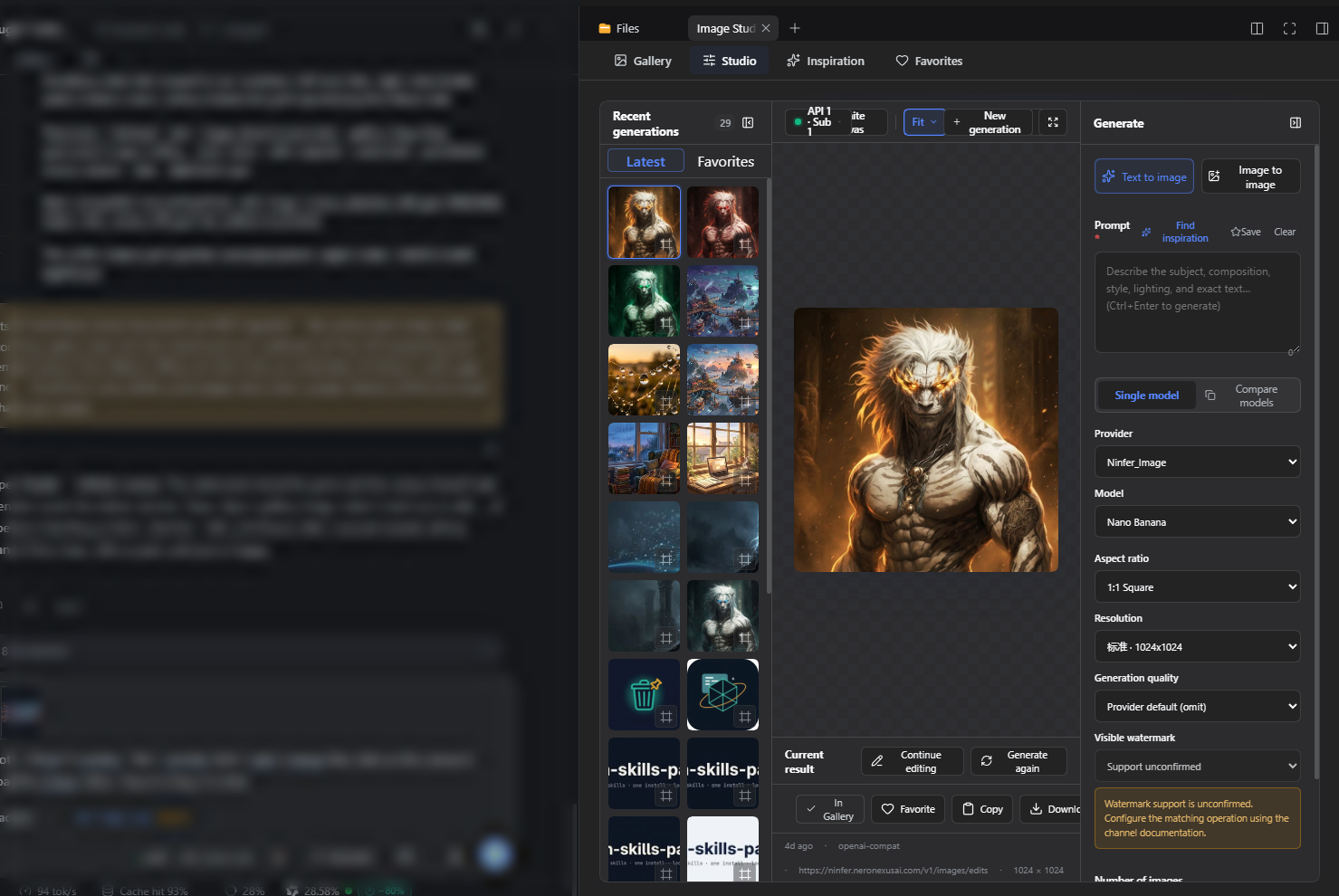
Generate panel — text-to-image / image-to-image controls with provider, model, ratio, resolution and quality, docked beside the canvas.
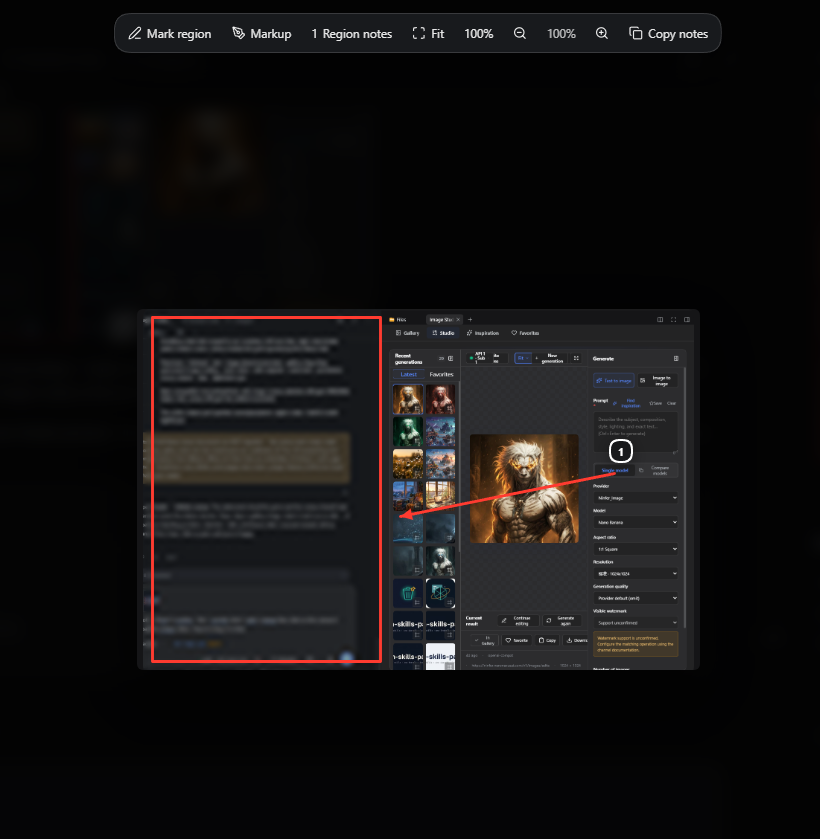
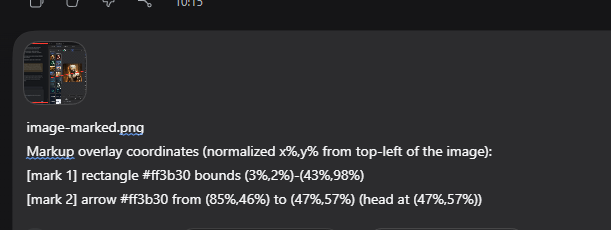
Markup — draw rectangles, arrows, ellipses, numbered steps, redactions, freehand and text on any previewed image (including chat-bar attachments). Save bakes the marks into the original pixels, replaces the composer attachment in place, and appends normalized (x%,y%) coordinates so the model can ground each mark precisely.
Markup in the lightbox — rectangle, arrow and a numbered step drawn over the image; the toolbar switches between Mark region (notes) and Markup (draw), with fit/100% zoom and copy-notes alongside.
What the model receives — the composer draft holds the marked PNG plus one normalized-coordinate line per mark, so pixels and grounded locations arrive together.
Install
dsh plugin --profile web add @adithyanraj/dsh-image-gen
Or from the GitHub release tarball / repo tag — see the Pages site. Restart dsh / the desktop app afterwards.
Custom /v1/images/generations Configuration
- Open Plugins → Installed → dsh-image-gen in the DSH Web GUI.
- Expand OpenAI Compatible (relay) (or click + to add a named channel).
- Enter your API Key and Endpoint / Base URL:
- Full endpoint URL:
https://your-host.example.com/v1/images/generations - Or base URL:
https://your-host.example.com/v1
- Full endpoint URL:
- Enter your model name (or click Fetch models), configure any custom resolution table or extra JSON body fields, and click Save.
Development & Build
pnpm install
pnpm run typecheck
pnpm run build
pnpm test
Local Profile Linking
dsh plugin --profile desktop add link:B:/Research/dsh-image-gen
dsh plugin --profile web add link:B:/Research/dsh-image-gen
License
GPL-3.0-or-later — see LICENSE.
The infinite canvas bundles Excalidraw (MIT, © 2020 Excalidraw). See THIRD_PARTY_NOTICES.md.
Related plugins
dsh-web-ui (dsh-tool-describe-image)
zhu1090093659/dsh-web-ui
modlens
liustack/modlens
ipollowork
devin-axis/ipollowork
dsh-image-gen
shanliuling/dsh-image-gen