dsh-rsa
beckchiang/dsh-rsa
Configurable startup splash screen for the DeepSeek Harness desktop app on Windows only — a real main-process splash with live preview and light/dark themes. Deploys by rewriting the app's app.asar (a backup is kept) and takes effect on the next launch after you quit DSH; redeploy after each DSH upgrade.
Install
dsh plugin --profile web add github:beckchiang/dsh-rsaREADME
Real Startup Animation (RSA)
A DeepSeek Harness plugin that shows a fully configurable splash screen before the main window appears — a real startup animation rendered by the Electron main process, not a wrapper launcher.
平台:仅限 Windows 桌面版 · Windows desktop only. 启动画面由 Windows 桌面版的 Electron 主进程渲染。在 macOS / Linux 上,深度部署会在动手之前直接返回错误,不会改写
app.asar;设置页的实时预览仍可使用。 The splash is rendered by the Windows desktop build's Electron main process. On macOS/Linux a deep deploy is rejected up front andapp.asaris left untouched; the settings preview still works.
点击图标,画面立刻出现,不再空屏等待。 启动画面在 DSH 主窗口出现之前就显示出来,主窗口在后台继续加载——专为启动较慢的机器设计,让你知道它已经在启动,而不是卡住了。
Instant splash — no blank screen. The splash appears the moment you click, while DSH keeps loading behind it. Built for slow startups, so you know it's launching instead of frozen.
Preview
| Light | Dark |
|---|---|
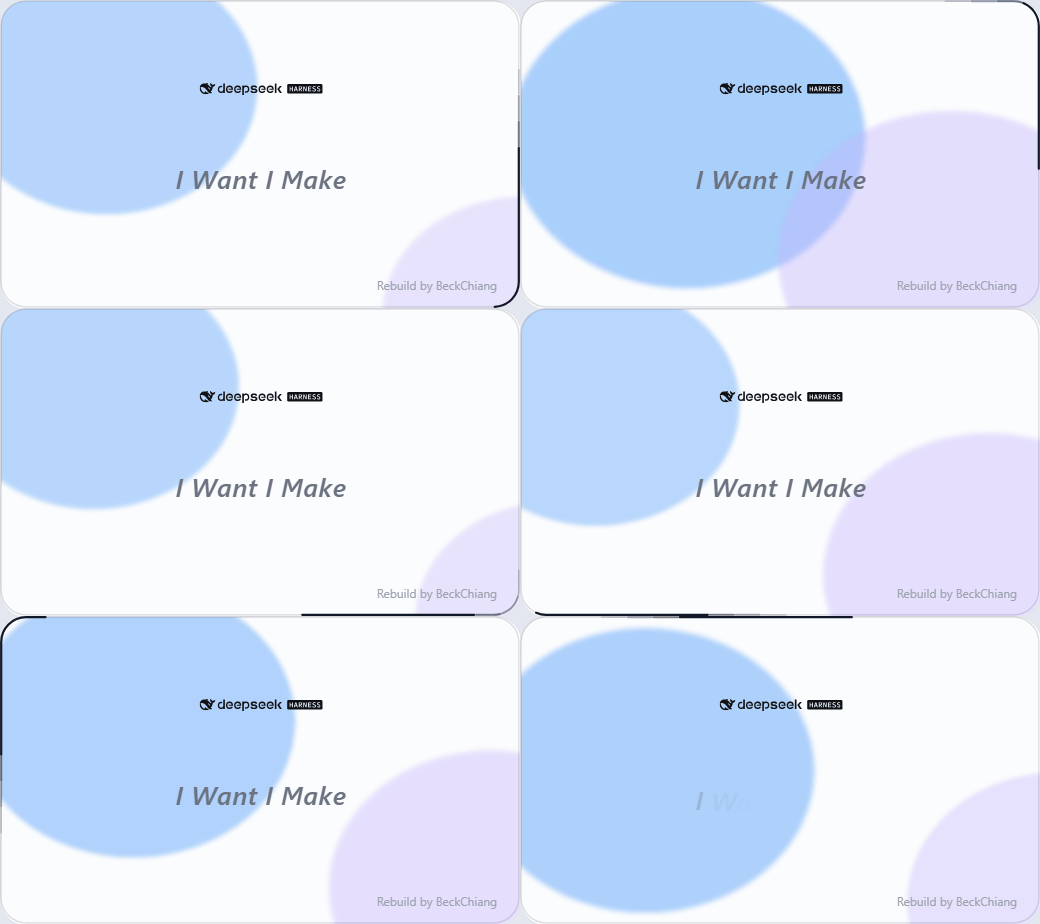 | 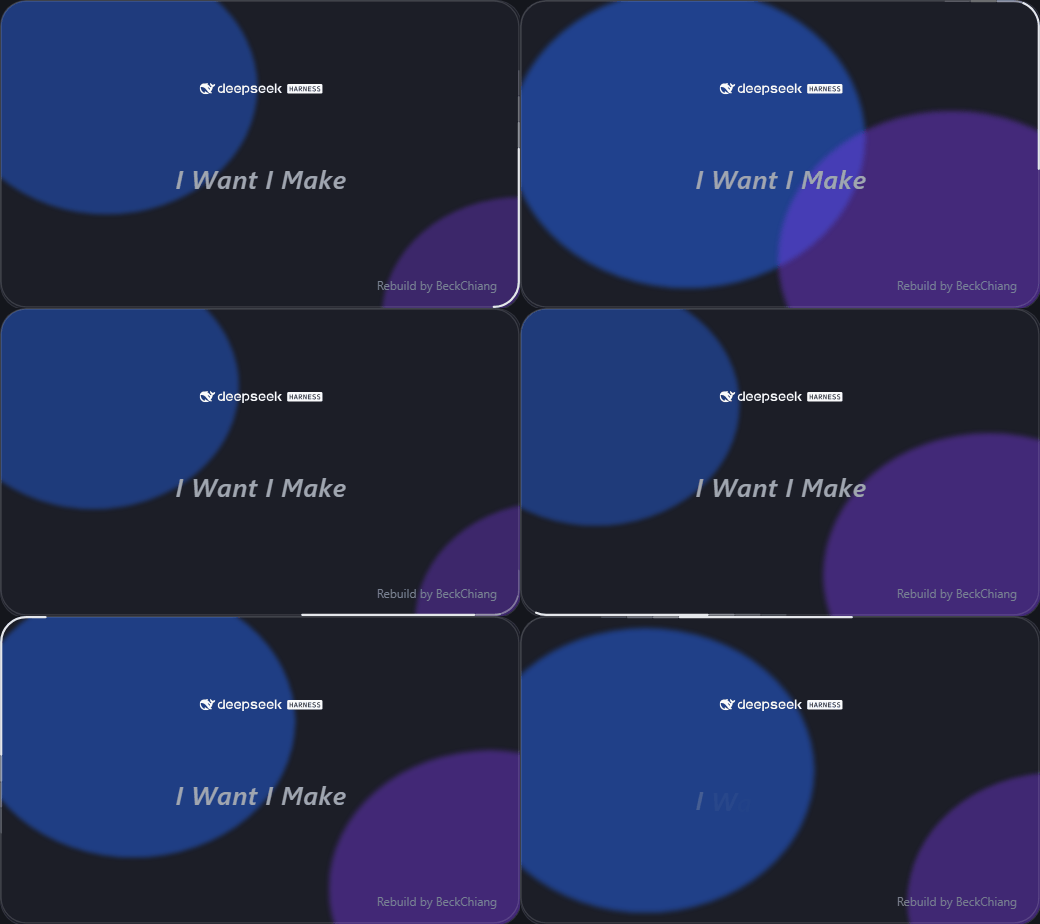 |
28-frame loop rendered from the actual splash page; the credit line sits bottom-right.
- 设置页:设置 → RSA 启动画面
- 中英双语、浅色/深色跟随 DSH 主题
- 实时预览(改参数即时看到效果)
- 深度部署:把渲染结果写进 DSH 的
app.asar,下次启动生效 - 一键恢复默认(当前方案即默认)
安装
# 收录后可直接按包名安装(也可在插件市场面板搜索 dsh-rsa)
plugin_manager install_bundle dsh-rsa

# 或者直接从源码仓库安装
plugin_manager install_bundle https://github.com/BeckChiang/dsh-rsa
安装后在 DSH 设置里打开 RSA 启动画面。
配置与部署状态写在插件目录下的
data/(config.json/state.json)。从 npm 安装时位于 profile 的node_modules/dsh-rsa/data/;卸载重装会回到默认配置。
部署机制
- 点「深度部署」→ 插件读取当前配置 → 生成
lib/splash.cjs→ 若安装包入口(package.json的main,通常是lib/main.js)还没有 splash 插桩,就自动在首行注入一行import("./splash.cjs")→ 重打包出resources/app.asar.rsa-new。- 不存在「先跑 hook 安装器」这一步:首次部署即自动插桩,DSH 升级把
app.asar换回官方版本后,再点一次部署就会重新注入。 - 插桩只有一行,与宿主
main.js的形态(ESM / CJS)无关;等待appready、显示与关闭窗口的逻辑都在生成的lib/splash.cjs里。 - 插桩状态在设置页状态栏可见:
已存在/首次部署时自动注入/缺失(有插桩但模块被换掉);已部署的 splash 与当前配置的生成结果不一致时显示已过期,需重新部署。 - 重打包会追加归档里还没有的文件:干净的官方
app.asar没有lib/splash.cjs,部署时连缺失的中间目录一起补进去,再按新布局修正头部偏移;因此全新安装也能一次部署成功。 - 任一步失败都会立刻删除
resources/app.asar.rsa-new,不会把半成品留到下次启动。
- 不存在「先跑 hook 安装器」这一步:首次部署即自动插桩,DSH 升级把
- 退出 DSH(正常退出即可):插件在进程退出前(
process.on("exit"))先校验 pending(入口确实带插桩、lib/splash.cjs存在、宿主版本没在部署后升级过),通过就换入成app.asar(applyPending())并删除 pending;损坏或跨版本的 pending 直接丢弃,绝不用坏文件覆盖正在用的app.asar。换入是原子的:先写app.asar.rsa-tmp再 rename 覆盖,rename 因占用失败时退回复制并保留 pending,中途崩溃不会把旧app.asar截断。 - 下次启动:直接加载换好的 asar,显示新画面。部署后只需重启一次。
- 兜底:如果 DSH 被强杀(没有 exit 事件)或退出时换入仍因占用失败,pending 会留到下次启动 2.5 秒时补做(
applyPending()的启动路径)——那一次仍显示旧画面,需要再重启一次才生效;设置页状态栏这时会显示 pending 待应用。
之所以退出时才能换:Windows 下运行中的 Electron 会占用 app.asar,启动阶段(splash 已加载之后)和运行期间都不能可靠替换;退出阶段进程不再读归档,才允许安全换入。旧版本只在下次启动 2.5 秒后换入,所以看起来要重启两次。
首次部署时会创建 resources/app.asar.rsa-backup 作为回滚点(只建一次)。
回滚:退出 DSH,把 app.asar.rsa-backup 复制回 app.asar。
DSH 升级会覆盖
app.asar,届时重新部署一次即可(插桩会自动补回)。
配置项
| 分组 | 可调 |
|---|---|
| 窗口 | 宽、高、圆角半径 |
| 主题 | 跟随系统 / 强制浅色 / 强制深色,浅色与深色卡片不透明度 |
| Logo | 倍率(0.1×–5×,1× = 320 px 基准宽,等比且不超过窗口宽)、距顶距离、自定义浅色/深色图 |
| 中心文字 | 内容、字号、字体、字重、斜体、距顶、动效(rise/fade/none)、周期、逐字延迟、字距 |
| 署名 | 内容、字号、是否显示、四角位置、偏移 |
| 背景光球 | 开关、动效(float/drift/pulse)、速度、两个光球透明度 |
| 进度光环 | 开关、样式(band/dots/breathe)、光带长度、周期、拖尾、线宽 |
开发结构
plugins/rsa/
├─ index.js            # host:/rsa 路由(state / preview / config / reset / deploy)
├─ client.js           # client:settings.section 设置页
├─ cordis.patch.yml    # 插件挂载声明
├─ package.json
├─ locale/             # en / zh-CN 元数据
├─ lib/
│  ├─ defaults.mjs     # 默认配置 + normalizeConfig 校验
│  ├─ render.mjs       # 参数化 splash HTML + CJS 生成
│  ├─ asar.mjs         # asar 读写/重打包(original-fs)
│  ├─ hook.mjs         # 入口一行插桩的检测与注入
│  ├─ deploy.mjs       # 部署、pending 应用、备份
│  ├─ store.mjs        # 配置与状态持久化(data/)
│  └─ brand-*.svg      # 官方矢量 logo(浅色/深色)
├─ test/               # node:test 用例(asar / hook / deploy)
└─ data/               # 运行时配置与状态(不入库)
测试
node --test
覆盖:asar.mjs 在干净归档里追加新文件与缺失目录、替换后的偏移与 integrity、父节点是文件时报错;hook.mjs 的幂等与 shebang;deploy.mjs 的首次部署、失败清理 pending、applyPending() 的应用 / 丢弃损坏 / 丢弃跨版本 pending,以及非 Windows 平台拒绝部署。
已知限制
- 仅限 Windows:
render.mjs只在win32创建启动画面窗口;deploy()在其它平台会直接返回错误并说明原因,不改写app.asar。 setShape圆角裁剪依赖 Electron 版本;DSH 桌面端(Electron 44)可用。- 启动画面窗口是
transparent + frame:false + setShape;非 DSH 桌面端不适用。 - 插件只改
app.asar,不碰官方 exe,不会触发 SmartScreen。 - 设置页的实时预览通过
POST /rsa/preview生成,iframe 以srcdoc渲染。
许可
MIT
Related plugins
dsh-web (dsh-task-board)
zhu1090093659/dsh-web
dsh-web (dsh-web-all)
zhu1090093659/dsh-web
dsh-TUI
ccch1mneyyy/dsh-tui
dsh-web-ui (dsh-task-board)
zhu1090093659/dsh-web-ui